2OM-1733-005w_F8.pdf - 第286页
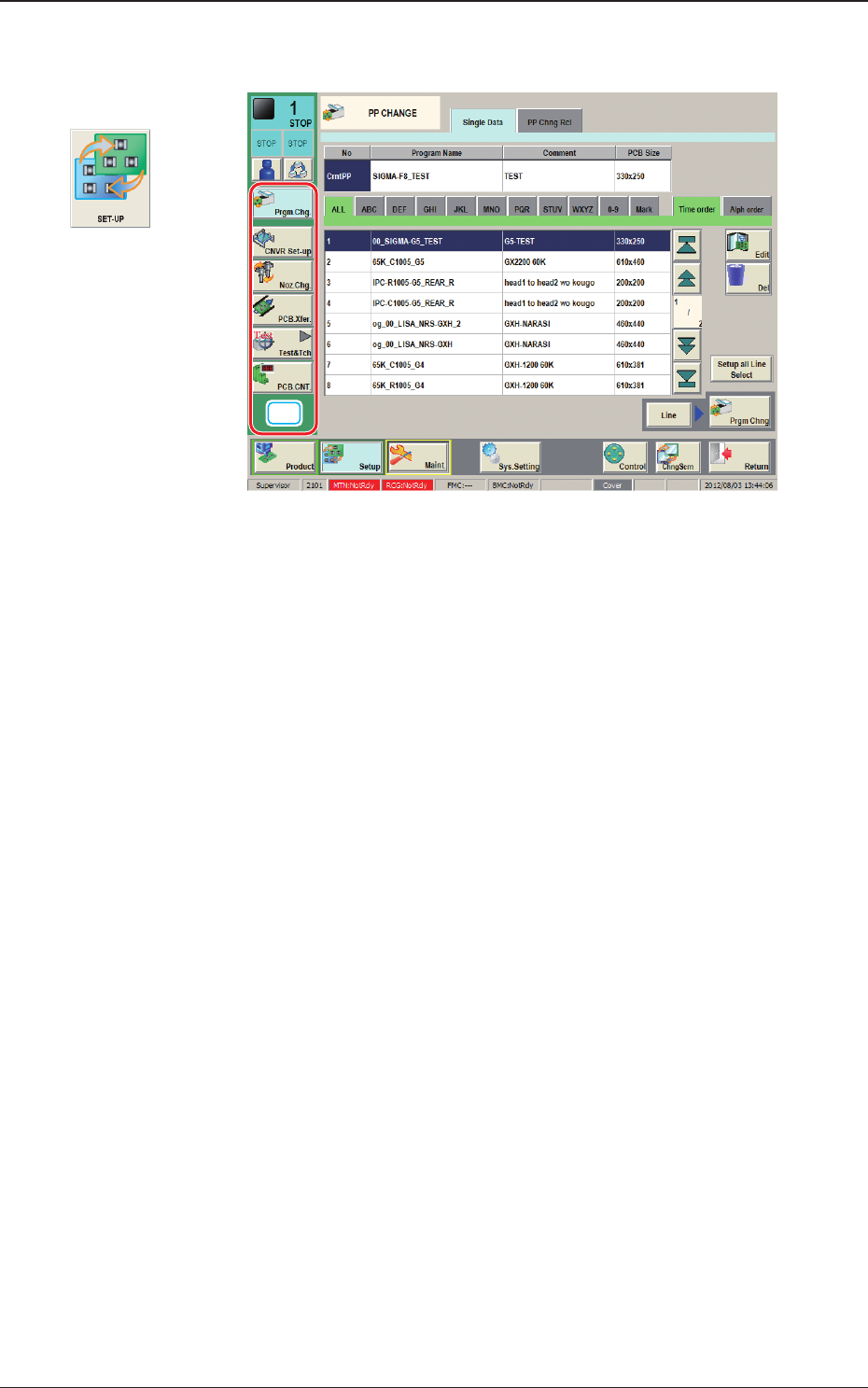
2OM-1733 6-2-2 1212-002 2. Setup [1] "Setup" Main Menu Bar The following buttons are arranged on the "Setup" main menu bar. [PP.Chg.] Button : Opens the "PP CHANGE" w indo w . In normal case…
2OM-1733
6-2-11212-002
2. Setup
2. Setup
[1]
Fig. 2F2-1
Graphic
Development
2OM-1733
6-2-21212-002
2. Setup
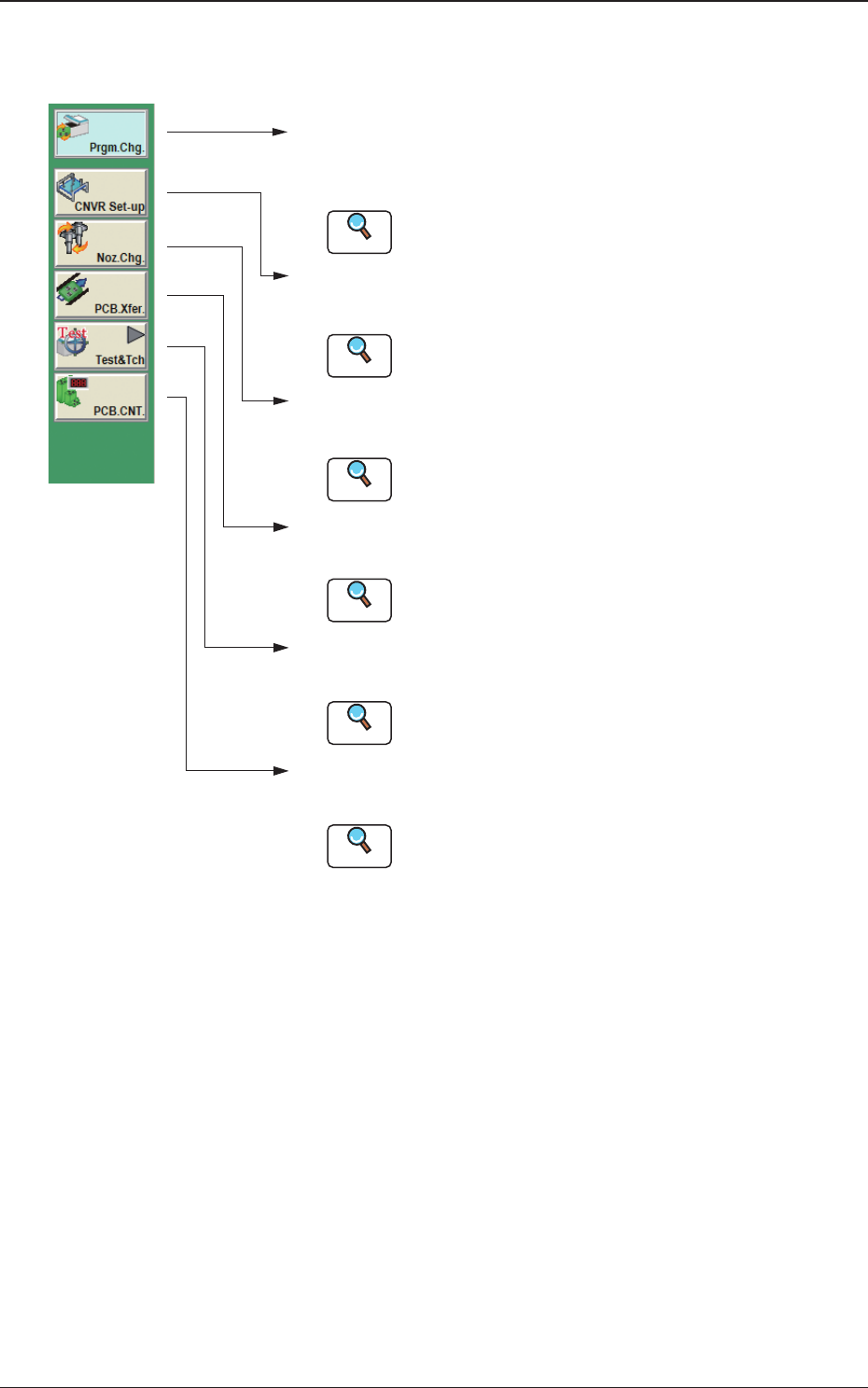
[1] "Setup" Main Menu Bar
The following buttons are arranged on the "Setup" main menu bar.
[PP.Chg.] Button :
Opens the "PP CHANGE" w indo w .
In normal cases, this window opens as an initial one.
[Sprt-Pins] Button :
Opens the "SPRT-PINS" windo w .
[Noz.Chg.] Button :
Opens the "NOZ.CHG." windo w .
[PCB.Xfer.] Button :
Opens the "PCB XFER" windo w .
[Test&Tch] Button :
Opens the "Test&Tch" menu.
Reference
Reference
Reference
Reference
Reference
Refer to "3. "PP CHANGE" Window" for details.
Refer to "4. "SPRT-PINS" Window" for details.
Refer to "5. "NOZ.CHG." Window" for details.
Refer to "6. "PCB XFER" Window" for details.
Refer to "7. "Test&Tch" Submenu" for details.
[PCB.CNT.] Button :
Opens the "PCB.CNT." window.
Reference
Refer to "8. "PCB.CNT." Window" for details.
Fig. 2F2-2
2OM-1733
6-3-1
3. "PP CHANGE" Window
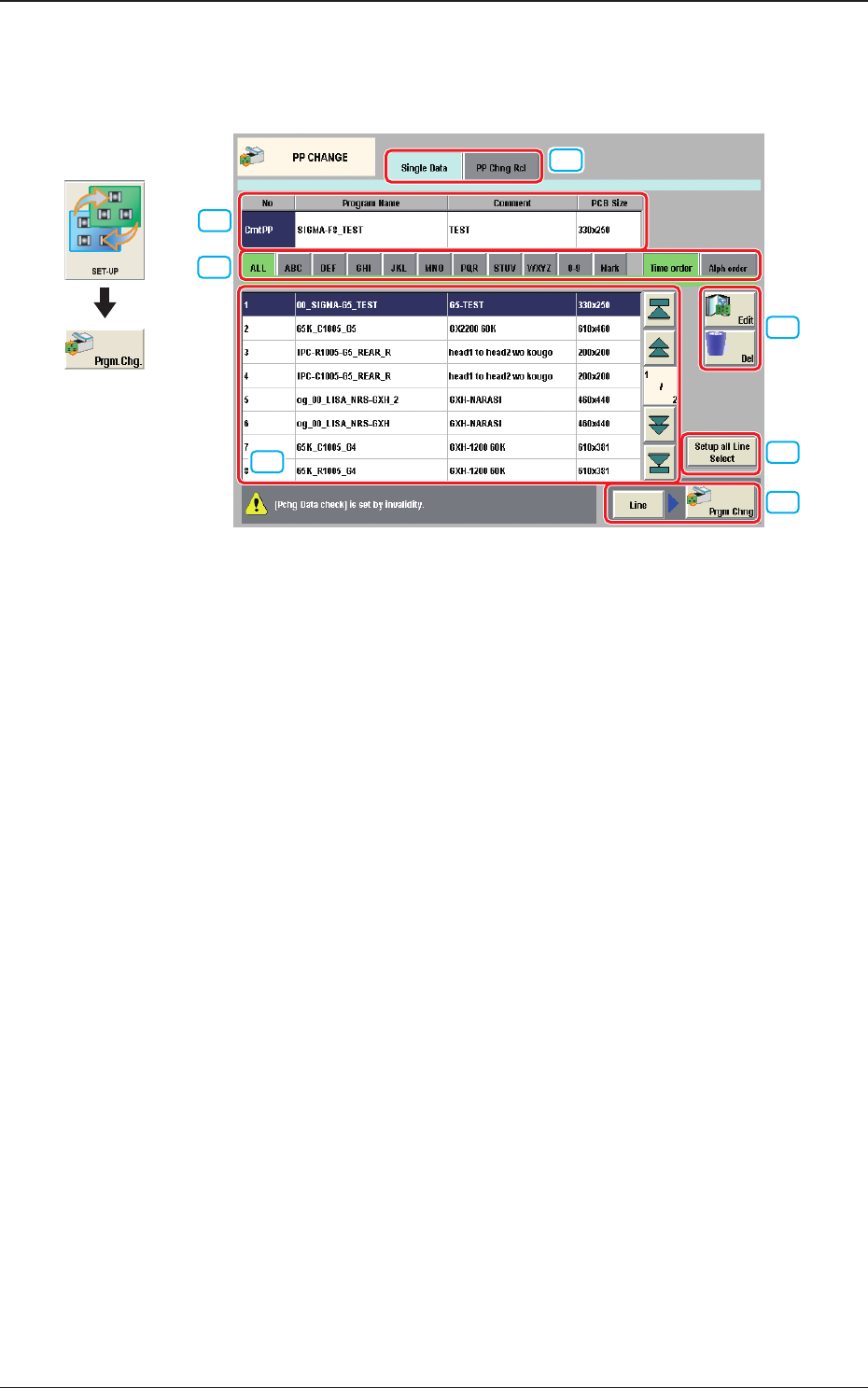
The "PP CHANGE" window appears.
[1]
[7]
[4]
[5]
[6]
[2]
[3]
Fig. 2F3-1
[1] Cmt PP
The pattern program currently selected is displayed in this section.
[2] Pattern Program Select tabs
The data items displayed in "[3] Pattern Program List" are divided into the
tab sheet items and displayed.
[3] Pattern Program List
The registered pattern programs are displayed as a list.
[4] [Edit] Button, [Del] Button
[Edit] Button
: When pressed, the pattern program selected in the "[3]
Pattern Program List" is edited.
[Del] Button
: When pressed, the pattern program selected in the "[3]
Pattern Program List" is deleted.
Graphic
Development
1212-002
3. "PP CHANGE" Window