2OM-1733-005w_F8.pdf - 第355页
2OM-1733 6-8-3 1212-001
2OM-1733
6-8-21212-001
8. "PCB.CNT." Window
•
PCB Counter Stop Procedure
Procedure
(1) Display the "PCB.CNT." window.
(2) Set the "PCB Counter Stop Mode" to "Designate".
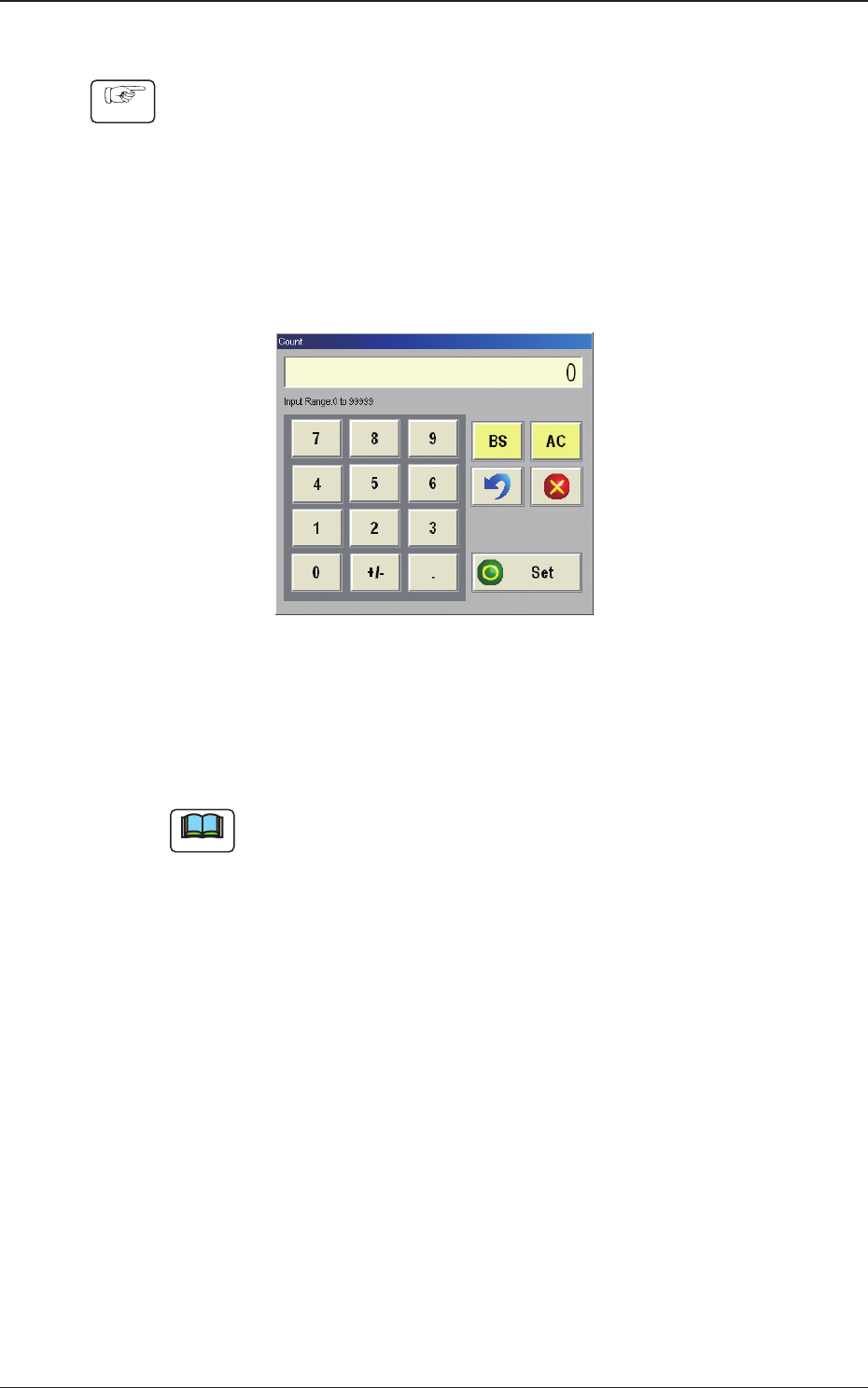
(3) Press the [Count] button to display the "Count" window and read the "Count"
barcode in the instruction sheet using the barcode reader attached to the
machine. (The value read using the barcode reader, will be displayed in the
"Count" window).
Fig. 2F8-2 "Count" window
(4) Conrm the read value and when it is OK, press the [Set] button.
(5) Conrm that the read value has been entered in the "Count" data box.
Note
When the value in the "Count" data box is re-set, press the [Count] button and
change the set value.

2OM-1733
6-8-31212-001

YAMAHA SMT Assembly System
Y
AMAHA MOTOR CO., LTD Robotics Operations
127 Toyooka, Kita-ku, Hamamatsu, Shizuoka 433-8103, Japan
Telephone 81-53-525-7061 Facsimile 81-53-525-8351
All rights reserved. No part of this publication may be reproduced in any form without the permission
of YAMAHA MOTOR CO., LTD. Information furnished by YAMAHA in this manual is believed to be reliable.
However, no responsibility is assumed for possible inaccuracies or omissions.
If you find any part unclear in this manual, please contact YAMAHA or YAMAHA sales representatives.
Surface Mounter
2OM-1733-005
Instruction Manual : Volume 2 March, 2014