2OM-1733-005w_F8.pdf - 第82页
2OM-1733 1-4-6 • "Run Mode" Window in "Placement Recovery Available" Mode When a pre-pick nozzle conrmation error occurs, the placement recovery function becomes available. In this case, the [Placeme…
2OM-1733
1-4-5
•
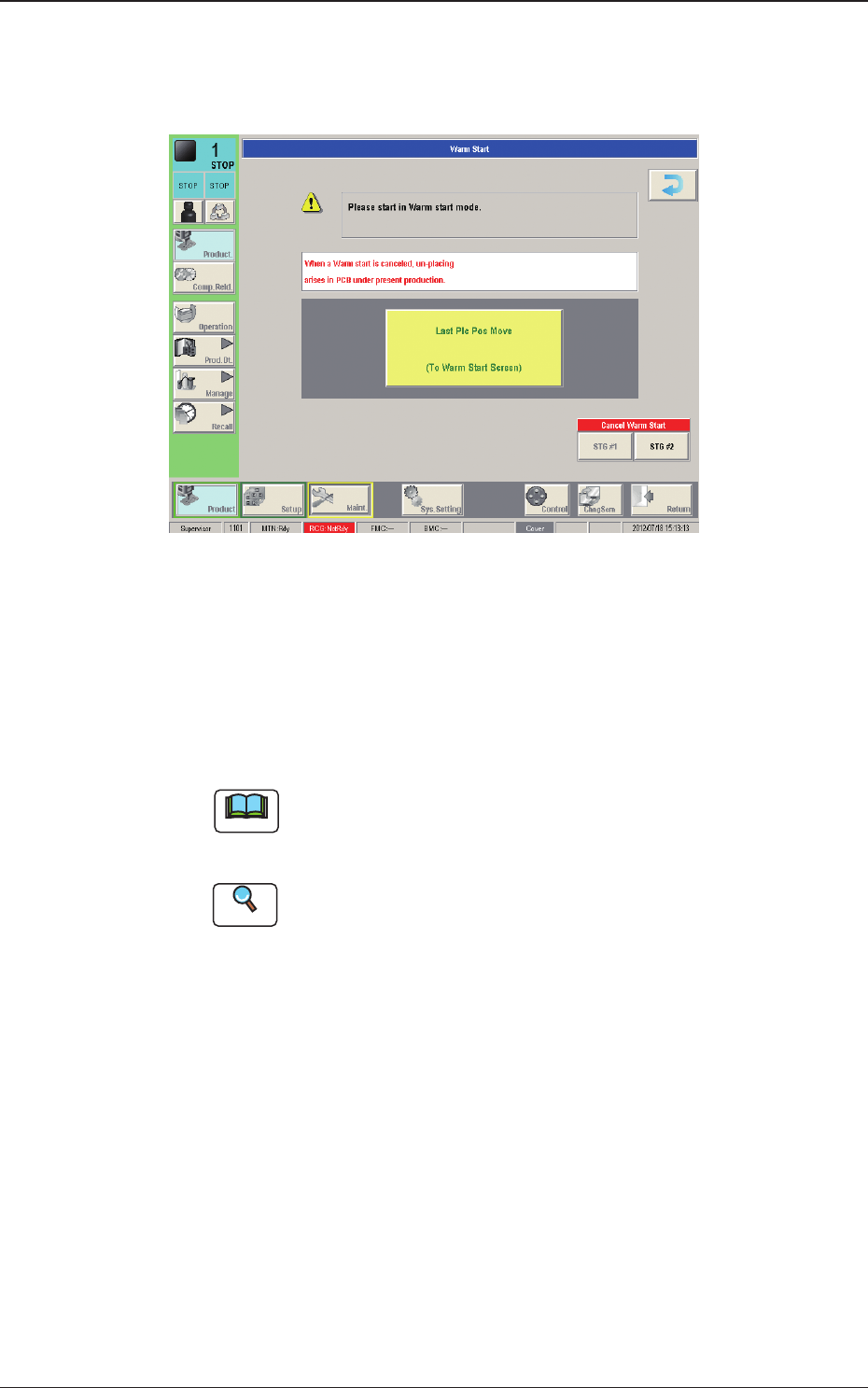
"Run Mode" Window ("Warm Start" Possible)
When the machine is set in the "PAUSE" mode during the automatic operation,
a warm start operation becomes possible and the "Warm Start" window appears.
Fig. 2A4-5
[1] [Last Plc Pos Move] Button
When this button is pressed, the "Warm Start" window is opened.
[2] [Cancel Warm Start] Button
When pressed, the warm start is cancelled.
Note
When the machine is set in the "STOP" mode by pressing the [Cancel]
button with the machine in the "PAUSE" mode, the "Warm Start" window
appears and becomes available.
Reference
Refer to "5.3 Resumption of Production through Warm Start Procedure"
(Chapter 3 in Volume 1) for the detailed information on how to execute a
warm start operation.
1212-002
4.1 "Run Mode" Tab Sheet
2OM-1733
1-4-6
•
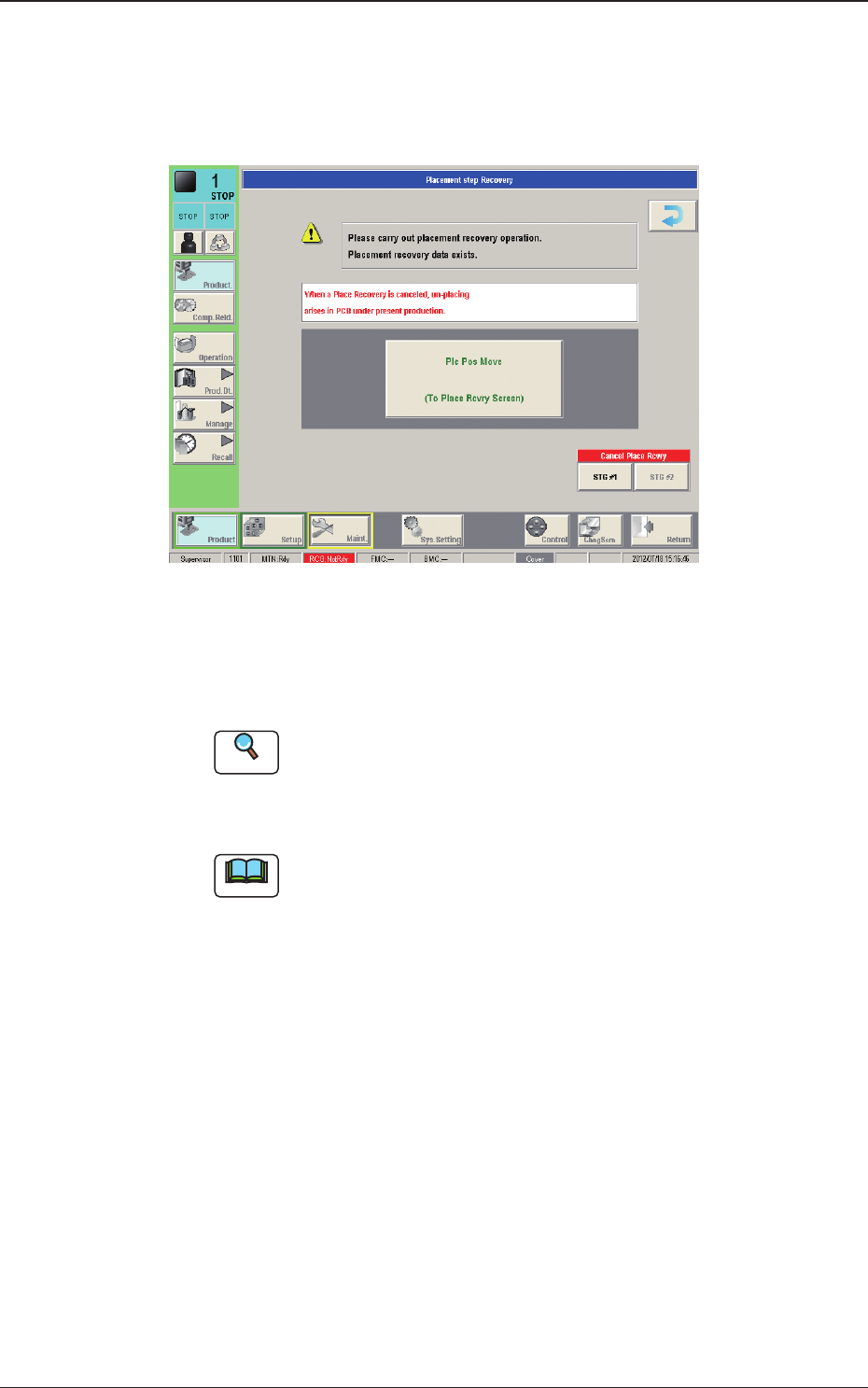
"Run Mode" Window in "Placement Recovery Available" Mode
When a pre-pick nozzle conrmation error occurs, the placement recovery
function becomes available.
In this case, the [Placement Recovery] button appears in the window.
Fig. 2A4-6
[1] [Plc Pos Move] Button
When pressed, this button opens the "Placement Step Recovery" window.
Reference
A pre-pick nozzle conrmation error will not occur when the pre-pick
nozzle conrmation function is not used.
Refer to "4.2 Opr. Mode Tab Sheet" in "Chapter 1" for how to use the pre-
pick nozzle conrmation function.
Note
When the machine is reset to its normal condition from the "ERROR"
window after a pre-pick nozzle conrmation error has occurred, the
"Placement Step Recovery" window appears automatically.
This window becomes available when the placement step recovery is
interrupted for an unaccountable reason and a recovery operation must be
performed again.
[2] [Cancel Place Rcvry] Button
When pressed, the placement recovery is cancelled.
1212-002
4.1 "Run Mode" Tab Sheet
2OM-1733
1-4-7
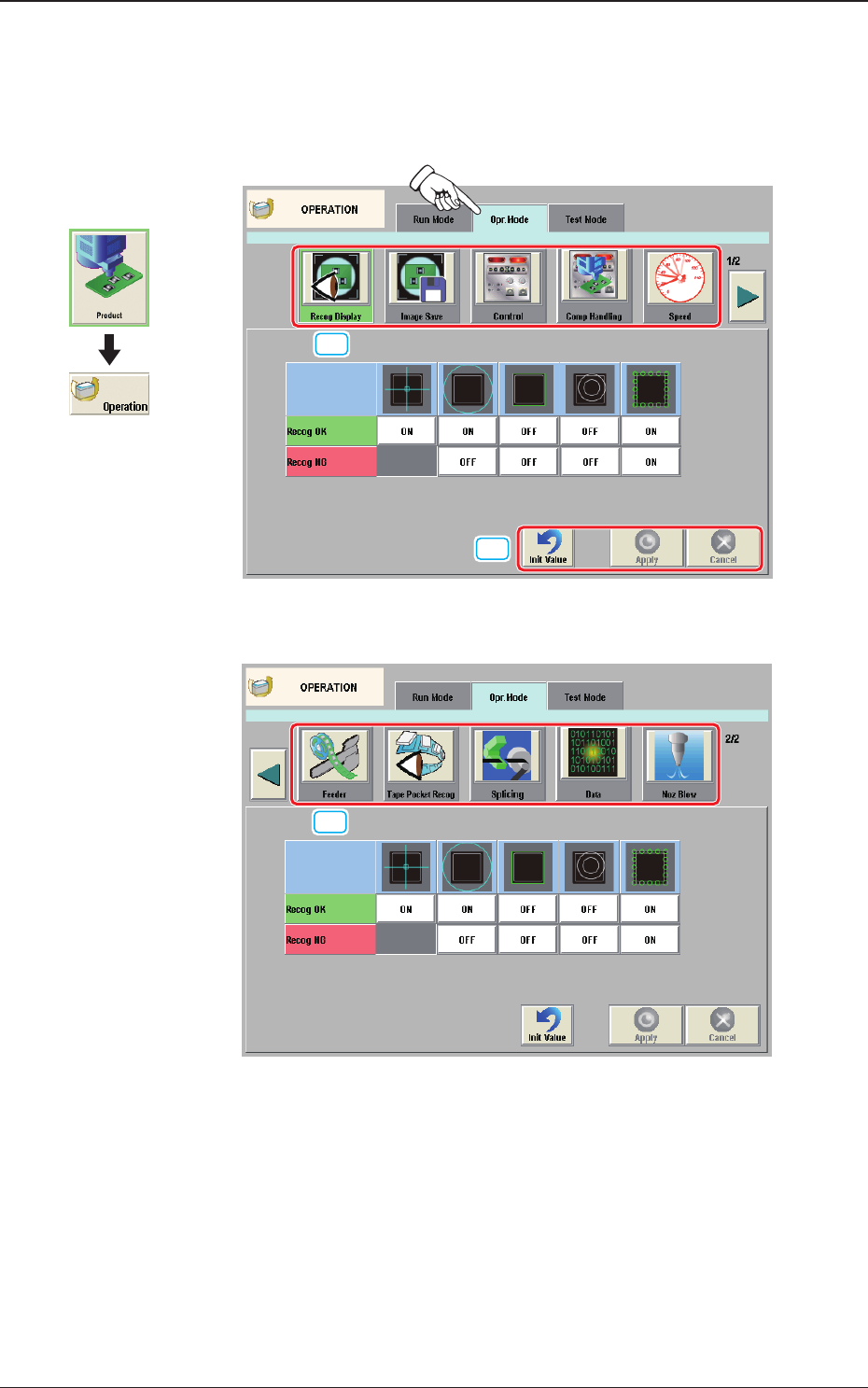
4.2 "Opr.Mode" Tab Sheet
When the [Opr.Mode] tab is pressed, the "Opr.Mode" tab sheet (1st page) appears
as an initial one.
[1]
[2]
Fig. 2A4-7
"
Opr.Mode
"
Tab sheet (1st page)
[1]
Fig. 2A4-8
"
Opr.Mode
"
Tab sheet (2nd page)
Graphic
Development
1212-002
4.2 "Opr.Mode" Tab Sheet