2OM-1733-005w_F8.pdf - 第292页
2OM-1733 6-4-2 Fig. 2F4-3 When "Disable (Manual Change)" has been set up for "Support Pin Setting", the above is displayed. [2] "Noz Chg." Group Box [Reset] Button When this button is presse…
2OM-1733
6-4-1
4. "CNVR Set-up" Window
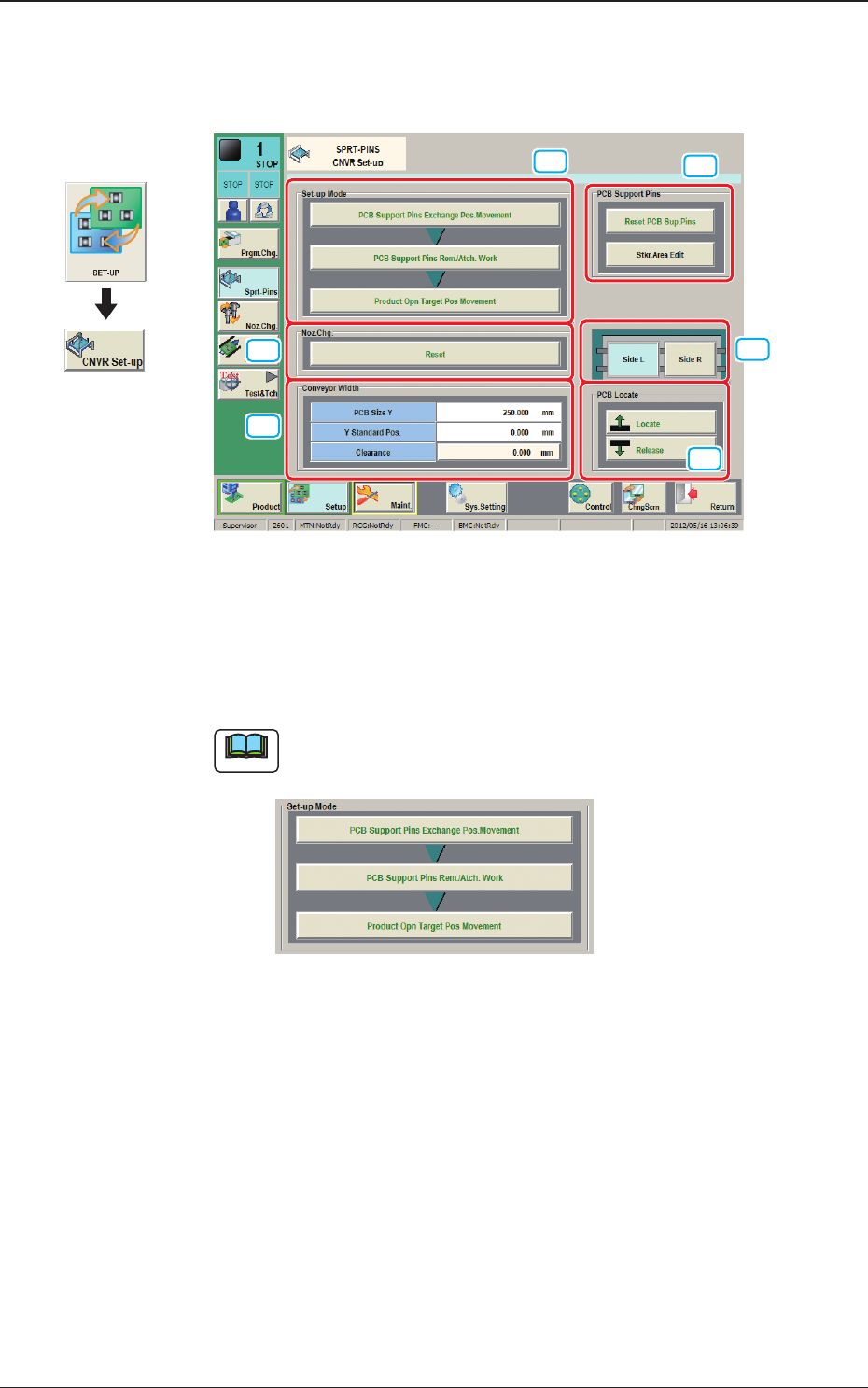
The "CNVR Set-up SPRT-PINS" window appears.
[1]
[2]
[5]
[4]
[3]
[6]
Fig. 2F4-1
[1] "Set-up Mode" Group Box
Each function in this group box can be used for the replacement work of the
support pins.
Note
The display varied depending on the product model pattern program
setting.
Fig. 2F4-2
When "Enable (Automatic Change)" has been set up for "Support Pin
Setting", the above is displayed.
Graphic
Development
1212-002
4. "CNVR Set-up" Window
2OM-1733
6-4-2
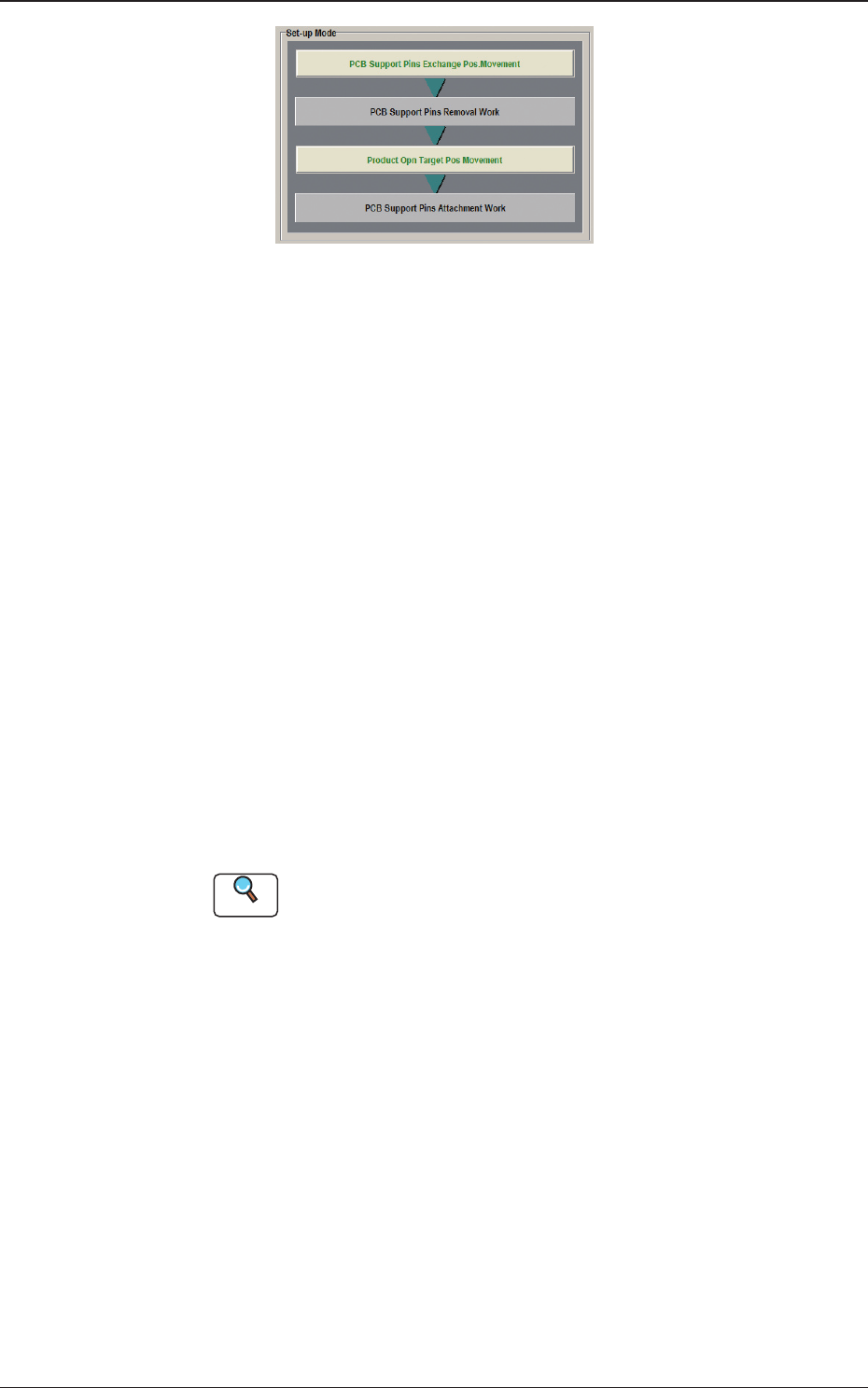
Fig. 2F4-3
When "Disable (Manual Change)" has been set up for "Support Pin Setting",
the above is displayed.
[2] "Noz Chg." Group Box
[Reset] Button
When this button is pressed and within 10 seconds, the [START] button on
the operation panel is pressed, the support pins are housed in the nozzle area.
[3] "PCB Support Pins" Group Box
[Reset PCB Sup.Pins] Button
When the [START] button is pressed in 10 seconds after this button, the
support pins are housed in the stock area.
[Stkr.Area Edit] Button
In the case that the PCB support pins are to be moved manually or an error
occurs, the stock area parameters are edited.
When the [Stkr.Area Edit] button is pressed, the "Stkr.Area Edit" window
appears.
Reference
Refer to "4.4.1 Stkr.Area Edit Procedure" for the details of the
"Stkr.Area Edit" window.
[4] PCB Locate Section Select Buttons
When pressed, the PCB positioning section on the side where the setup
operation is to be performed, is selected.
[Side L] Button :
PCB Locate L Section
[Side R] Button :
PCB Locate R Section
1212-002
4. "CNVR Set-up" Window

2OM-1733
6-4-3
[5] "PCB Locate" Group Box
[Locate] Button
: When pressed, this button moves up the Z clamp and
the backup base and locates the PCB.
[Release] Button
: When pressed, this button moves down the Z clamp and
the backup base and releases the PCB locating.
[6] "Conveyor Width" Group Box
PCB Size Y, Y Standard Pos.
The "PCB size Y" and "Y Standard Pos." set on the pattern program data for
the product model, are shown in these data boxes.
[Clearance] Button
When this button is pressed, the "Clearance" window opens. Enter the value
as a leeway between the conveyor width and the PCB. The entered value
appears in the text box beside this button.
The actual conveyor width becomes "PCB Size Y + Clearance (Recommended
Value: 0.5 mm)".
1212-002
4. "CNVR Set-up" Window