2OM-1733-005w_F8.pdf - 第253页
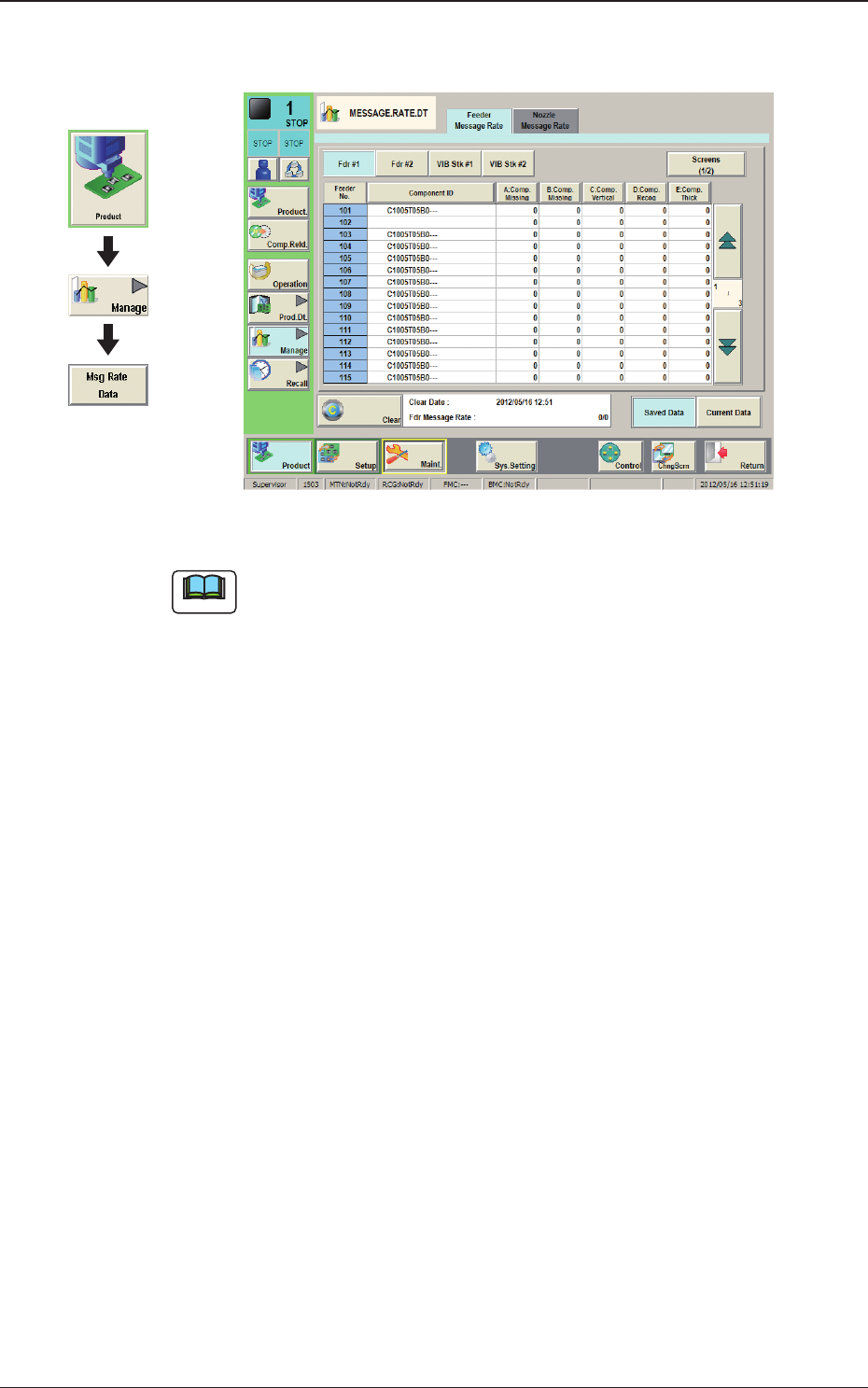
2OM-1733 4-4-1 4. "MESSAGE.RA TE.DT" Window Fig. 2D4-1 Note The displayed tab sheet will look different, depending on which option is selected. Graphic Development 1212-002 4. "MESSAGE.RA TE.DT" Windo…

2OM-1733
4-3-141205-001
2OM-1733
4-4-1
4. "MESSAGE.RATE.DT" Window
Fig. 2D4-1
Note
The displayed tab sheet will look different, depending on which option is
selected.
Graphic
Development
1212-002
4. "MESSAGE.RATE.DT" Window
2OM-1733
4-4-2
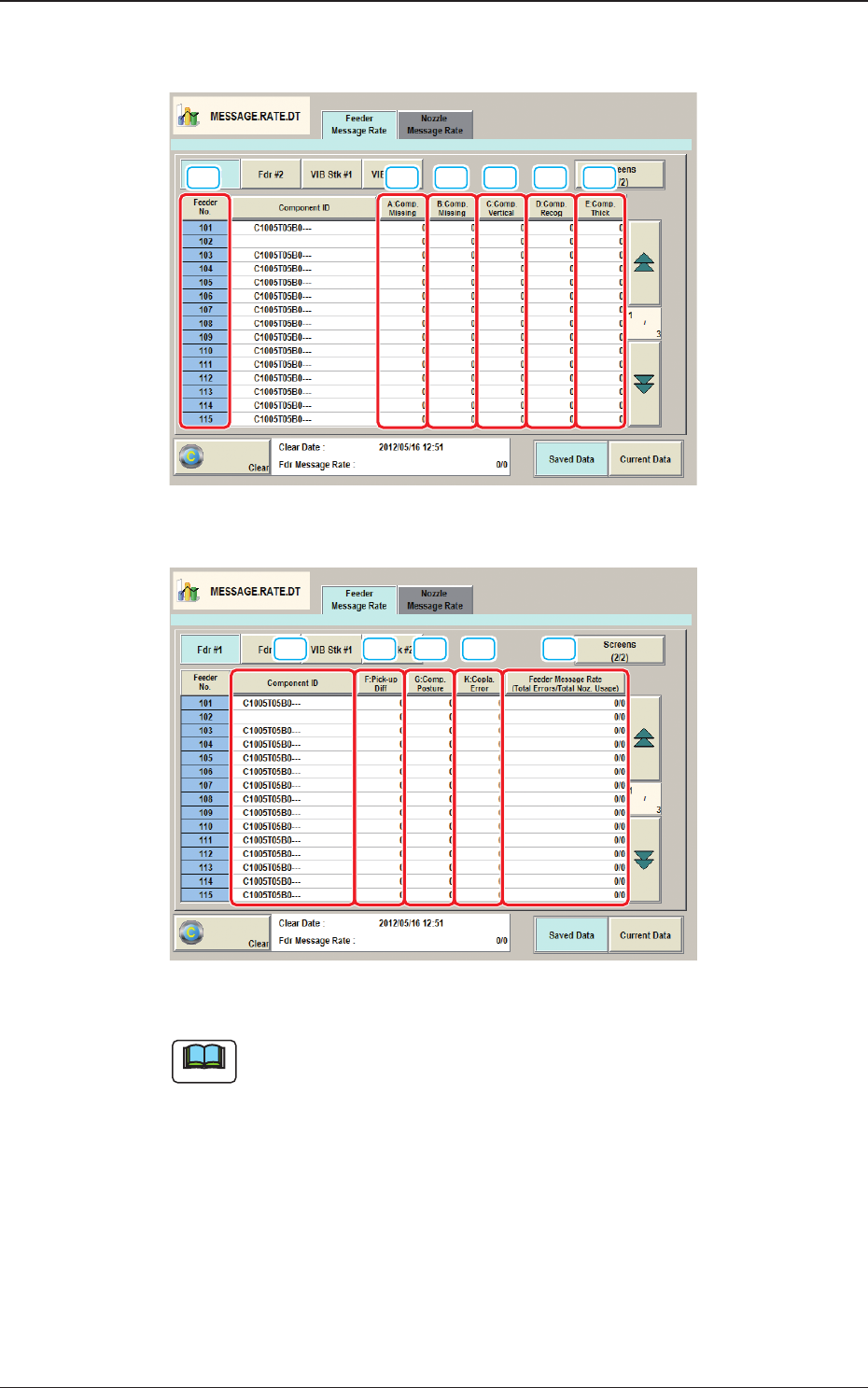
4.1 "Feeder Message Rate" Tab Sheet
[5] [6][2][1] [3] [4]
Fig. 2D4-2 "Feeder Message Rate" Tab Sheet (1/2)
[7] [8] [9] [10][11]
Fig. 2D4-3 "Feeder Message Rate" Tab Sheet (2/2)
Note
(a) The displayed tab sheet will look different, depending on which option is
selected.
(b) Each item box functions as a button and each pressing of the buttons can
list the data parameters in descending order. The top box shows the largest
value for error times. Therefore, it is useful for the analysis to enhance the
operation rate. When the [Feeder No.] button is pressed, the Nos. are re-
arranged in their initial order (Feeder Nos.).
The "Feeder Message Rate" tab sheet is divided further into several tabs and each
button shows the handling errors per feeder on each individual feeder bases.
When each button is pressed, the corresponding tab sheet appears.
1212-002
4.1 "Feeder Message Rate" Tab Sheet