OM-1068-001.pdf - 第116页
(9) Press the [SUPPL Y] key at the display (Fig. 1.40). The display (Fig. 1.42) appears on the screen. Fig. 1.42 (10) Confirm that components are supplied completely and press the [YES] key to declare the completion of c…
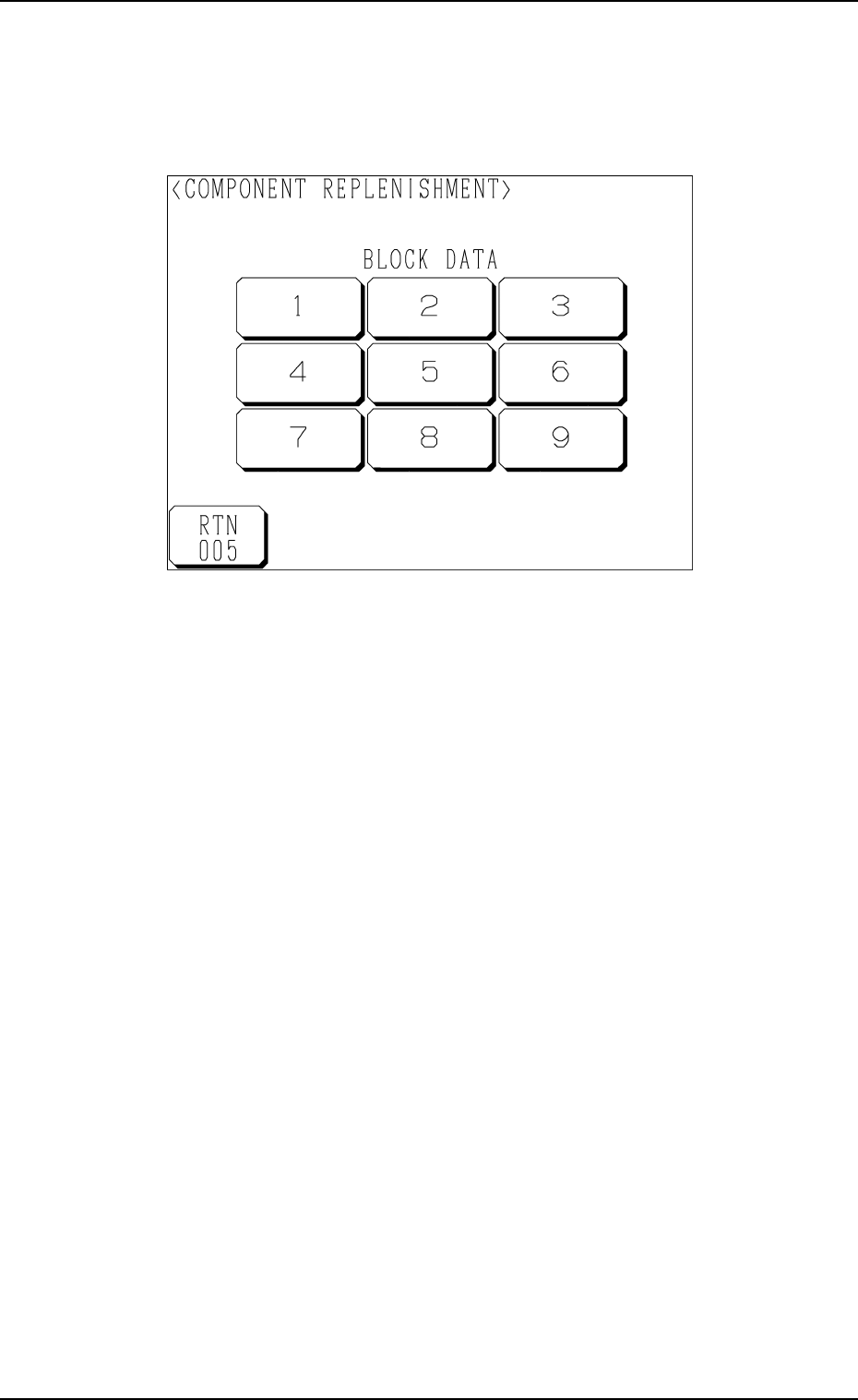
(4) Check the stage (pallet) and the block which caused a component short-
age error.
When a block is specified, press the No. key of the stage where a com-
ponent shortage error has occurred. The display (Fig. 1.41) appears on
the screen, enabling you to check the block data.
Fig. 1.41
(5) Open the upper or the lower door and then the magazine door.
(6) Pull out the pallet on the stage in short of components and load it with
components.
When several stages and blocks are short of components, load all pallets
with components.
(7) Press the No. key of the stage in red (ON or flickering) at the display
(Fig. 1.40) and the No. key of the block in red (ON or flickering) at the
display (Fig. 1.41).
The keys turn violet.
(8) Confirm that all components are supplied completely and close all doors
(magazine, upper and lower doors).
7. Component Replenishment during Automatic Operation
9911-001 Chapter 1 2-32 Tg0252-PM-SO
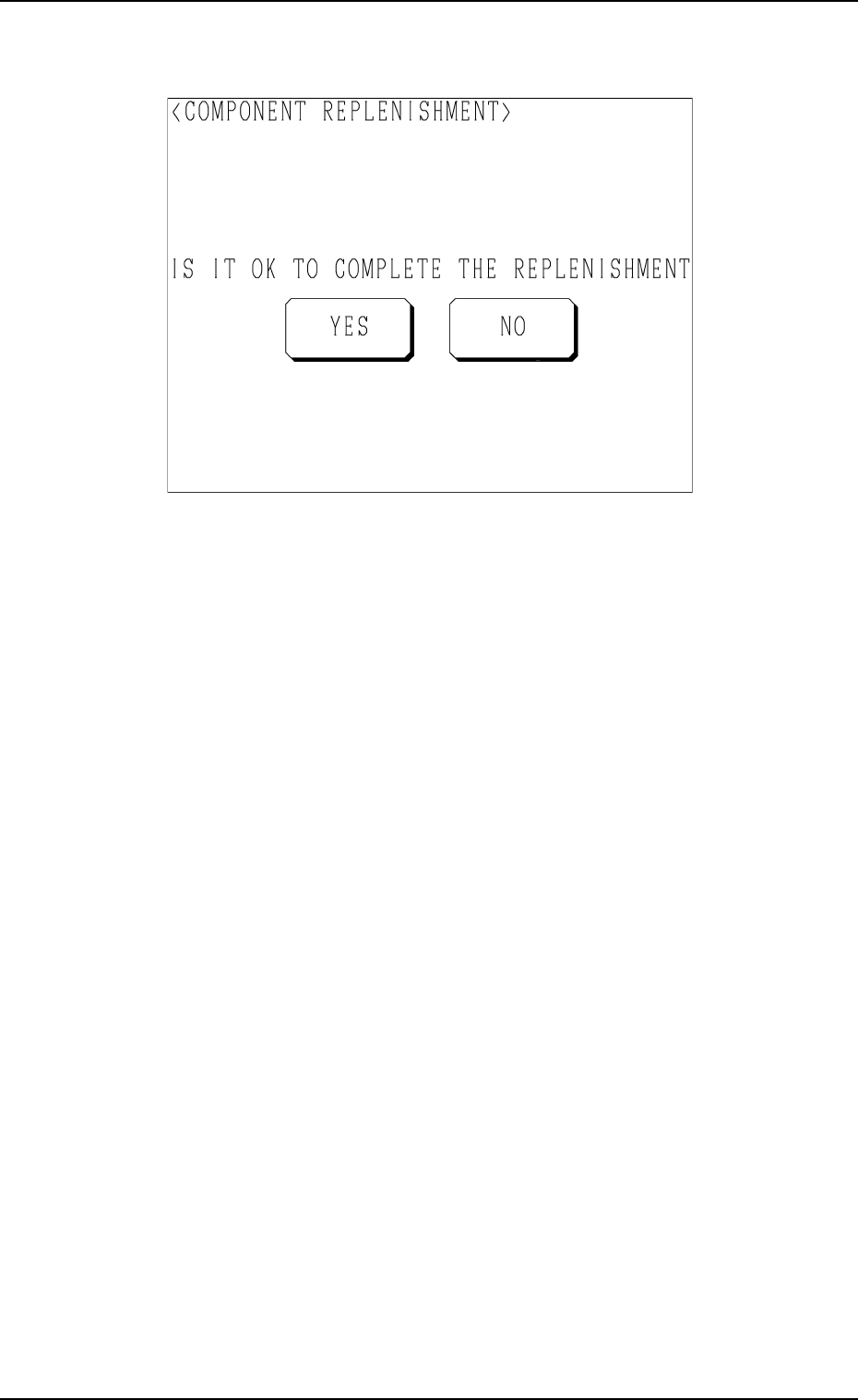
(9) Press the [SUPPLY] key at the display (Fig. 1.40).
The display (Fig. 1.42) appears on the screen.
Fig. 1.42
(10) Confirm that components are supplied completely and press the [YES]
key to declare the completion of component replenishment.
The color of all stage and block No. keys for which components are
supplied changes from violet to green.
[YES] Key: When this key is pressed, the order of component picks is
changed to the matrix initial setting (1, 1) for all the stages
and blocks selected for component supply.
[NO] Key: When this key is pressed, the “COMPONENT REPLEN-
ISHMENT” display (Fig. 1.40) appears on the screen.
The color display maintains the state before the [SUPPLY]
key is pressed.
(11) Press the [U READY] or the [L READY] button. The door is locked.
(12) Re-start the operation.
• When the machine is in the automatic operation mode, the operation
starts automatically.
• When the machine is in the “PAUSE” mode, press the [START] button
of the main machine to re-start the operation.
Ref.: (a) When several pallets are short of components, follow Step (7)
every time components are supplied or another step (collective
operation) after all components are supplied.
(b) It is also possible to replenish the tray in the middle of processing
with components or replace it with another one.
In this case, it is required to update the tray matrix.
Refer to “4. Matrix Change Operations of Section 3 in Chapter 1”
in this booklet and “7. Tray Pick-Up Matrix (Option) of Section 3
in Volume 1” in the main machine instruction manual for details.
7. Component Replenishment during Automatic Operation
9911-001 Chapter 1 2-33 Tg0252-PM-SO

8. Stop Operation
8.1 General Stop Procedure
• The tray feeders are not provided with any [STOP] button.
The [STOP] button of the main machine is commonly used for the feeders.
• Press the [STOP] button of the main machine.
The LED of the [START] button extinguishes. After placing all components
on the P.C.B. in the middle of production process, each individual devices
return to their stationary position and the machine stops running.
• The green tower light of the main machine extinguishes.
8.2 Automatic Stop Procedure
• Stop the input machine. The machine processes all P.C.B.’s on the system
line, discharges them, and stops running automatically.
Notes: (a) It is assumed that “ENABLE” is set in the “AUTO STOP
MODE” data box at the “P.C.B. TRANSFER MODE SET-UP”
display. (Hierarchical Sequence: “DEVICE DATA” Display →
“P.C.B. TRANSFER MODE SET-UP” Display)
(b) When a machine of another brand is connected to the system
line, this function may not work.
8.3 Emergency Stop Procedure
• The tray feeders are not provided with any [EMERGENCY STOP] button.
The [EMERGENCY STOP] buttons of the main machine are commonly
used for the feeders.
• To stop the machine instantaneously in an emergency, press one of the
[EMERGENCY STOP] buttons of the main machine.
Power to the loads is shut off and the machine stops running instantaneously.
Refer to “6.7.2 Reset and Start Procedure from Emergency Stop of Section
2 in Volume 1” in the main machine instruction manual for the procedure to
reset the machine to the normal condition from an emergency stop.
8. Stop Operation
0010-002 Chapter 1 2-34 Tg0252-PM-SO