OM-1068-001.pdf - 第154页
Tg0252-PM-SO 991 1-001 C ha p t er 2 1- 3 2. FEEDER (B) OFFSET Display Operation Procedure Refer to “3. “FEEDER (A) OFFSET” and “FEEDER (B) OFFSET” Displays of Section 5 in V olume 2” in the main machine instruction manu…
Tg0252-PM-SO
9911-001 Chapter 2 1-2
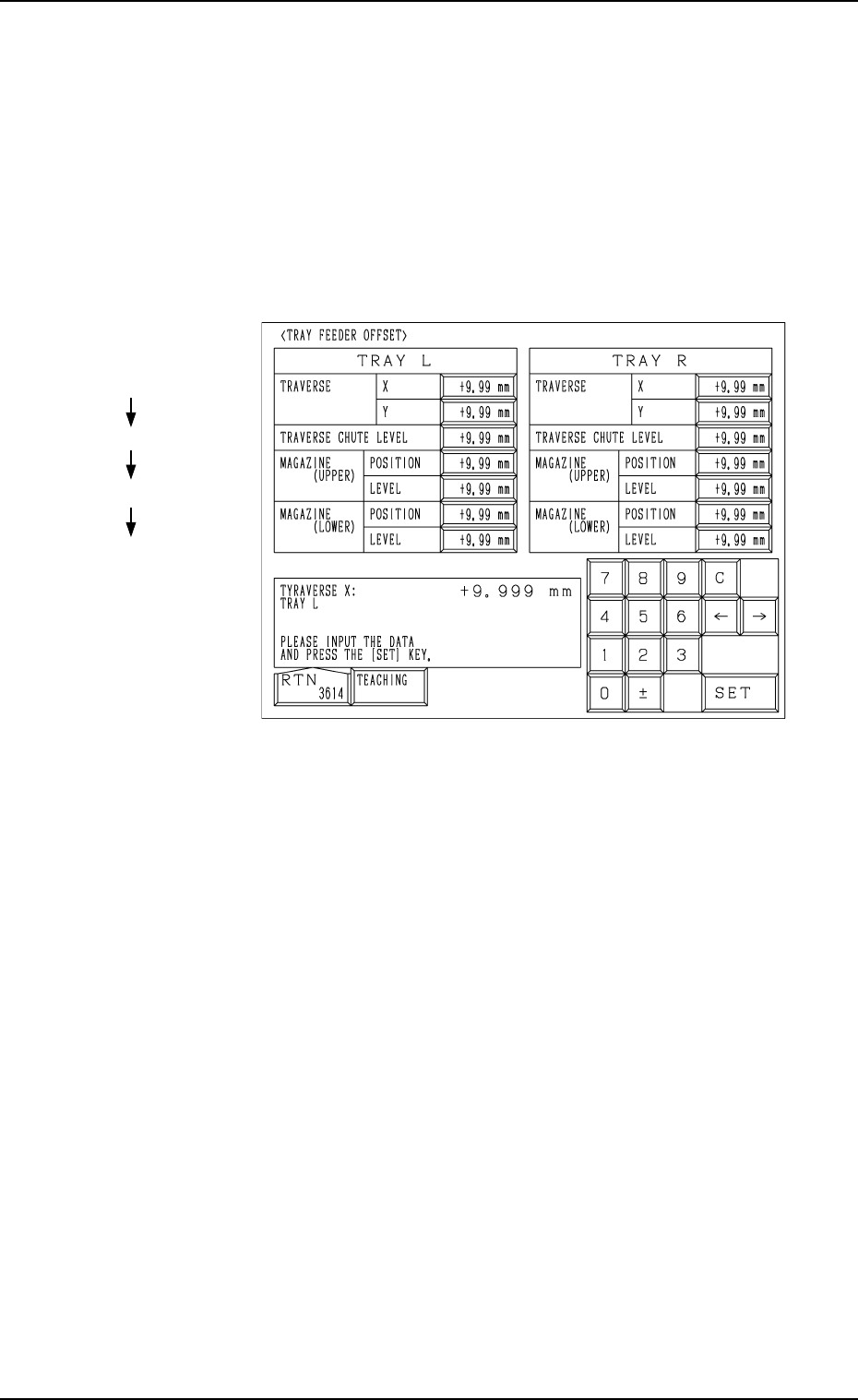
1. TRAY FEEDER OFFSET Display
Operation Procedure
Refer to “14. TRAY FEEDER OFFSET Display of Section 5 in Volume 2” in
the main machine instruction manual for details.
Set the offset data on the main machine side.
(1) When the [TRAY FEEDER OFFSET] key is pressed at the “OFFSET
DATA” display, the following display appears on the screen.
(2) Enter various offset parameters.
Hierarchical Sequence
(Display)
“MAIN MENU”
“DATA EDIT”
“OFFSET DATA”
“TRAY FEEDER OFFSET”
1. TRAY FEEDER OFFSET Display
Fig. 2.1
Tg0252-PM-SO
9911-001 Chapter 2 1-3
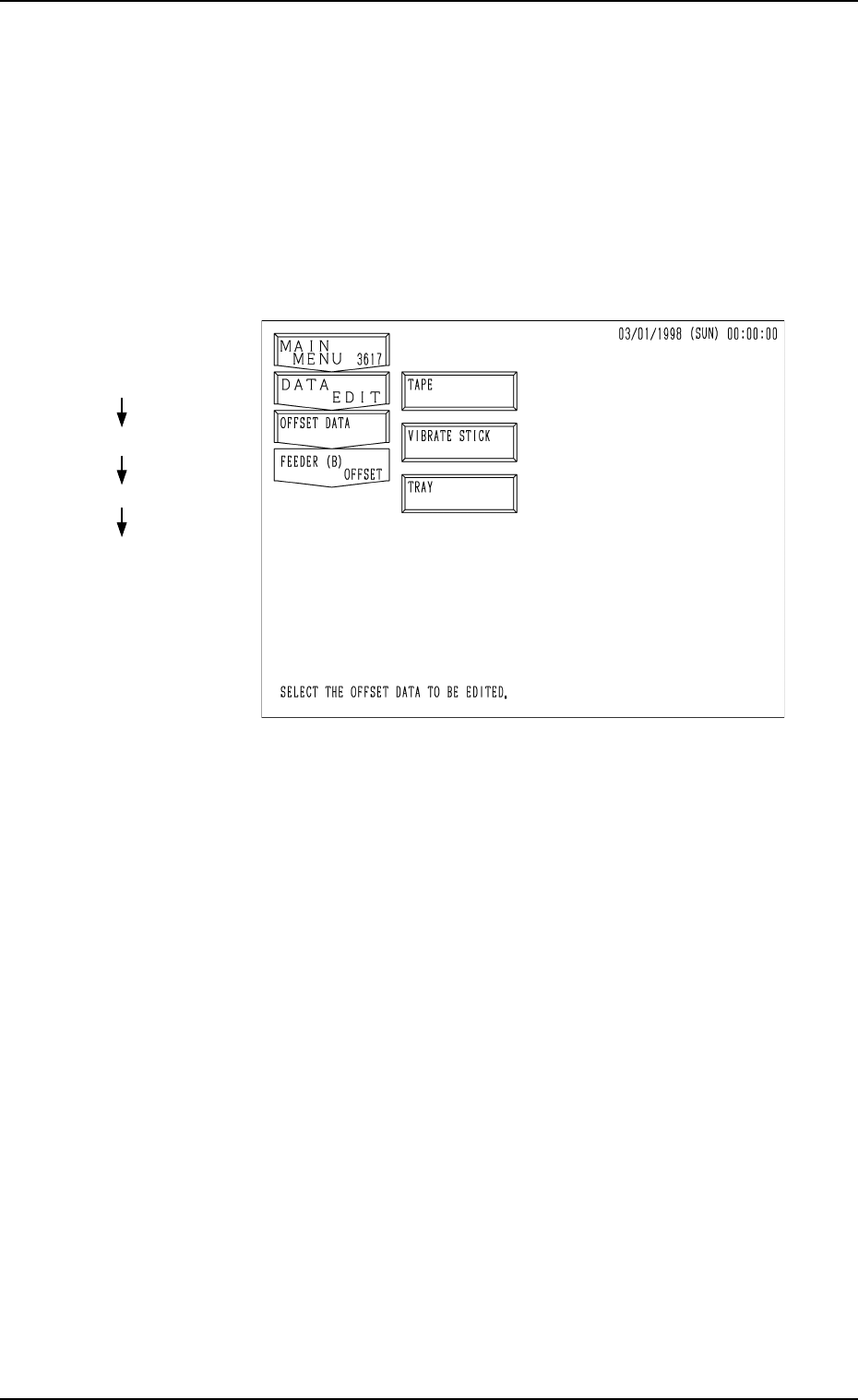
2. FEEDER (B) OFFSET Display
Operation Procedure
Refer to “3. “FEEDER (A) OFFSET” and “FEEDER (B) OFFSET” Displays
of Section 5 in Volume 2” in the main machine instruction manual for details.
Set the offset data on the main machine side.
(1) When the [FEEDER (B) OFFSET] key is pressed at the “OFFSET DATA”
display, the following display appears on the screen.
Fig. 2.2
Hierarchical Sequence
(Display)
“MAIN MENU”
“DATA EDIT”
“OFFSET DATA”
“FEEDER (B) OFFSET”
2. FEEDER (B) OFFSET Display
Tg0252-PM-SO
9911-001 Chapter 2 1-4
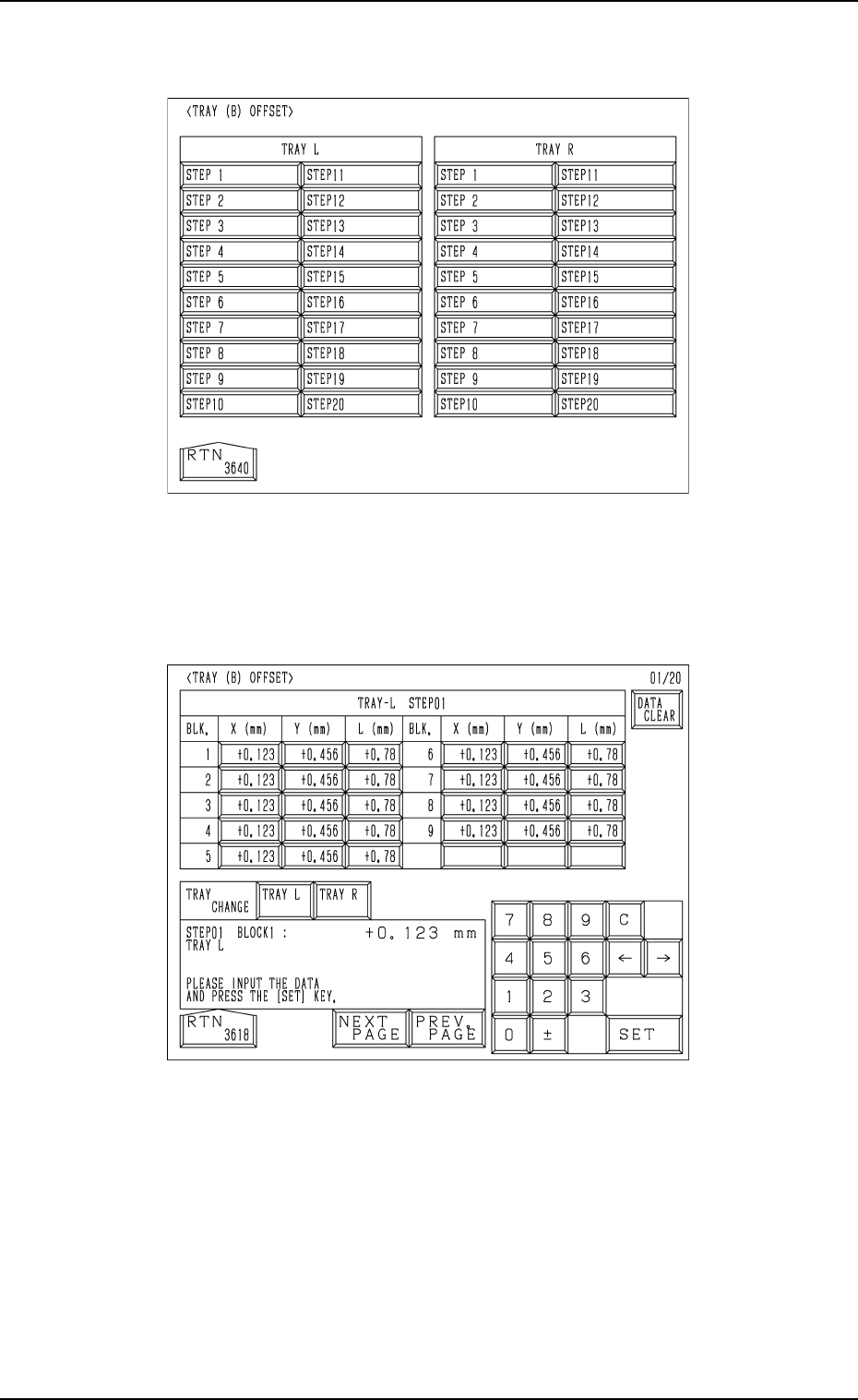
(2) Press the [TRAY] key at the “FEEDER (B) OFFSET” display (Fig. 2.2).
The following display appears on the screen.
Fig. 2.4
Fig. 2.3
(3) Press the [STEP X] key. ([STEP 1] to [STEP 20])
The display (Fig. 2.4) appears on the screen.
(4) Enter various offset parameters.
2. FEEDER (B) OFFSET Display