OM-1068-001.pdf - 第92页
5.1.3 Magazine Alternate Function Refer to “2.5.5 TRA Y (L) OPERA TION DA T A Display of Section 2 in V ol- ume 2” and “4.5.4 Editing of T ray (L) or (R) Operation Data of Section 2 in V olume 2” in the main machine inst…
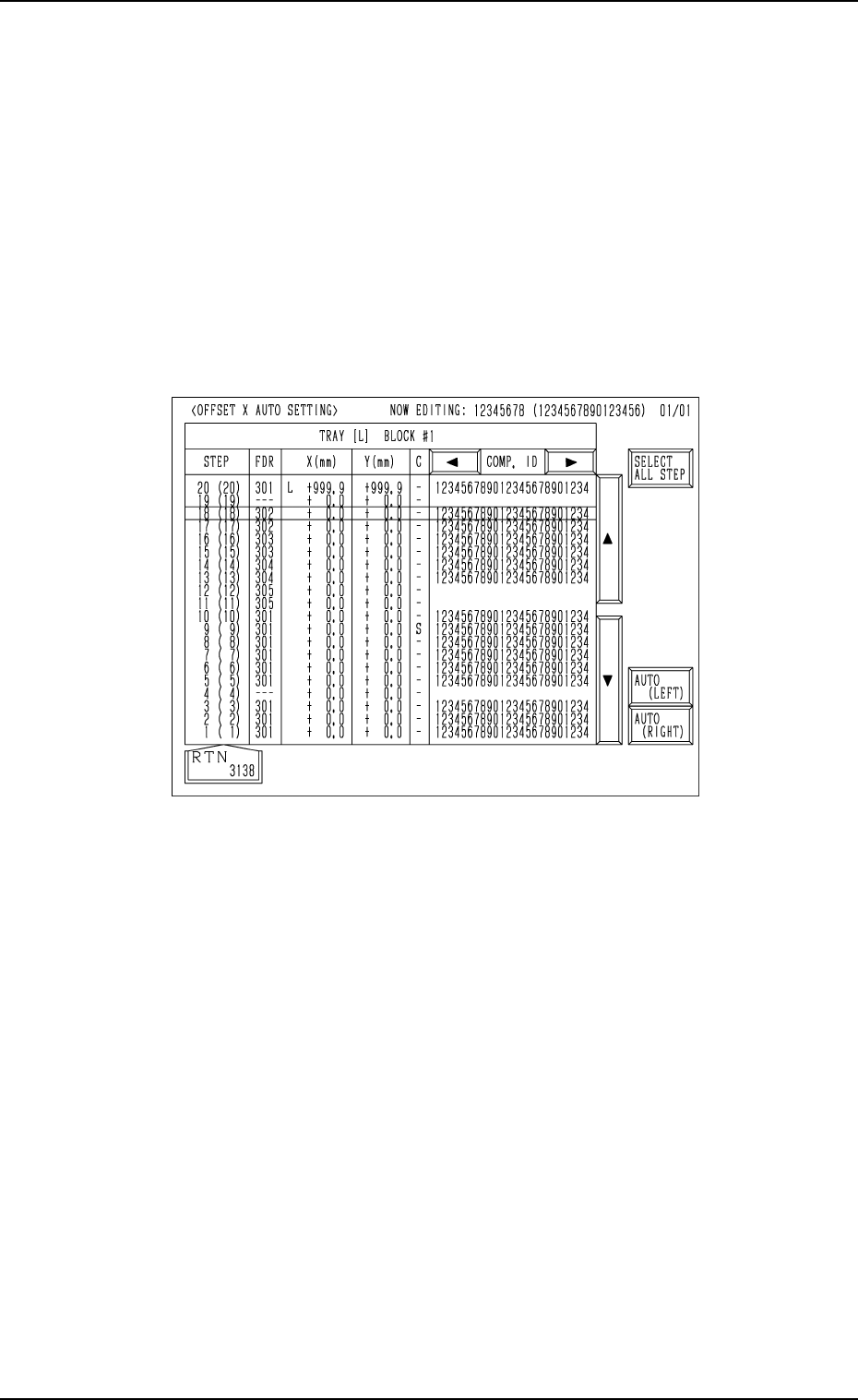
Fig. 1.14
5. Preparation and Confirmation before Operation
5.1.2.4 Automatic Offset X Setting
Refer to “2.5.6 OFFSET X AUTO SETTING Display (Option) of Section 2 in
Volume 2” and “4.5.5 OFFSET X AUTO SETTING Display (Option) of Sec-
tion 2 in Volume 2” in the main machine instruction manual for details.
(1) When the [OFFSET X AUTO SET] key is pressed at the display (Fig.
1.12-1), the display (Fig. 1.14) appears on the screen.
• The offset values for the tray position offset “X (mm)” can be set for
each individual tray by selecting either the [AUTO (LEFT)] or the
[AUTO (RIGHT)] key.
• When the [SELECT ALL STEP] key is selected and either the [AUTO
(LEFT)] or the [AUTO (RIGHT)] key is pressed, the left or right offset
values X in all steps can be set automatically.
9911-001 Chapter 1 2-12 Tg0252-PM-SO
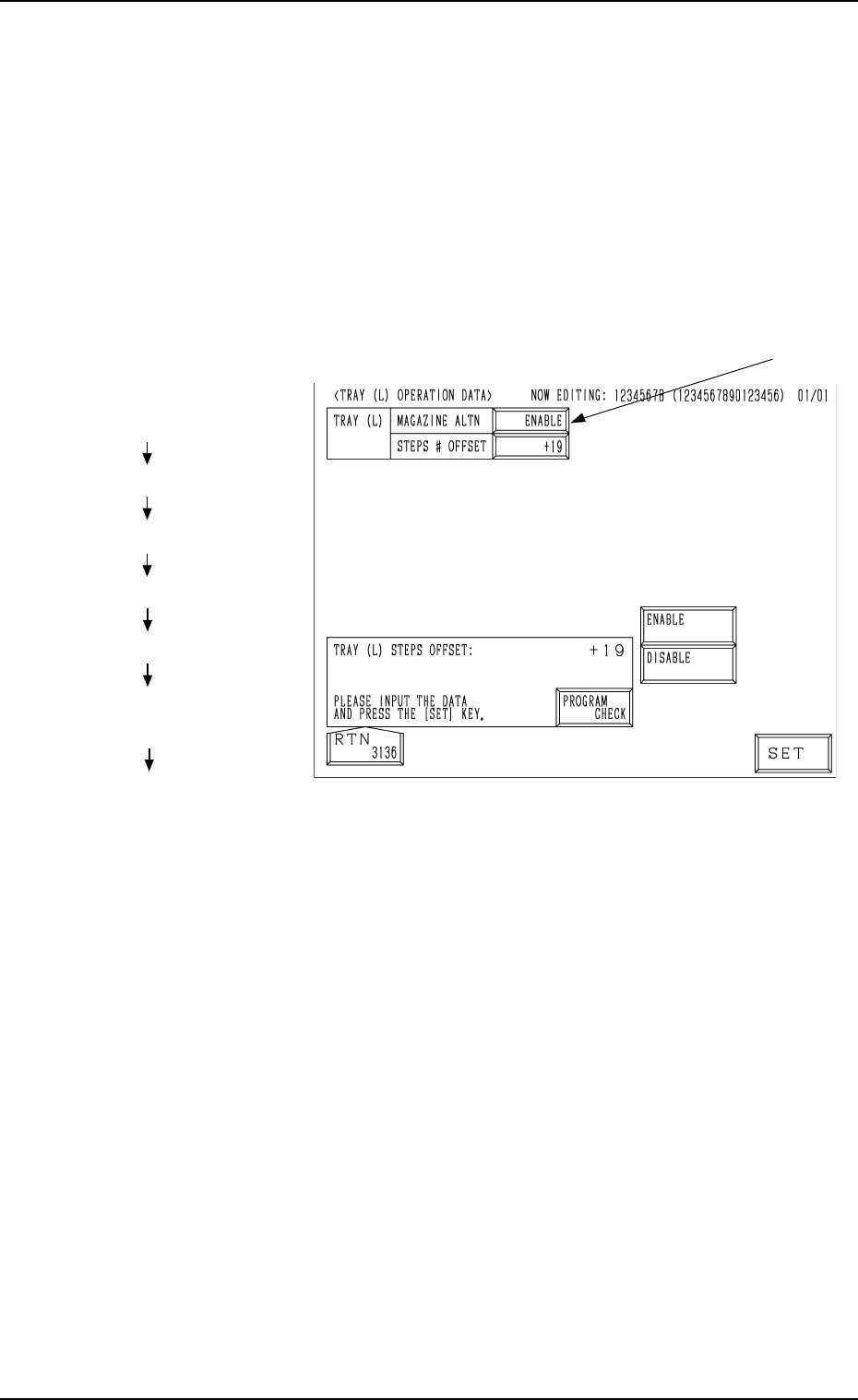
5.1.3 Magazine Alternate Function
Refer to “2.5.5 TRAY (L) OPERATION DATA Display of Section 2 in Vol-
ume 2” and “4.5.4 Editing of Tray (L) or (R) Operation Data of Section 2 in
Volume 2” in the main machine instruction manual for details.
• When this function is used, components can be supplied during automatic
operation without stopping the machine.
The magazine alternate function can be set on the main machine side.
(1) When the [TRAY (L) OPN DATA] key is pressed at the “TRAY (L)
STEPS INFORMATION” or the “TRAY (R) STEPS INFORMATION”
display, the following display appears on the screen.
(2) Press the “MAGAZINE ALTN” data box (*1) to select “ENABLE” or
“DISABLE” to determine whether or not the magazine alternate function
should be used.
ENABLE : The magazine alternate function becomes valid.
DISABLE : The magazine alternate function does not work.
Hierarchical Sequence
(Display)
“MAIN MENU”
“DATA EDIT”
“PATTERN PROGRAM”
“PATTERN PROGRAM EDIT”
“COMPONENT DATA -TRAY-”
“TRAY (L) STEPS
INFORMATION”
“TRAY (L) OPERATION DATA”
5. Preparation and Confirmation before Operation
*1
Fig. 1.15
9911-001 Chapter 1 2-13 Tg0252-PM-SO
5. Preparation and Confirmation before Operation
Chapter 1 2-14 Tg0252-PM-SO
5.2 Program Change
5.2.1 Pallet Set-up
5.2.1.1 Precautions in Pallet Handling
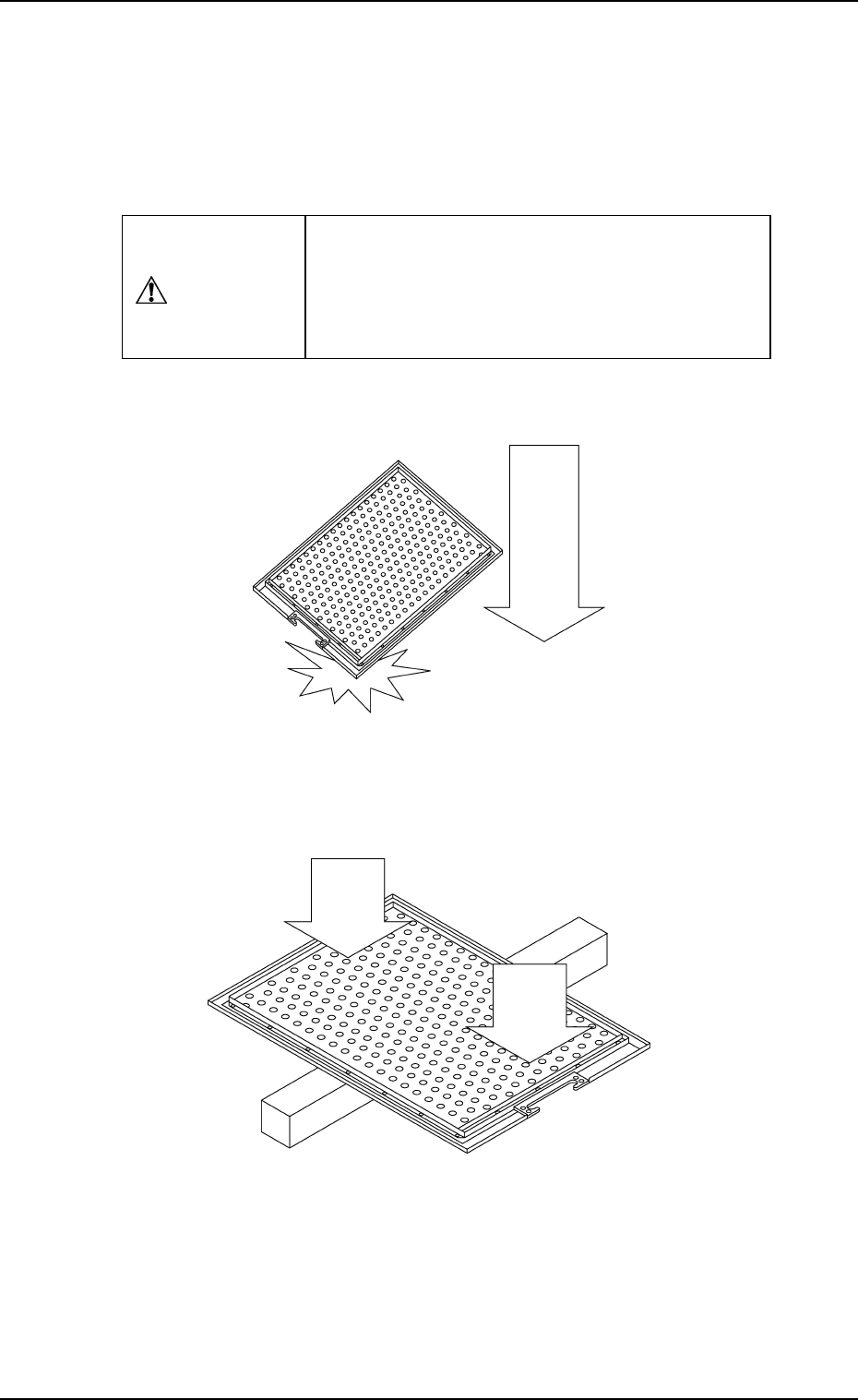
• Do not drop the pallet on the floor. It might cause pallet deformation.
• Do not press the pallet as shown in the figure. It might cause deformation.
Fig. 1.15-2
• Handle the pallet carefully.
• A deformed pallet may lead to a pick-up error. If pick-
up errors occur frequently, consult our marketing de-
partment or sales agency
CAUTION
Fig. 1.15-3
0010-002
Pressure
Pressure
Drop