OM-1068-001.pdf - 第132页
Tg0252-PM-SO 991 1-001 Chapter 1 3-3 (2) Press the [NEXT] key . The following display appears on the screen. Fig. 1.57 [COMPONENT REPLENISHMENT] Key When this key is pressed, the “COMPONENT REPLENISHMENT” dis- play app…
Tg0252-PM-SO
9911-001 Chapter 1 3-2
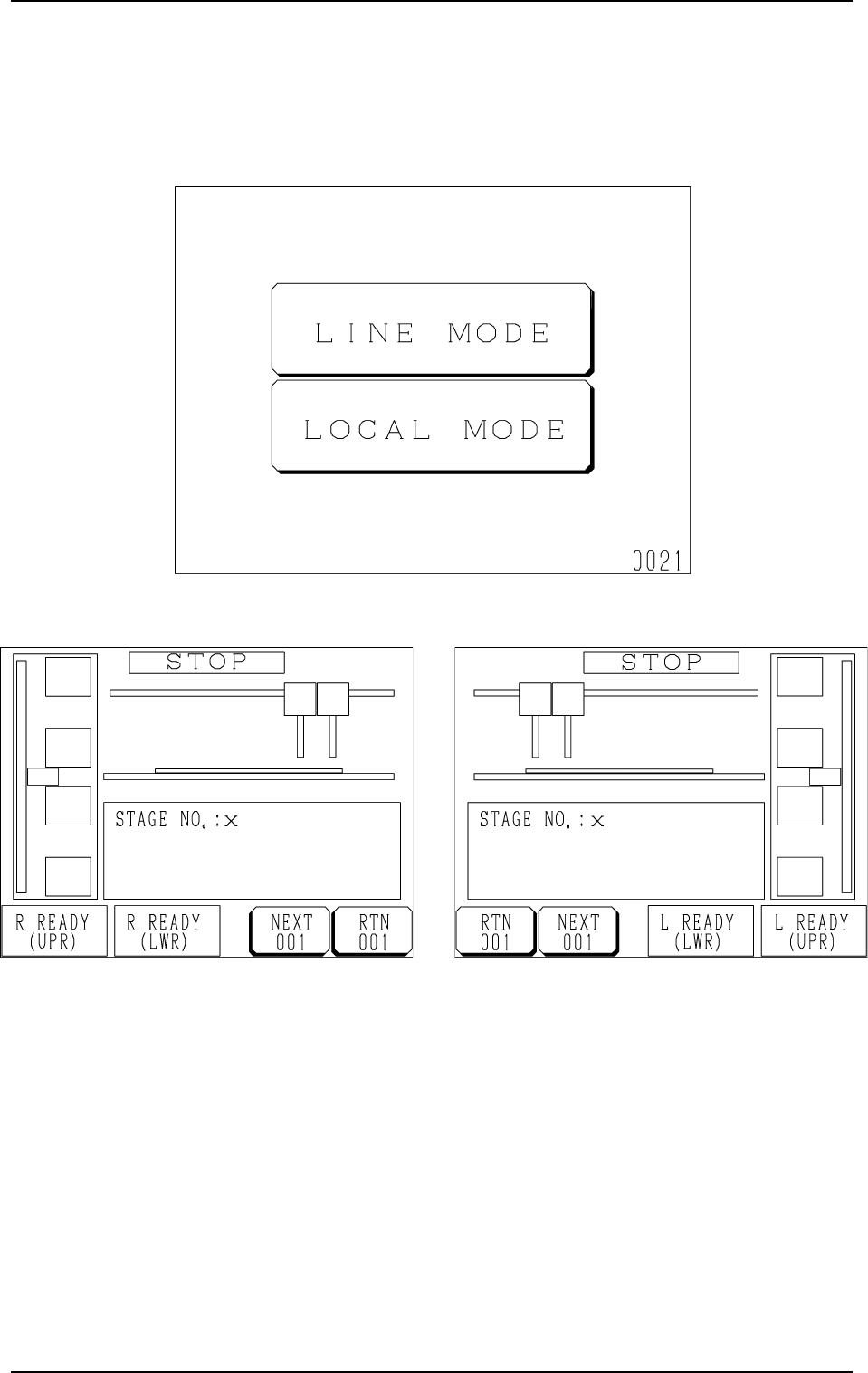
1. LINE Mode
(1) When the [LINE MODE] key is pressed at the “NEUTRAL MODE”
display (Fig. 1.54), either one of the displays (Figs. 1.55 and 1.56) ap-
pears on the screen.
Fig. 1.55 FP-5021R Fig. 1.56 FP-5021L
Fig. 1.54
1. LINE Mode
Tg0252-PM-SO
9911-001 Chapter 1 3-3
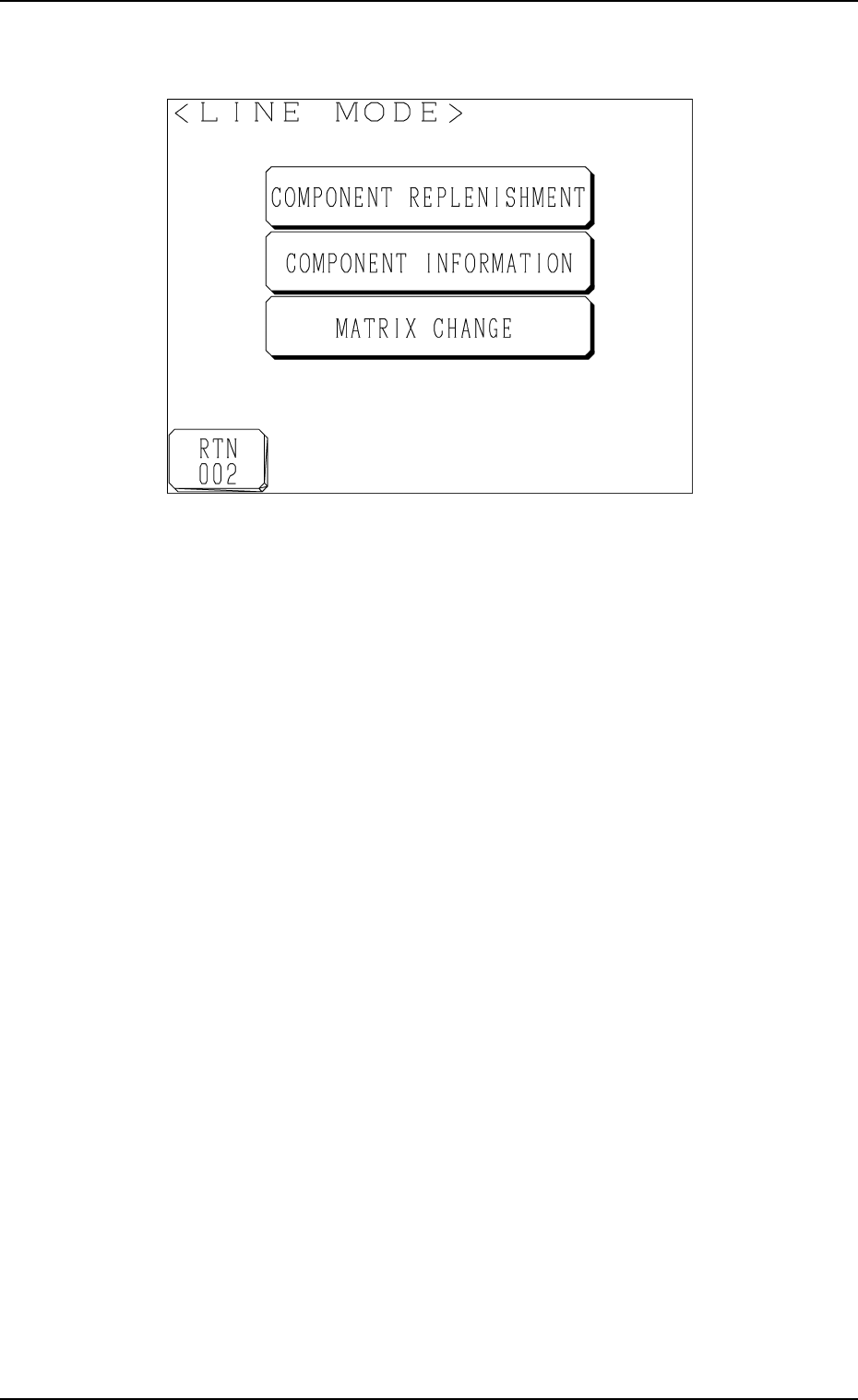
(2) Press the [NEXT] key.
The following display appears on the screen.
Fig. 1.57
[COMPONENT REPLENISHMENT] Key
When this key is pressed, the “COMPONENT REPLENISHMENT” dis-
play appears on the screen, enabling you to check whether components
should be replenished or not.
[COMPONENT INFORMATION] Key
When this key is pressed, the “COMPONENT INFORMATION” display
appears on the screen, enabling the checking of component information
on each stage or block.
[MATRIX CHANGE] Key
When this key is pressed, the “MATRIX CHANGE” display appears on
the screen, enabling you to change the location (matrix) of a component to
be picked up subsequently.
1. LINE Mode
Tg0252-PM-SO
0112-002 Chapter 1 3-4
2. Component Replenishment
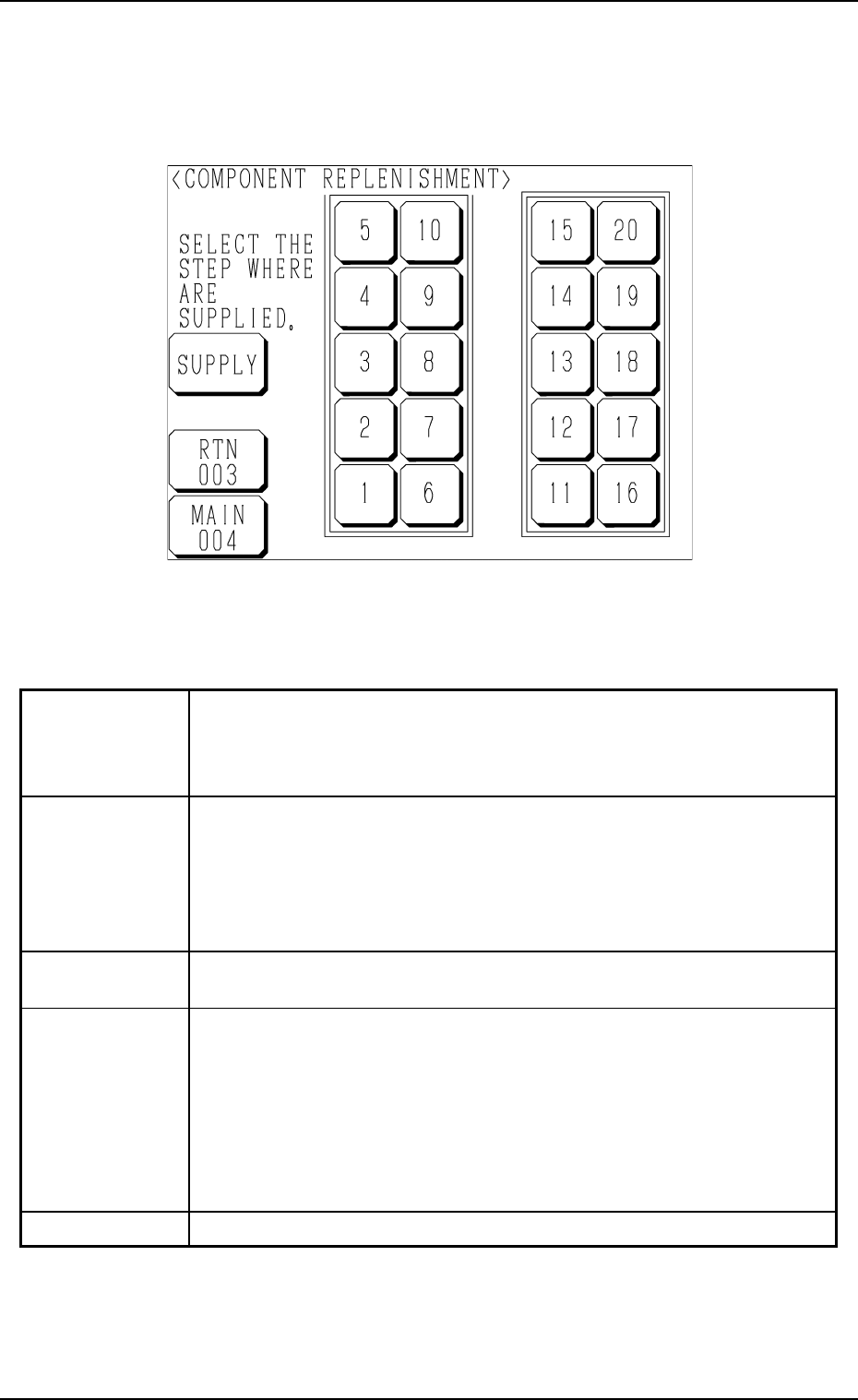
When the [COMPONENT REPLENISHMENT] key is pressed at the display
(Fig. 1.57), the following display appears on the screen.
Fig. 1.58
Colors of Stage No. Keys
2. Component Replenishment
Table 1.9
When a key turns red, it indicates the stage where a component shortage
error has occurred.
When several blocks are specified and a material shortage error occurs in
even one block of the tray, the related key turns red.
When a key flickers, it indicates the step where the components of the type
for which a material shortage error message are issued are set.
(The machine is in the condition that the automatic operation cannot be
continued without component supply operation after the type of components
(the components specified in the pattern program) are used up in the carriage
alternate function.)
When a key turns green, it indicates that the step used for the production
model is not short of components.
When a stage No. is selected for the step (only when the corresponding key
turns red or flickers in red), the key turns violet.
This indicates that the stage is selected to be replenished with components.
(When the key is pressed again, it turns to the original color. When the
"COMPONENT REPLENISHMENT" display is opened by pressing the
[RTN 003] or the [MAIN 004] key, the key also turns to the original color.)
This operation can be performed only for the stage where the magazine is
located at its replacement position (not connected).
This indicates that the stage is not used for the production model.
Red (ON)
Red (Flickering)
Green (ON)
Violet (ON)
Black