OM-1068-001.pdf - 第99页
5. Preparation and Confirmation before Operation Tg0252-PM-SO • Do not exchange the upper magazine with the lower magazine or be- tween the units. It can cause breakdown. Fig. 1.18-3 01 12-002 C ha p t er 1 2-16-2 • When…
5. Preparation and Confirmation before Operation
Tg0252-PM-SO0010-001 Chapter 1 2-16-1
5.2.2 Preparation of Magazine
5.2.2.1 Precautions in Magazine Handling
• Do not pile up magazines removed from the unit. Do not put anything
on the upper surface of the magazine. If the magazine is deformed it
can cause such abnormality as machine breakdown when the magazine
is set on the tray feeder.
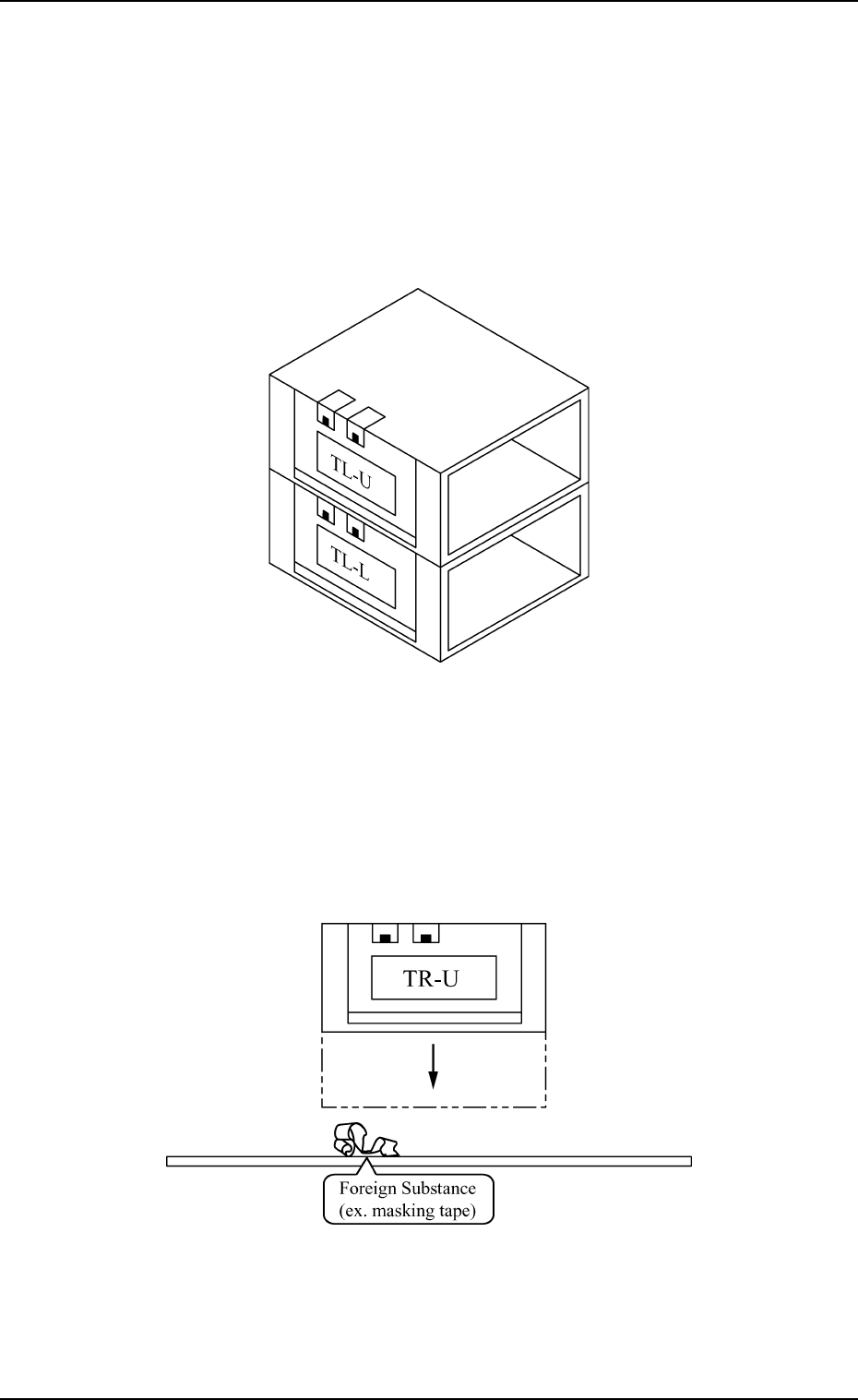
• When the magazine is put on the desk or floor, ensure there is no dust or
foreign substance on the magazine’s base. If the magazine is placed as
shown in Fig. 1.18-1 and set in the unit with dust or other foreign sub-
stance on the magazine base it can cause breakdown, because the ma-
chine is operated with the magazine inclined.
Fig. 1.18-1
Fig. 1.18-2
5. Preparation and Confirmation before Operation
Tg0252-PM-SO
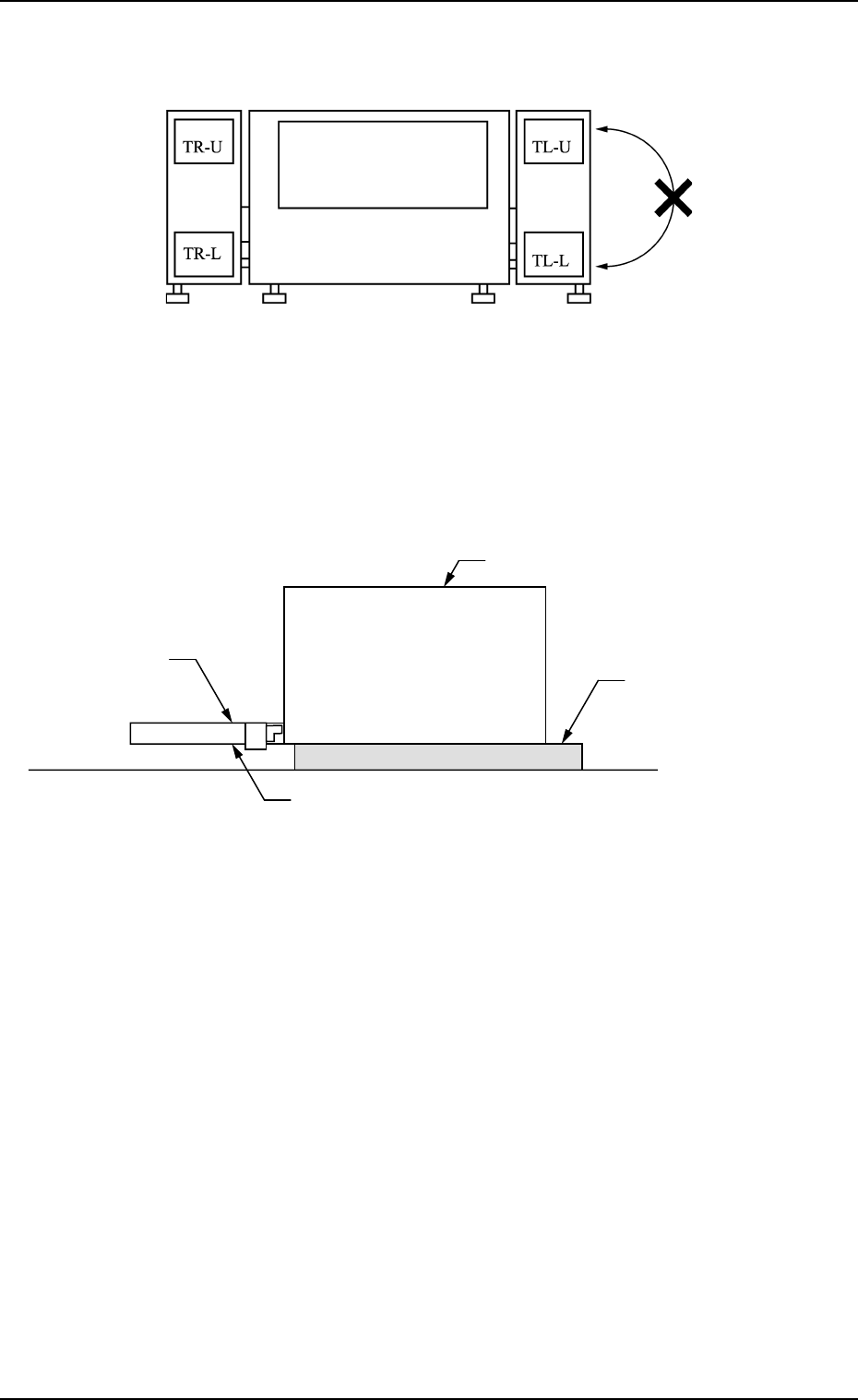
• Do not exchange the upper magazine with the lower magazine or be-
tween the units. It can cause breakdown.
Fig. 1.18-3
0112-002 Chapter 1 2-16-2
• When the magazine door is opened on the tool bench place a board
about 10 mm thick under the magazine so that the magazine door opens
horizontally, then open the magazine door. If the magazine door is opened
without placing such a board, the door can't be opened horizontally.
Fig. 1.18-4
Magazine Door
Magazine
Magazine door is opened horizontally.
Board of about 10 mm thick
5. Preparation and Confirmation before Operation
Tg0252-PM-SO
5.2.2.2 Pallet Attachment to Magazine
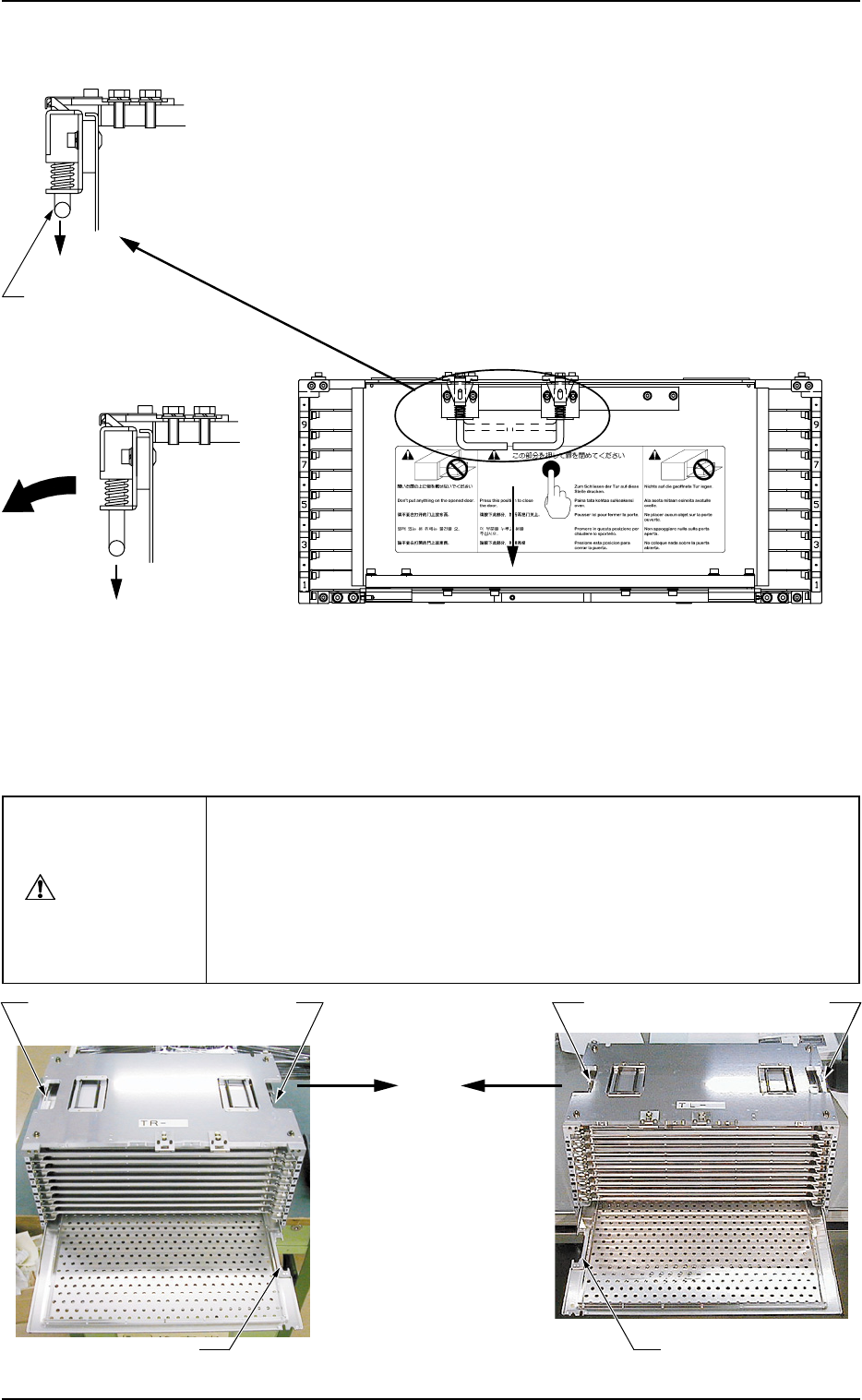
(1) Push both handles of the magazine door fixture down in direction
shown by an arrow A and release the lock of the magazine door.
(Fig. 1.19-1 and Fig. 1.19-2, Arrow A)
(2) Open the magazine door. (Fig. 1.19-3 Arrow B)
Note: (a) Because the magazine door might become deformed
by impact, open it gently, holding the grip. If operation
is started with a deformed magazine door, it might
cause machine breakdown.
(b) Do not place any thing on the open door or put any
pressure on it.
(3) Set the pallet equipped with a tray in the magazine.
Put the pallet on the partition plate and push it inside.
Fig. 1.19-2 Latched
Magazine Door
Fixture
Fig. 1.19-3 Unlatched
Magazine Door
Fixture
Grip
A
Fig. 1.19-1 How to open the magazine door
A
When a pallet is set in the magazine, note the direction of the cutout and
do not set the pallet upside down.
(See Figs. 1.20-1 and 1.20-2.)
When the [U READY] or the [L READY] button is pressed with the pallet
not oriented correctly, the error is detected. However, when the pallet is
inserted upside down, the error is not detected, causing a failure.
The contents of the error are displayed on the operation monitor.
CAUTION
B
0112-004 Chapter 1 2-17
A
Fig. 1.20-2 MG-5050L (For FP-5021L)
Fig. 1.20-1 MG-5050R (For FP-5021R)
Coutout of Pallet
Side without
Side Plate
Side without
Side Plate
Cutout of Pallet
Side Plate Side
Side Plate Side
Pallet Drawing
Direction
Pallet Drawing
Direction