OM-1068-001.pdf - 第144页
Tg0252-PM-SO 991 1-001 C ha p t er 1 4- 3 2. Zeroing Operation It is required to perform the zeroing operation before activating each device. The zeroing operation can be performed either from the local side (multi-layer…
Tg0252-PM-SO
9911-001 Chapter 1 4-2
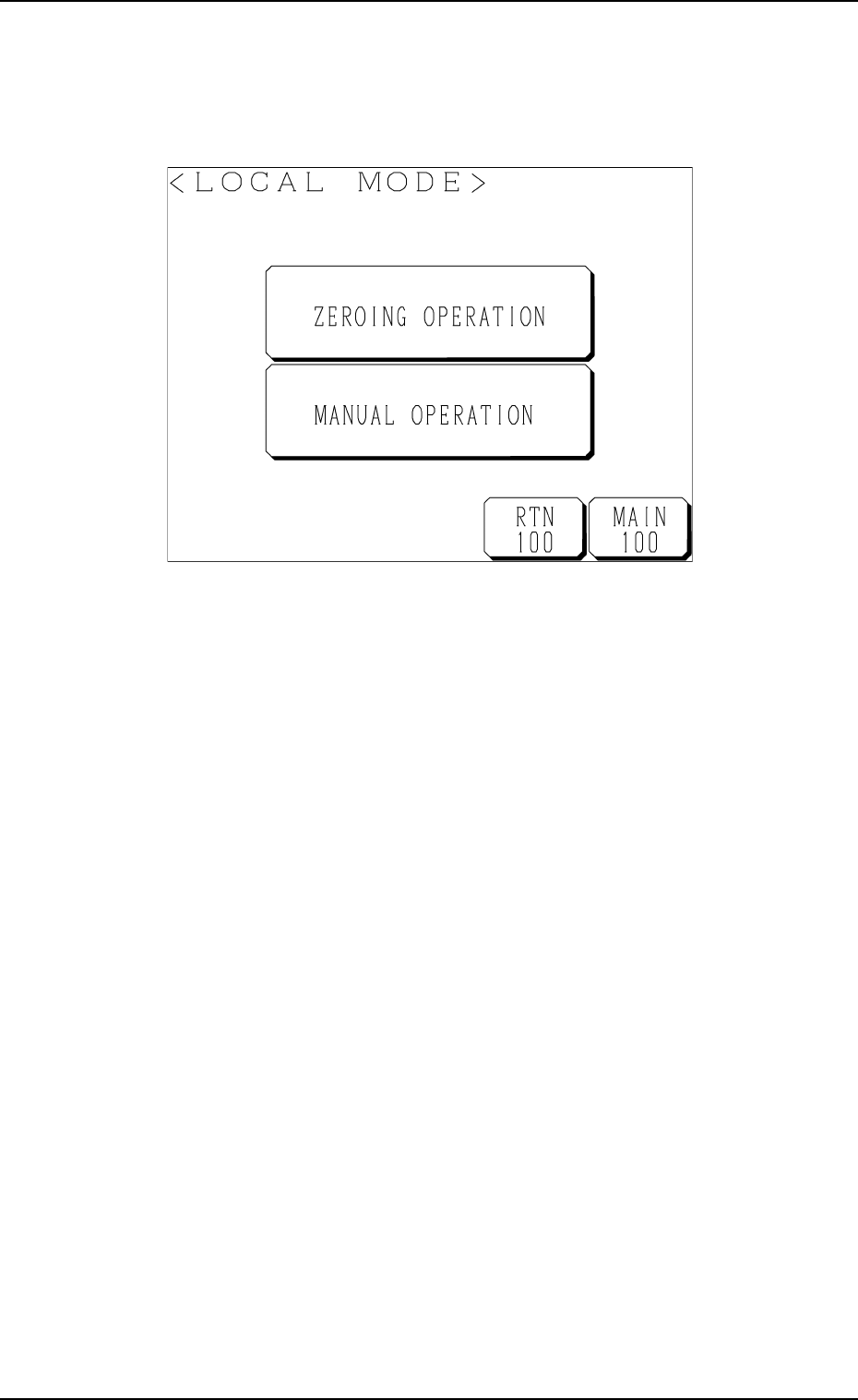
1. LOCAL MODE Display
When the [LOCAL MODE] key is pressed at the neutral mode display (Fig.
1.54), the following display appears on the screen.
Fig. 1.68
[ZEROING OPERATION] Key
The multi-layer tray feeder can be zeroed.
[MANUAL OPERATION] Key
The multi-layer tray feeder can be operated manually.
1. LOCAL MODE Display
Tg0252-PM-SO
9911-001 Chapter 1 4-3
2. Zeroing Operation
It is required to perform the zeroing operation before activating each device.
The zeroing operation can be performed either from the local side (multi-layer
tray feeder) or the main machine side.
Refer to “11.1.2 Zeroing Operation Maneuvered on Main Machine Side of
Section 2 in Chapter 1” for the detailed information on how to perform the
zeroing operation from the main machine side.
Operation Procedure
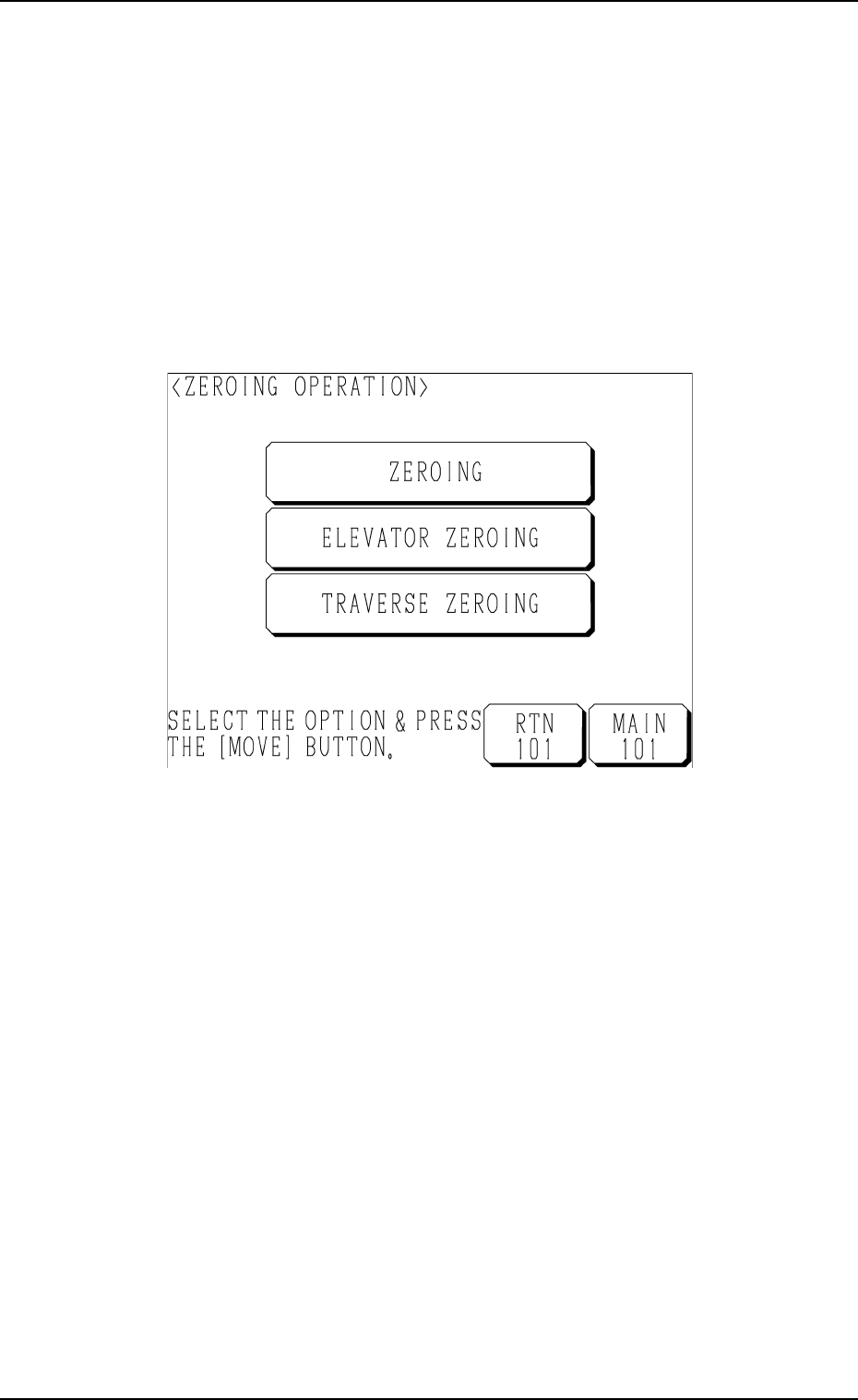
(1) Press the [ZEROING OPERATION] key at the “LOCAL MODE” dis-
play (Fig. 1.68). The following display appears on the screen.
Fig. 1.69
(2) Select the desired key and press the [MOVE] button.
• When the [ZEROING] key is selected, the elevator shaft and the
traverses are zeroed.
• When the [ELEVATOR ZEROING] key is selected, the elevator shaft
is zeroed.
• When the [TRAVERSE ZEROING] key is selected, the traverses are
zeroed.
2. Zeroing Operation
Tg0252-PM-SO
9911-001 Chapter 1 4-4
Note: When the [ELEVATOR ZEROING] or the [TRAVERSE ZEROING]
key is selected, the elevator shaft or the traverses may not be zeroed,
depending on where the traverses are located.
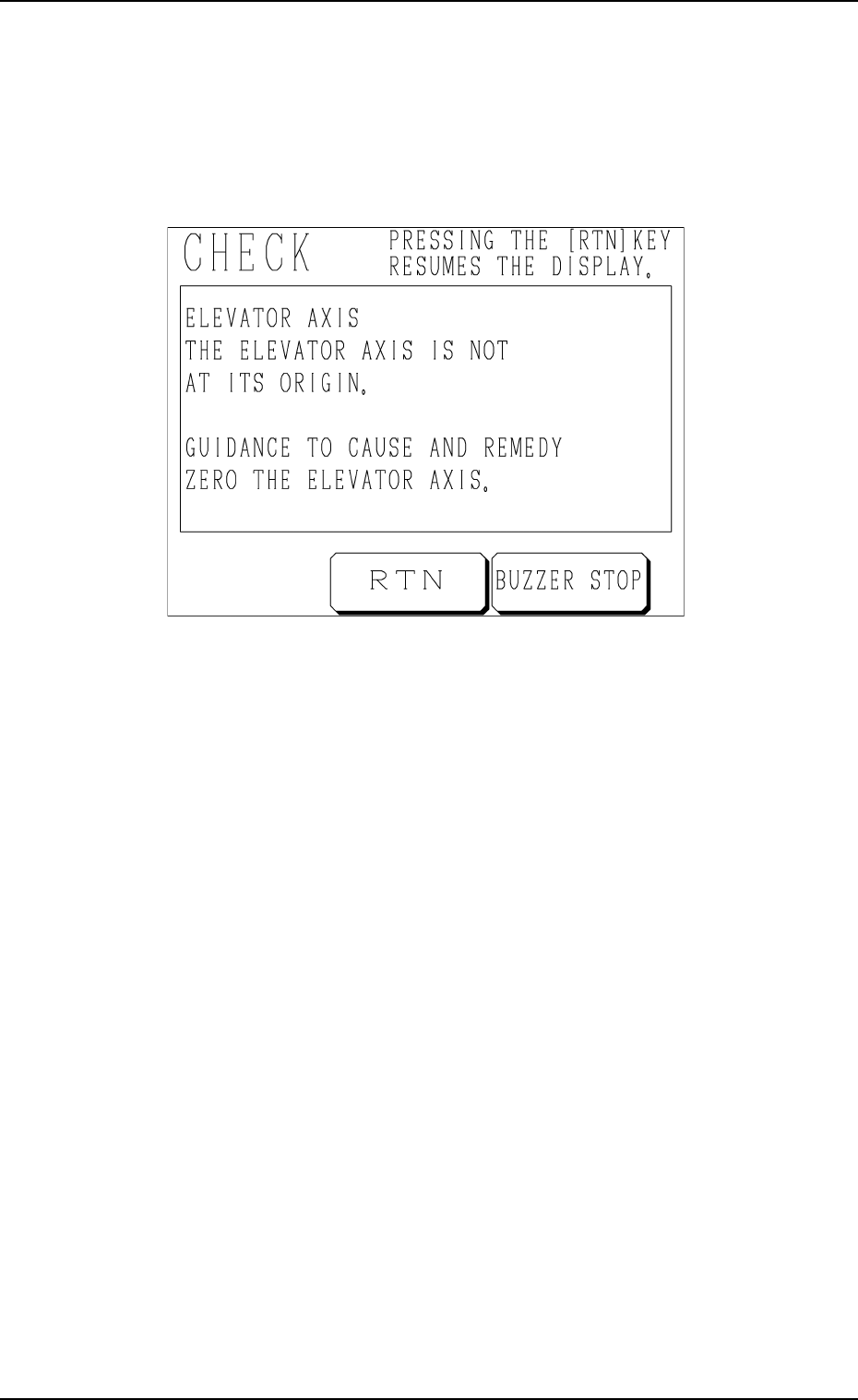
Fig. 1.70 shows a “CHECK” display (example) which appears when
the elevator shaft is not zeroed.
In this case, follow the instructions (GUIDANCE TO CAUSE AND
REMEDY) and zero the elevator shaft.
Fig. 1.70 “CHECK” Display (Example)
2. Zeroing Operation