OM-1068-001.pdf - 第131页
Tg0252-PM-SO 991 1-001 Chapter 1 3-2 1. LINE Mode (1 ) When the [LINE MODE] key is pressed at the “NEUTRAL MODE” display (Fig. 1.54), either one of the displays (Figs. 1.55 and 1.56) ap- pears on the screen. Fig. 1.55 FP…

9911-001 Chapter 1 3-1
LINE Mode Menu
Section 3
Tg0252-PM-SO
Tg0252-PM-SO
9911-001 Chapter 1 3-2
1. LINE Mode
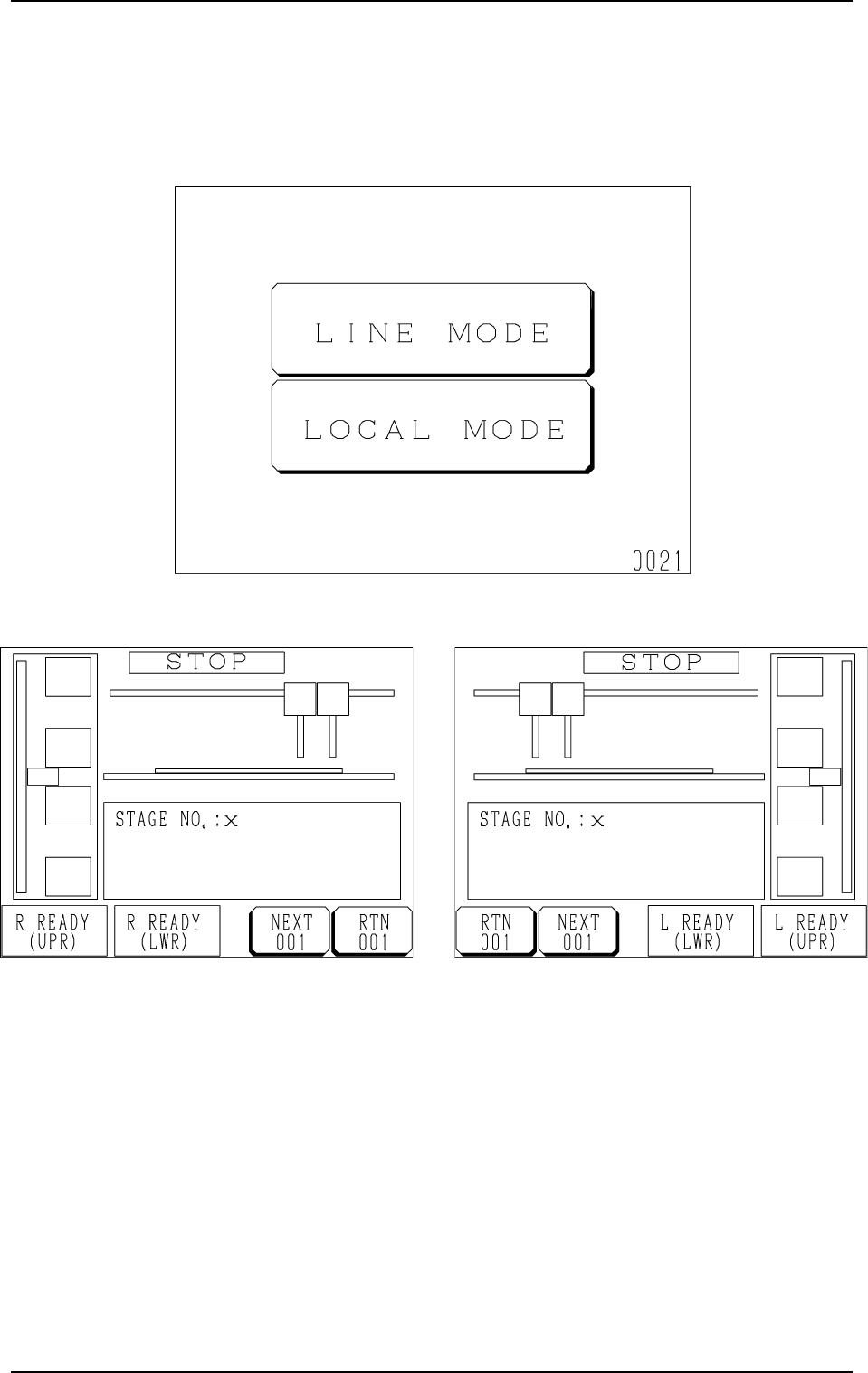
(1) When the [LINE MODE] key is pressed at the “NEUTRAL MODE”
display (Fig. 1.54), either one of the displays (Figs. 1.55 and 1.56) ap-
pears on the screen.
Fig. 1.55 FP-5021R Fig. 1.56 FP-5021L
Fig. 1.54
1. LINE Mode
Tg0252-PM-SO
9911-001 Chapter 1 3-3
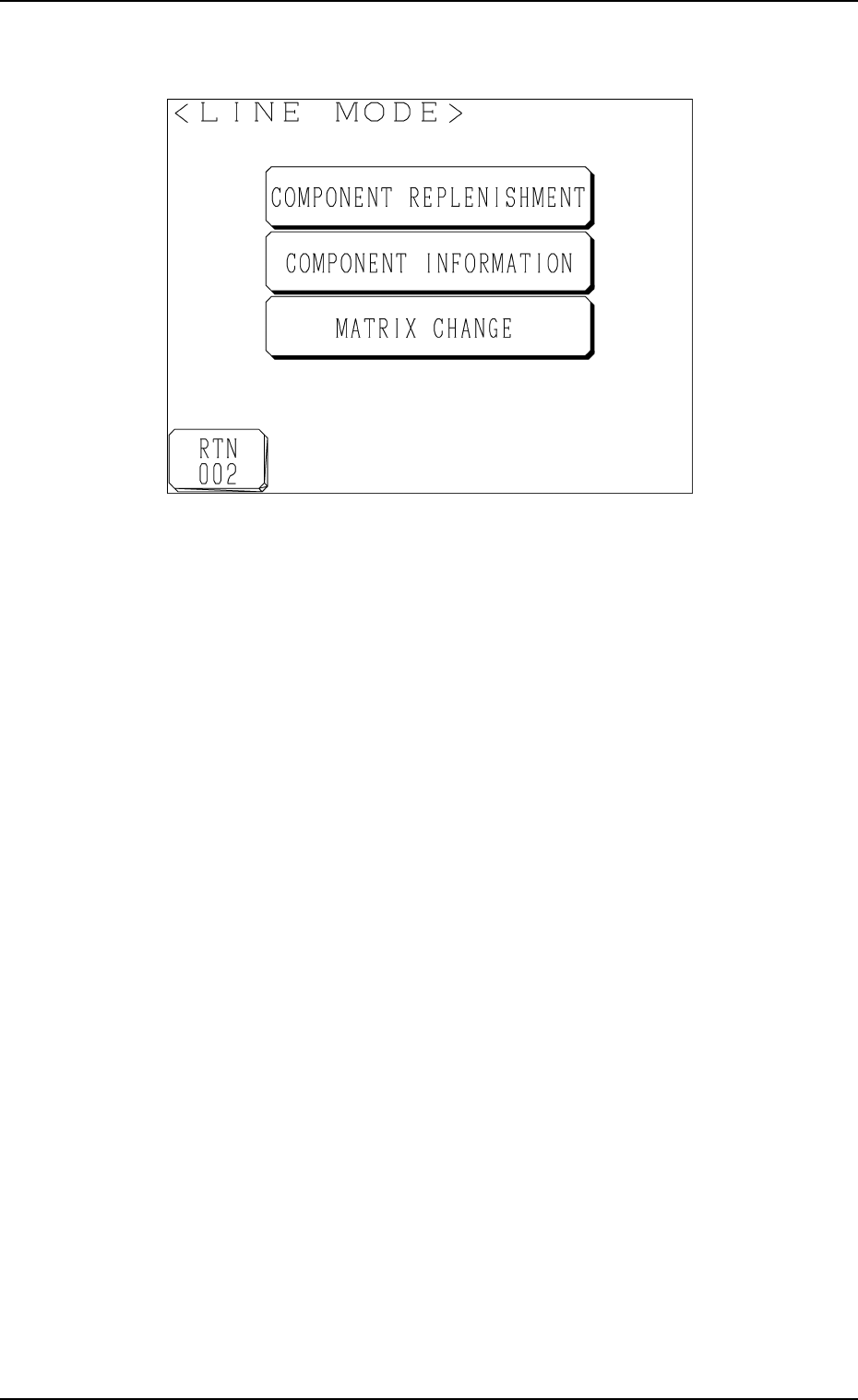
(2) Press the [NEXT] key.
The following display appears on the screen.
Fig. 1.57
[COMPONENT REPLENISHMENT] Key
When this key is pressed, the “COMPONENT REPLENISHMENT” dis-
play appears on the screen, enabling you to check whether components
should be replenished or not.
[COMPONENT INFORMATION] Key
When this key is pressed, the “COMPONENT INFORMATION” display
appears on the screen, enabling the checking of component information
on each stage or block.
[MATRIX CHANGE] Key
When this key is pressed, the “MATRIX CHANGE” display appears on
the screen, enabling you to change the location (matrix) of a component to
be picked up subsequently.
1. LINE Mode