OM-1068-001.pdf - 第88页
Fig. 1.1 1-2 Fig. 1.1 1-1 5.1.2 Component Data 5.1.2.1 Component Data Refer to “2.5.3 T ray Feeders (Option) of Section 2 in V olume 2” and “4.5.2 Editing of T ray Component Data (Option) of Section 2 in V olume 2” in th…
5. Preparation and Confirmation before Operation
5.1 Preparation (Outline) for Pattern Program
5.1.1 Component Library Data
Editing Procedure of Component Library Data for FP-5021L
(The same procedure applies to the component library data for
FP-5021R.)
Refer to “COMPONENT LIBRARY” in main machine instruction manual for
details.
Data can be edited on the main machine side.
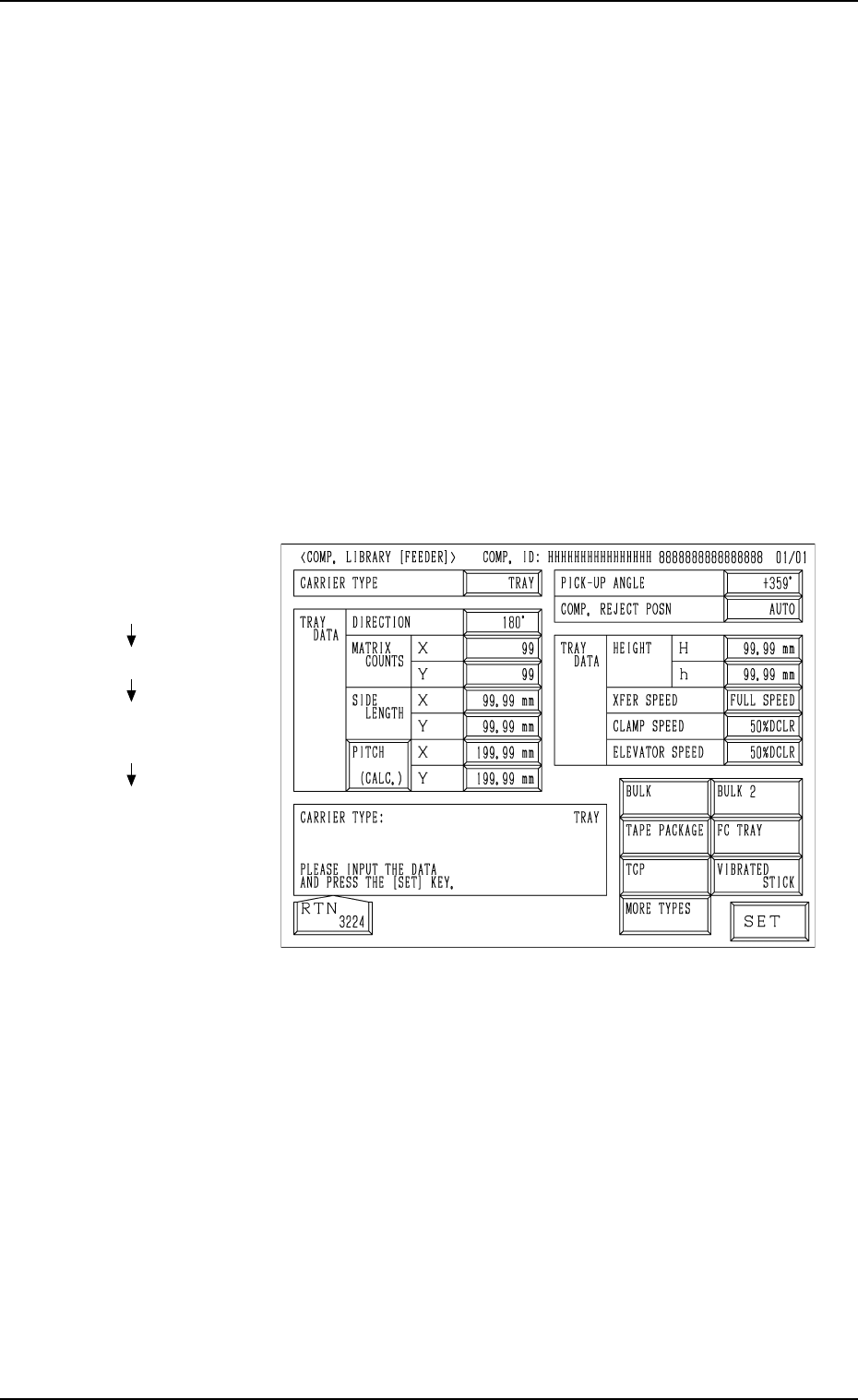
(1) When the [TRAY] key is pressed at the “COMP. LIBRARY [FEEDER]”
display, the following display appears on the screen.
(2) Enter the component library data.
Note: The component library data cannot be edited with the main ma-
chine in the “RUN” or “WAIT” mode when the multi-layer tray
feeder is included in the production model.
Fig. 1.10
Hierarchical Sequence
(Display)
“MAIN MENU”
“DATA EDIT”
“COMPONENT LIBRARY
EDIT”
“COMP. LIBRARY
[FEEDER]”
5. Preparation and Confirmation before Operation
0005-002 Chapter 1 2-8 Tg0252-PM-SO
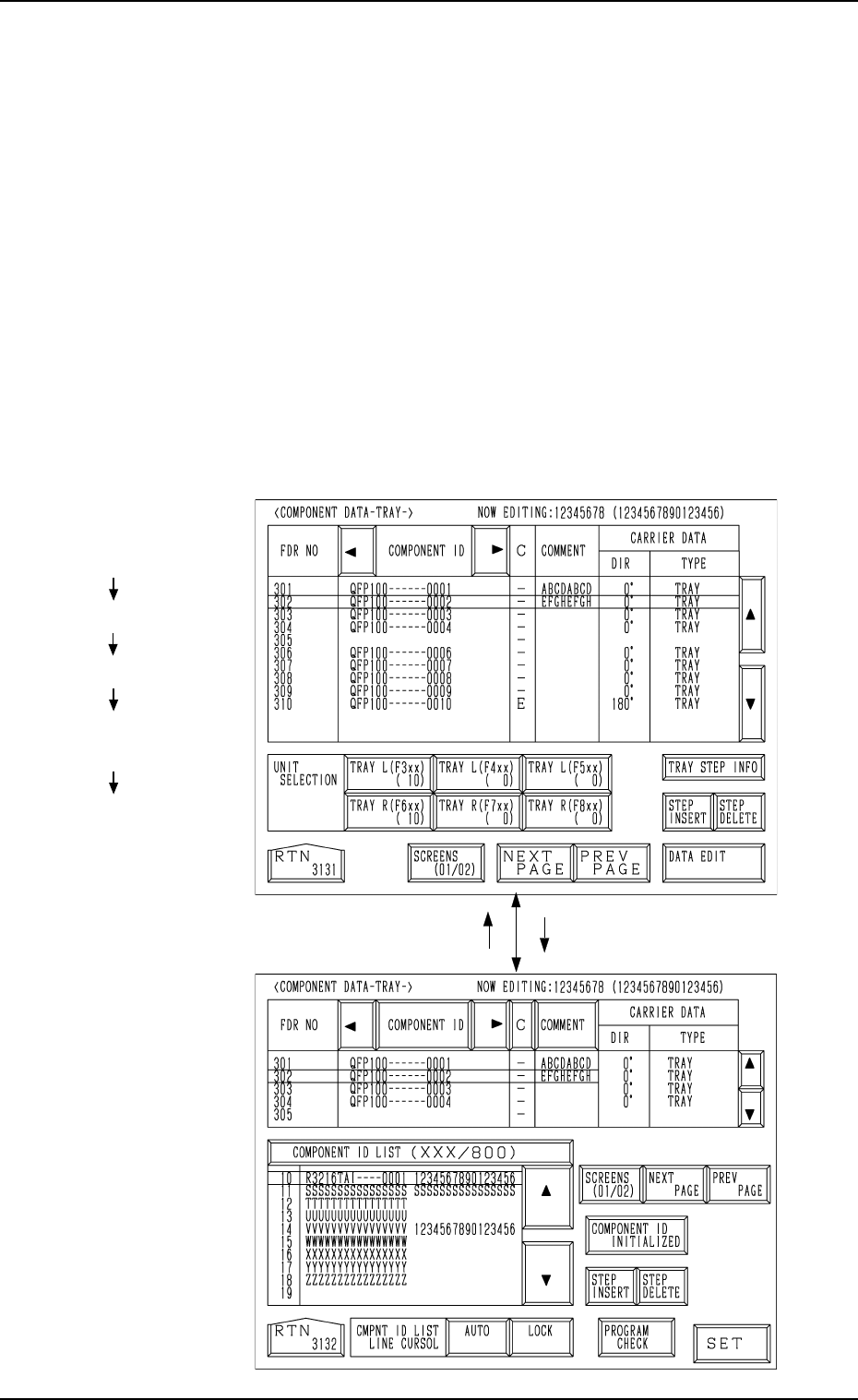
Fig. 1.11-2
Fig. 1.11-1
5.1.2 Component Data
5.1.2.1 Component Data
Refer to “2.5.3 Tray Feeders (Option) of Section 2 in Volume 2” and “4.5.2
Editing of Tray Component Data (Option) of Section 2 in Volume 2” in the
main machine instruction manual for details.
Data can be edited on the main machine side.
(1) Press the [TRAY L (F301-F599)] or the [TRAY R (F601-F899)] key at
the “PATTERN PROGRAM EDIT” display. The display (Fig. 1.11-1)
appears on the screen.
(2) Press the [DATA EDIT] key.
The display (Fig. 1.11-2) appears on the screen.
(3) Component IDs are allocated to feeder Nos. (FDR No.).
Note: The component data can be edited only with the main machine in
the “STOP” or “PAUSE” mode when the multi-layer tray feeder
is included in the production model.
Hierarchical Sequence
(Display)
“MAIN MENU”
“DATA EDIT”
“PATTERN PROGRAM”
“PATTERN PROGRAM
EDIT”
“COMPONENT DATA
-TRAY-”
5. Preparation and Confirmation before Operation
[DATA EDIT] Key[RTN] Key
9911-001 Chapter 1 2-9 Tg0252-PM-SO
5.1.2.2 Tray Steps Information
Refer to “2.5.4 Tray Step Information (Option) of Section 2 in Volume 2” and
“4.5.3 Editing of Tray Steps Information Data (Option) of Section 2 in Vol-
ume 2” in the main machine instruction manual for details.
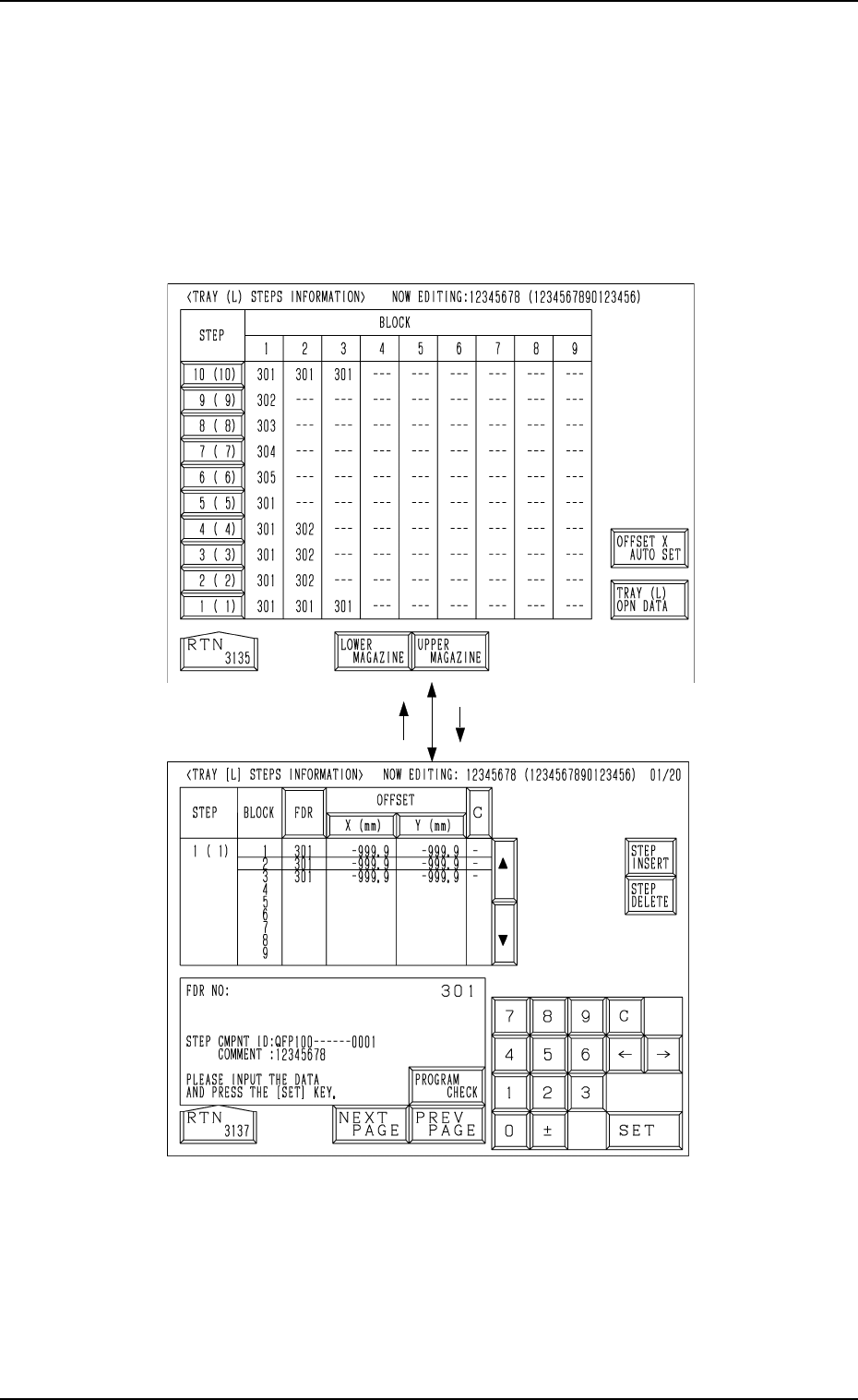
(1) When the [TRAY STEP INFO] key is pressed at the display (Fig. 1.11-
1), the display (Fig. 1.12-1) appears on the screen.
(2) Specify what type of components (FDR NO) you should set in which
block of which step with the tray unit.
Fig. 1.12-2
Fig. 1.12-
1
5. Preparation and Confirmation before Operation
[1 ( 1)] Key[RTN] Key
9911-001 Chapter 1 2-10 Tg0252-PM-SO