OM-1068-001.pdf - 第224页
1.2 Reset Procedure after Machine Information Operation Procedure (1) Press the [BUZZER STOP] key to stop buzzer sound. Ref.: When the [R TN] key is pressed, the buzzer stops sounding and the original display resumes. (2…
1. Machine Information
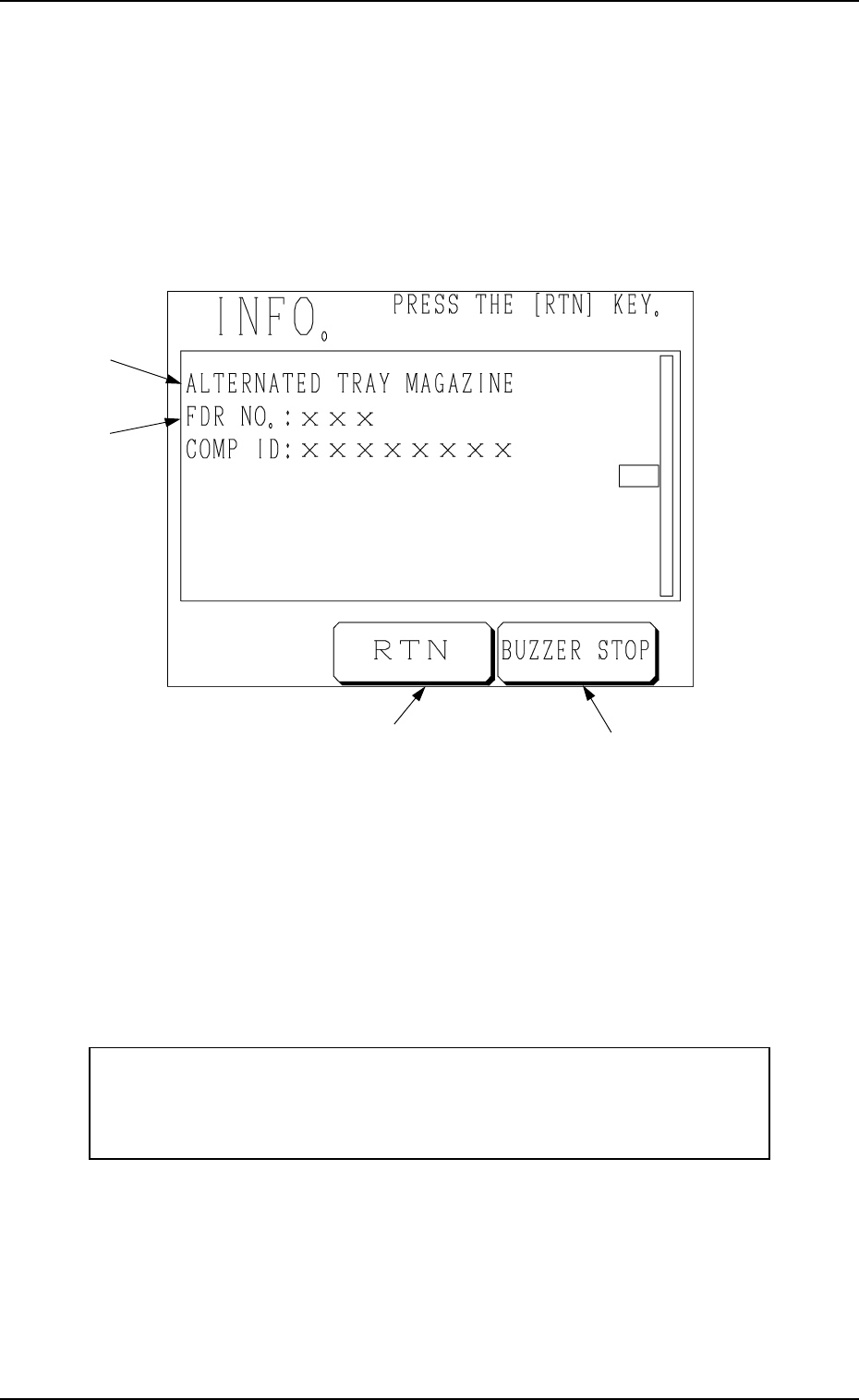
1.1 INFO. Display
This display shows various information during automatic operation.
After each information, automatic operation still continues.
When the machine information is issued, the following display appears on the
screen.
Fig. 1.43
*A: Information Message
*B : Contents of Information Message
*C : This key is used to stop buzzer sound.
*D: This key is used to stop buzzer sound and resume the display opened
before the “INFO.” display.
The sample display in Fig. 1.43 shows that the magazine alternate function is
activated.
The “INFO.” displays are provided to inform the operator of warning mes-
sages (machine information).
Perform the operation based on the machine information and then the
reset operation.
• When the information display is not big enough to show all information items,
it is scrolled up.
To review the cleared items after scrolling, open the “RECALL MESSAGES”
display.
When several information items are issued, the tower lights and buzzer are
activated to issue the latest information.
*B
*A
*D
*C
1. Machine Information
0010-001 Chapter 3 4-2 Tg0252-PM-SO

1.2 Reset Procedure after Machine Information
Operation Procedure
(1) Press the [BUZZER STOP] key to stop buzzer sound.
Ref.: When the [RTN] key is pressed, the buzzer stops sounding and
the original display resumes.
(2) Check the contents of the machine information message.
(3) Press the [RTN] key to resume the original display.
1.3 List of Machine Information Messages
1. Machine Information
Item (*A
*A*A
*A) Contents of Information Message (*B
*B*B
*B)
04H
ALTERNATED TRAY
MAGAZINE
01H FDR NO.: COMP ID:
0010-001 Chapter 3 4-3 Tg0252-PM-SO