OM-1068-001.pdf - 第183页
01 12-001 C h ap t er 3 2-22 Tg0252-PM-SO 4. Troubleshooting after Error Message 12 01 0A TV2-AXIS ORIGIN TRA VERSE AXIS (+) LIMIT [BPH256] SENSOR MA Y BE DEFECTIVE. 12 01 0B TV2-AXIS ORIGIN TRA VERSE 2 LEVER A ORIGIN [B…
0112-001 Chapter 3 2-21 Tg0252-PM-SO
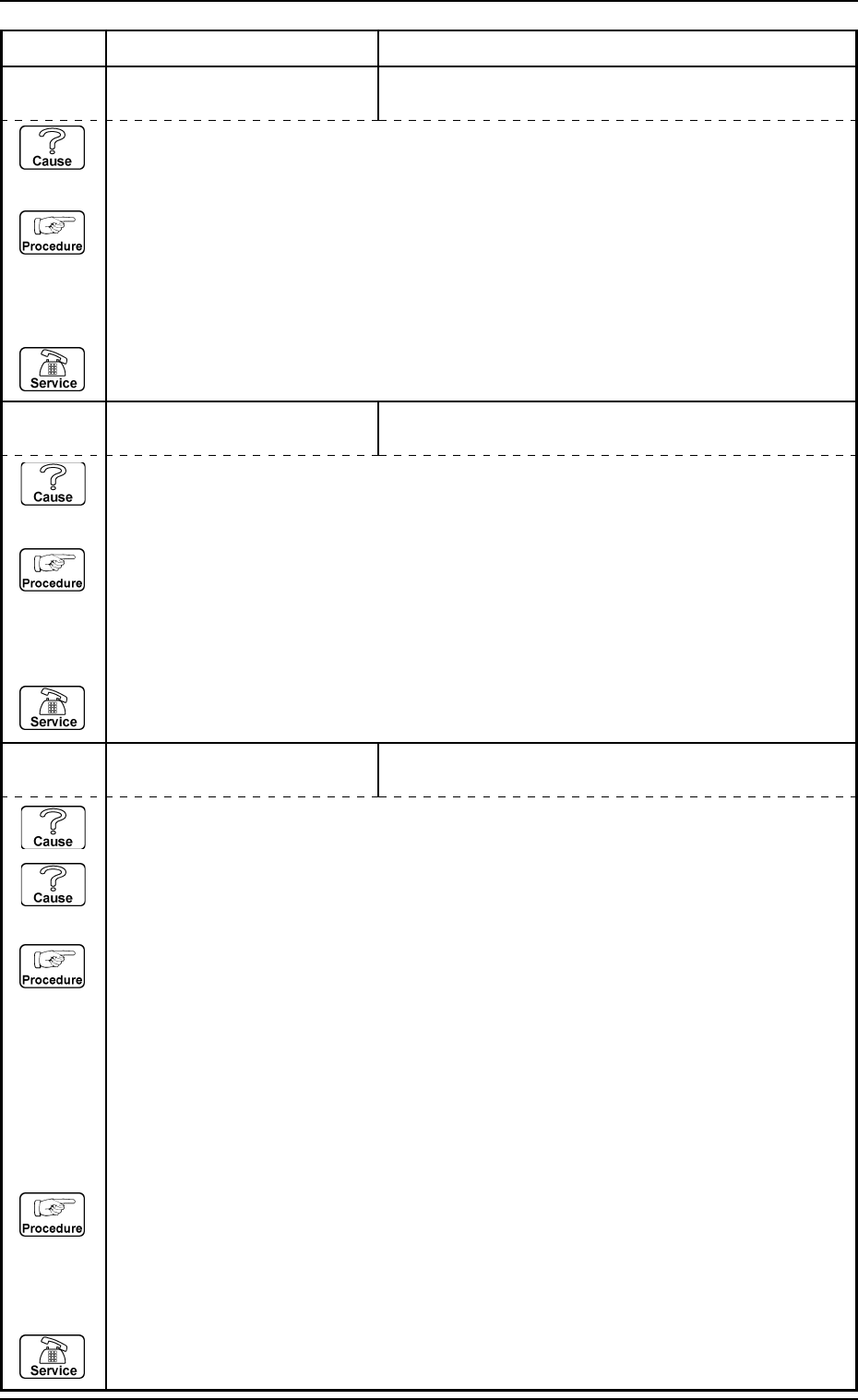
4. Troubleshooting after Error Message
12 01 07 TV2-AXIS ORIGIN TRAVERSE #2 MIDDLE ORIGIN [BPH262] NOT DE-
TECTED.
12 01 08 TV2-AXIS ORIGIN CHUTE PALLET CHECK #4 [BPH269, 273] SENSORS
MAY BE DEFECTIVE.
Error Code Display A Display B
(Cause 1) This is the device’s self-diagnostic message.
(Reset Procedure in the case of Cause 1)
Reset Procedure
(1) Press the [CLEAR ALARM] key to stop the buzzer sound.
(2) Press the [RESET] button to cancel the error mode.
(3) Press the [ZERO] button to return all axes to their original positions. Continue the production
according to the “WARM Start Operation Procedure”.
(4) If the device can’t be reset after the above procedure, contact our service personnel.
(Cause 1) This is the device’s self-diagnostic message.
(Reset Procedure in the case of Cause 1)
Reset Procedure
(1) Press the [CLEAR ALARM] key to stop the buzzer sound.
(2) Press the [RESET] button to cancel the error mode.
(3) Press the [ZERO] button to return all axes to their original positions. Continue the production
according to the “WARM Start Operation Procedure”.
(4) If the device can’t be reset after the above procedure, contact our service personnel.
12 01 09 TV2-AXIS ORIGIN PALLET JERKED OUT OF MAGAZINE
DETECTED.;BPH586
(Cause 1) Is the pallet not properly in the magazine?
(Cause 2) There might be a non-conformity in the pallet projection detection sensor [BPH586].
(Reset Procedure in the case of Cause 1)
Reset Procedure
(1) Press the [CLEAR ALARM] key to stop the buzzer sound.
(2) Press the [RESET] button to cancel the error mode.
(3) Press the [U Ready] or [L Ready] key to open the multi-tray feeder door.
(4) Open the magazine door and set the projecting pallet to its correct position.
(5) Press the [ZERO] button to return all axes to their original positions. Continue the production
according to the “WARM Start Operation Procedure”.
(Reset Procedure in the case of Cause 2)
Reset Procedure
(1) Press the [CLEAR ALARM] key to stop the buzzer sound.
(2) Press the [RESET] button to cancel the error mode.
(3) Press the [ZERO] button to return all axes to their original positions. Continue the production
according to the “WARM Start Operation Procedure”.
(4) If the device can’t be reset after the above procedure, contact our service personnel.
0112-001 Chapter 3 2-22 Tg0252-PM-SO
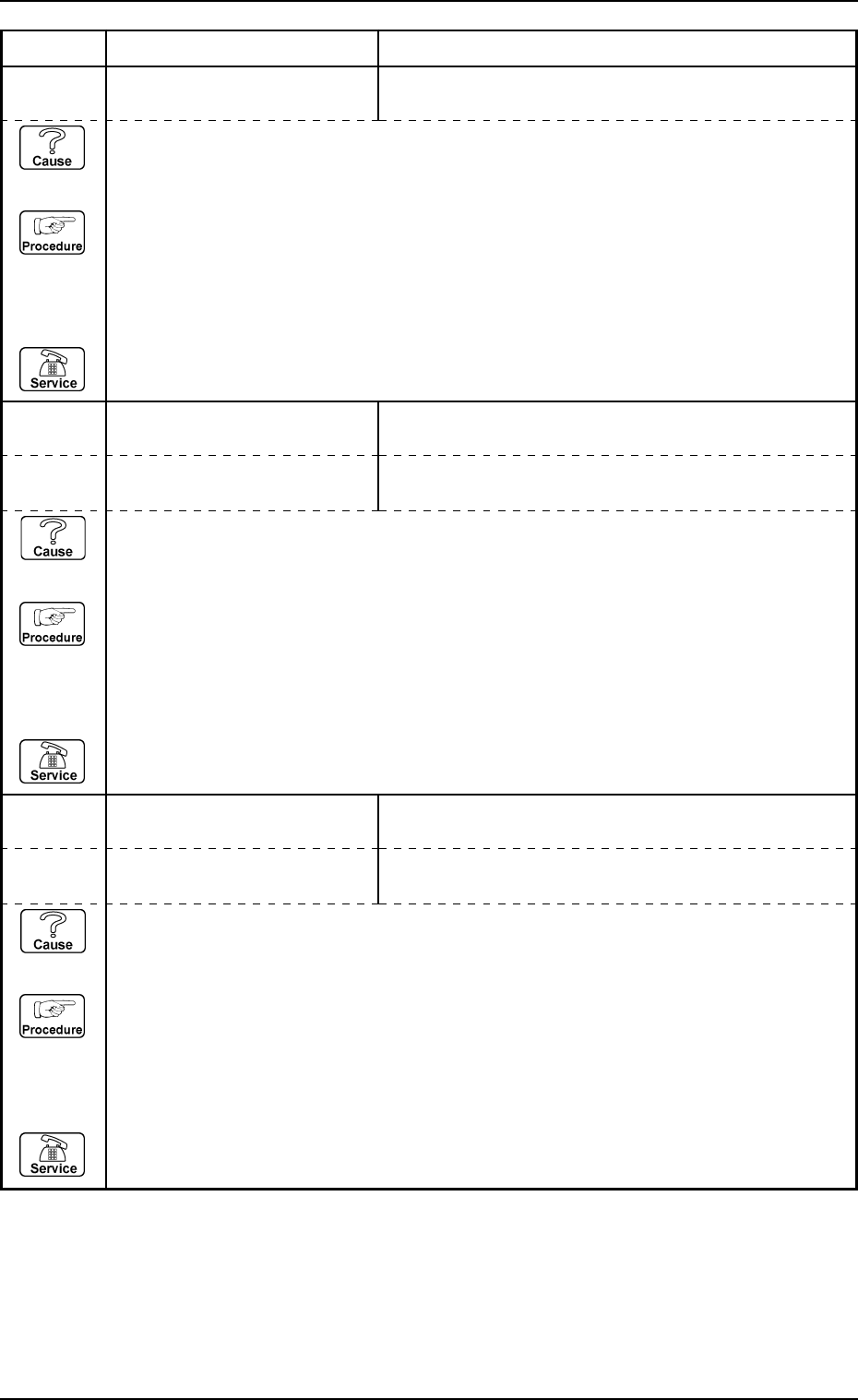
4. Troubleshooting after Error Message
12 01 0A TV2-AXIS ORIGIN TRAVERSE AXIS (+) LIMIT [BPH256] SENSOR MAY BE
DEFECTIVE.
12 01 0B TV2-AXIS ORIGIN TRAVERSE 2 LEVER A ORIGIN [BPH264] NOT DE-
TECTED.
Error Code Display A Display B
(Cause 1) This is the device’s self-diagnostic message.
(Reset Procedure in the case of Cause 1)
Reset Procedure
(1) Press the [CLEAR ALARM] key to stop the buzzer sound.
(2) Press the [RESET] button to cancel the error mode.
(3) Press the [ZERO] button to return all axes to their original positions. Continue the production
according to the “WARM Start Operation Procedure”.
(4) If the device can’t be reset after the above procedure, contact our service personnel.
12 01 0C TV2-AXIS ORIGIN TRAVERSE 2 LEVER B ORIGIN [BPH265] NOT DE-
TECTED.
(Cause 1) This is the device’s self-diagnostic message.
(Reset Procedure in the case of Cause 1)
Reset Procedure
(1) Press the [CLEAR ALARM] key to stop the buzzer sound.
(2) Press the [RESET] button to cancel the error mode.
(3) Press the [ZERO] button to return all axes to their original positions. Continue the production
according to the “WARM Start Operation Procedure”.
(4) If the device can’t be reset after the above procedure, contact our service personnel.
12 01 0D TV2-AXIS ORIGIN TRAVERSE 2 CLAMP AREA CHECK A [BPH264] NOT
DETECTED.
12 01 0E TV2-AXIS ORIGIN TRAVERSE 2 CLAMP AREA CHECK B [BPH254] NOT
DETECTED.
(Cause 1) This is the device’s self-diagnostic message.
(Reset Procedure in the case of Cause 1)
Reset Procedure
(1) Press the [CLEAR ALARM] key to stop the buzzer sound.
(2) Press the [RESET] button to cancel the error mode.
(3) Press the [ZERO] button to return all axes to their original positions. Continue the production
according to the “WARM Start Operation Procedure”.
(4) If the device can’t be reset after the above procedure, contact our service personnel.
0112-001 Chapter 3 2-23 Tg0252-PM-SO
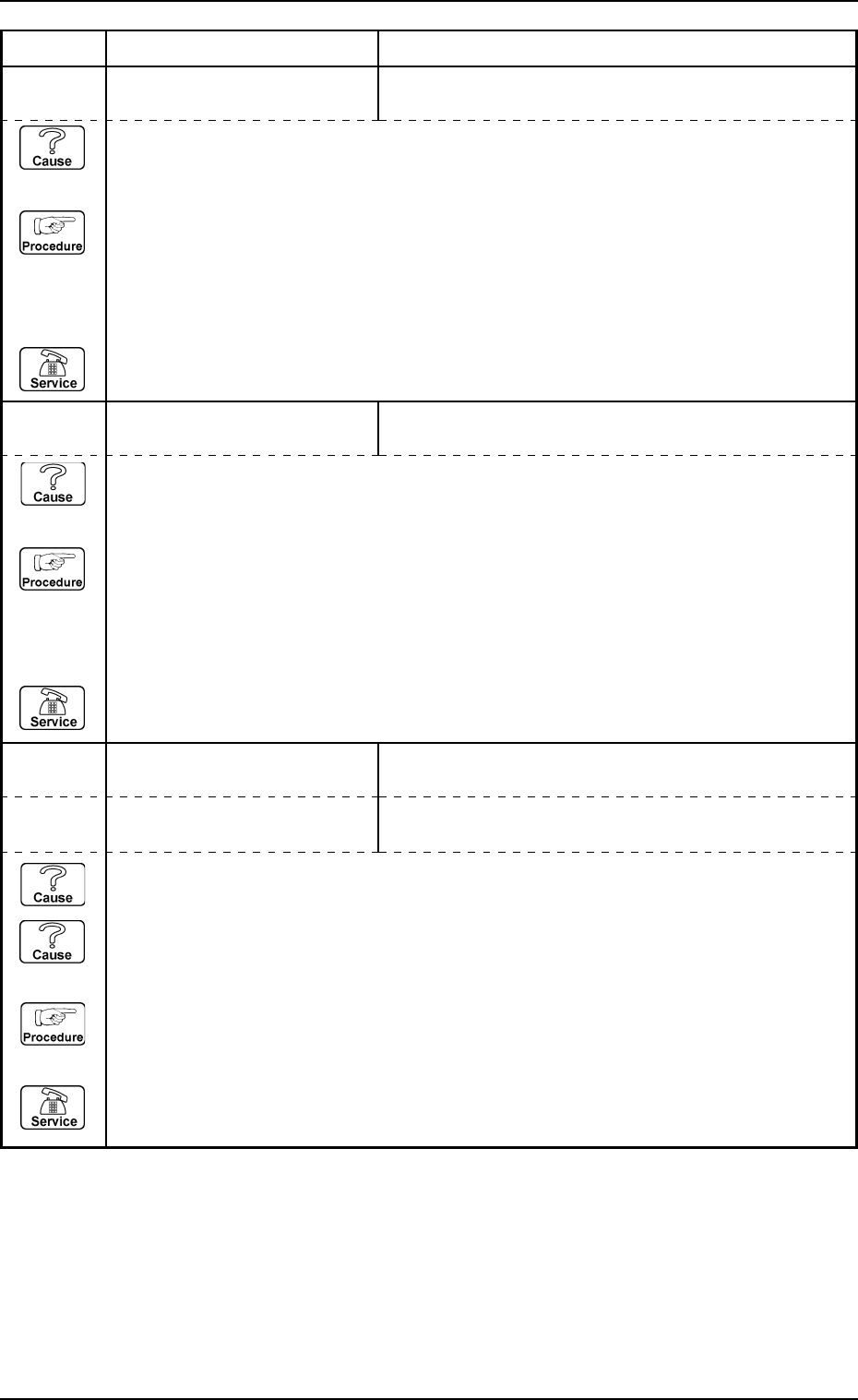
4. Troubleshooting after Error Message
12 02 01 TV2-AXIS TIMING PREVIOUS TASK WAS NOT COMPLETED. UNABLE TO
CONTINUE.
12 03 01 TV2-AXIS DATA TARGET LOCATION VALUE IS OUT OF RANGE.
Error Code Display A Display B
(Cause 1) This is the device’s self-diagnostic message.
(Reset Procedure in the case of Cause 1)
Reset Procedure
(1) Press the [CLEAR ALARM] key to stop the buzzer sound.
(2) Press the [RESET] button to cancel the error mode.
(3) Press the [ZERO] button to return all axes to their original positions. Continue the production
according to the “WARM Start Operation Procedure”.
(4) If the device can’t be reset after the above procedure, contact our service personnel.
(Cause 1) This is the device’s self-diagnostic message.
(Reset Procedure in the case of Cause 1)
Reset Procedure
(1) Press the [CLEAR ALARM] key to stop the buzzer sound.
(2) Press the [RESET] button to cancel the error mode.
(3) Press the [ZERO] button to return all axes to their original positions. Continue the production
according to the “WARM Start Operation Procedure”.
(4) If the device can’t be reset after the above procedure, contact our service personnel.
12 04 01 TV2-AXIS LIMIT LIMIT ERROR (+) IS DETECTED.;BPH256
12 04 02 TV2-AXIS LIMIT LIMIT ERROR (-) IS DETECTED.;BPH257
(Cause 1) It may run away due to noise or overcurrent.
(Cause 2) The sensor may be defective.
(Reset Procedure in the case of Causes 1 and 2)
Reset Procedure
(1) Press the [CLEAR ALARM] key and the buzzer stops sounding.
(2) Press the [ZERO] button to return all the axes to their original positions.
(3) Re-start.
(4) If the device can’t be re-started, contact our service personnel.