YV180X_Mainte_E.pdf - 第106页
4 -48 Service Manual Chapter 4 SED8013110 4 Machine adjust mode e Check safety , then press the [ENTER] key again. The head assembly moves to above the PCB origin and the teaching screen appears as shown below . 47442-C0…
4
-47
SED8013110
Service Manual
Chapter 4
4
Machine adjust mode
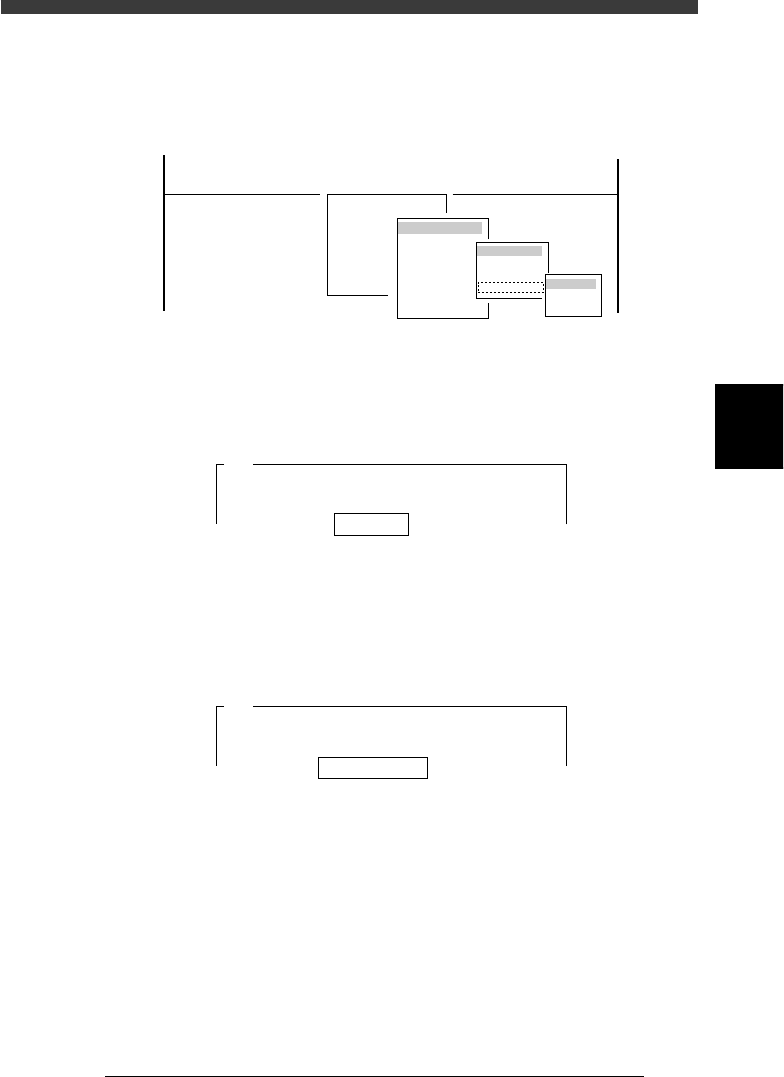
8 Enter MCH_ADJUST mode and run the “Camera Scale”
command.
Select <3/3/B1 ADJUST TARGET> − ”Moving Camera” − ”Camera Scale”
and the conveyor table.
47439-D8-00
B1 ADJUST TARGET
Object
Moving Camera
<<<APPLICATION>>> 3/MAINTE/M
<<MODE>> 3/MCH_ADJUST
<COMMAND_LIST> B/SAVE & QUIT
Target
FOV & Focus
Brightness
Camera Scale
table
A table
B table
9 Enter the mark database No. and press the [ENTER] key.
Here, enter the database No. of the mark on the PCB you are using.
(If you are using a glass PCB, enter “281”.)
47440-C0-00
Mark No. 153
A420
This procedure adjusts the vertical (Y) and horizontal (X)
scales of the moving camera. A fiducial mark is used
for this adjustment. It is recommended . . .
0 Check that “Distance (mm/10) 20” is displayed, and press
the [ENTER] key.
The camera scale is calibrated while moving the head assembly in the XY
directions. Use the default setting “20”.
47441-C0-00
Distance (mm/10) 20
A423
The axes will move and the fiducial mark will be
recognized in three different positions. Enter a
head movement distance . . .
q Clamp the PCB on the conveyor.
Use the commands in the CONVEYOR UNIT menu box that appears on
the screen.
When the PCB has already been clamped, skip this step.
w Select “RETURN” from the CONVEYOR UNIT menu box
and press the [ENTER] key.
You can also use the [ESC] key to exit the CONVEYOR UNIT menu.
If you have set emergency stop in the previous step, release the emergency
stop button and press the [READY] button.
4
-48
Service Manual
Chapter 4
SED8013110
4
Machine adjust mode
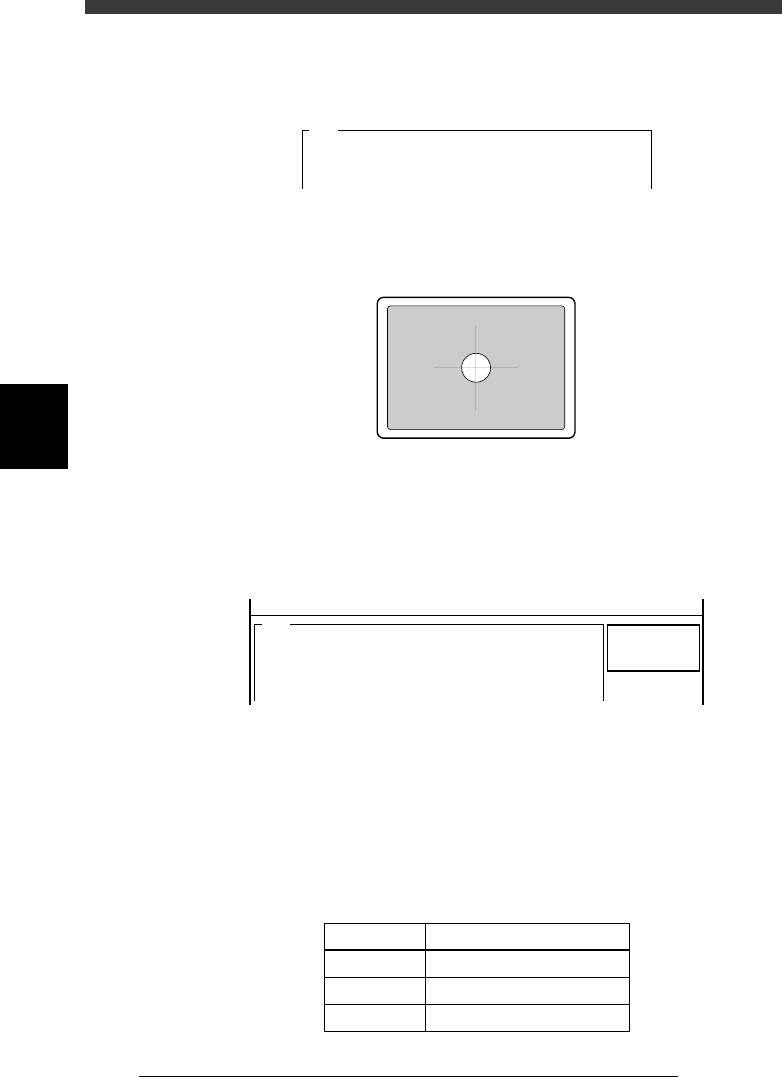
e Check safety, then press the [ENTER] key again.
The head assembly moves to above the PCB origin and the teaching
screen appears as shown below.
47442-C0-00
A428
<<Teaching>>
Please position the cross hair cursor over the
fiducial mark on screen......
r Position the fiducial mark in the center of the screen.
Manipulate the YPU joystick to align the mark with the cross cursor on the
screen.
43417-C0-00
t Press the [ENTER] key to start calibration.
The moving camera moves in both X and Y directions. The camera scale is
calibrated based on the amount of movement on the vision monitor and
the results are then displayed on the screen.
47443-D8-00
<<<RESULT>>>
The results of the moving camera scale adjustment are
as follows.
To save the results in memory, press the [ENTER] key
(the results are . . .
Scale_x
Scale_y
Angle
=
=
=
10.30
10.30
0.05
<<MODE>> 3/MCH_ADJUST
A431
y Check that the results are within the specified range.
When the moving camera height and angle are correctly adjusted, the
camera scale and angle should be within the specified range. If not, you
will need to readjust “FOV & focus” and then recalibrate the camera scale
to check the results. again.
Specified range of moving camera scale and angle
45405-D8-00
Parameter
Scale x
Scale y
Angle r
Specified Range
10.2±0.2µm (10.0 to 10.4µm)
10.2±0.2µm (10.0 to 10.4µm)
0±0.5°

4
-49
SED8013110
Service Manual
Chapter 4
4
Machine adjust mode
u Follow the message on the operation monitor to quit the
calibration.
Release the conveyor units, press the emergency stop button and remove
the PCB.
i Save the calibration settings.
Select <B2 SAVE DATA> or <B0 SAVE & QUIT> and press the [ENTER]
key. (To quit without saving, select <B3 RECOVER ADJUST> or <B7
QUIT> and press the [ENTER] key.)