YV180X_Mainte_E.pdf - 第111页
4 -53 SED8013110 Service Manual Chapter 4 4 Machine adjust mode e 9 Press the emergency stop button and adjust the focus. Loosen the two bolts securing the camera to the camera stand and then adjust the camera installati…
4
-52
Service Manual
Chapter 4
SED8013110
4
Machine adjust mode
5 Check safety and press the [ENTER] key.
The head assembly moves to the component pickup point.
e
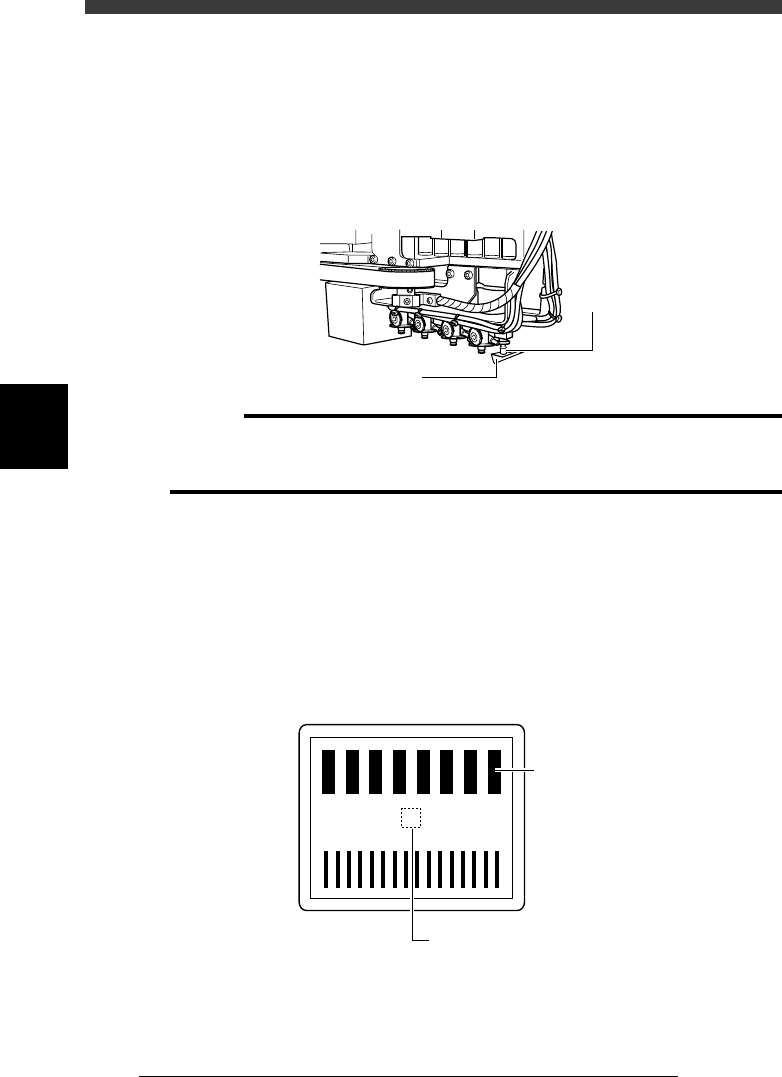
6 Press the emergency stop button, then attach the focus
adjuster tool to Head 1.
The scale pattern side must face downwards as shown below.
Attaching the focus adjuster tool
43410-D8-00
QFP nozzl
e
Focus adjuster tool
c
CAUTION
Attach the focus adjuster in the correct orientation as shown below. Otherwise, accurate
adjustment cannot be made. The orientation is correct when the image of the focus
adjuster pattern appears as shown in Step 8.
7 Cancel emergency stop.
Release the emergency stop button by turning it clockwise and press the
[READY] button on the YPU.
8 Check safety, then press the [ENTER] key again.
The head assembly moves and passes repeatedly over the multi-vision
camera and the image of the focus adjuster tool is displayed on the vision
monitor. Check that the scale “0” on the focus adjuster is focused.
Focus adjuster image
43411-D8-00
4
3
3
1
0
-1
-2
-3
-4
Thick lines should be
upper part of screen
Check that “0” is focused.
4
-53
SED8013110
Service Manual
Chapter 4
4
Machine adjust mode
e
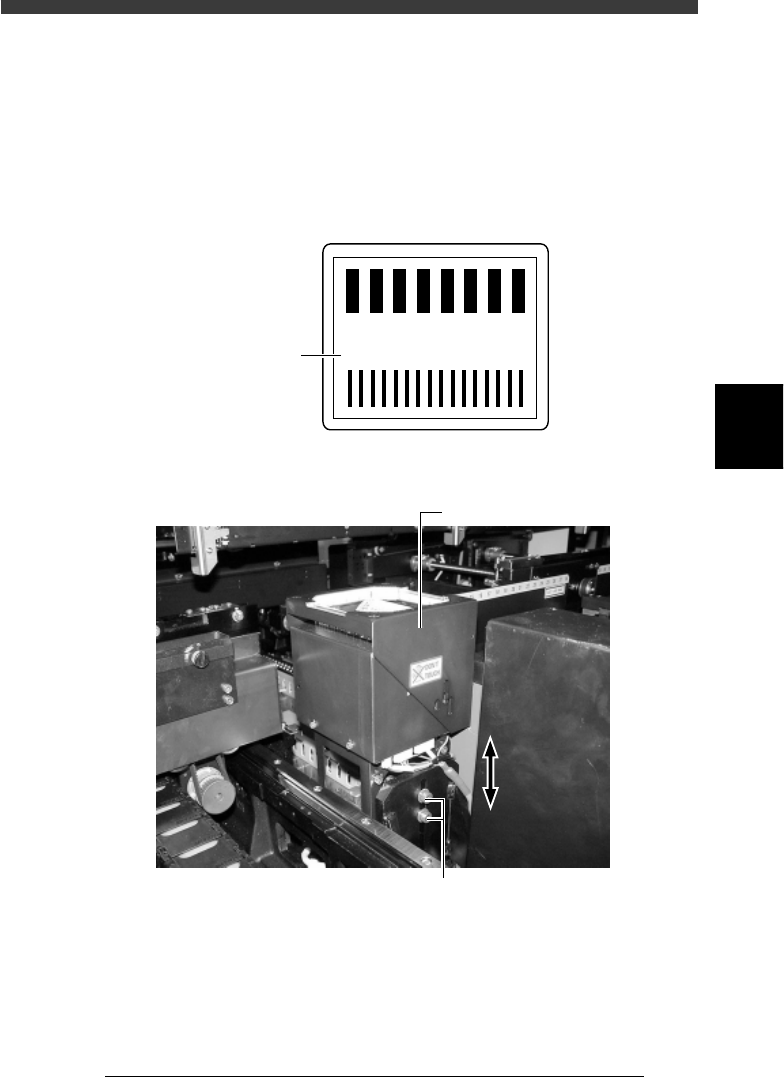
9 Press the emergency stop button and adjust the focus.
Loosen the two bolts securing the camera to the camera stand and then
adjust the camera installation height, so that the focus index value
displayed on the vision monitor is maximized. (At this point, the FOV is
set to optimum range.)
Tighten the bolts temporarily after adjusting the camera installation height.
Focus index value
43412-D8-00
4
3
2
1
0
-1
-2
-3
-3
160
Focus index
Multi-vision camera height (focus) adjustment
43423-D8-00
Multi-view camera
Loosen these bolts and move the camera upwards or downwards.
0 Cancel emergency stop and check the focus adjustment.
The image displayed on the vision monitor during this adjustment is an
image stored in the memory. It does not change as you adjust the camera
installation height. Cancel emergency stop to resume image acquisition
and check the adjustment result.
Repeat Steps 9 and 10 until the best focus is obtained.

4
-54
Service Manual
Chapter 4
SED8013110
4
Machine adjust mode
q Tighten the bolts to secure the camera.
e
Be sure to press the emergency stop button before this work. After
tightening the bolts, recheck the focus.
w Follow the message on the operation monitor to quit the
adjustment.
There is no machine data to be saved in this adjustment.
e
Remove the focus adjuster.
Be sure that the machine is in emergency stop and then remove the focus
adjuster.