YV180X_Mainte_E.pdf - 第40页
3 -3 Service Manual 3 Machine data edit mode Chapter 3 SED8013110 1. Machine data edit mode main menu In Machine Data Edit (MCH_D A T A) mode, you can check various ma- chine data items for the mounter and related option…

Chapter 3
Machine data edit mode
1. Machine data edit mode main menu 3-3
2. Head 3-4
2.1 Vacuum level .............................................................................................3-5
2.2 Offset .........................................................................................................3-6
2.3 Down offset ...............................................................................................3-7
2.4 Nozzle correction ......................................................................................3-8
2.5 R axis accuracy ..........................................................................................3-9
3. Camera 3-10
3.1 Coordinate/spec .......................................................................................3-10
3.2 Vision parameter ......................................................................................3-11
4. Machine 3-12
4.1 Feeder plate offset ....................................................................................3-13
4.2 Software limits .........................................................................................3-18
4.3 Position ....................................................................................................3-19
5. Other 3-20
5.1 RS-232C...................................................................................................3-20
6. Precision 3-21
6.1 MultiCam Marker .....................................................................................3-21
This chapter describes MCH_DATA (machine data edit) mode,
including how to read the data edit screens and what each parameter
means.
3
-3
Service Manual
3
Machine data edit mode
Chapter 3
SED8013110
1. Machine data edit mode main menu
In Machine Data Edit (MCH_DATA) mode, you can check various ma-
chine data items for the mounter and related options.
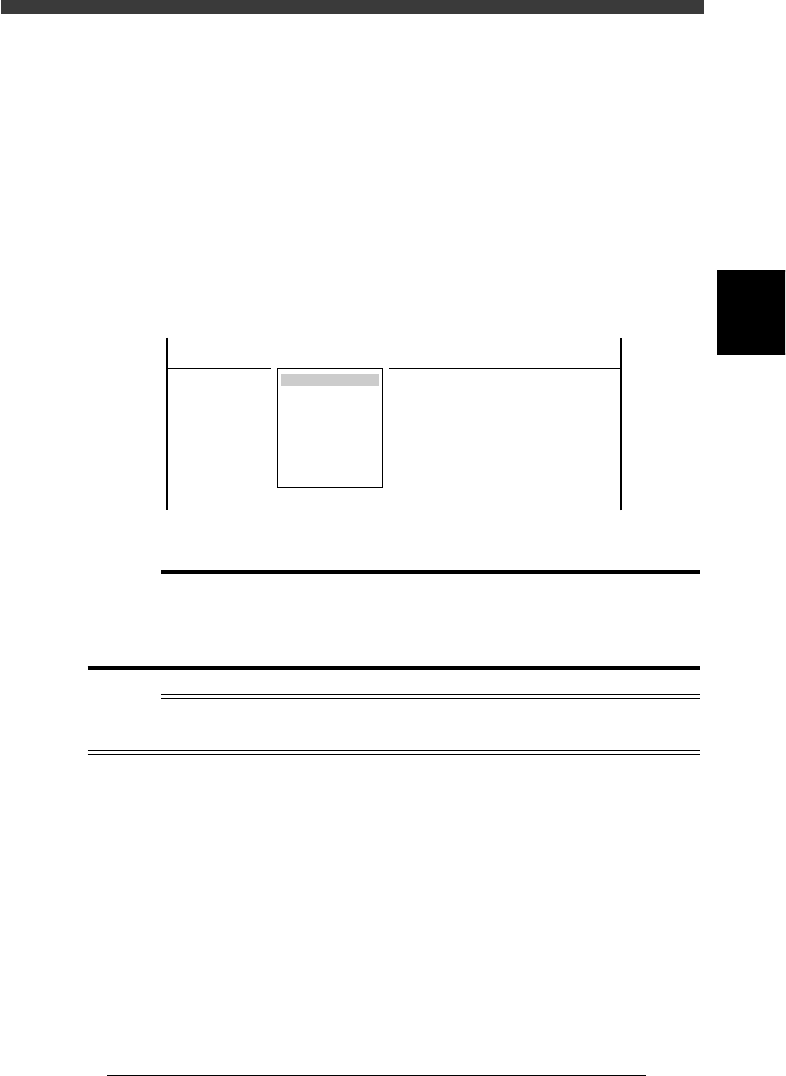
When you select <3/2/ MCH_DATA> and press the [ENTER] key, the
MCH DATA SORT menu box appears. Selecting an item from this menu
box further displays the submenu box, so select the parameter item you
want to check and press the [ENTER] key. The current machine data
settings for the selected item are then displayed.
Main menu box in the Machine Data Edit mode
47301-C0-00
MCHDATA SORT
Head
Camera
Machine
Tray Changer
Station
Other
Precision
Spare Data
<<<APPLICATION>>> 3/MAINTE/M
<<MODE>> 2/MCH_DATA
c
CAUTION
The parameters in MCH_DATA mode are properly set at the factory prior to shipment,
according to the required specifications. Do not change these parameter settings. If an
adjustment becomes necessary, use the adjustment command or edit screen in
MCH_ADJUST mode explained in Chapter 4.
Reference
The YV180X cannot be connected to an optional tray changer and nozzle station, so “Tray
Changer” and “Station” on the menu are disabled.
3
-4
Service Manual
Chapter 3
3
Machine data edit mode
SED8013110
2. Head
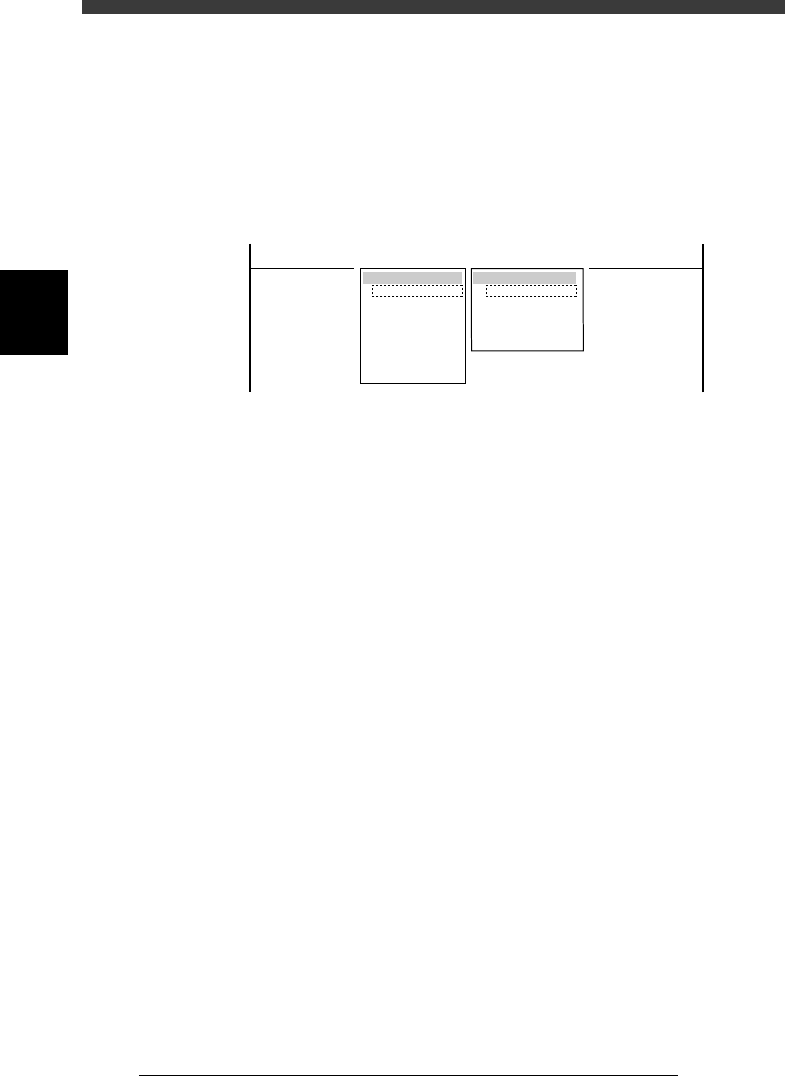
When “Head” is selected from the <3/2/MCH_DATA> main menu, the
submenu appears as shown below. Each item on this submenu is explained
in the following sections.
47302-C0-00
SUB MENU
Vacuum Level
Offset
Down Offset
Nozzle Correction
R Axis Accuracy
MCHDATA SORT
Head
Camera
Machine
Tray Changer
Station
Other
Precision
Spare Data
<<<APPLICATION>>> 3/MAINTE/M
<<MODE>> 2/MCH_DATA