YV180X_Mainte_E.pdf - 第137页
5 -8 Service Manual Chapter 5 SED8013110 5 Manual mode 3. Ser vo contr ol <3/4/B> On the <3/4/B SER V O_CONTROL> menu, you can use commands for axis mov ement during MANU AL mode. T o run a command, move the …
5
-7
SED8013110
Service Manual
Chapter 5
5
Manual mode
2.4 Change nozzle
<3/4/A5>
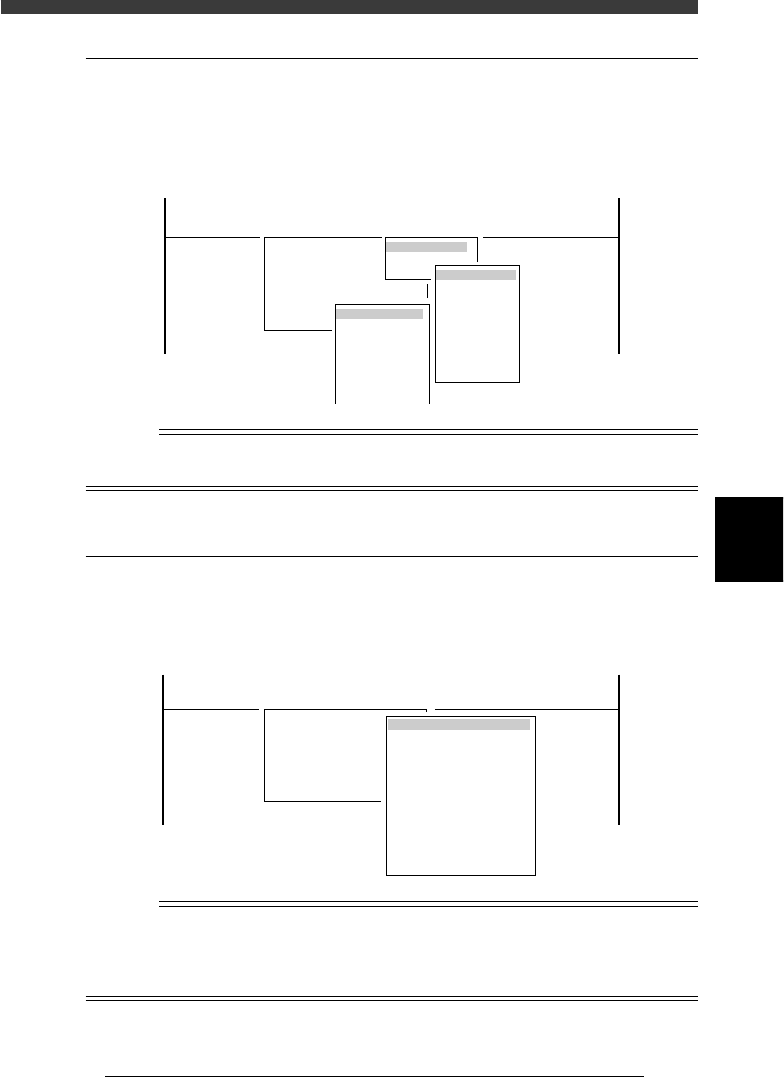
Use the <3/4/A5 NOZZLE CHANGE> command to change the nozzle of a
particular head. This command is enabled only for heads with an FNC
(flying nozzle change) function (Heads 2, 4, 6, 8).
CHANGE NOZZLE command
47507-D8-00
<<<APPLICATION>>> 3/MAINTE/M
<<MODE>> 4/MANUAL
<COMMAND_LIST> A/IO_UTILITY B/SERVO_CONTROL
A5 CHANGE NOZZLE
SELECT NOZZLE
Type 71
Type 72
Type 73
Type 74
Type 75
Type 76
Type 77
Head Selection
Head 1
Head 2
Head 3
Head 4
Head 5
Head 6
Head 7
Head 8
Table Selection
A table
B table
Reference
This command is the same as the <3/3/A5 CHANGE NOZZLE> command in
MACH_ADJUST mode.
2.5 Conveyor units
<3/4/A0>
This command allows you to turn on and off the conveyor units for clamp-
ing a PCB in the component mounting position.
CONVEYOR UNITS menu box
47508-D8-00
OFF
ON
OFF
OFF
OFF
OFF
OFF
OFF
OFF
OFF
LOCATE PIN
PUSH UP
PCB CLAMP
EDGE CLAMP
PUSH IN
MAIN STOPPER
ENT.STOPPER
EXIT STOPPER
CONV. MOTOR
CONV. WIDTH
PROGRAM PIN
RETURN
CONVEYOR UNIT (STS.)
<<<APPLICATION>>> 3/MAINTE/M
<<MODE>> 4/MANUAL
<COMMAND_LIST> A/IO_UTILITY B/SERVO_CONTROL
A0 CONVEYOR UNITS
Reference
This command opens the same CONVEYOR UNITS menu box that appears when you run
the <1/1/D4 ASSISTANT UTILITY> command in OPERATION Manager or the <2/1/B7
CONVEYOR UNITS> command in DATA Manger. For details on this menu, see the
mounter operation manual.
5
-8
Service Manual
Chapter 5
SED8013110
5
Manual mode
3. Servo control
<3/4/B>
On the <3/4/B SERVO_CONTROL> menu, you can use commands for
axis movement during MANUAL mode. To run a command, move the
cursor to the command and press the [ENTER] key or directly enter the
corresponding number. The function of each command is explained below.
3.1 Select servo motor
<3/4/B1>
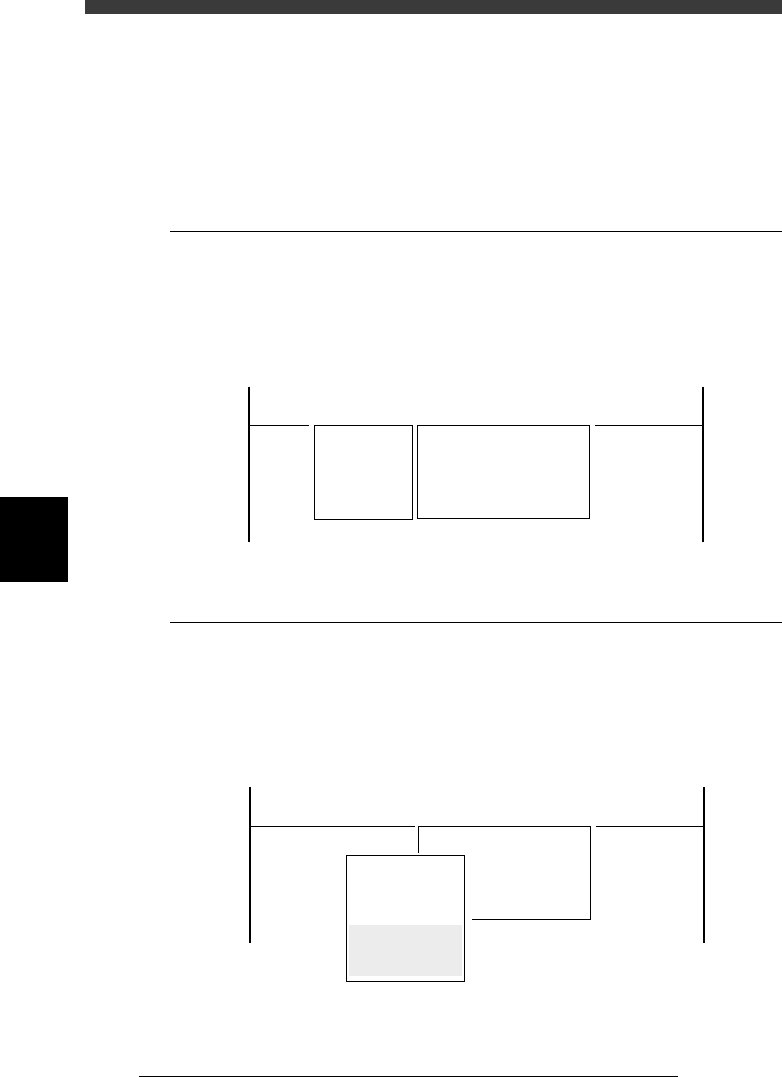
When you run <3/4/B1 SELECT SERVO MOTOR>, the submenu box
appears for selecting the axis, so move the cursor to the axis you want to
move and press the [ENTER] key.
Axis selection box
47509-C0-00
<<<APPLICATION>>> 3/MAINTE/M
<<MODE>> 4/MANUAL
<COMMAND_LIST> A/IO_UTILITY B/SERVO_CONTROL
B1 SELECT SERVO MOTOR [AXIS]
A_Table XY
A_Table ZR
B_Table XY
B_Table ZR
A_Table Width
B_Table Width
Transfer PCB
3.2 Running speed
<3/4/B2>
When you run <3/4/B2 RUNNING SPEED>, the submenu box appears for
selecting the axis movement speed, so move the cursor to the desired speed
and press the [ENTER] key. You can also change the speed settings (per-
centage) with the number keys.
Speed selection box
47510-C0-00
Speed1 =
Speed2 =
Speed3 =
Speed4 =
Speed5 =
Edit speed.
From 1 to 100
Cursor key : Select
Ok[Enter],Abort[ESC]
<<<APPLICATION>>> 3/MAINTE/M
<<MODE>> 4/MANUAL
<COMMAND_LIST> A/IO_UTILITY B/SERVO_CONTROL
B2 RUNNING SPEED [SPEED]
100
80
60
40
20
5
-9
SED8013110
Service Manual
Chapter 5
5
Manual mode
3.3 Point move
<3/4/B3>
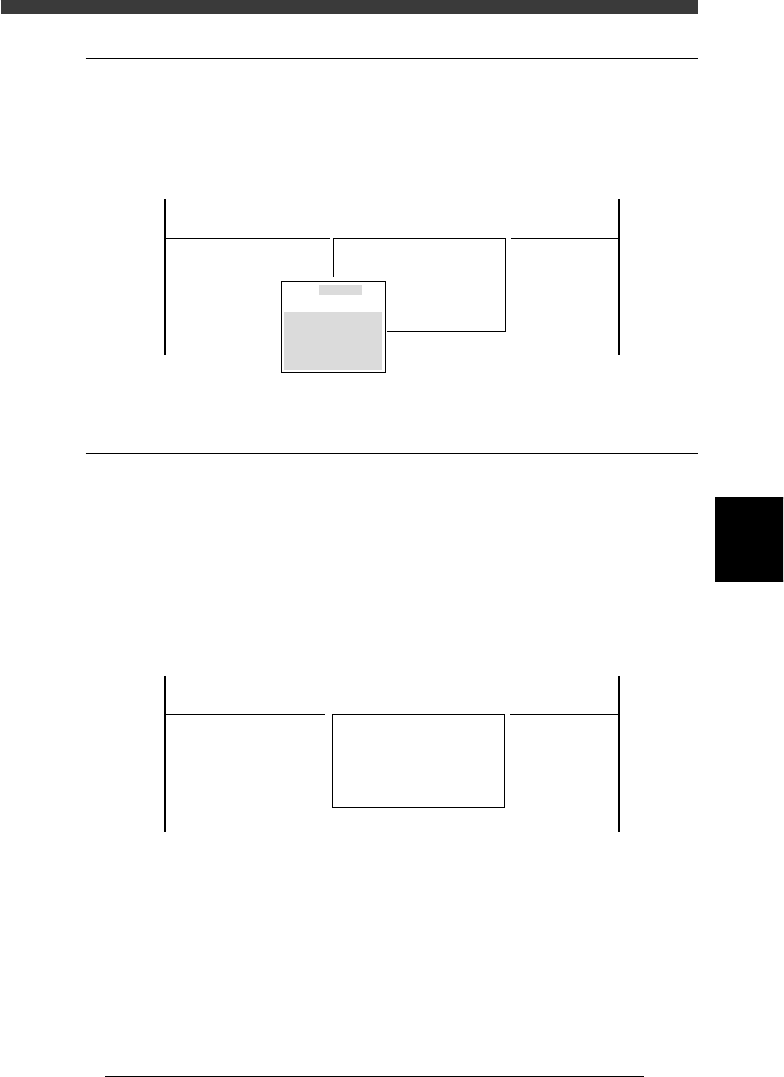
When you run <3/4/B3 POINT MOVER>, the submenu box appears for
specifying the position where you want to move the unit selected with the
<3/4/B1 SELECT SERVO MOTOR> command.
Position input box
47511-C0-00
Edit coordinates of
A_table XY
Cursor key to select
[Enert] key to move
[ESC] key to abort
<<<APPLICATION>>> 3/MAINTE/M
<<MODE>> 4/MANUAL
<COMMAND_LIST> A/IO_UTILITY B/SERVO_CONTROL
B3 POINT MOVE
0.000
0.000
3.4 Initialize servo origin
<3/4/B6>
Run the <3/4/B6 INIT. SERVO ORIGIN> command to perform return-to-
origin. Servo-controlled units on all axes move to their origins. You must
perform return-to-origin at least once after the power is turned on.
If you want to reperform return-to-origin, press the [SHIFT]+[ENTER]
keys. In this case, the machine reference of each axis is also displayed
when return-to-origin is complete. (See 2.7 in chapter 4.)
INIT. SERVO ORIGIN command
47512-C0-00
<<<APPLICATION>>> 3/MAINTE/M
<<MODE>> 4/MANUAL
<COMMAND_LIST> A/IO_UTILITY B/SERVO_CONTROL
B6 INIT. SERVO ORIGIN