YV180X_Mainte_E.pdf - 第11页
9 SED8013110 About this manual 3. Page layout The description below shows a typical page layout and helps you use this manual effecti vely . T ypical page layout 43002-D8-00 Step Manual No. Description Illustration or ta…

8
SED8013110
About this manual
2. Overview of each chapter
Chapter 1 Inspection and maintenance
This chapter describes inspection periods and procedures for daily and peri-
odic inspections that you should perform. The inspection lists are explained
according to each inspection location and period.
Chapter 2 Maintenance manager and machine
configuration mode
Chapter 2 explains the Maintenance manager of the YAMAHA VIOS software
for adjusting the machine and data. This chapter also describes the parameters
used in MCH_CONFIG (machine configuration) mode to make settings
according to the machine specifications and options connected to the machine.
Chapter 3 Machine data edit mode
This chapter describes MCH_DATA (machine data edit) mode, including how
to read the data edit screens and what each parameter means.
Chapter 4 Machine adjust mode
The machine that you have received is completely adjusted at the factory prior
to shipment. However, if for some reason adjustments and parameter settings
are needed, refer to this chapter for correct adjustment and data setting proce-
dures.
Chapter 5 Manual mode
Manual mode allows you to run various commands which are useful during
adjustment of the machine. This chapter explains what these commands do and
how to read the input/output monitor.
Chapter 6 Conveyor unit and air pressure adjustments
This chapter explains how to adjust the conveyor units used to transfer and
clamp PCBs, and also how to set the optimum air pressure for pneumatic-
driven units.
Chapter 7 Troubleshooting
Chapter 7 describes possible causes and corrective action for typical errors
which may occur during daily operation.
Chapter 8 Power connections and I/O signals
Chapter 8 explains the power connections and I/O signals when connecting to
the machines in the preceding or subsequent process.
Index
Index at the end of this manual helps you quickly find where necessary items
are explained.
9
SED8013110
About this manual
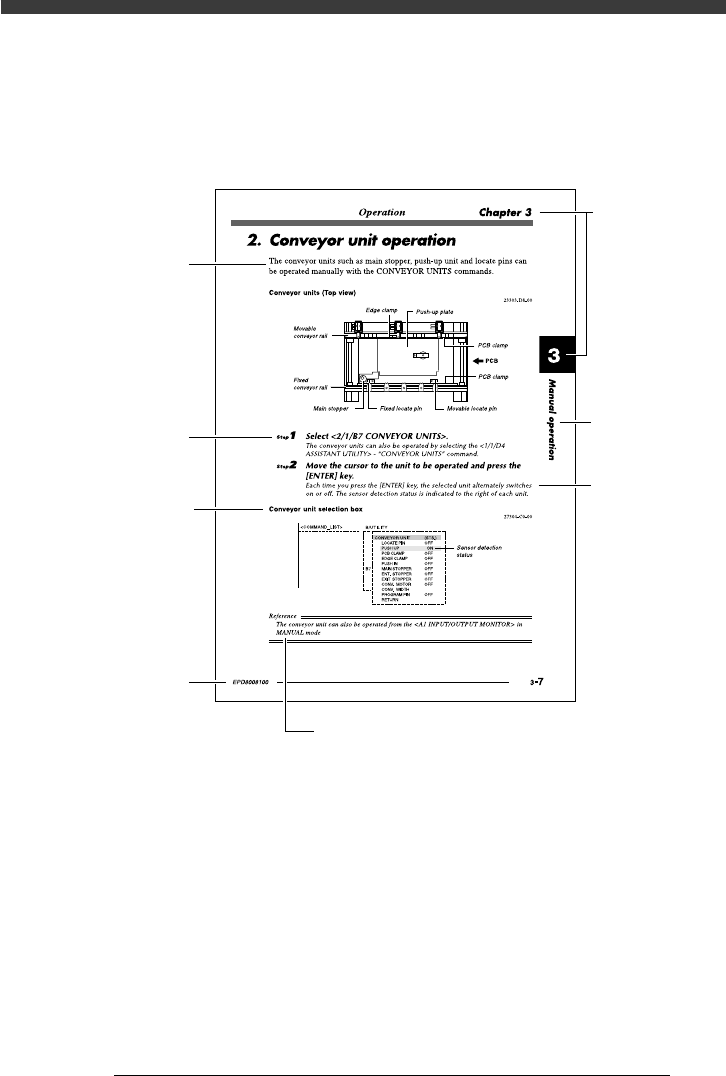
3. Page layout
The description below shows a typical page layout and helps you use this
manual effectively.
Typical page layout
43002-D8-00
Step
Manual No.
Description
Illustration or
table title
Note, caution or warning description
Substep or
description of step
Chapter
title
Chapter No.
• Step
This describes procedures for each operation.
• Substep or description of step
This provides detailed information on the steps in each procedure.
• Illustration or table title
This is the title of the illustration or table and appears at the upper left.
• Note, Caution or Warning
These are described in the “Safety and warranty” introductory section.

Chapter 1
Inspection and maintenance
This chapter explains checkpoints and procedures for daily and
periodic inspections to prevent possible trouble.
Before beginning inspection work, be sure to read “1. Precautions”
in this chapter and follow the instructions.
1. Precautions .......................................................................... 1-3
2. Inspection and maintenance ................................................ 1-4
2.1 Daily inspection..........................................................................1-4
2.2 Periodic inspection ..................................................................... 1-8
2.2.1 Weekly inspection 1-8
2.2.2 Monthly inspection 1-9
2.2.3 6-month inspection 1-9
2.3 Recommended grease............................................................... 1-10