YV180X_Mainte_E.pdf - 第80页
4 -22 Service Manual Chapter 4 SED8013110 4 Machine adjust mode PCB Height This parameter indicates the height of the PCB in the component mounting position and also specifies w hether to check a nozzle after mounting or…
4
-21
SED8013110
Service Manual
Chapter 4
4
Machine adjust mode
Discard point
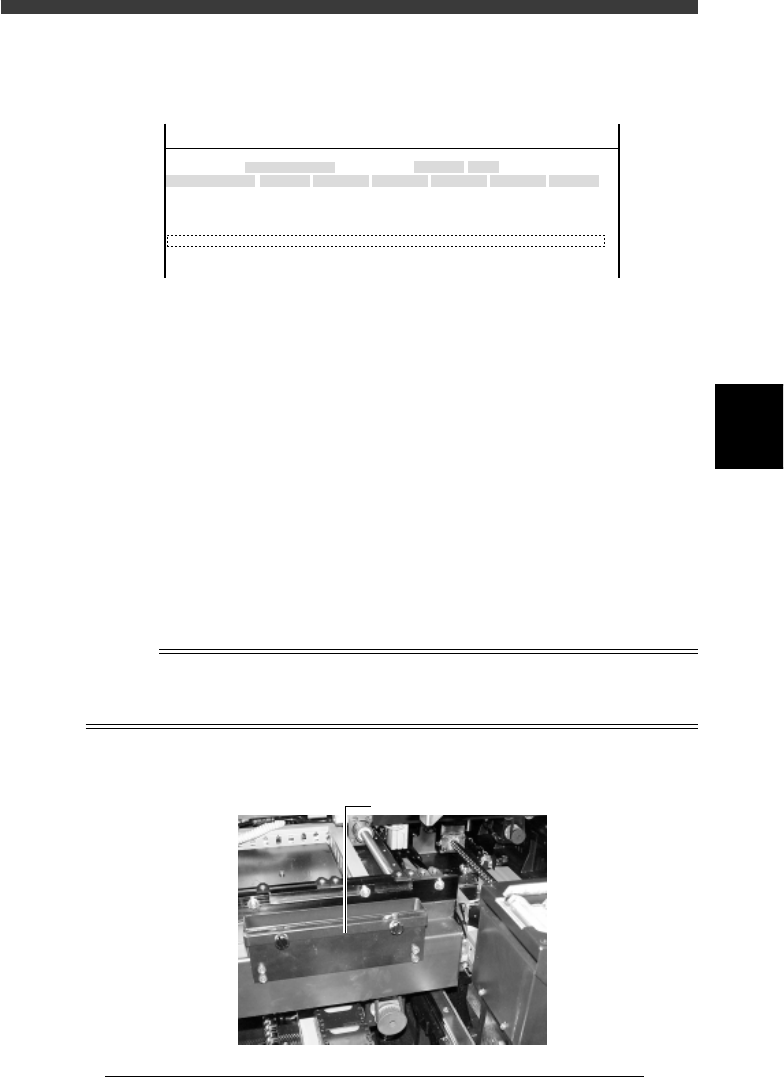
This parameter specifies the discard position where each head discards a
component and air blow settings for preventing nozzle clogging.
47411-D8-E0
X
-28.280
-28.280
562.000
255.916
0.500
Object
FINE mode
Locate pin
Edge Clamp
Wait point
Discard point
PCB Height
Simul. pickarea
Type
NORMAL
100
DUMP
OBJECT
Position
TCH. UNIT SPEED
- - - - - - - -
A
A
A
A
A
A
Y
0.005
118.810
118.810
0.000
71.321
0.5000
Z
0.000
0.000
17.480
0.500
R
0.000
0.000
0.000
0.000
17.480
0.200
Feeder
100
<<<APPLICATION>>> 3/MAINTE/M
<<MODE>> 2/MCH_DATA
Type Specifies whether to perform air blow to prevent nozzle
clogging with dust or solder. See “Wait point” for more
details.
X, Y Position where Head 1 discards a component. A typical
discard point is entered at the factory prior to shipping to
match the position of the dump box. Do not change this
setting.
Z Height of the nozzles when dumping a component. A typical
height is entered at the factory prior to shipping. This is
usually “0.000” because it is not necessary to lower the
nozzles when dumping a component.
Feeder Indicates the time duration for which air blow turns on to
discard or mount a component (in milliseconds). This is valid
only for machines with an air blow unit and is typically set to
20 to 100ms.
Reference
On standard YV180X, a component dump box is attached with the screws to the outside of
the fixed conveyor rail (A table) or movable conveyor rail (B table). This position cannot
be changed.
Dump box
43418-D8-00
Dump box
4
-22
Service Manual
Chapter 4
SED8013110
4
Machine adjust mode
PCB Height
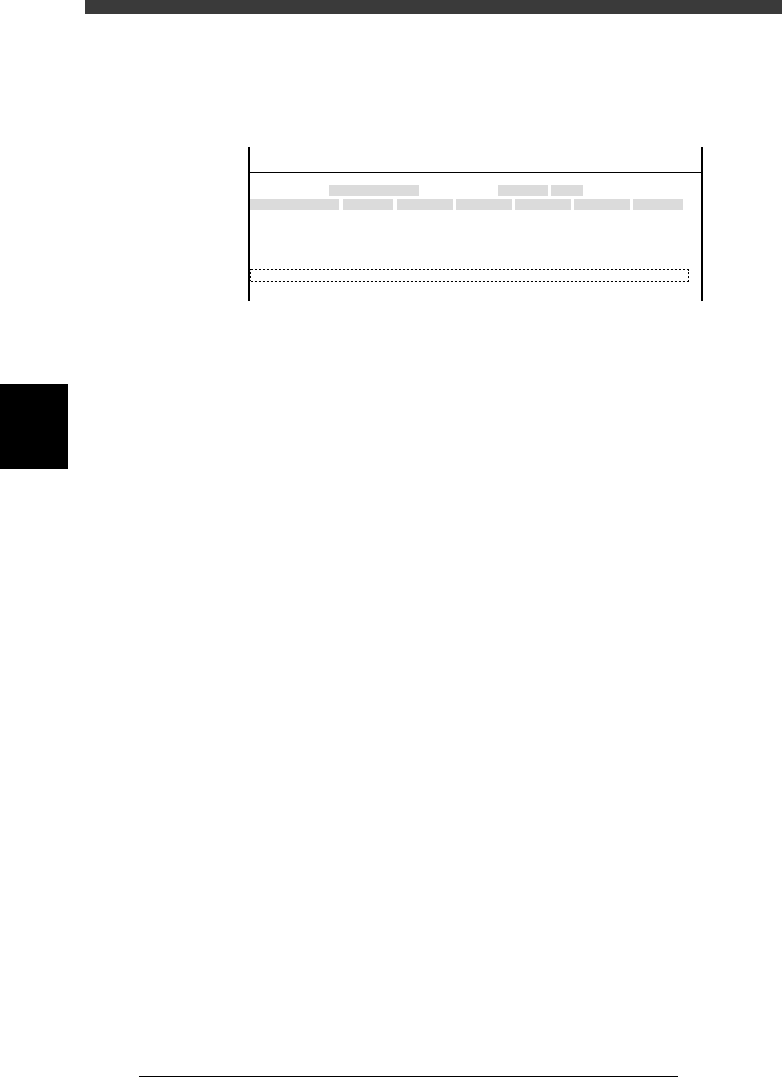
This parameter indicates the height of the PCB in the component mounting
position and also specifies whether to check a nozzle after mounting or
discarding a component.
47417-D8-00
X
-28.280
-28.280
562.000
255.916
0.500
Object
FINE mode
Locate pin
Edge Clamp
Wait point
Discard point
PCB Height
Simul. pickarea
Type
NORMAL
100
DUMP
OBJECT
Position
TCH. UNIT SPEED
- - - - - - - -
A
A
A
A
A
A
Y
0.005
118.810
118.810
0.000
71.321
0.5000
Z
0.000
0.000
17.480
0.500
R
0.000
0.000
0.000
0.000
17.480
0.200
Feeder
100
<<<APPLICATION>>> 3/MAINTE/M
<<MODE>> 2/MCH_DATA
Type Specifies whether to check the nozzles during automatic
operation.
NO USE Does not make any check.
DUMPChecks a nozzle after it dumps a component.
MOUNT Checks a nozzle after it mounts a component.
R Height of the pallet of a fixed tray feeder. (This setting is
invalid for the YV180X.)
Z Height of the head assembly positioned to mount compo-
nents on a PCB.
Feeder Relative up/down speed (%) of the push-up plate. This speed
is preset to 100 (%) prior to shipping. (This setting is invalid
since the push-up plate of the YV180X moves upwards by air
pressure.)
To set the PCB height (Z coordinate), follow the steps below. Before
beginning the work, check that Type 72 nozzles are attached to all heads.
Since the height of the fixed conveyor rail surface is basically the same as
the PCB height, set it as the PCB height here.
1 Select the XY axis to move the head assembly and conveyor
table.
Select <3/4/B1 SELECT SERVO MOTOR> - ”A-table XY” (or “B-table XY)
and press the [ENTER] key.
2 Move the head assembly to above the fixed conveyor rail.
Using the YPU joystick, move the head assembly so that all heads are
positioned directly above the fixed conveyor rail.
4
-23
SED8013110
Service Manual
Chapter 4
4
Machine adjust mode
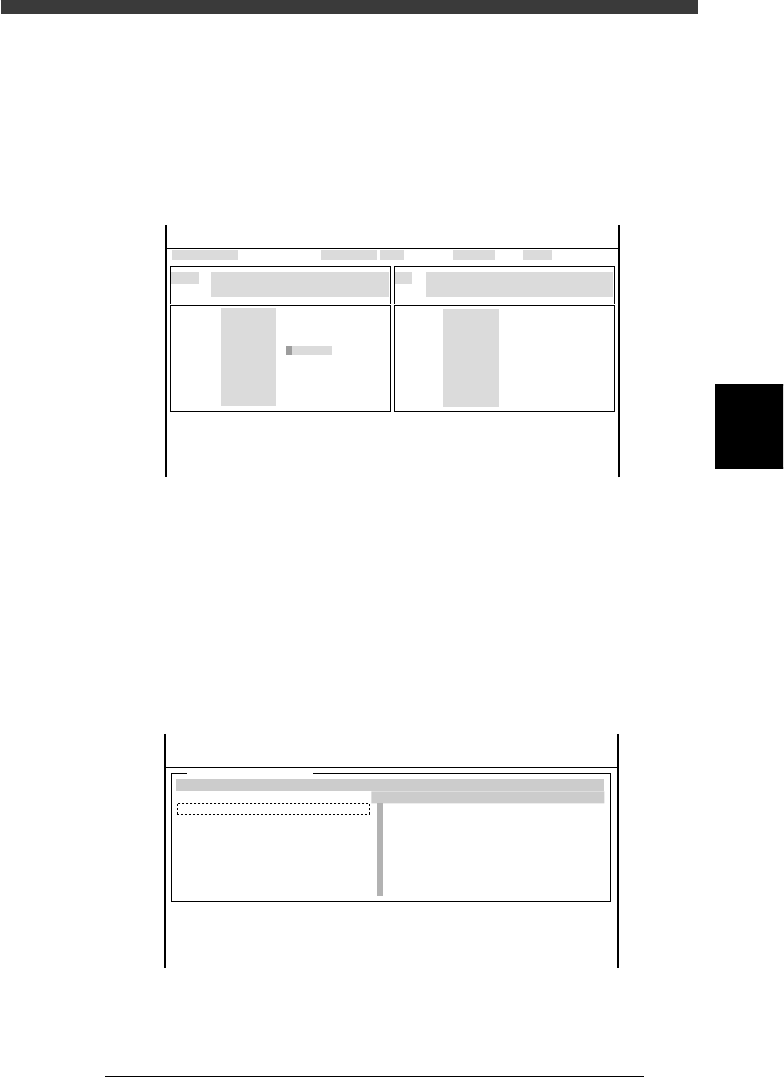
3 Open the output monitor and lower Head 1.
1. Select <3/4/A1 INPUT/OUTPUT MONITOR> − ”SELECTION” −
”HEAD” and press the [ENTER] key.
2. Line up the cursor with “T2A10” (No. 1-8 Head-A HEAD UP/DOWN)
and press the [ENTER] key to lower Head 1.
The digit changes to “1” when the head is lowered.
Output monitor screen
47414-D8-00
HEAD
HEAD
HEAD
HEAD
HEAD
HEAD
HEAD
HEAD
OUT
00000000
00000000
00000000
00000000
0
0
0
0
00000000
00000000
0
0
0
0
0
0
IN
T2A00
T2B00
T2A10
T2B10
T2A67
T2B67
T2A65
T2B65
N2230
N2330
N2223
N2323
N2216
N2316
N2214
N2314
I/O MONITOR DISP. TYPE ALL
NO 1-8 Head-A HEAD UP/DOWN
OFF 0 / ON 1
Head-A HEAD1-8 PICK JUDGMENT
PICK NG 0 / PICK OK 1
Selected Arm A_table XY
Moving Speed 40
From McahineOrigin X1= Y1= Z1= R1=
HEAD
HEAD
HEAD
HEAD
HEAD
HEAD
HEAD
HEAD
<<<APPLICATION>>> 3/MAINTE/M
<<MODE>> 4/MANUAL
OBJECT HEAD
↓↓
4 Select the ZR axis and speed.
1. Press the [SEL AXIS] key on the YPU and select “A-table ZR” (or B-table
ZR”).
2. Press the [SPEED] key on the YPU and select a slow speed below 20%.
5 Open the VACUUM SENSOR LEVEL screen.
Select <3/4/A4 VACUUM IN MONITOR> and press the [ENTER] key.
VACUUM SENSOR LEVEL screen
47415-C0-00
[ ↑ ] [ ↓ ] : Select Head [Enter]:Vaccum ON/OFF
VACCUM SENSOR LEVEL
CURRENT
0
0
0
0
0
0
0
0
MAXINMUM
0
0
0
0
0
0
0
0
MINIMUM
0
0
0
0
0
0
0
0
HEAD
A
A
A
A
A
A
A
A
From MachineOrigin X1= Y1= Z1= R1=
<<<APPLICATION>>> 3/MAINTE/M
<<MODE>> 4/MANUAL
<COMMAND_LIST> A/IO_UTILITY
[Esc]:Exit
[Space]:Freeze Display