YV180X_Mainte_E.pdf - 第22页
2 -3 SED800A100 Service Manual Chapter 2 2 Machine configuration mode 1. About the Maintenance manager Y AMAHA surface mounters and related machines operate with the VIOS software specially dev eloped by Y AMAHA. The VIO…

Chapter 2
Maintenance manager and
Machine configuration mode
This chapter explains the Maintenance Manager of the YAMAHA
VIOS software for adjusting the machine and data. This chapter also
describes parameters used in MCH_CONFIG (machine configura-
tion) mode to make settings according to the machine specifications
and options connected to the machine.
1. About the Maintenance manager ......................................... 2-3
2. Machine configuration mode ............................................... 2-5
2.1 Option configuration <3/1/A1> ................................................2-6
2.1.1 Basic menu in OPTION CONFIG. mode 2-6
2.1.2 Detail menu in OPTION CONFIG. mode 1-8
2.2 ROM configuration <3/1/A2>................................................. 1-11
2.3 File configuration <3/1/A3> ................................................... 1-11
2.4 Warning lamp spec information <3/1/A4>.............................. 1-12
2.5 Machine maintenance utility <3/1/A7> .................................. 1-12
2.6 Flying nozzle information <3/1/A8>.......................................1-13
2.7 Head spec information <3/1/B1> ...........................................1-13
2.8 Feeder plate information <3/1/B2>.........................................1-14
2.9 Nozzle spec information <3/1/B3>.........................................1-15
2.9.1 Nozzle spec common information1-15
2.9.2 Nozzle spec type information 1-16
2.10 Feeder spec information <3/1/B3> ......................................... 1-17
2.10.1 Feeder spec common information 1-18
2.10.2 Feeder spec type information 1-19
2
-3
SED800A100
Service Manual
Chapter 2
2
Machine configuration mode
1. About the Maintenance manager
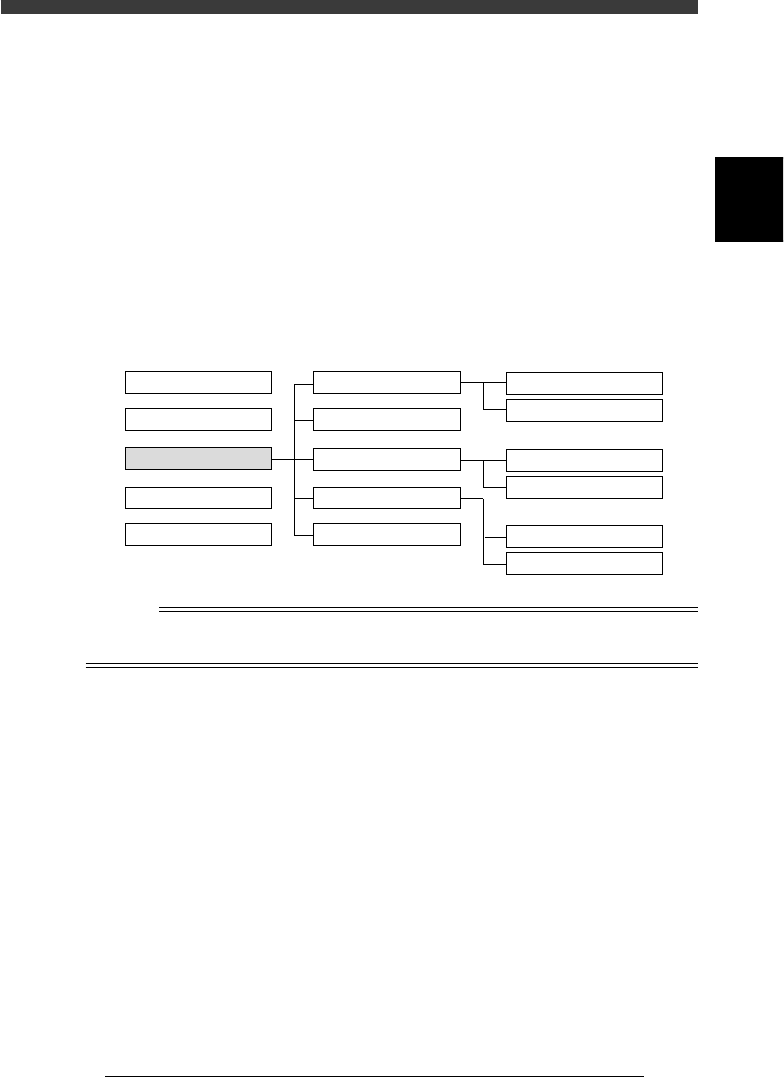
YAMAHA surface mounters and related machines operate with the VIOS
software specially developed by YAMAHA. The VIOS software allows you
to select the target command or parameter you want to run, check or
change through an easy-to-use hierarchical structure divided into 4 applica-
tion managers as shown below. This chapter describes the
The MAINTENANCE manager is further divided into the following 4
modes, and each mode has commands as shown in the diagram on the next
page.
MAINTENANCE Manager structure
43201-C0-00
1/OPERATION/M
2/ DATA /M
3/MAINTENANCE/M
4/SHELL/M
0/EXIT
Application Manager Command ListMode
1/MCH_CONFIG
2/MCH_DATA
3/MCH_ADJUST
4/MANUAL
0/EXIT
A/UTILITY
B/SAVE & QUIT
A/IO
UTILITY
B/SERVO_CONTROL
A/MCH_CONFIG
B/SPEC INF
n
NOTE
For information on items selectable in each mode, press the [F1] key and refer to the help
message displayed on the operation monitor as necessary.
2
-4
Service Manual
Chapter 2
SED800A100
2
Machine configuration mode
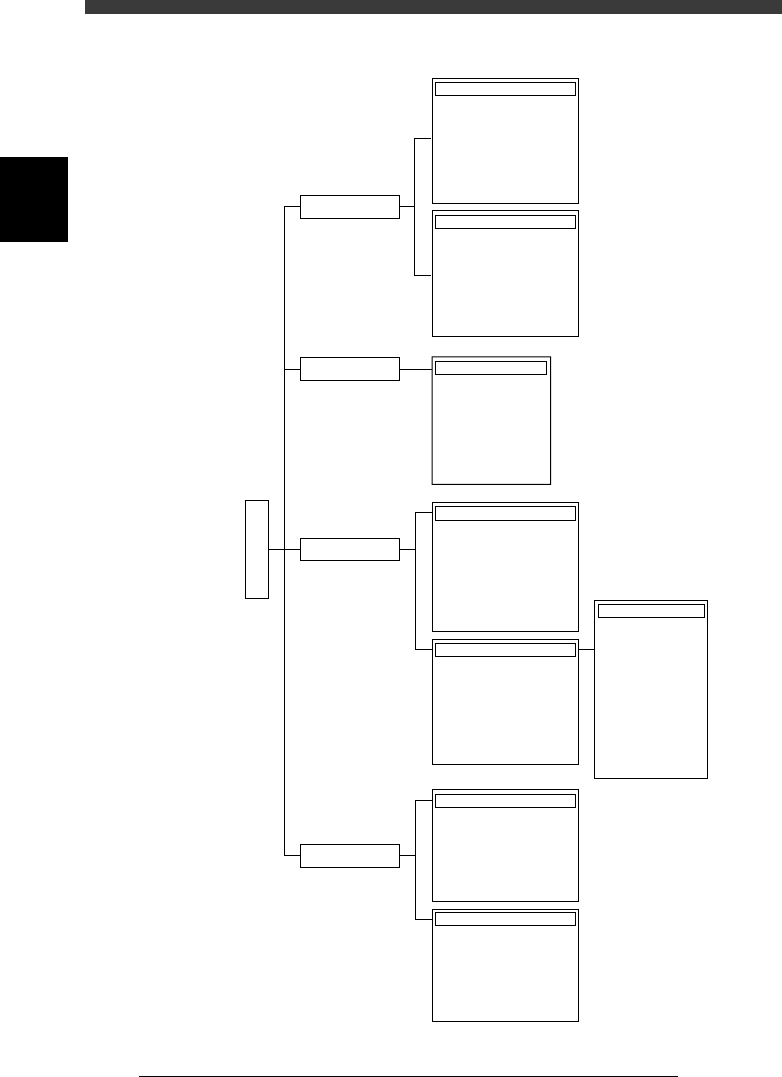
MAINTENANCE Manager modes and commands
43202-D8-00
1/MCH_CONFIG
2/MCH_DATA
3/MCH_ADJUST
4/MANUAL
3/MAINTE/M
B/SPEC_INF
B1 HEAD SPEC. INF.
B2 FEEDER PLATE INF.
B3 NOZZLE SPEC. INF.
B4 FEEDER SPEC. INF.
B5
B6 DISPENSE. SEQ. INF.
B7 DISPENSE. COR. INF.
B0 EXIT
A/MCH_CFG
A1 OPTION CONFIG.
A2 ROM CONFIG.
A3 FILE CONFIG.
A4
A5
A6
A7
A8 FLYING NOZZLE INF.
A/UTILITY
A1 VACUUM ON
A2 VACUUM OFF
A3 PICK COMPONENT
A4 DUMP COMPONENT
A5 CHANGE NOZZLE
A6 HEAD DOWN VALVE
A7 CHANGE SPEED
A8 SEARCH ORIGIN
B/SAVE & QUIT
B1 ADJUST TARGET
B2 SAVE DATA
B3 RECOVER ADJUST
B4 CONDITION OF TCH
B5 ∗
B6 ∗∗
B7 QUIT
B0 SAVE & QUIT
A/IO_UTILITY
A1
INPUT/OUTUT MONITOR
A2
FEEDER OUT MONITOR
A3
COMP. LIGHT OUT MONITOR
A4 VACUUM IN MONITOR
A5 CHANGE NOZZLE
A6 ATS/YTF PALETTE
A0 CONVEYOR UNITS
B/SERVO_CONTROL
B1
SELECT SERVO MOTOR
B2 RUNNING SPEED
B3 POINT MOVE
B4
B5
B6 INIT. SERVO ORIGIN
B0 EXIT FROM MANUAL
Object
Soft Limit
Position
Tray Changer
Vacuum Level
Moving Camera
Single Camera
Multi Camera
Co-Planarity
R Axis Accuracy
Mount Feedback
4 Point Accuracy
DualDrive Offset
MCHDATA SORT
Head
Camera
Machine
Tray Changer
Station
Other
Laser
Precision