YV180X_Mainte_E.pdf - 第57页
3 -20 Service Manual Chapter 3 3 Machine data edit mode 5. Other Selecting “ Other ” - “ RS-232C Port ” shows the communication protocol settings. 5.1 RS-232C Communication protocols can be specified on this screen. Use …
3
-19
Service Manual
Chapter 3
SED8013110
3
Machine data edit mode
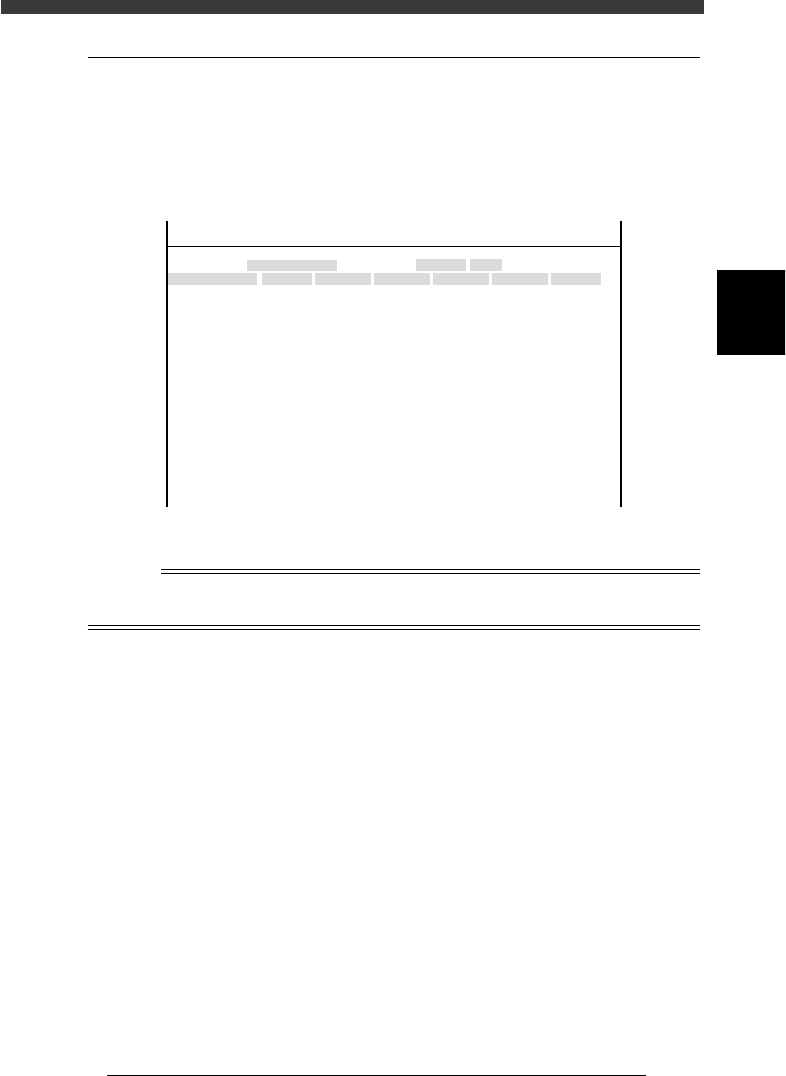
4.3 Position
Selecting “Position” from the “Machine” submenu opens the Position
screen showing the position of each hardware device versus the origin and
other basic parameter settings. On this screen, you can perform teaching or
editing of each parameter setting.
Position screen
47317-D8-00
X
-28.280
-28.280
562.000
255.916
0.500
100.000
130.000
0.000
10.000
100
-9.709
312.105
312.105
-44.554
Object
FINE mode
Locate pin
Edge Clamp
Wait point
Discard point
PCB Height
Simul. pickarea
QFP clearance
Retry Limit.
Dump station1
Dump station2
Fiducial cor.
T-axis Distance
T-axis Speed
Conv Correct1
Conv Correct2
Conv Correct3
Conv Correct4
Type
NORMAL
100
DUMP
4.00
NO RETRY
2.00
2.00
Nouse
OBJECT
Position
TCH. UNIT SPEED
- - - - - - - -
A
A
A
A
A
A
A
A
A
A
A
A
A
A
A
Y
0.005
118.810
118.810
0.000
71.321
0.5000
150.000
210.000
0.000
30
110.195
110.194
290.522
290.441
Z
0.000
0.000
17.480
0.500
16.000
16.000
0.000
10.000
20
17.438
17.460
17.493
17.512
R
0.000
0.000
0.000
0.000
17.480
0.200
0.000
10.000
Feeder
100
0
0
<<<APPLICATION>>> 3/MAINTE/M
<<MODE>> 2/MCH_DATA
Reference
For more details about parameters on the Position screen, see “3.2 Position (machine
coordinates)” in Chapter 4.
3
-20
Service Manual
Chapter 3
3
Machine data edit mode
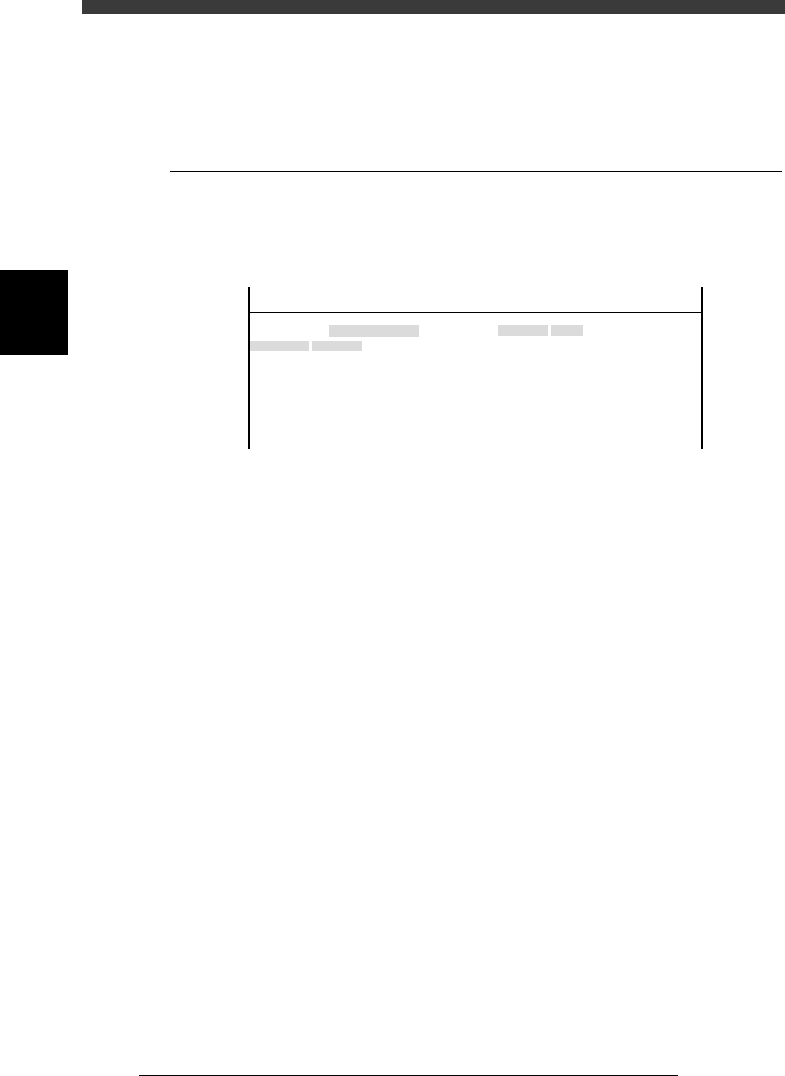
5. Other
Selecting “Other” - “RS-232C Port” shows the communication protocol
settings.
5.1 RS-232C
Communication protocols can be specified on this screen. Use the same
protocol settings as the other side to be communicated.
RS-232C protocols
47318-C0-00
Object
Time-out
CR/CRLF
Flow CTRL.
BaudRate
Parity
Stop Bit
Data Bits
Value
No
CR
XON/OFF
9600
0dd
1bit
8bits
OBJECT
RS-232C Port
TCH. UNIT SPEED
- - - - - - - -
<<<APPLICATION>>> 3/MAINTE/M
<<MODE>> 2/MCH_DATA
3
-21
Service Manual
Chapter 3
SED8013110
3
Machine data edit mode
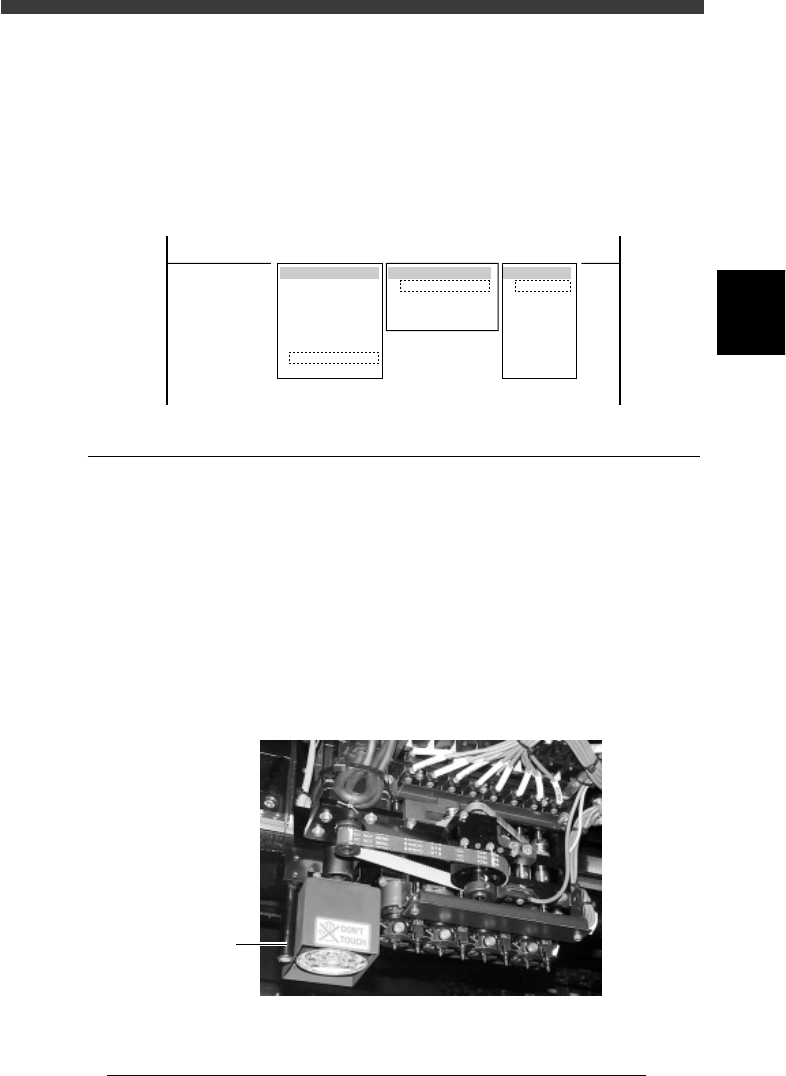
6. Precision
When “Precision” is selected from the <3/2/MCH_DATA> main menu, the
submenu appears as shown below. Data entered here are offset parameters
for correcting mounting accuracy and multi camera marker settings for
maintaining .high recognition accuracy.
Submenu box when “Precision” is selected
47319-D8-00
SUB MENU
Zigzag Param.
Parallel Param.
Rotation Param.
MultiCam Marker
MCHDATA SORT
Head
Camera
Machine
Tray Changer
Station
Other
Precision
Spare Data
<<<APPLICATION>>> 3/MAINTE/M
<<MODE>> 2/MCH_DATA
Camera
Camera1
Camera2
Camera3
Camera4
Camera5
Camera6
Camera7
Camera8
6.1 MultiCam Marker
Selecting “MultiCam Marker” from the “Precision” submenu opens the
MultiCam Marker screen showing the offset position of the reference
marker relative to Head 1 and related parameters.
When this function is enabled, the machine recognizes components by
using the reference marker provided on the head assembly. Adverse effects
from mechanical changes over time on recognition accuracy can be
minimized. To use this function with the YV180X, set the MultiCam.
Marker parameter to “Marker 2” on the detail menu in OPTION CONFIG.
mode and to “Use” in component information.
Multi camera marker of YV180X
43302-D8-00
Marker