YV180X_Mainte_E.pdf - 第122页
4 -64 Service Manual Chapter 4 SED8013110 4 Machine adjust mode 0 Check safety , then press the [ENTER] key again. The head assembly moves and passes repeatedly over the multi-vision camera and the dual-direction recogni…
4
-63
SED8013110
Service Manual
Chapter 4
4
Machine adjust mode
4 Press the [ENTER] key to advance to the next step.
5 Enter the component database No. and press the [ENTER]
key.
Here, enter the database No. of the SOP you have prepared.
47451-C0-00
Please input the database number which has already
prepared . . .
Database No. 2
A461
6 Check safety, then press the [ENTER] key twice.
The head assembly moves to a point where Head 1 is ready to pick up a
component.
Reference
When you are using a tape feeder, the feeder set No. input box appears, so follow the
message on the screen. (In this case, the component is automatically picked up and Steps 7
to 9 are skipped.
e
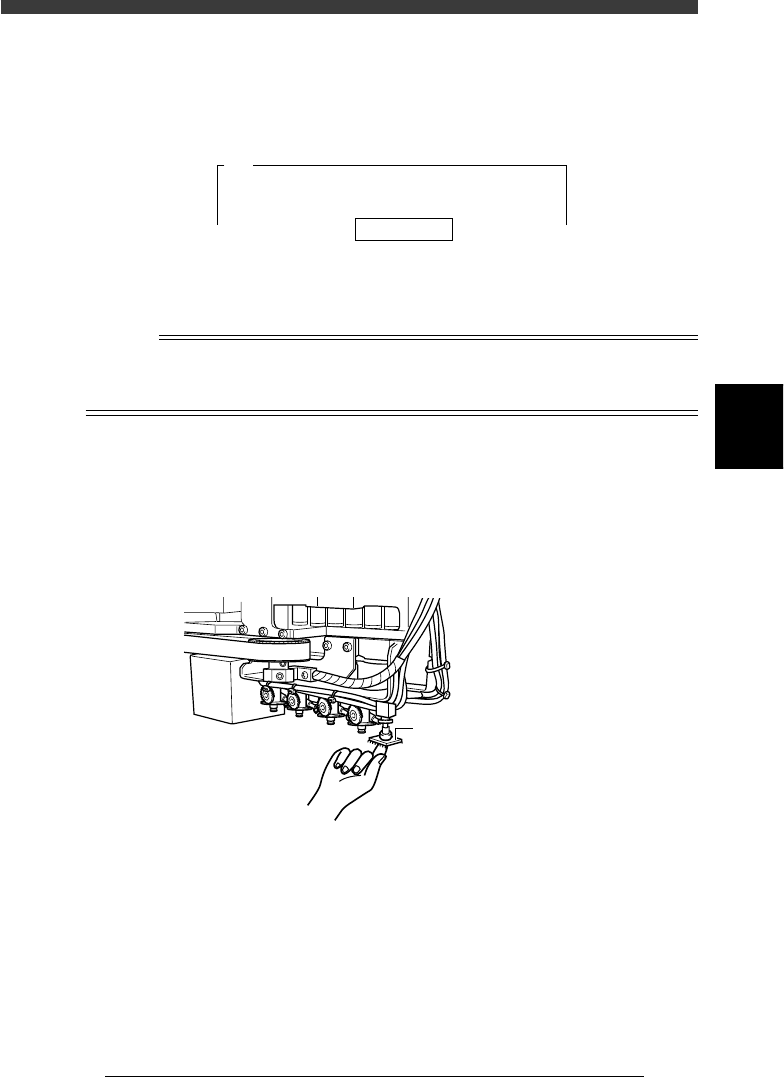
7 Press the emergency stop button then attach the compo-
nent to Head 1 by hand.
When you use a rectangular component, align its long side in parallel with
the X-axis.
Attaching the component to Head 1
43414-D8-00
Attach component to Head 1.
8 When the component has been attached, press the [ENTER]
key.
9 Cancel emergency stop.
Release the emergency stop button by turning it clockwise and press the
[READY] button on the YPU.
4
-64
Service Manual
Chapter 4
SED8013110
4
Machine adjust mode
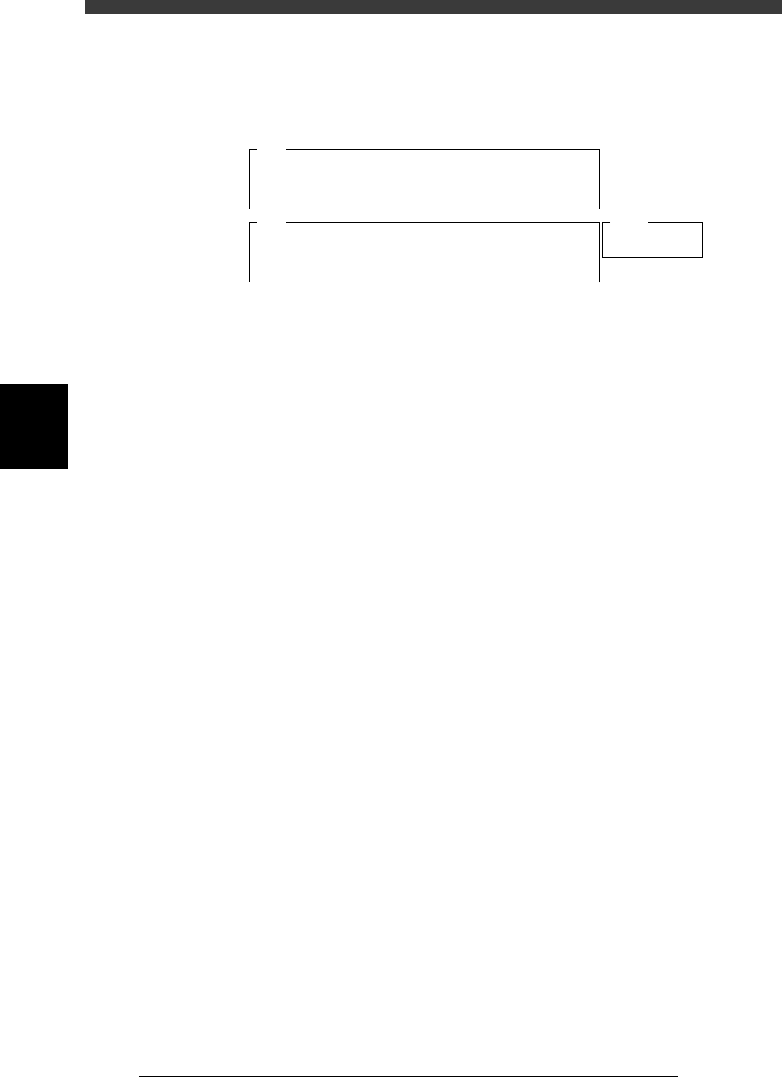
0 Check safety, then press the [ENTER] key again.
The head assembly moves and passes repeatedly over the multi-vision
camera and the dual-direction recognition offset is measured. The results
are then displayed in the upper right corner of the operation monitor.
47452-D8-00
<<<Adjusting!!>>>
Now it is adjusting the dual direct recognition offset.
The values are measured · · ·
A547
Result
<<<Result>>>
The following data is the result of the adjustment of
the multi camera dual direct recognition offset.
To save the result in memory, · · ·
Camera No.
X Offset
=
=
5
0.750
A546
q Press the [ENTER] key to save the results.
Press the [ESC] key if you want to cancel the results.
w When the measurement is complete, dump the component.
Press the [ENTER] key to dump the component automatically or follow the
message on the operation monitor.
e Save the results.
Select <B2 SAVE DATA> or <B0 SAVE & QUIT> and press the [ENTER]
key. (To quit without saving, select <B3 RECOVER ADJUST> or <B7
QUIT> and press the [ENTER] key.)
4
-65
SED8013110
Service Manual
Chapter 4
4
Machine adjust mode
3.5.5 Marker
The reference marker provided on the head assembly of the YV180X can
be used to minimize unwanted effects on recognition accuracy due to
mechanical changes over time. The following explains the method for
adjusting the reference marker offset values.
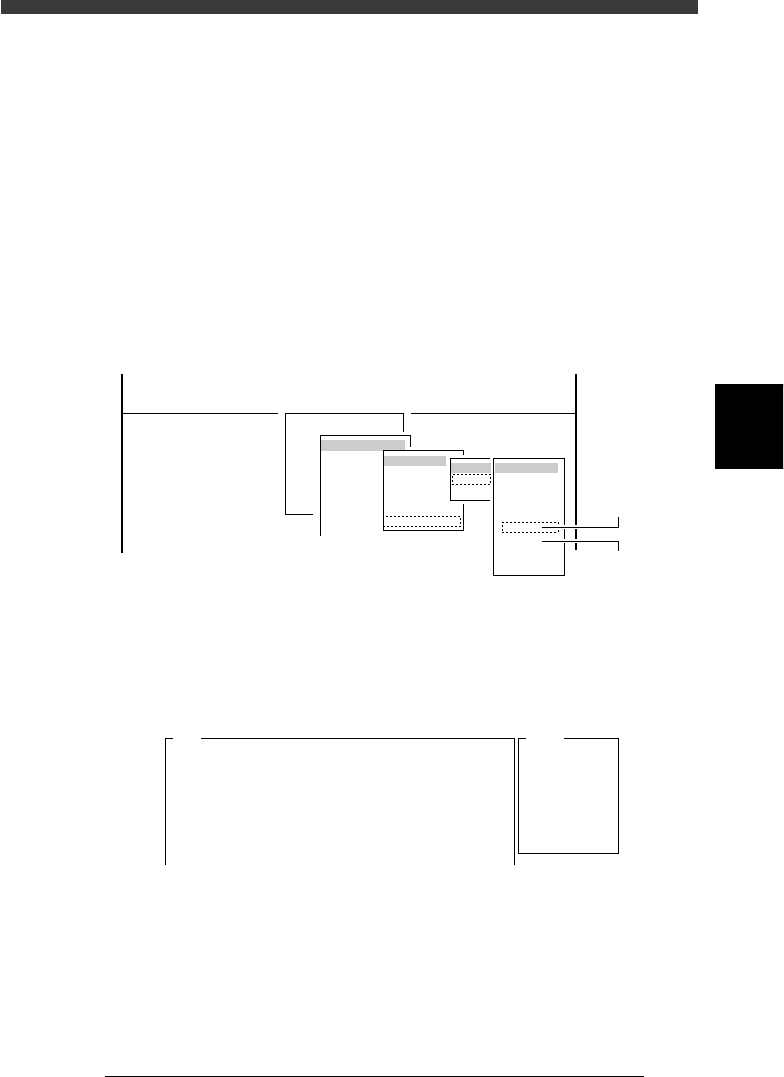
1 Run the “Multi Camera” − “Marker” command.
1. Select <3/3/B1 ADJUST TARGET> − ”Multi Camera” - “Marker” and
press the [ENTER] key.
2. Select the conveyor table and the camera No. by pressing the [ENTER]
key.
The A-table multi-vision camera is designated “Cam. 5” and the B-table
multi-vision camera “Cam. 6”.
47445-D8-D0
B1 ADJUST TARGET
Object
Multi Camera
<<<APPLICATION>>> 3/MAINTE/M
<<MODE>> 3/MCH_ADJUST
<COMMAND_LIST> B/SAVE & QUIT
Target
FOV & Focus
Brightness
Camera Scale
Dual Recognition
Marker
table
A table
B table
Target
Cam. 1
Cam. 2
Cam. 3
Cam. 4
Cam. 5
Cam. 6
Cam. 7
Cam. 8
A Table
Multi Camer
a
B Table
Multi Camer
a
2 Check safety, then press the [ENTER] key.
The head assembly moves and passes repeatedly over the multi-vision
camera and the marker offset is measured. The results (Marker 2 on the
YV180X) are then displayed in the upper right corner of the operation
monitor.
47453-D8-00
A762
Atable
<<<Adjusted>>>
The result of the adjustment of the multi-vision
camera marker is as follows.
To save.....
Camera No.
Marker1 X
Y
Marker2 X
Y
=
+
-
+
-
+
-
+
-
5
0.000
0.000
0.000
0.000
0.000
0.000
0.000
0.000
3 Press the [ENTER] key to save the results.
Press the [ESC] key if you want to cancel the results.
4 Follow the message on the operation monitor to quit the
adjustment.