YCP10 Users_E.pdf - 第127页
4-31 4 Daily operation l Monitor: Counter [Monitor]-[Counter] tab [Monitor] button 64420-N1-10 T otal Production Counter T otal number of boards that have been produced. (T his is not reset even when board data is c hang…
4-30
4
Daily operation
l
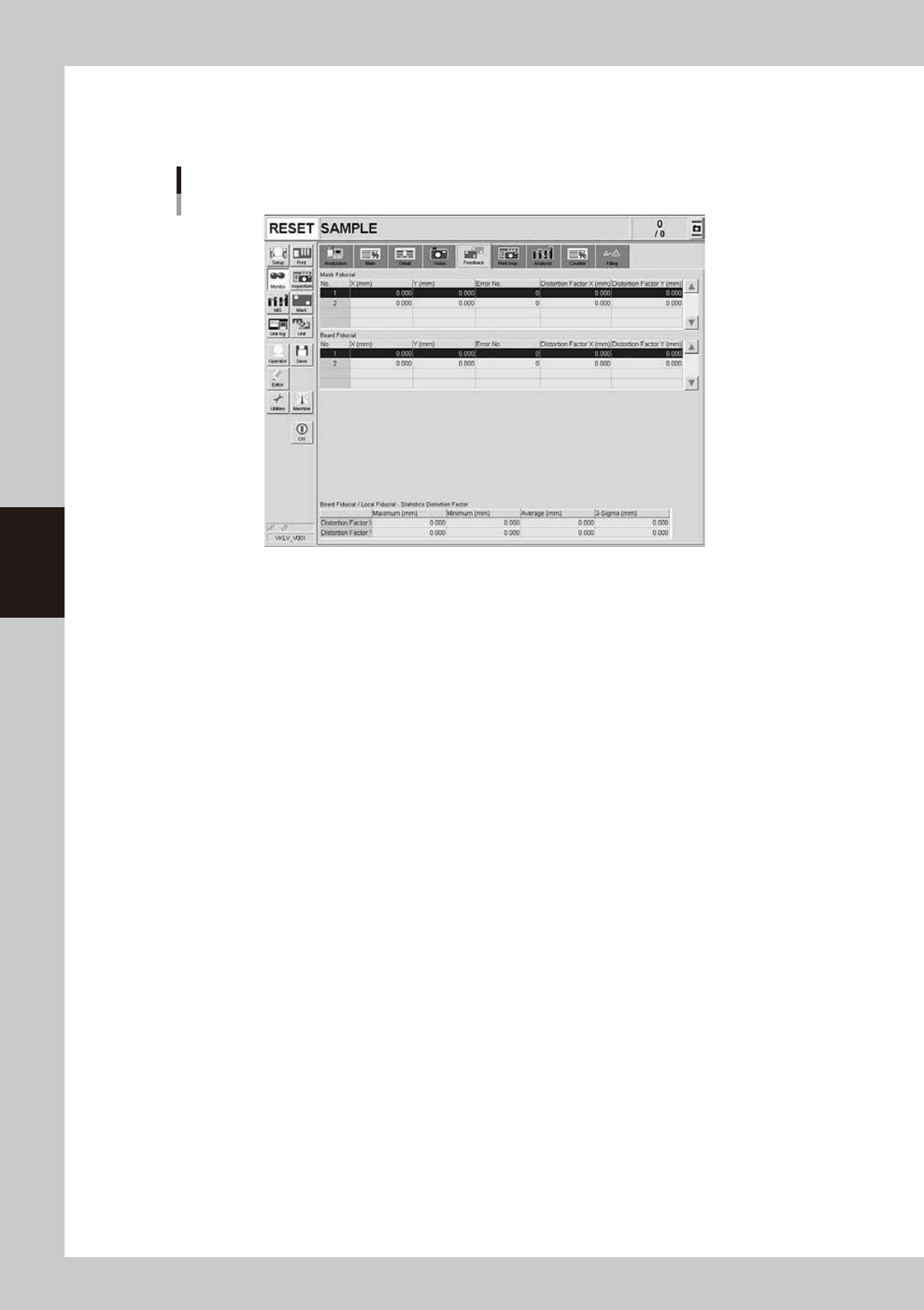
Monitor: Feedback
On the [Monitor]-[Feedback] tab screen, you can check the recognition results and distortion components measured by
using the mask fiducial, board fiducial and local fiducial functions.
[Monitor]-[Feedback] tab
64419-N1-10
4-31
4
Daily operation
l
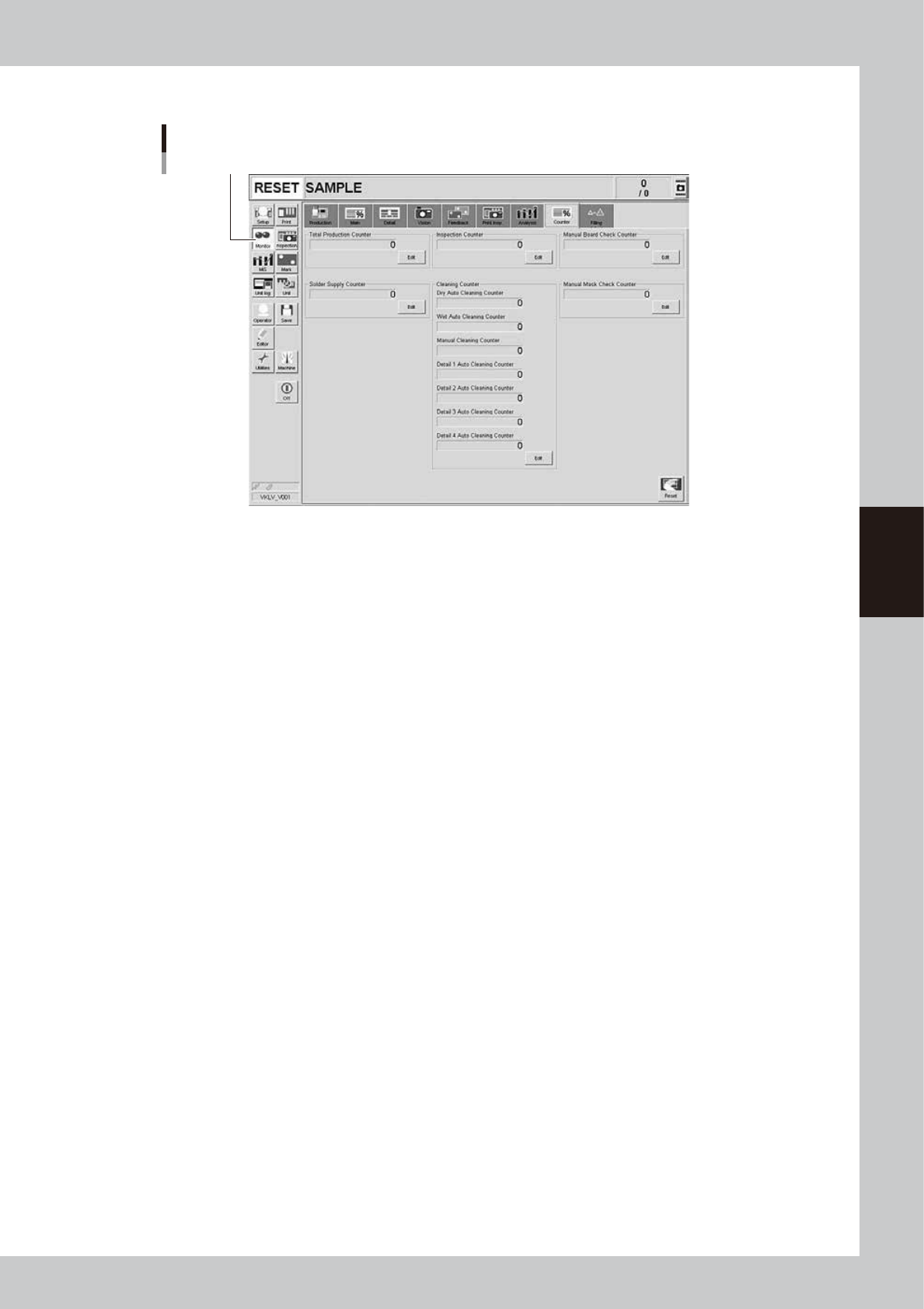
Monitor: Counter
[Monitor]-[Counter] tab
[Monitor] button
64420-N1-10
Total Production Counter
Total number of boards that have been produced. (This is not reset even when board data is changed.) The count start
number can be changed with the [Edit] button.
Solder Supply Counter
Counts up each time a board is printed. The machine stops for solder supply when this counter reaches the number of
boards set for "Solder Supply Interval (board)" on the [Print]-[Squeegee] tab. Press the [Edit] button when changing the
count to start. The count start number can be changed with the [Edit] button.
Dry Auto Cleaning Counter
Counts up each time a board is printed. The machine automatically carries out "dry" cleaning when this counter reaches
the number of boards set for "Dry Auto Interval (board)" on the [Print]-[Cleaner] tab. The count start number can be
changed with the [Edit] button.
Wet Auto Cleaning Counter
Counts up each time a board is printed. The machine automatically carries out "wet" cleaning when this counter reaches
the number of boards set for "Wet Auto Interval (Board)" on the [Print]-[Cleaner] tab. The count start number can be
changed with the [Edit] button.
Manual Cleaning Counter
Counts up each time a board is printed. The machine temporarily stops for manual cleaning when this counter reaches
the number of boards set for "Manual Interval (Board)" on the [Print]-[Cleaner] tab. The count start number can be
changed with the [Edit] button.
Detail 1 to 4 Auto Cleaning Counter
Counts up each time auto cleaning is performed according to the cleaning conditions that are set on the [Controlled in
the Board 1] tab to [Controlled in the Board 4] tab of the [Print]-[Cleaner]-[Detail Setting] screen. The count start number
can be changed with the [Edit] button.
Manual Board Check Counter
Counts up each time a board is printed. The machine temporarily stops for visual inspection when this counter reaches
the number of boards set for "Manual Board Check Timing" on the [Print]-[Mask]-[Detail] screen. The count start number
can be changed with the [Edit] button.
Manual Mask Check Counter
Counts up each time a board is printed. The machine temporarily stops for visual inspection when this counter reaches
the number of boards set for "Manual Mask Check Timing" on the [Print]-[Mask]-[Detail] screen. The count start number
can be changed with the [Edit] button.
[Reset] button
Resets all information on the [Counter] tab.
4-32
4
Daily operation
l
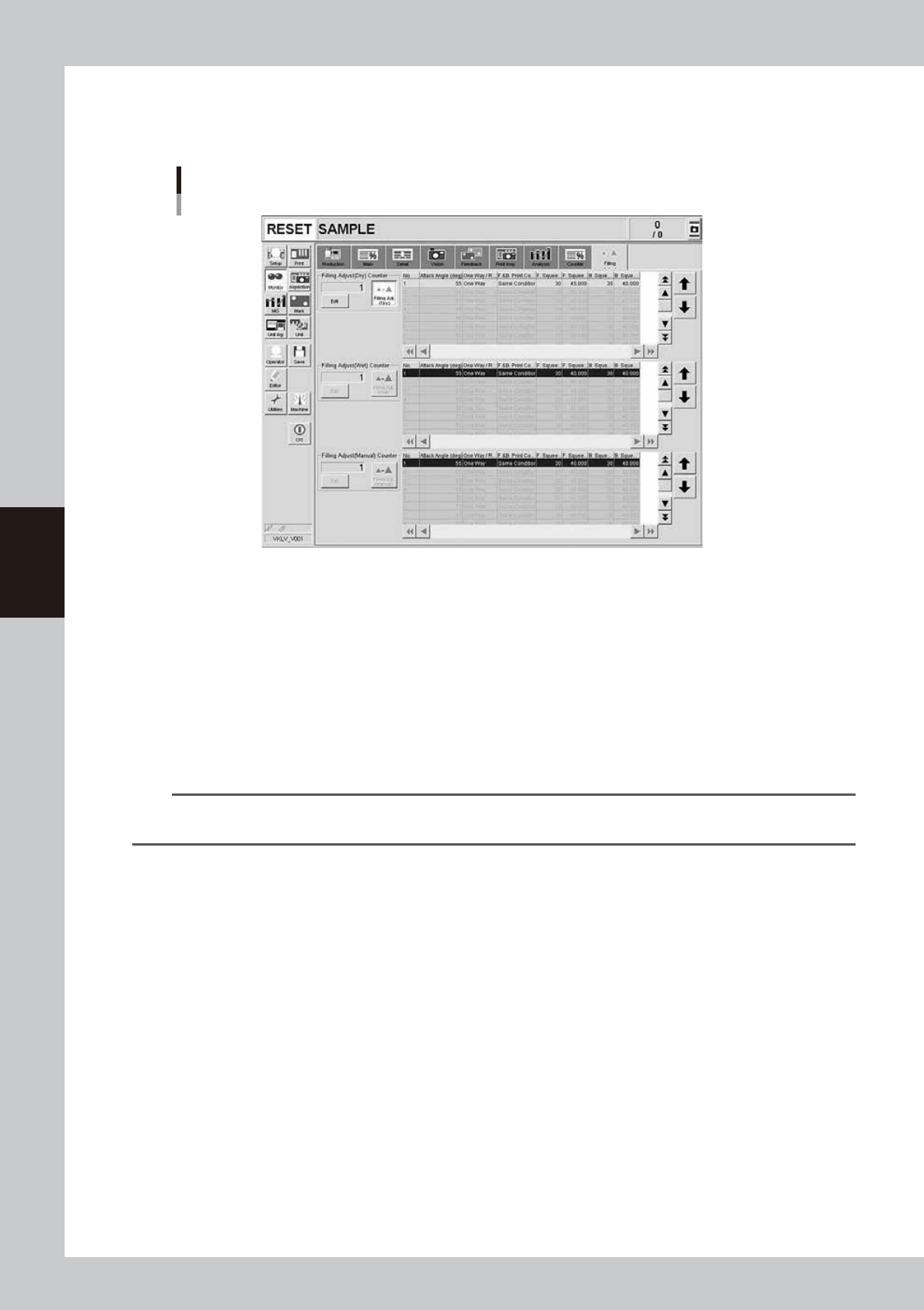
Monitor: Filling
The [Filling] tab appears on the Monitor screen by selecting the [Print]-[Squeegee]-[Detail Setting] then press the [Edit]
button to set to "Use" for Filling Adjust(Dry).
[Monitor]-[Filling] tab
64421-N1-10
Filling Adjust (Dry) Counter, Filling Adjust (Wet) Counter, Filling Adjust (Manual) Counter
After dry auto cleaning or wet auto cleaning or manual cleaning has been carried out, the corresponding counter counts
up each time a board is printed while adjusting the solder filling. The counter is reset to "1" when it reaches the "Filling
Adjust Count" set on the "Squeegee Detail Setting" screen that appears with the [Print]-[Squeegee]-[Detail Setting]. The
count start number can be changed with the [Edit] button.
[Filling Adjust (Dry)] button, [Filling Adjust (Wet)] button, [Filling Adjust (Manual)] button
These buttons are left depressed (turned on) while solder filling is being adjusted, and the current printing step is shown
with light-blue in the right-hand list. These buttons automatically turn off when printing with solder filling is complete up
to the specified number of steps. The machine then returns to normal printing without adjusting the solder filling. (The
above screen shows that the first board after wet automatic cleaning is being printed while adjusting the solder filling.)
TIP
If two or more cleaning methods are designated at the same timing, the order of priority will be "Manual", "Wet Auto"
and "Dry Auto. For more details, see "6. Cleaner data setting" in Chapter 5.
l
Monitor: Print Inspection
The [Print Inspection] tab appears on the Monitor screen when the machine uses an optional solder-print inspection
function. You can check solder-print inspection results that are graphically and numerically displayed. For details, see
"Print inspection function" in the separate Option Manual.