YCP10 Users_E.pdf - 第67页
2-7 2 Basic operations 2. Star ting and stopping the machine This section explains routine procedures for starting and powering off the machine according to the flow charts below . Starting and powering off the machine P…

2-6
2
Basic operations
n
Mask related errors
Code Error name and description
Ea8629
Mismatch of detected mask size.
State The specified mask size is not matched with the detected mask size.
Cause
Possible causes:
(1) Detected mask has mismatch size specified in Board data.
(2) Mask positioner pin is not set correctly.
Action
1. Please set a mask with a specified size.
2. Please mount the mask positioning pins at their proper positions.
Ea8909
Mask is not clamped.
State The mask is not clamped.
Cause The mask is not clamped.
Action Please clamp the mask.
2-7
2
Basic operations
2. Starting and stopping the machine
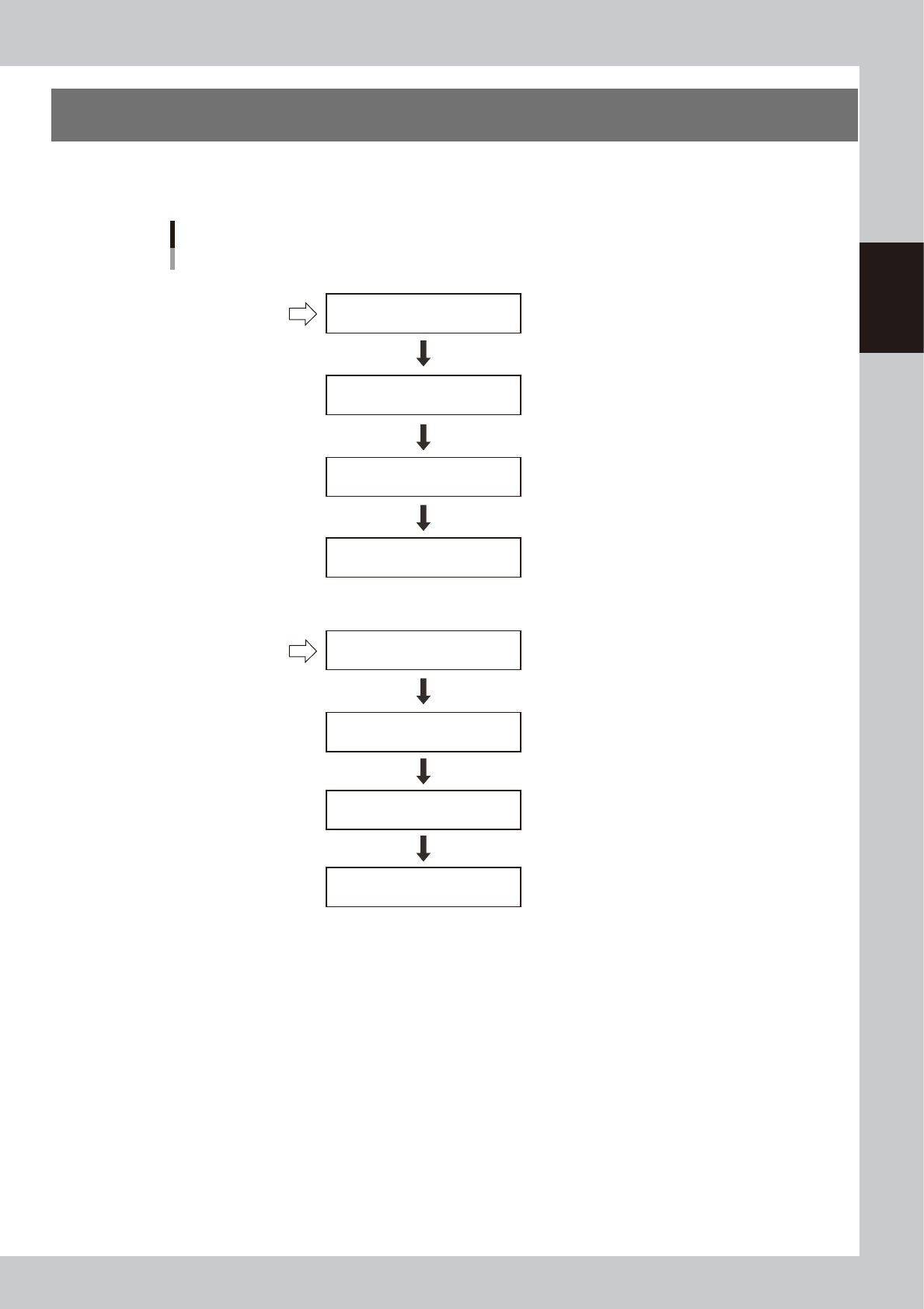
This section explains routine procedures for starting and powering off the machine according to the flow
charts below.
Starting and powering off the machine
Program is loaded.
The “Return-to-origin” screen appears.
Operation and production
Confirmation screen appears.
The “Move-to-origin” screen appears.
Setup screen appears.
Return axes to origins
Turn on power switch
Check before operation
Perform return-to-origin
Press [Off] button on operation screen
Press emergency stop button
Turn off machine power switch
Specify operator
Starting the
machine
Turning off the
machine
63202-N1-00
2-8
2
Basic operations
2.1 Inspecting before operation
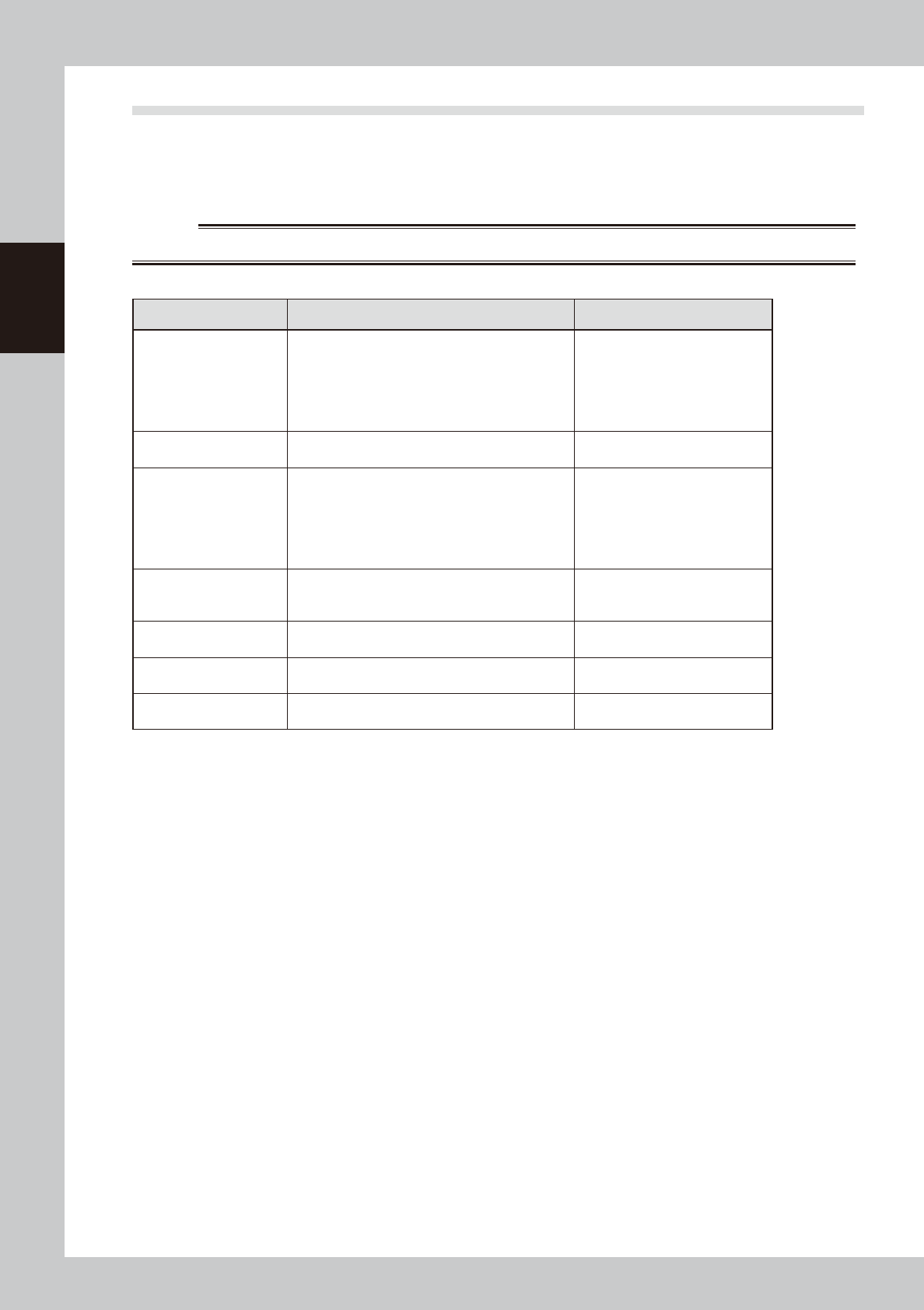
The table below shows checkpoints you should make before powering on.
e
w
WARNING
ALWAYS BE SURE TO PRESS THE EMERGENCY STOP BUTTON BEFORE STARTING THE INSPECTION.
n
Checkpoints before operation
Checkpoints Check items Reference
Conveyor unit
Check that no foreign matter or debris is on the
conveyor unit.
Check that the push-up jigs or matrix pins are
not set in areas wider than the board width to be
produced. Check that no matrix pins come loose
from the push-up table.
"4. Conveyor unit" in Chapter 1
Mask camera
Check that no foreign matter is sticking to the mask
camera.
Squeegee
Check that the squeegee knobs are securely
tightened.
Check that the squeegee scrapers have no
scratches, nicks and wear.
Check that no solder and grit are adhering to the
squeegee.
"3. Printing section" in Chapter 1
Cleaning unit
Check that the cleaner gauze roll is set correctly.
Check that the tank is refilled with cleaning alcohol
sufficiently.
"5. Cleaning unit" in Chapter 1
Mask stopper positions
Check that the mask frame stopper positions are
correct.
"7.1 Mask size and mask stopper
pin position" in Chapter 4
Upper door (safety door),
panels
Check that the upper door and panels are all
closed.
Solder
Check that solder has returned to room
temperature and is well agitated and rolled.
Solder manufacturer's instruction
manual