YCP10 Users_E.pdf - 第50页
1-9 1 Part names and functions 3.3 Double squeegee (option) Standard machine uses a double squeegee with urethane scr apers or metal scrapers. T his double squeegee can be easily attached or detac hed from the squeegee h…
1-8
1
Part names and functions
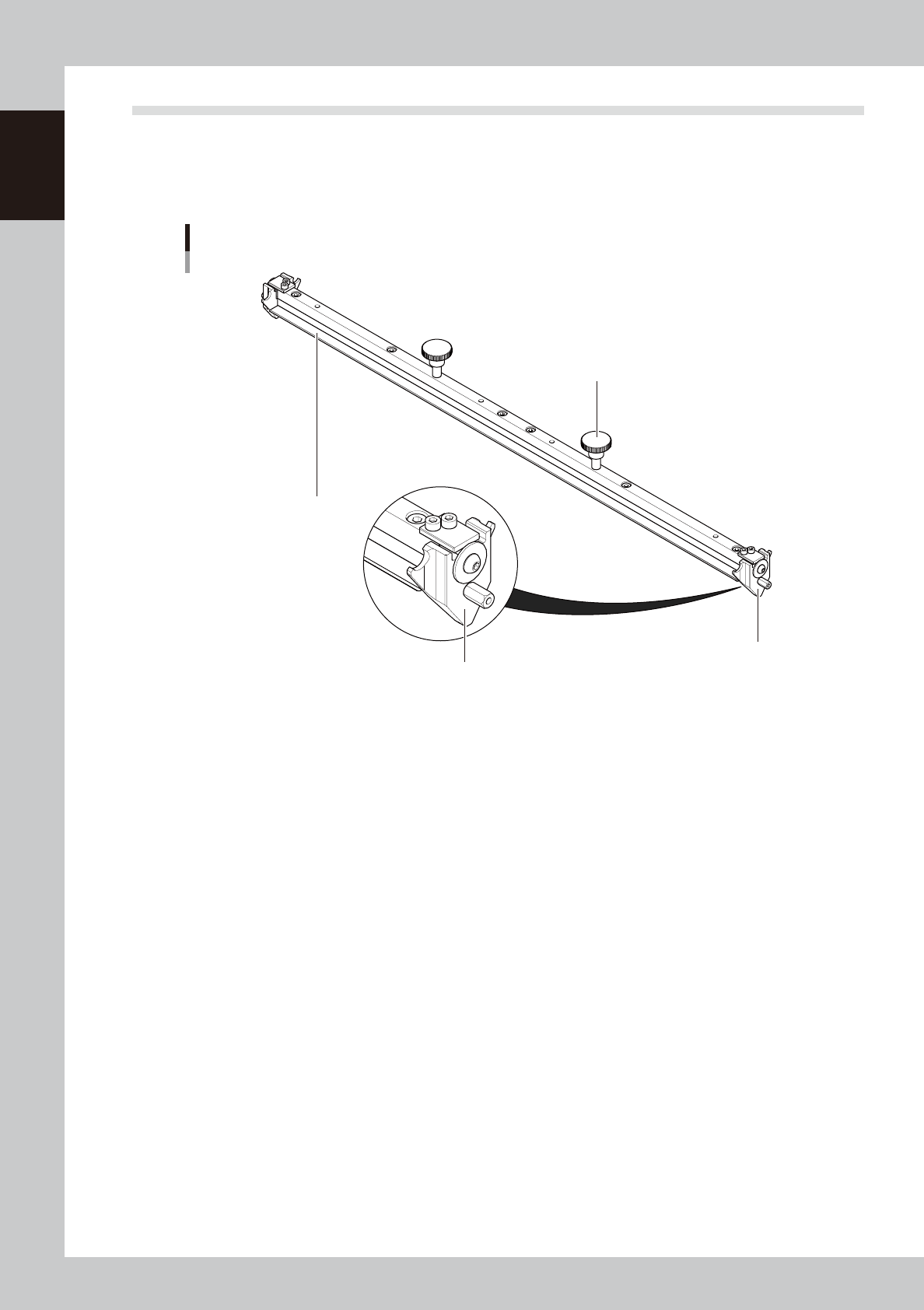
3.2 3S squeegee
This 3S squeegee allows you to adjust the squeegee scraper contact angle as needed. Since the same scraper
surface is used for solder printing in the forward and backward directions there will be less solder wasted.
Metal or urethane scraper 3S squeegees with a length of 250 mm, 300 mm, 350 mm, 400 mm, 440 mm or 530
mm are supplied with the machine according to your order.
3S squeegee
1
2
3
3
63108-N1-00
1. Scraper
Prints solder patterns on a board while uniformly scraping solder paste placed on the mask. The 3S squeegee has
double-edge scrapers made of urethane or metal.
2. Mount knob
Tighten these mount knobs to install the squeegee on the squeegee holder.
3. Side plate
Prevents solder paste on the mask from spreading beyond the squeegee width. This side plate contains a snap-in
mechanism which allows you to easily detach or attach the side plate during the squeegee cleaning.
1-9
1
Part names and functions
3.3 Double squeegee (option)
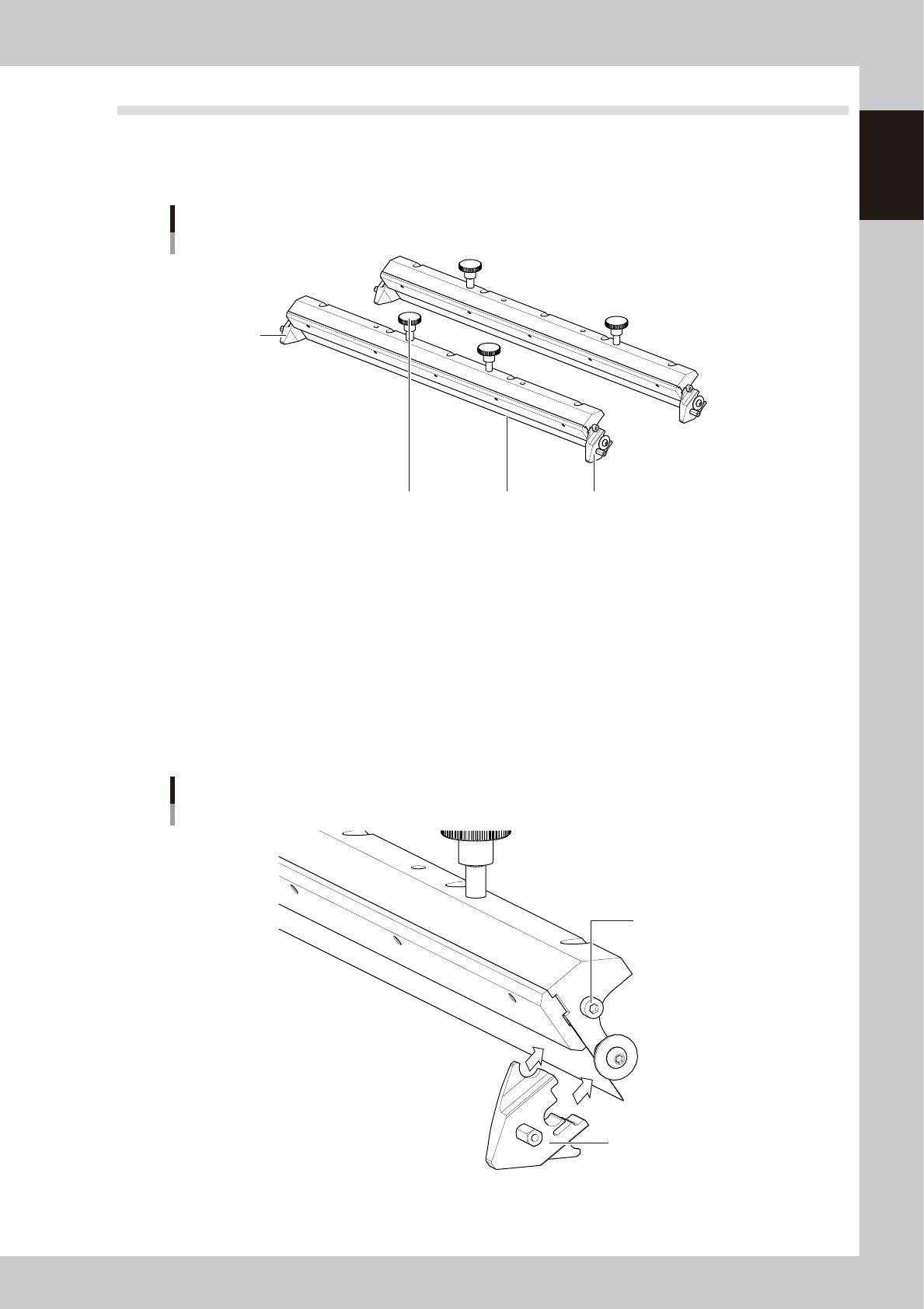
Standard machine uses a double squeegee with urethane scrapers or metal scrapers. This double squeegee can
be easily attached or detached from the squeegee holder by using the mount knobs. Double squeegees with a
length of 250 mm, 300 mm, 350 mm, 400 mm, 440 mm or 530 mm are supplied according to your order.
Double squeegee
1
2
3
3
63110-N3-00
1. Scraper
Prints solder patterns on a board while uniformly scraping solder paste placed on the mask. Squeegee scrapers are made
of urethane or metal.
2. Mount knob
Tighten these mount knobs to install the squeegee on the squeegee holder. The squeegee with the narrower mount knob
spacing is should be installed at the front.
3. Side plate
Prevents solder paste on the mask from spreading beyond the squeegee width.
When using metal squeegees, fully insert the side plate onto the guide pin while aligning the side plate notch with the
guide pin, and tighten the thumbscrew to secure the side plate. (Fit the side plates onto both sides of the squeegee.)
Side plate for double squeegee
Side plate
Guide pin
63111-N3-00
1-10
1
Part names and functions
4. Conveyor unit
The conveyor unit used to clamp a board in mounting position is described below.
4.1 Board clamp unit (board clamp table)
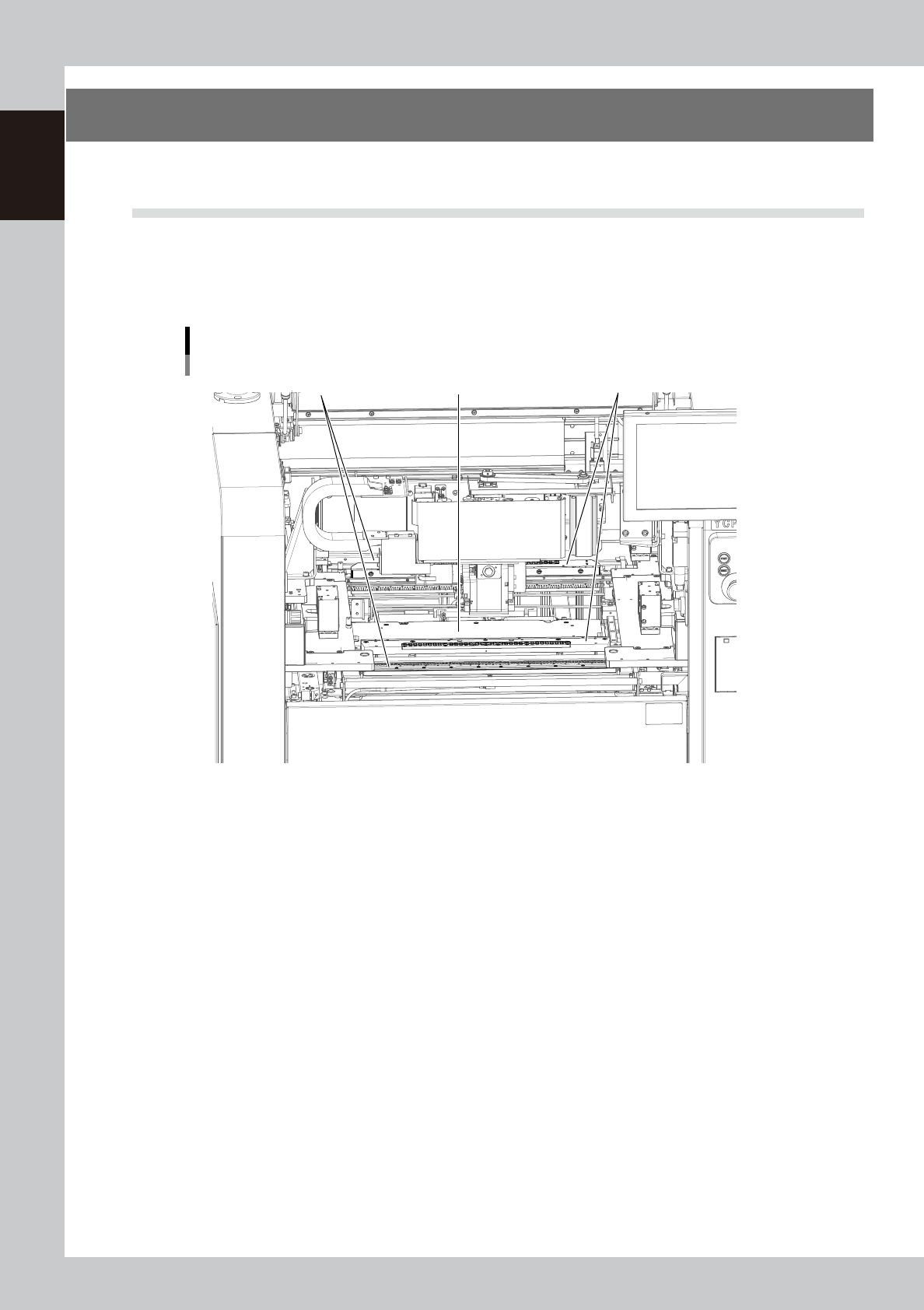
The board clamp table secures a board in the printing position. During recognition or position teaching by the
vision camera, this table moves along the servo-controlled Y-axis (perpendicular to board transport direction).
This table also rotates slightly in the R direction by controlling two X axes. The conveyor rail width is
automatically adjusted according to the board width (Board Size Y).
Board clamp unit
Board clamp table
1 32
63111-N1-00
1. Push-up plate (matrix plate)
The push-up plate moves up by servo control to clamp the board from the bottom. This push-up plate has pin insertion
holes arranged in a matrix, into which matrix pins can be inserted to support the board. (Board support jigs are optional.)
2. Flap
Presses on the board edge from the top to correct the board curvature. These flaps are automatically actuated when the
board is clamped in printing position.
3. Edge clamp
Secures the board in printing position by pushing laterally on the board edge.