YCP10 Users_E.pdf - 第40页
iii About this manual 1.3 Page layout T he description below shows a typical page la yout used in this manual. T ypical page layout Step Chapter number Chapter title Sub step or description of step Figure, picture or tab…

ii
About this manual
1.2 Contents of each chapter
This manual is comprised of the following chapters.
Chapter 1 Part names and functions
This chapter explains major part names and functions of the machine which you should know before attempting
operation.
Chapter 2 Basic operations
This chapter explains how to start up the machine and turn it off, as well as the basic menus and buttons displayed on
the screen for machine operation and data input.
Chapter 3 Printing guide
This guide explains the flow of the condition setting (data setting) and the setup work necessary to perform the printing
with excellent quality.
Additionally, describes the relationship between the print trouble symptom and the conditions that may be the cause of
the trouble.
Chapter 4 Daily operation
Chapter 3 describes the routine operation for board production including the conveyor unit setups, and also explains
how to read the production history data.
Chapter 5 Creating and setting the data
Chapter 4 explains the basic procedures for creating board data and also making basic settings for various parameters.
Chapter 6 Managing the data
This chapter explains how to back up data and make a user database, as well as how to view and save the production
and machine operation logs.
Chapter 7 Other functions
This chapter explains efficient data creation tools, such as coordinate data teaching and trace functions, and manual
operation.
iii
About this manual
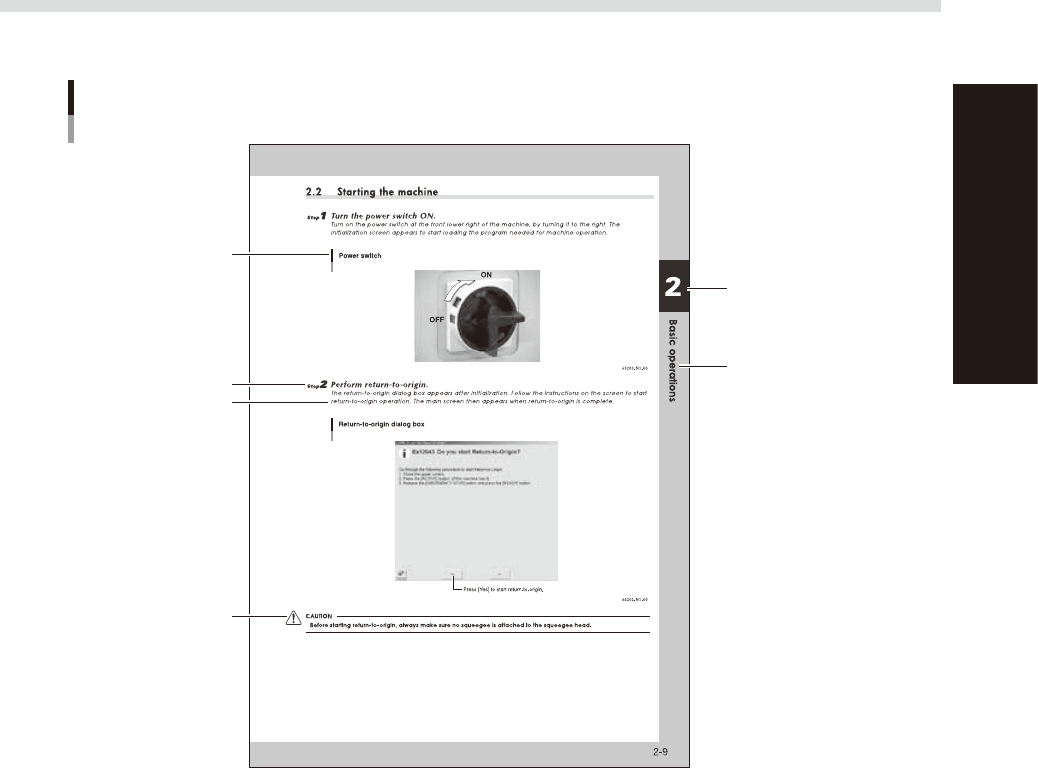
1.3 Page layout
The description below shows a typical page layout used in this manual.
Typical page layout
Step
Chapter number
Chapter title
Sub step or description
of step
Figure, picture or table
caption
Note, Caution or Warning
63001-N1-00
n
Step
This describes the procedure for each operation.
n
Substep or description of step
This provides detailed information on the steps in each procedure.
n
Illustration or table caption
This is the title of the illustration or table and appears at the upper left.
n
Note, Caution or Warning
These are explained in detail in "Safety instructions".

Chapter 1 Part names and functions
This chapter explains YCP10 major part names and functions. Make sure that you understand the location and function of each
part before attempting machine operation.
Contents
1. YCP10 main unit 1-1
2. Operation panels and data input units 1-4
2.1 Operation panel buttons 1-5
2.2 Operation display screen 1-6
2.3 Keyboard (option) 1-6
3. Printing section 1-7
3.1 Squeegee head and printing table 1-7
3.2 3S squeegee 1-8
3.3 Double squeegee (option) 1-9
4. Conveyor unit 1-10
4.1 Board clamp unit (board clamp table) 1-10
4.2 Board support 1-11
5. Cleaning unit 1-15
5.1 Cleaning unit 1-15
5.2 Suction unit 1-16
6. Vision camera unit 1-17
7. Servo-controlled axes 1-18