YCP10 Users_E.pdf - 第266页
2-19 2 Inspection and maintenance 7 C onnect the blower hose on the base side to the vacuum pipe tempor arily . Connect the blower hose to the vacuum pipe temporarily. 53216-N1-00 8 C onnect the blower hose on the cleani…
2-18
2
Inspection and maintenance
3.3.2 Replacing the blower hose
To replace the blower hose, follow the steps below.
n
Required tools
• Slotted screwdriver
• Replacement blower hose (KLV-M37D9-0XX TUBE 25)
e
1
Perform the return-to-origin.
After checking the safety, press the [Origin]
button on the Setup screen. The printing
table will move toward the rear.
2
Press the emergency stop button
and open the upper door and front
panel.
To ensure the work safety, be sure to put the
machine in the emergency stop state.
3
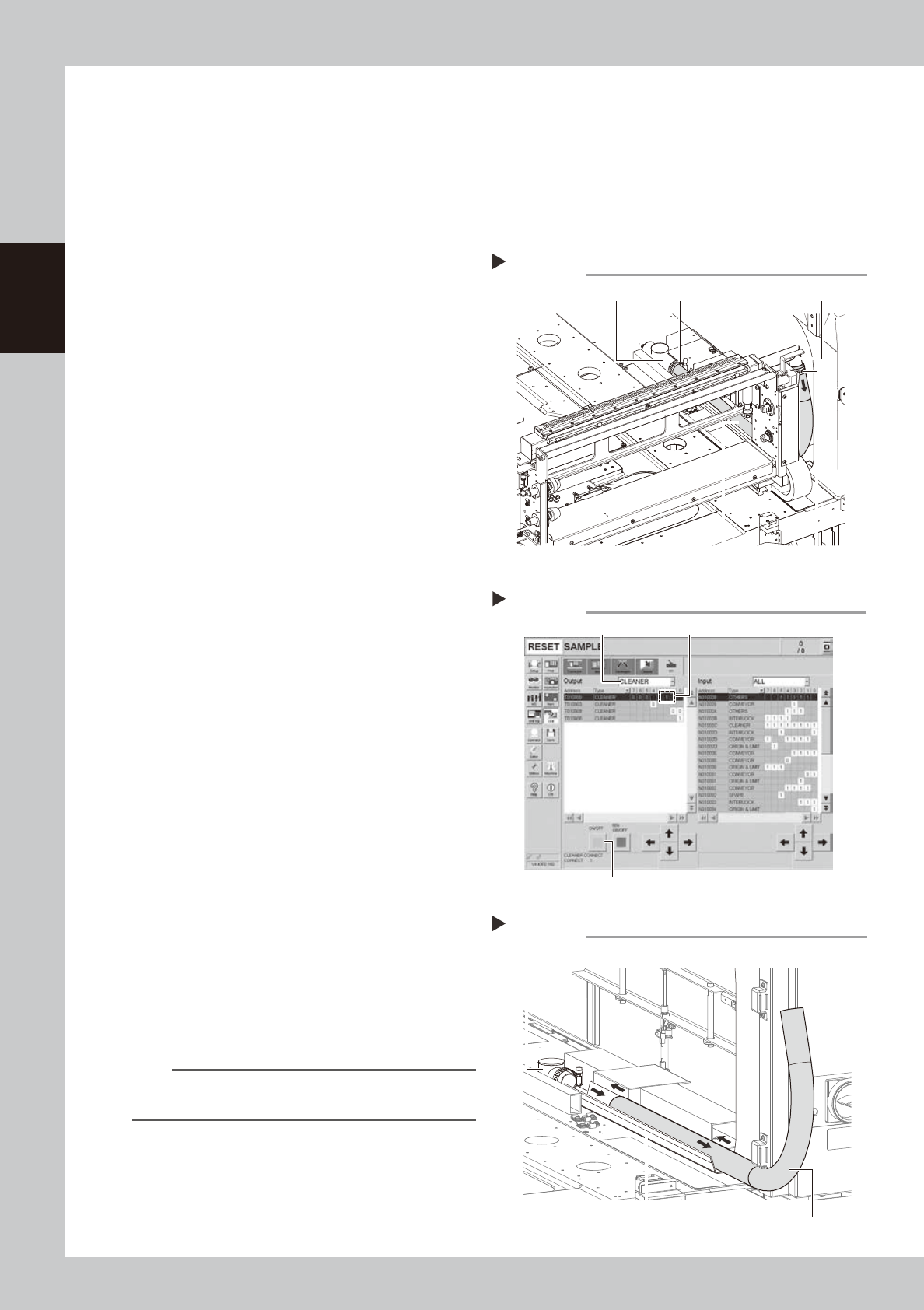
Disconnect the blower hose on the
cleaning unit side.
Use a flat-blade screwdriver to loosen the
hose band and disconnect the blower hose
from the joint.
53211-N1-00
4
Move the cleaning unit to the rear.
1. Open the [Unit]-[I/O] tab and select
“CLEANER” from the “Output” drop-down
list.
2. Select “T0100002” (cleaner connection)
and press the [ON/OFF] button to set "1"
(connection). The cleaning unit clamp is
then released.
3. Move the cleaning unit to the rear by
hand.
54201-N1-00
5
Disconnect the blower hose on the
base side.
1. Move the squeegee head to the rear.
2. Disconnect the blower hose from the
vacuum pipe.
6
Replace the blower hose.
Pull out the old blower hose toward you from
the cleaning unit side.
Insert a new blower hose along the hose
guide.
53212-N1-00
n
NOTE
Insert the blower hose so that it smoothly bends
upward.
Removing the blower hose
Step 3
Hose band
Hose band JointVacuum pipe
Blower hose
[Unit]-[I/O] tab screen
Step 4
Select “CLEANER”.
Select “T0100002”.
[ON/OFF] button
Replacing the blower hose
Step 6
Hose guide Blower hose
Vacuum pipe
2-19
2
Inspection and maintenance
7
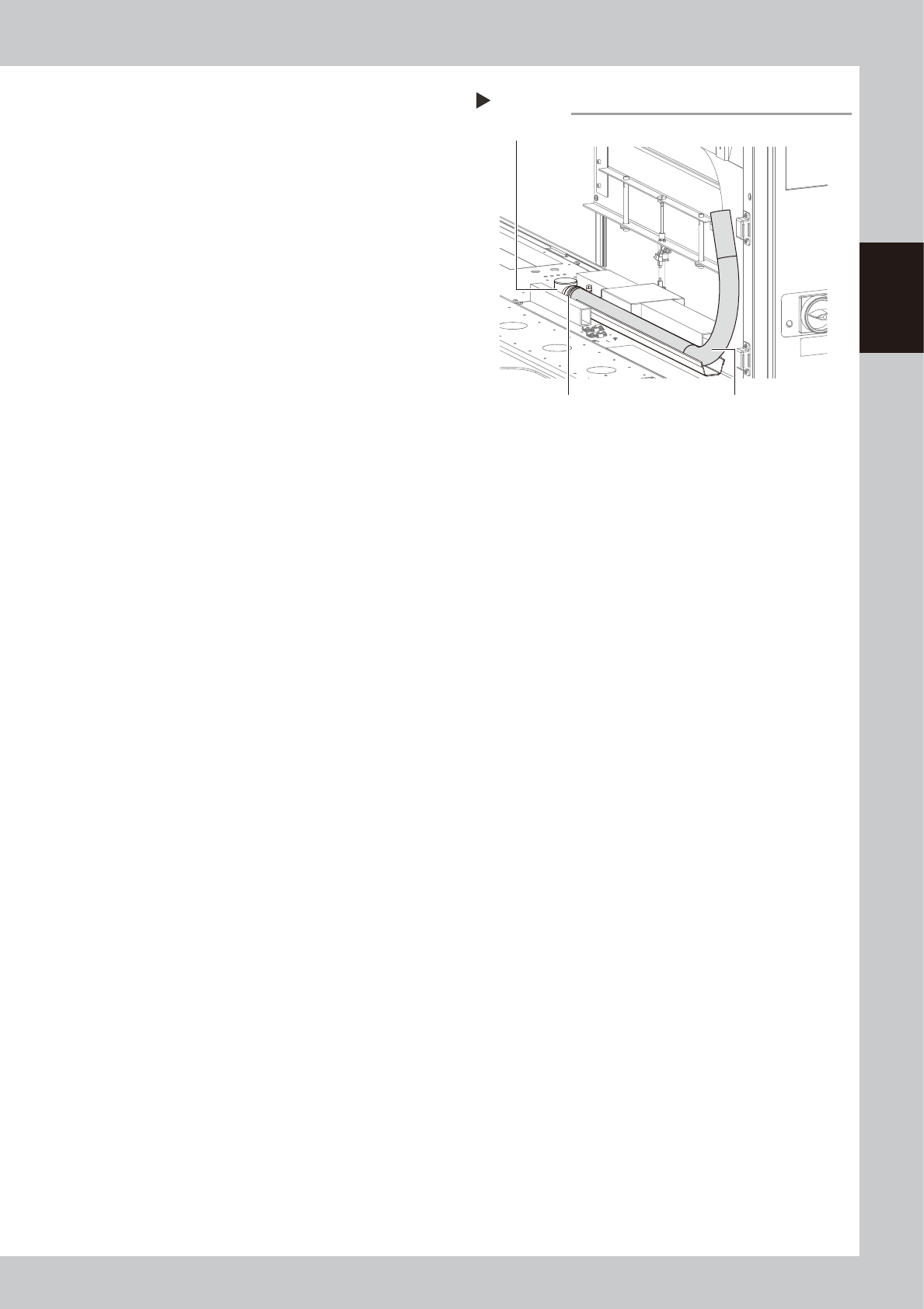
Connect the blower hose on the
base side to the vacuum pipe
temporarily.
Connect the blower hose to the vacuum
pipe temporarily.
53216-N1-00
8
Connect the blower hose on the
cleaning unit to the vacuum pipe.
1. Move the cleaning unit to the front by
hand.
2. Connect the blower hose to the joint and
tighten the hose band with a flat-blade
screwdriver to secure it.
9
Check the blower hose position
from the cleaning unit side.
Move the cleaning unit to the rear by hand.
Check that the blower hose is stored straight
above the hose guide.
0
Secure the blower hose.
Tighten the hose band of the vacuum pipe
on the base side with a flat-blade
screwdriver, and then secure it.
q
Return the cleaning unit to its
original position.
1. Return the cleaner head that has been
moved to the rear in Step 9 to its original
position.
2. Open the [Unit]-[I/O] tab and select
“CLEANER” from the “Output” drop-down
list.
3. Select “T0100002” (cleaner connection)
and press the [ON/OFF] button to set "0"
(release).
The cleaning unit is then secured.
Connecting the blower hose
Step 7
Blower hose
Vacuum pipe
Hose band
2-20
2
Inspection and maintenance
3.4 Cleaning/replacing filter for mask vacuum chuck
n
Required tools
• Phillips screwdriver
• Replacement filter (KGR-M9934-F0X FILTER, SPARE
)
• Air blow tool (option)
1
Perform the return-to-origin.
After checking the safety, press the [Origin]
button on the Setup screen.
The printing table moves to the rear.
2
Press the emergency stop button.
To ensure the work safety, be sure to put the
machine in the emergency stop status.
e
3
Remove the rear cover.
Remove the cover mounting bolts (6 pcs.)
with a Phillips screwdriver to detach the
cover.
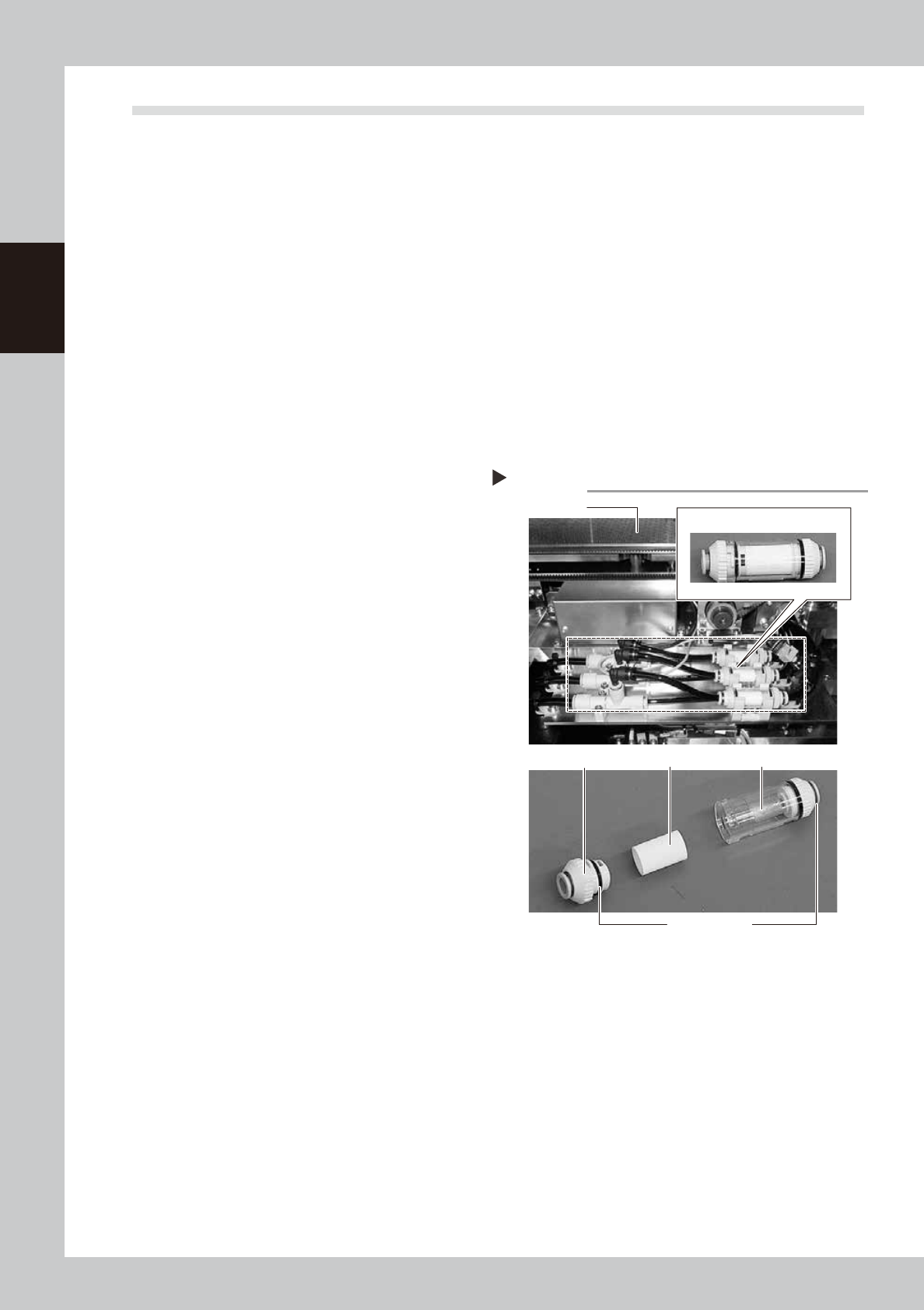
4
Remove the filter unit.
Remove the filter unit from the air hose.
53213-N1-00
5
Take the filter out of the filter unit.
Turn the joint cap, which has marks L (Lock)
and O (Open) on it, to the “O” direction and
take the filter out of the transparent case.
6
Clean the filter.
Use the air blow tool to blow away dust and
impurities trapped in the filter, by blowing air
from the inside and also from the outside. If
the filter is excessively dirty and cannot be
cleaned, replace it with a new filter.
7
Reattach the filter unit.
1. Put the filter into the transparent case
and tighten the removed joint cap by
turning it to the “L” direction.
2. Connect the air hose so that the arrow
mark (
▲
) on the filter unit is located on
the ejector side.
Filter unit
Step 4,5
Backup unit
joint cap
Filter Transparent case
Filter unit
L and O marks