YCP10 Users_E.pdf - 第90页
3-14 3 Printing guide 3.3 Board and mask mark recognition (Mark position) n Function T hese parameters set coordinates of the fiducial mark positions of the board and mask. The camer a moves to the mark position to recog…
3-13
3
Printing guide
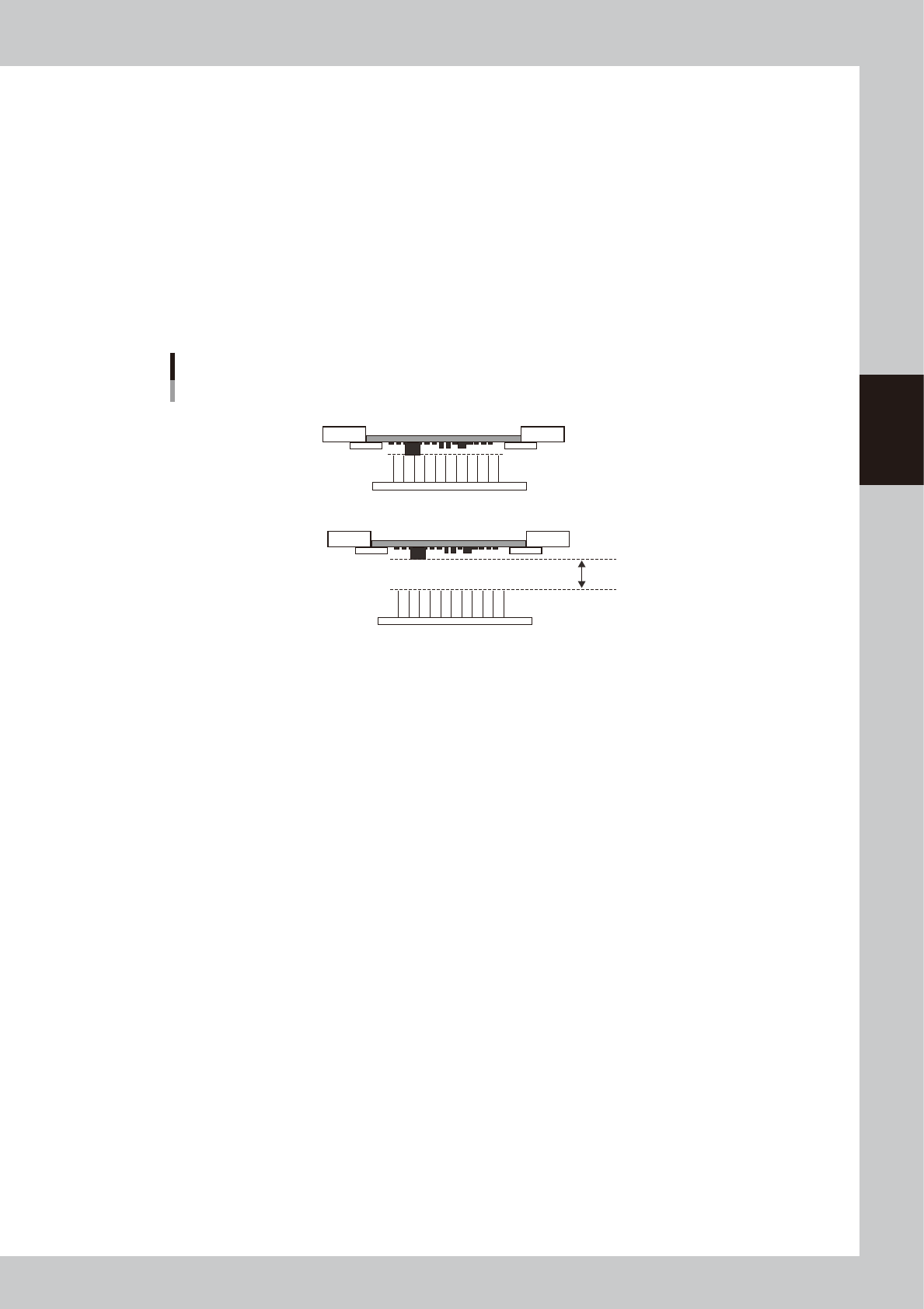
3.2.5 Transfer start height
n
Function
This function sets the push-up height when releasing the board clamp as the height of the bottom surface mounting
component, other protrusion part, or board warpage is set.
n
Setting procedure
Set "m. Trans Height" on the [Print]-[Board] tab screen.
Enter a numeric value ranging from 0 to 50 mm showing how many millimeters the transfer height is lowered from the
height of the bottom surface mounted component or board warpage.
When this parameter is set at "0 mm", the transfer height lowers to the maximum down height.
The initial value is "0 mm".
Transfer start height
Set this height.
Board is clamped.
Board clamp is released.
63310-N1-00
3-14
3
Printing guide
3.3 Board and mask mark recognition (Mark position)
n
Function
These parameters set coordinates of the fiducial mark positions of the board and mask. The camera moves to the mark
position to recognize the fiducial mark so as to align the board and mark positions.
n
Setting procedures
Enter accurate coordinates based on the CAD data of the board and mask.
3.4 Alignment offset
n
Function
Normally, the board and mask mark positions are set with the CAD data. Therefore, as each mark is recognized, the
board pattern is aligned with the mask apertures precisely. However, if any deviation, such as elongation of board
occurs, these offset values are used to correct this deviation.
n
Setting procedures
Offset values can be set in the X, Y, Z, and R directions.
To set offset values in the X, Y, and R directions, press the [Visual Matching] button on the [Basics] tab screen to set them.
n
NOTE
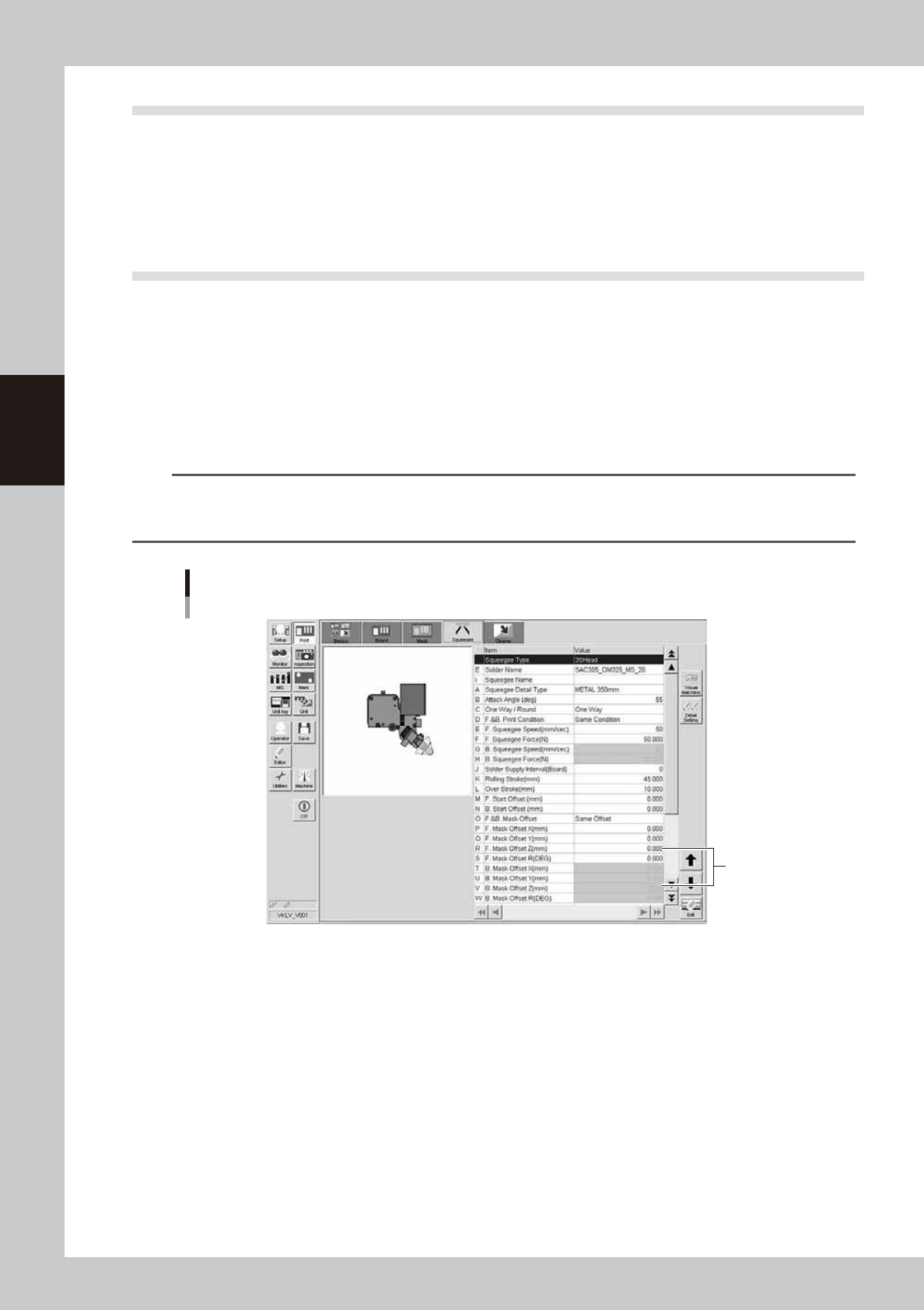
You cannot set the offset values in the Z direction with the graphic alignment. Check the contact status between the
mask and board during the rolling test. Enter appropriate values in the [Mask Offset Z] fields on the [Squeegee] tab
screen directly.
Alignment offset Z
Enter values
in these fields.
64305-N1-10
3-15
3
Printing guide
3.5 Squeegee (Rolling)
3.5.1 Squeegee speed
n
Function
This parameter sets a squeegee movement speed.
n
Setting range and initial value
This parameter can be set in a range of 1 to 200 mm/sec.
The initial value is 50 mm/sec.
n
Setting procedures
Set a speed at which the solder does not slip on the mask while carefully checking the rolling status.
If the solder scraping on the mask is insufficient, decrease the speed.
3.5.2 Squeegee pressure
n
Function
This parameter sets a squeegee pressure level.
n
Setting range and initial value
This parameter can be set in a range of 1 to 200 N.
The initial value is 50 N.
n
Setting procedures
Set this parameter corresponding to the solder scraping status on the mask.
Particularly, for the urethane squeegee, if the squeegee pressure level is too high, the solder is scraped away too much,
causing the filling volume to decrease. If the squeegee pressure level is too low, a scraping trouble occurs in both the
urethane and metal squeegees, resulting in an excessive solder trouble or a missing solder trouble.
n
NOTE
Use both "Squeegee speed" and "Squeegee pressure" to adjust the solder scraping.
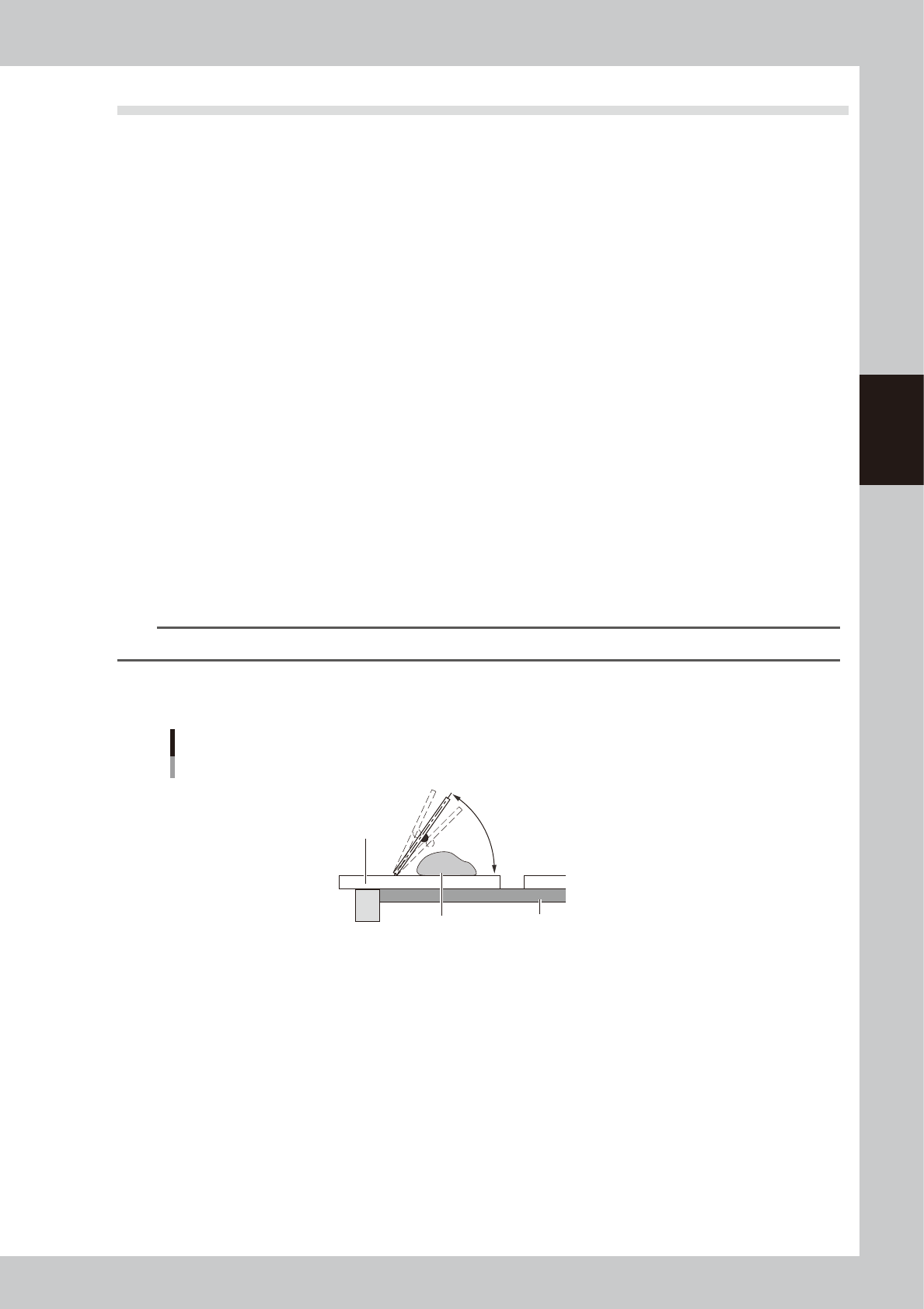
3.5.3 Attack angle (degree (°))
Attack angle
Solder
Attack angle
Board
Mask
55° (Default)
63301-N1-00
n
Function
This parameter sets an attack angle (angle between the squeegee and mask).
n
Setting range and initial value
This parameter can be set in a range of 45 to 65°.
The initial value is 55°.
n
Setting procedures
Increasing the angle will decrease the solder filling volume. Conversely, decreasing the angle will increase the solder
filling volume.