YCP10 Users_E.pdf - 第70页
2-10 2 Basic operations 3 Pr ess the [Operator] button on the oper ation screen. The "ID WINDOW" appears for specifying the machine operator . [Operator] button [Operator] button 64203-N1-10 4 Specify the oper …
2-9
2
Basic operations
2.2 Starting the machine
1
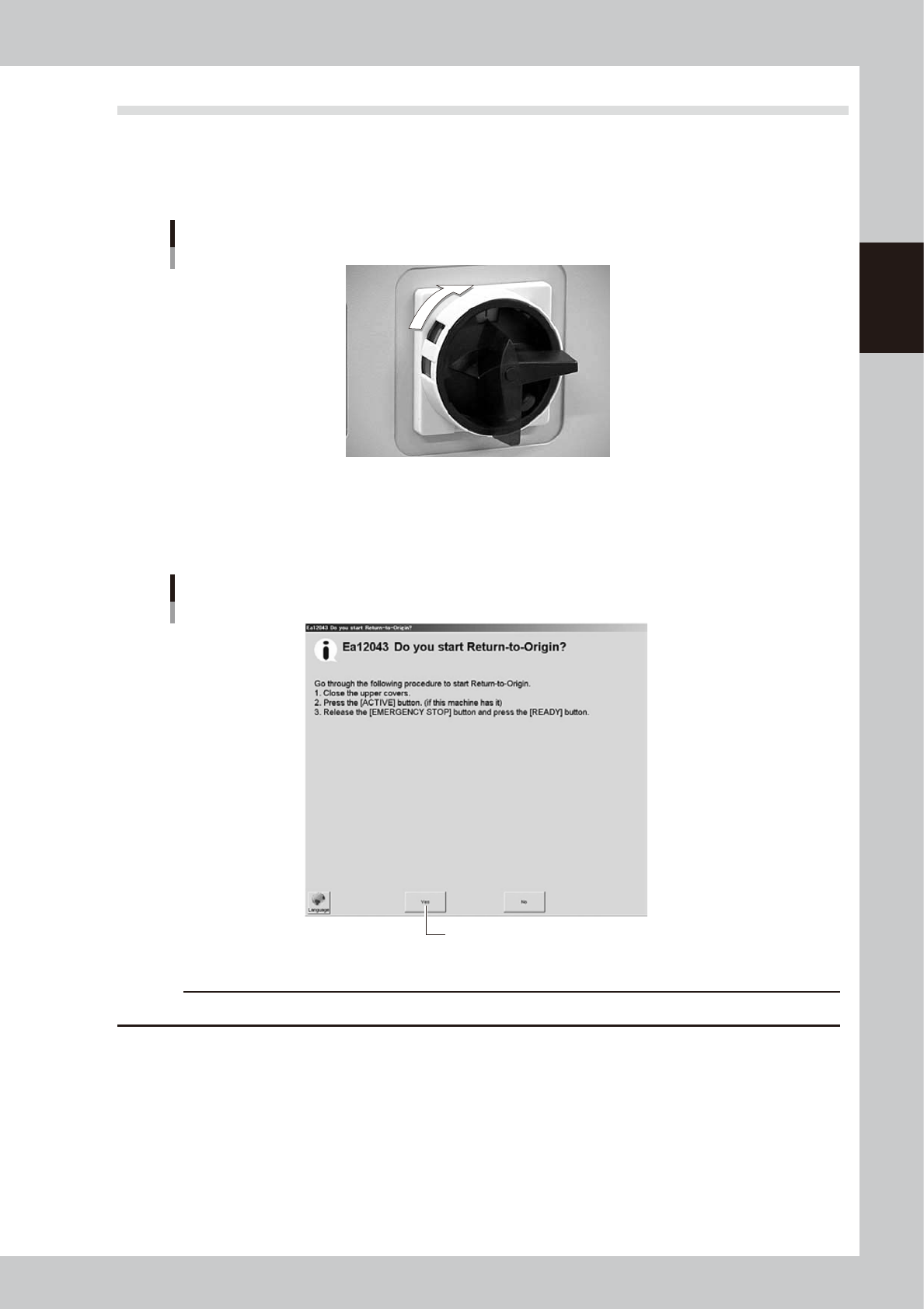
Turn the power switch ON.
Turn on the power switch at the front lower right of the machine, by turning it to the right. The
initialization screen appears to start loading the program needed for machine operation.
ON
OFF
Power switch
63203-N1-00
2
Perform return-to-origin.
The "Return-to-origin" screen appears after initialization. Follow the instructions on the screen to start
return-to-origin operation. The main screen then appears when return-to-origin is complete.
“Return-to-origin” screen
Press [Yes] to start return-to-origin.
64202-N1-00
c
CAUTION
Before starting return-to-origin, always make sure no squeegee is attached to the squeegee head.
2-10
2
Basic operations
3
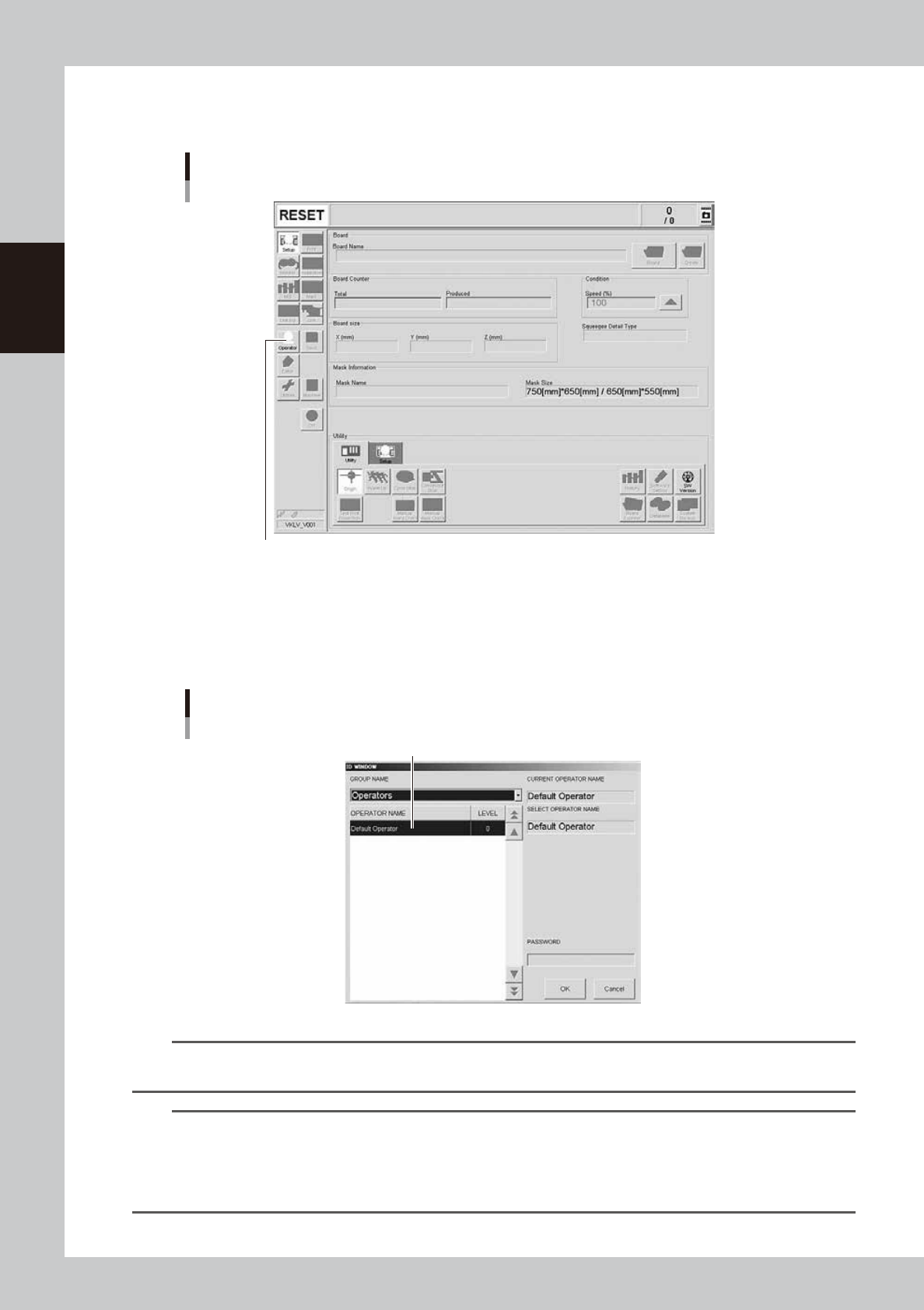
Press the [Operator] button on the operation screen.
The "ID WINDOW" appears for specifying the machine operator.
[Operator] button
[Operator] button
64203-N1-10
4
Specify the operator and enter the password.
You may select "Administrators" or "Operators" from the GROUP NAME dropdown list as needed.
If the password is correct, the initial screen (Setup screen before selecting a board) appears on the
screen.
Specifying the operator
Select operator and press [OK].
64204-N1-00
TIP
For information on how to select board data or how to operate the machine, see "Chapter 4 Daily operation", after
making sure that you understand the contents of this chapter.
TIP
Active menu buttons differ depending on the operation level setup. For example, when the machine is powered on
with the factory setup, the program starts up at an operation level called "Default Operator". This "Default Operator"
level is set to "Level 0" at the time of shipment to allow only basic operation items. This operation level can be
changed as needed. Operators and operation items can also be added and specified by setting the password and
operation level.
2-11
2
Basic operations
2.3 Powering off the machine
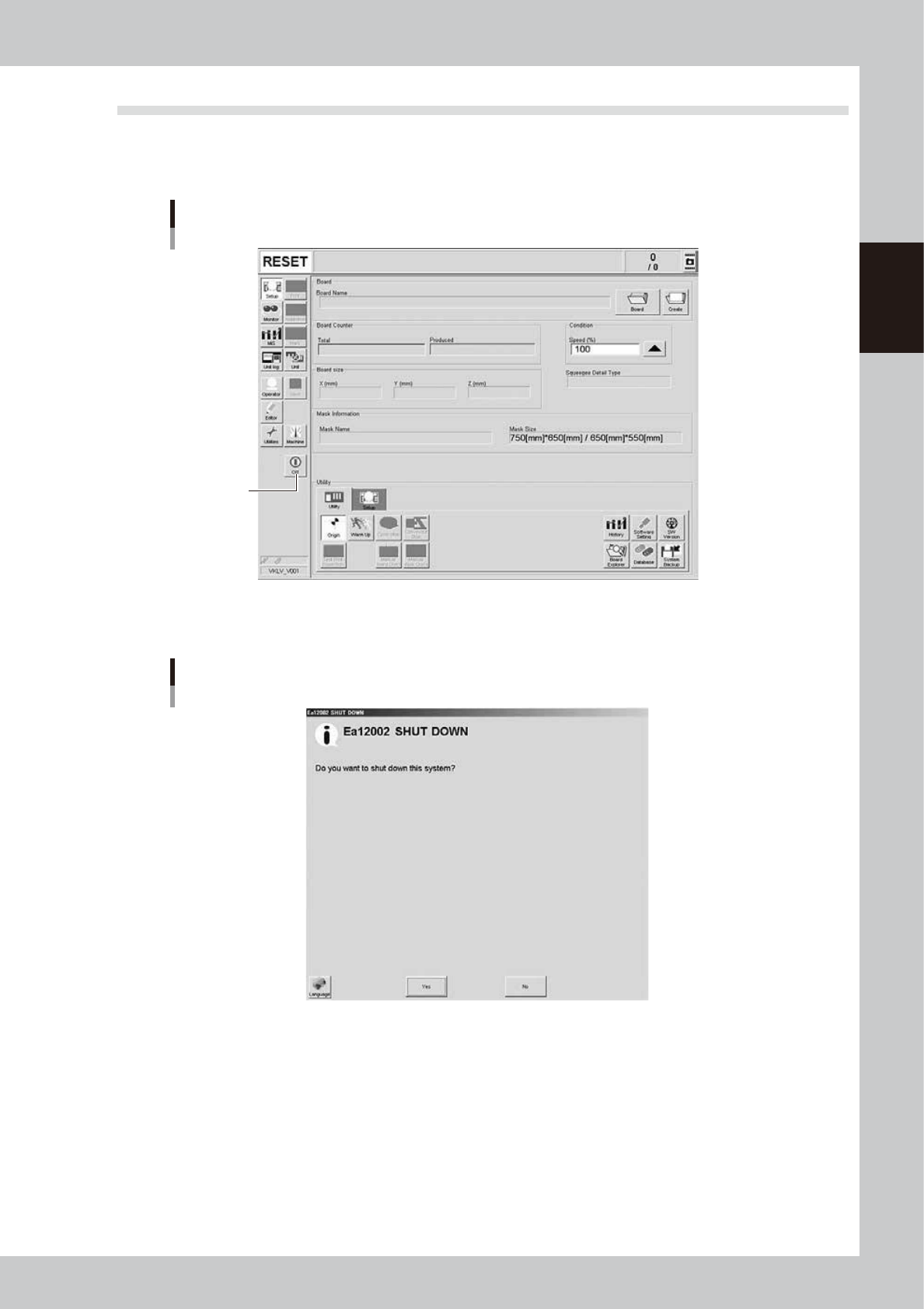
To power off the machine, follow these steps.
1
Press the [Off] button on the operation screen.
[Off] button
[Off] button
64205-N1-10
2
Press [Yes] button when the "SHUT DOWN" screen appears.
"SHUT DOWN" screen
64206-N1-00
3
Press the [OK] button when the "Move-to-origin" screen appears.
All axes move back to their origins.