YCP10 Users_E.pdf - 第88页
3-12 3 Printing guide 3.2.4 X-axis movement during board transfer n Function T his function optimizes the X-axis coordinate of the print table when delivering the board between the upstream and downstream machines so as …
3-11
3
Printing guide
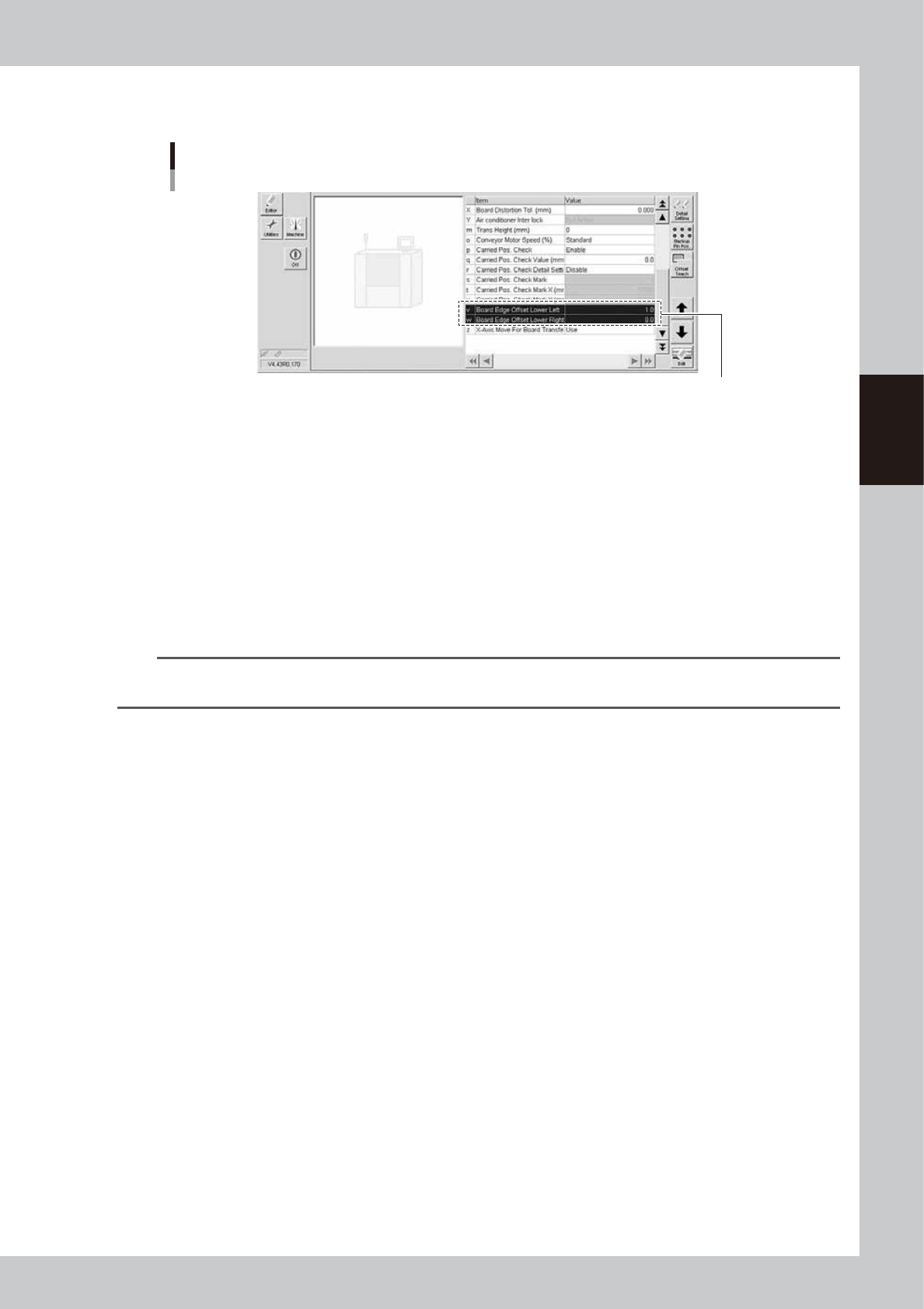
5. Press the [Close] button to close the Teach screen. The screen then returns to the previous screen, and the value
obtained from the teaching is set in "v. Board Edge Offset Lower Left" or "w. Board Edge Offset Lower Right".
Teaching completion
Example of "v Board Edge Offset Lower Left"
The value is entered.
64309-N1-10
3.2.3 Conveyor motor (board transfer) speed
n
Function
This function changes the conveyor motor (board transfer) speed.
n
Setting procedure
Set "o. Conveyor Motor Speed" on the [Print]-[Board] tab screen.
The data set in the machine setting is determined to the standard. To increase the speed, set a speed in a range of +10%
to +50% from this standard in 10% steps. Conversely, to decrease the speed, set a speed in a range of -10% to -90% from
the standard in 10% steps.
n
NOTE
· To increase the tact, increase the speed.
· To make the stop position stable, decrease the speed.
3-12
3
Printing guide
3.2.4 X-axis movement during board transfer
n
Function
This function optimizes the X-axis coordinate of the print table when delivering the board between the upstream and
downstream machines so as to minimize the time loss associated with the movement.
n
Setting procedure
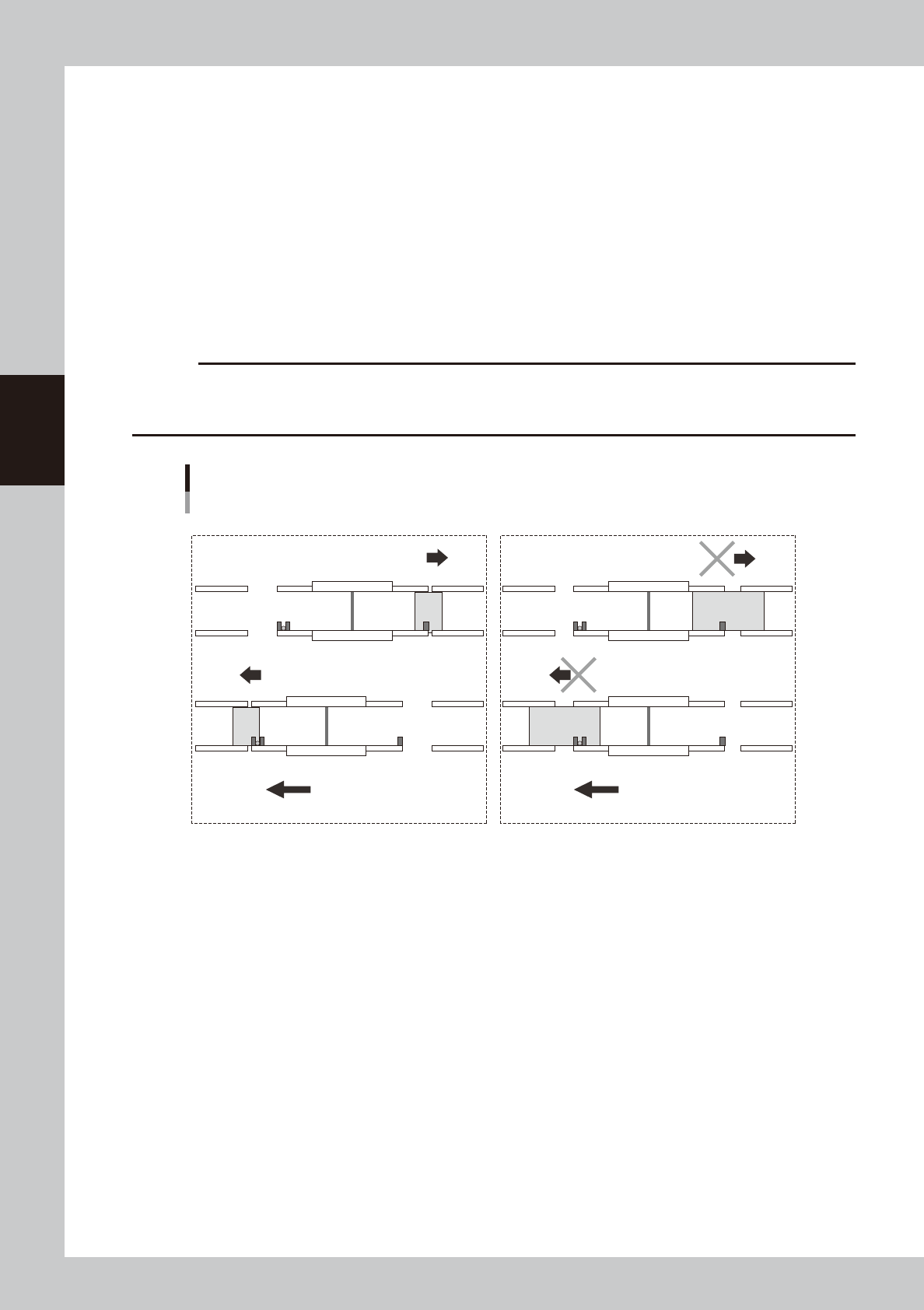
Set "z. X-Axis Move For Board Transfer" on the [Print]-[Board] tab screen.
Use: The X-axis (print table) is moved and transfers the board when delivering the board between the upstream and
downstream machines.
Not Use: The X-axis (print table) does not move to the soft limit when delivering the board between the upstream and
downstream machines.
c
CAUTION
This function is enabled only when the board size X is 100.0 mm or more.
When the board size X is less than 100.0 mm, this function performs the operation with "Not Use" setting regardless of
the setting.
X-axis movement during board transfer
■ Operation when selecting "Use". ■ Operation when selecting "Not Use".
Transfer direction (right → left) Transfer direction (right → left)
X-axis movement
Board
Upstream machineDownstream machine Upstream machineDownstream machine
Board
X-axis movement
X-axis movement
X-axis movement
63309-N1-00
3-13
3
Printing guide
3.2.5 Transfer start height
n
Function
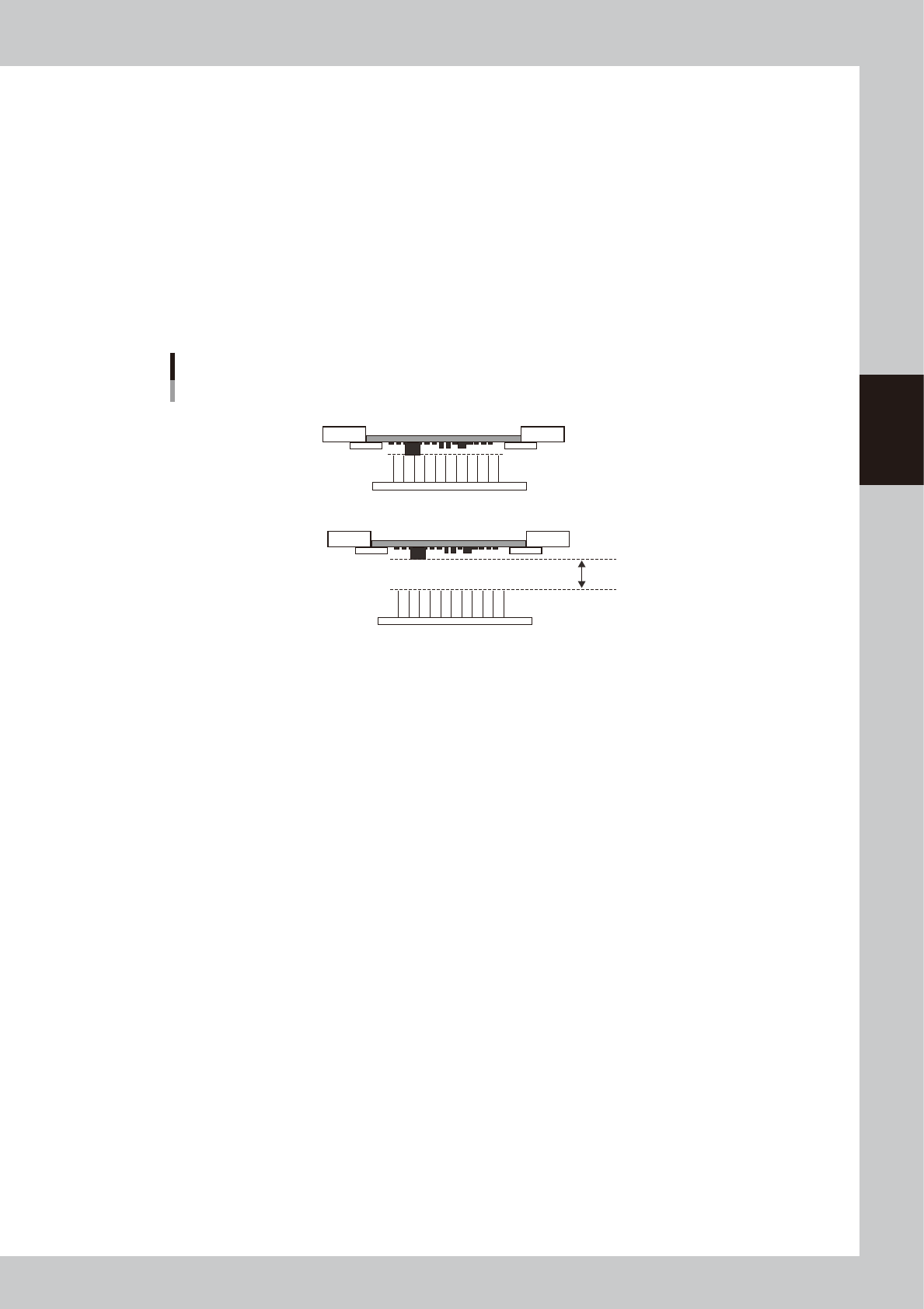
This function sets the push-up height when releasing the board clamp as the height of the bottom surface mounting
component, other protrusion part, or board warpage is set.
n
Setting procedure
Set "m. Trans Height" on the [Print]-[Board] tab screen.
Enter a numeric value ranging from 0 to 50 mm showing how many millimeters the transfer height is lowered from the
height of the bottom surface mounted component or board warpage.
When this parameter is set at "0 mm", the transfer height lowers to the maximum down height.
The initial value is "0 mm".
Transfer start height
Set this height.
Board is clamped.
Board clamp is released.
63310-N1-00