3OM-1003-005.pdf - 第163页
Fig. 3B154 "P .C.B. Data" T ab Sheet *2 Alternate mode *3 Feeder No. offset, X/Y table accel des, F1 accel des, F2 accel des, and Recovery regulation 4.2 "Operation Data" T ab *3 *2 0305-001 2-92 AIL0…
4.2 "Operation Data" Tab
4.2.1 "P.C.B. Data" Tab
• Sheet Layout
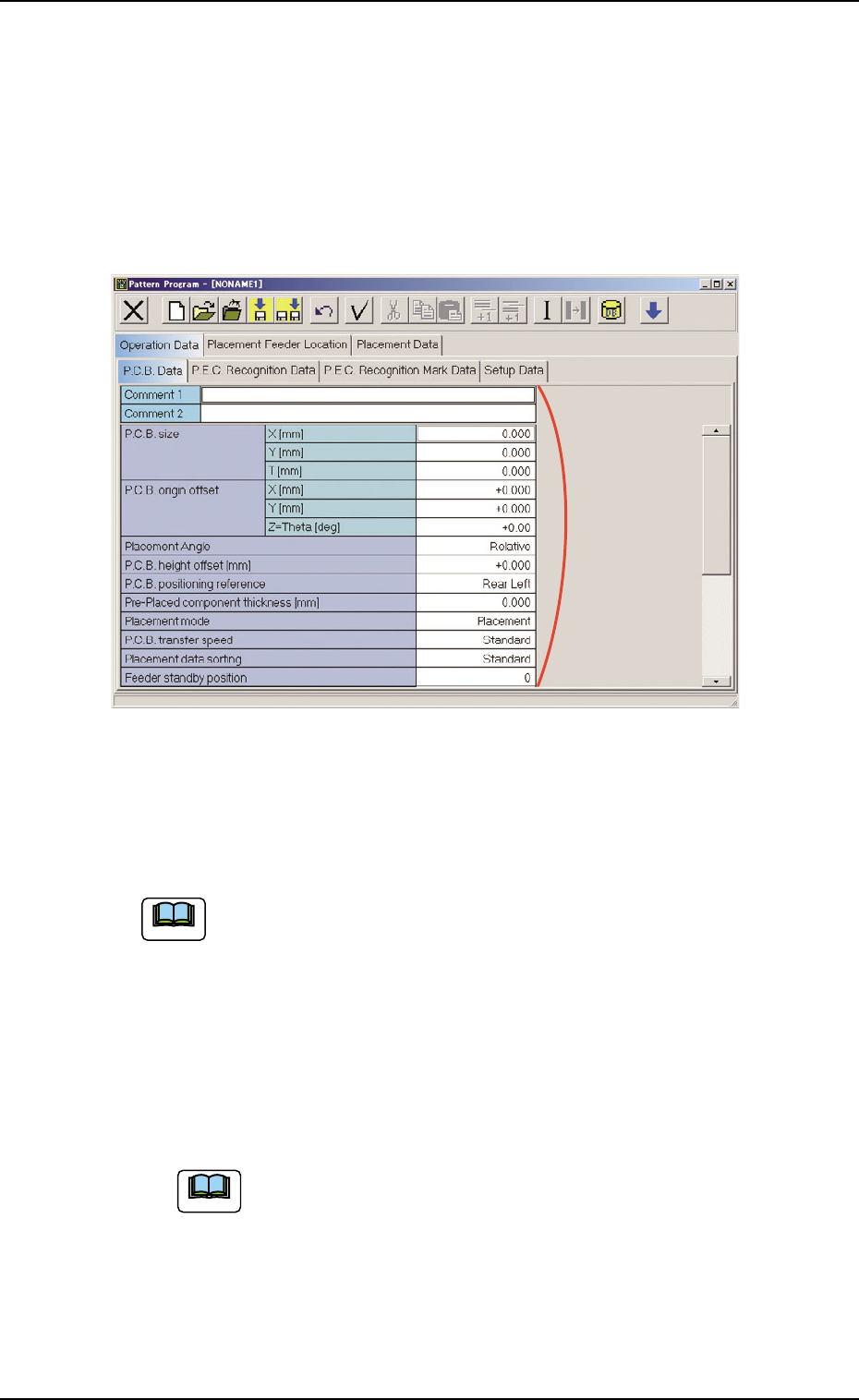
When the "P.C.B. Data" tab is pressed in the "Operation Data" tab
sheet, the following tab sheet appears.
Fig. 3B153 "P.C.B. Data" Tab Sheet
• Sheet Composition
Each parameter is displayed or can be entered.
Refer to "4.1.3 Basic Usage of Text Boxes" for the detailed in-
formation on how to enter each parameter.
*1 Comment 1, Comment 2, P.C.B. size, P.C.B. origin offset, Place-
ment Angle, P.C.B. height offset [mm], P.C.B. positioning ref-
erence, Pre-Placed component thickness [mm], Placement
mode, P.C.B. transfer speed, Placement data sorting, Feeder
standby position
Enter comments in the "Comment 1" and "Comment 2" text
boxes through keyboard navigation. All kinds of characters
can be used.
4.2 "Operation Data" Tab
*1
051 1-002 2-91 AIL01EDTP
Note
Note
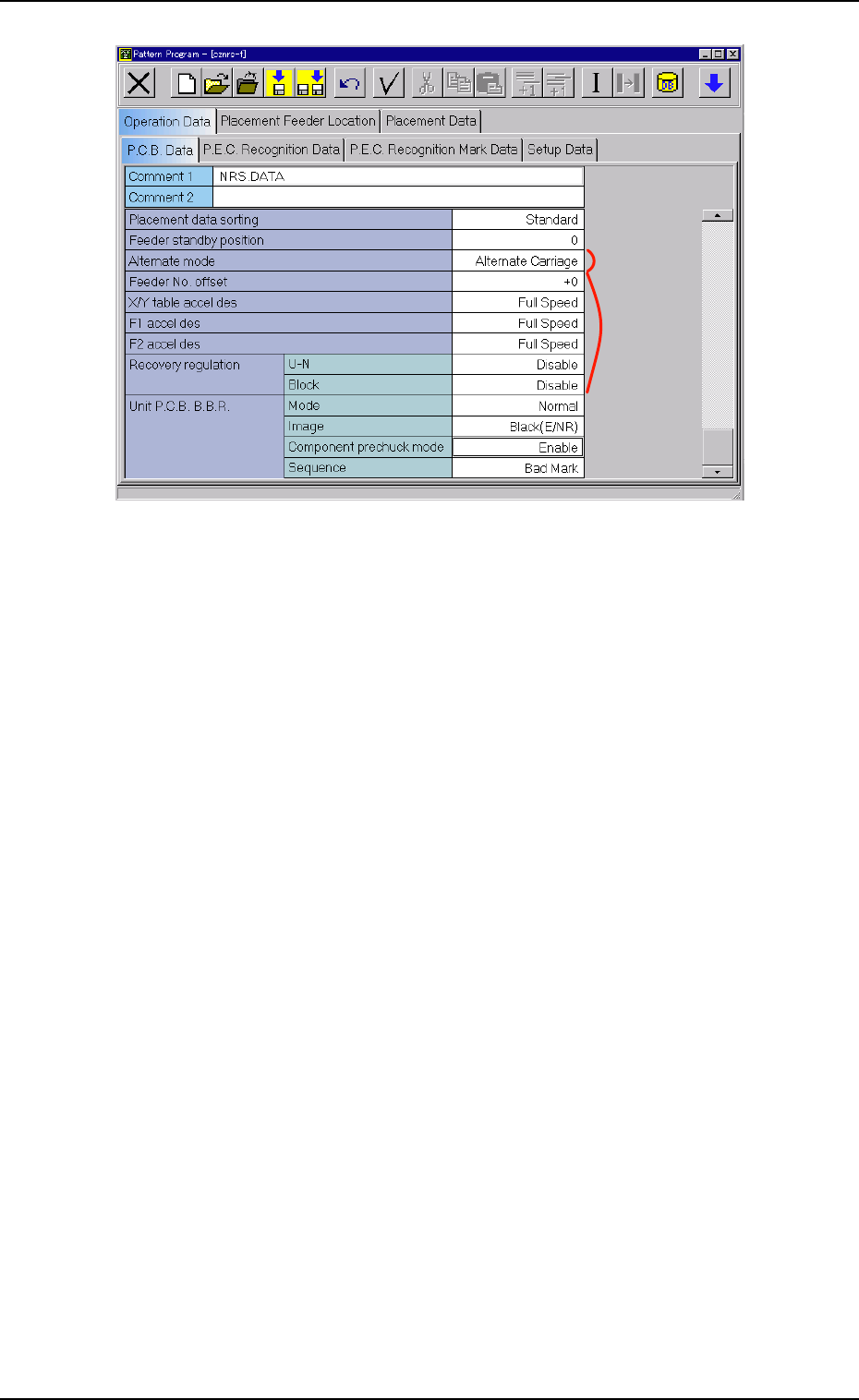
Fig. 3B154 "P.C.B. Data" Tab Sheet
*2 Alternate mode
*3 Feeder No. offset, X/Y table accel des, F1 accel des, F2 accel
des, and Recovery regulation
4.2 "Operation Data" Tab
*3
*2
0305-001 2-92 AIL01EDTP
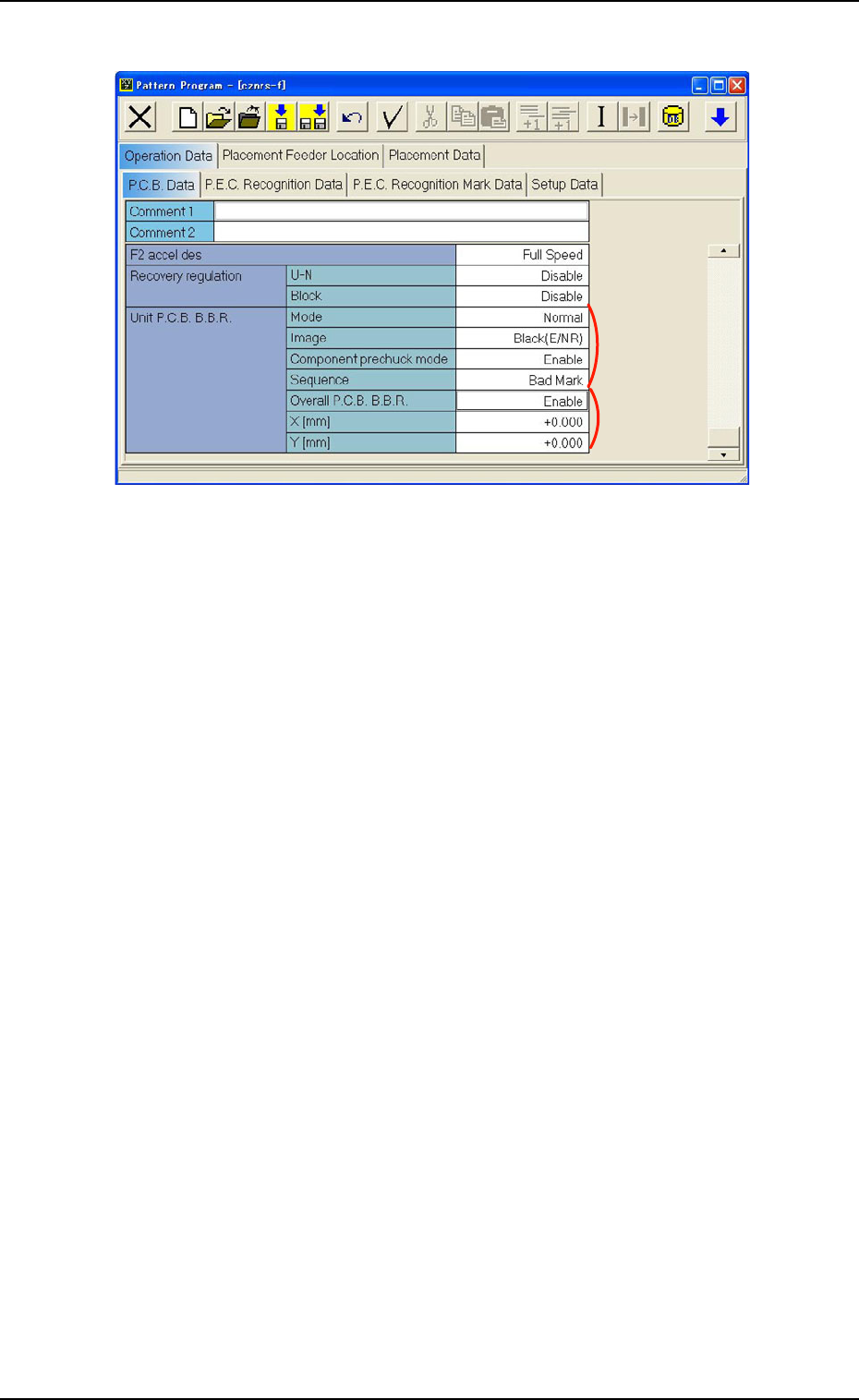
Fig. 3B155 "P.C.B. Data" Tab Sheet
*4 Unit P.C.B. B.B.R. (Option)
Mode
Image, Component prechuck mode, Sequence
When a parameter other than "Disable" is selected for "Mode",
it is required to enter parameters in the text boxes.
*5 Overall P.C.B. B.B.R. (Option)
X [mm] (Horizontal), Y [mm] (Vertical)
When "Enable" is selected for "Overall P.C.B. B.B.R.", it is re-
quired to enter parameters in the text boxes.
*4
*5
4.2 "Operation Data" Tab
0305-001 2-93 AIL01EDTP