3OM-1003-005.pdf - 第165页
*1 *2 4.2 "Operation Data" T ab 0305-001 2-94 AIL01EDTP 4.2.2 "P .E.C. Recognition Data" T ab • Sheet Layout When the "P .E.C. Recognition Data" tab is pressed in the "Operation Data&qu…
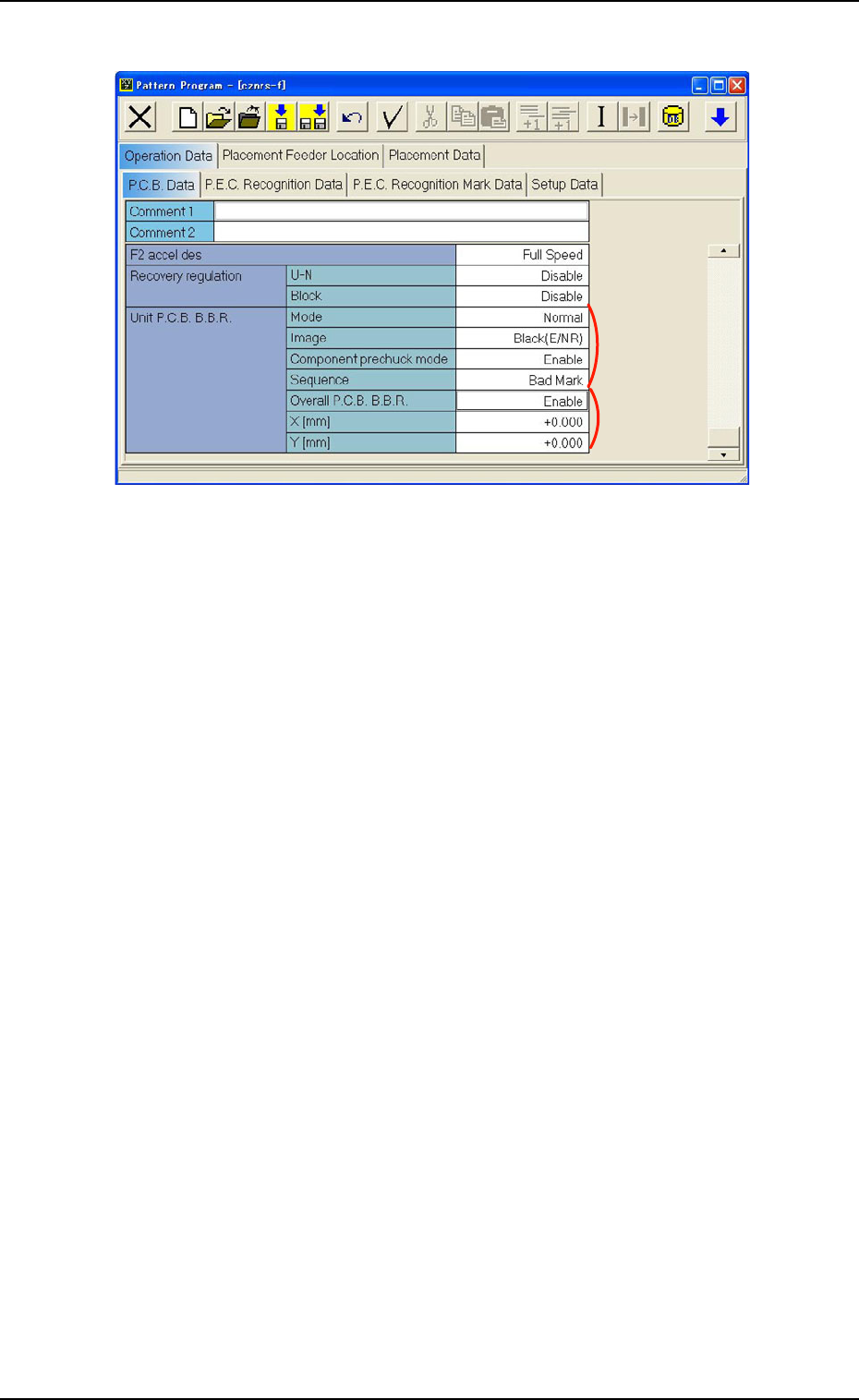
Fig. 3B155 "P.C.B. Data" Tab Sheet
*4 Unit P.C.B. B.B.R. (Option)
Mode
Image, Component prechuck mode, Sequence
When a parameter other than "Disable" is selected for "Mode",
it is required to enter parameters in the text boxes.
*5 Overall P.C.B. B.B.R. (Option)
X [mm] (Horizontal), Y [mm] (Vertical)
When "Enable" is selected for "Overall P.C.B. B.B.R.", it is re-
quired to enter parameters in the text boxes.
*4
*5
4.2 "Operation Data" Tab
0305-001 2-93 AIL01EDTP
*1
*2
4.2 "Operation Data" Tab
0305-001 2-94 AIL01EDTP
4.2.2 "P.E.C. Recognition Data" Tab
• Sheet Layout
When the "P.E.C. Recognition Data" tab is pressed in the "Operation
Data" tab sheet, the following tab sheet appears.
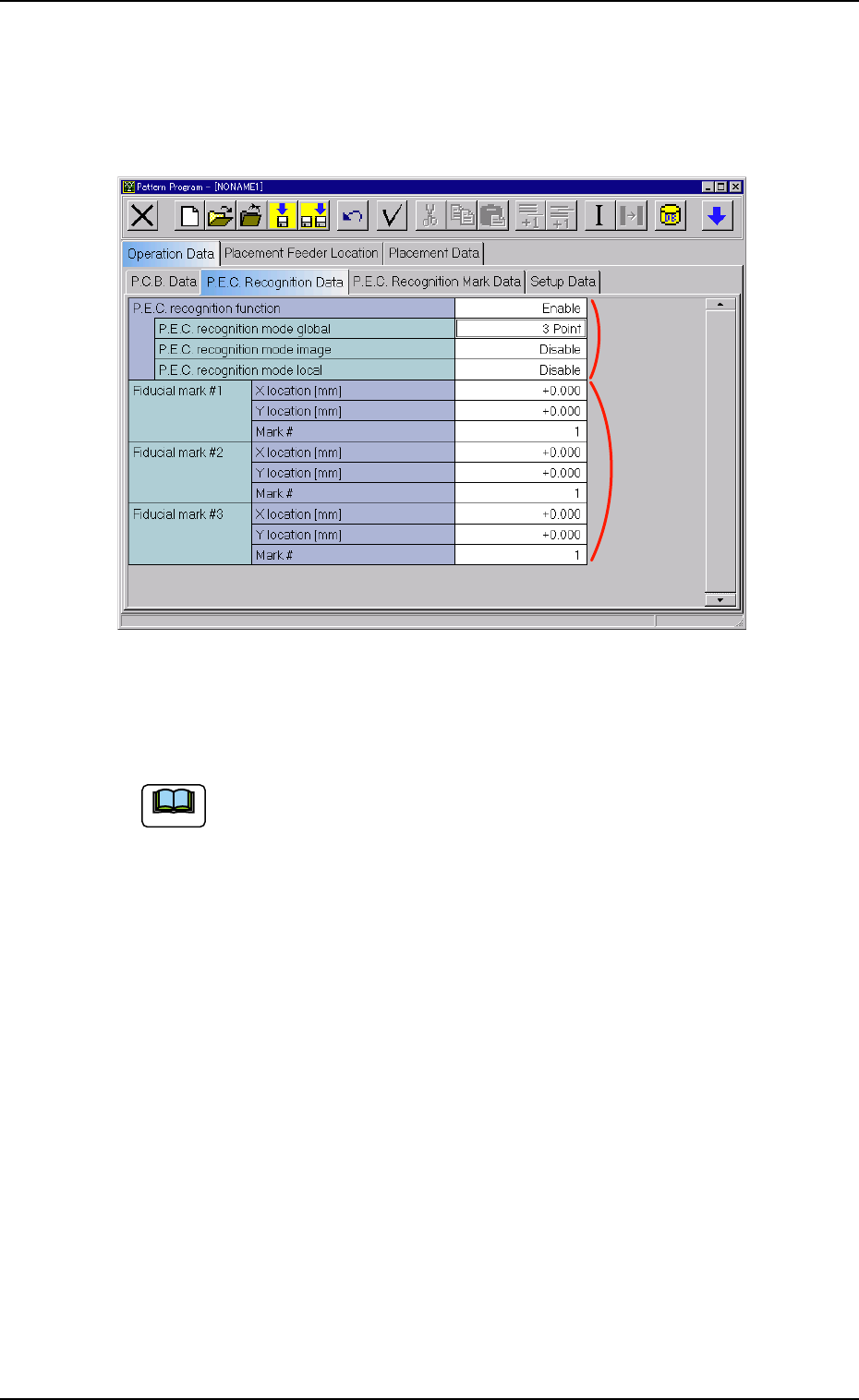
Fig. 3B156 "P.E.C. Recognition Data" Tab sheet
• Sheet Composition
Each parameter is displayed or can be entered.
Refer to "4.1.3 Basic Usage of Text Boxes" for the detailed in-
formation on how to enter parameters.
*1 P.E.C. recognition function
P.E.C. recognition mode global
When "Enable" is selected for "P.E.C. recognition function", it is
required to enter a parameter in the text box.
P.E.C. recognition mode image
When "Enable" is selected for "P.E.C. recognition function", it is
required to enter a parameter in the text box.
P.E.C. recognition mode local
When "Enable" is set in the "P.E.C. recognition function" text box,
it is required to enter a parameter in the text box.
*2 Global Recognition
It is required to enter parameters in the "X location [mm]", "Y loca-
tion [mm]", and "Mark #" text boxes according to the number of fidu-
cial marks selected in the "P.E.C. recognition mode global" text box.
Note
4.2.3. "P.E.C. Recognition Mark Data" Tab
• Sheet Layout
When the "P.E.C. Recognition Mark Data" tab is pressed in the "Op-
eration Data" tab sheet, the following tab sheet appears.
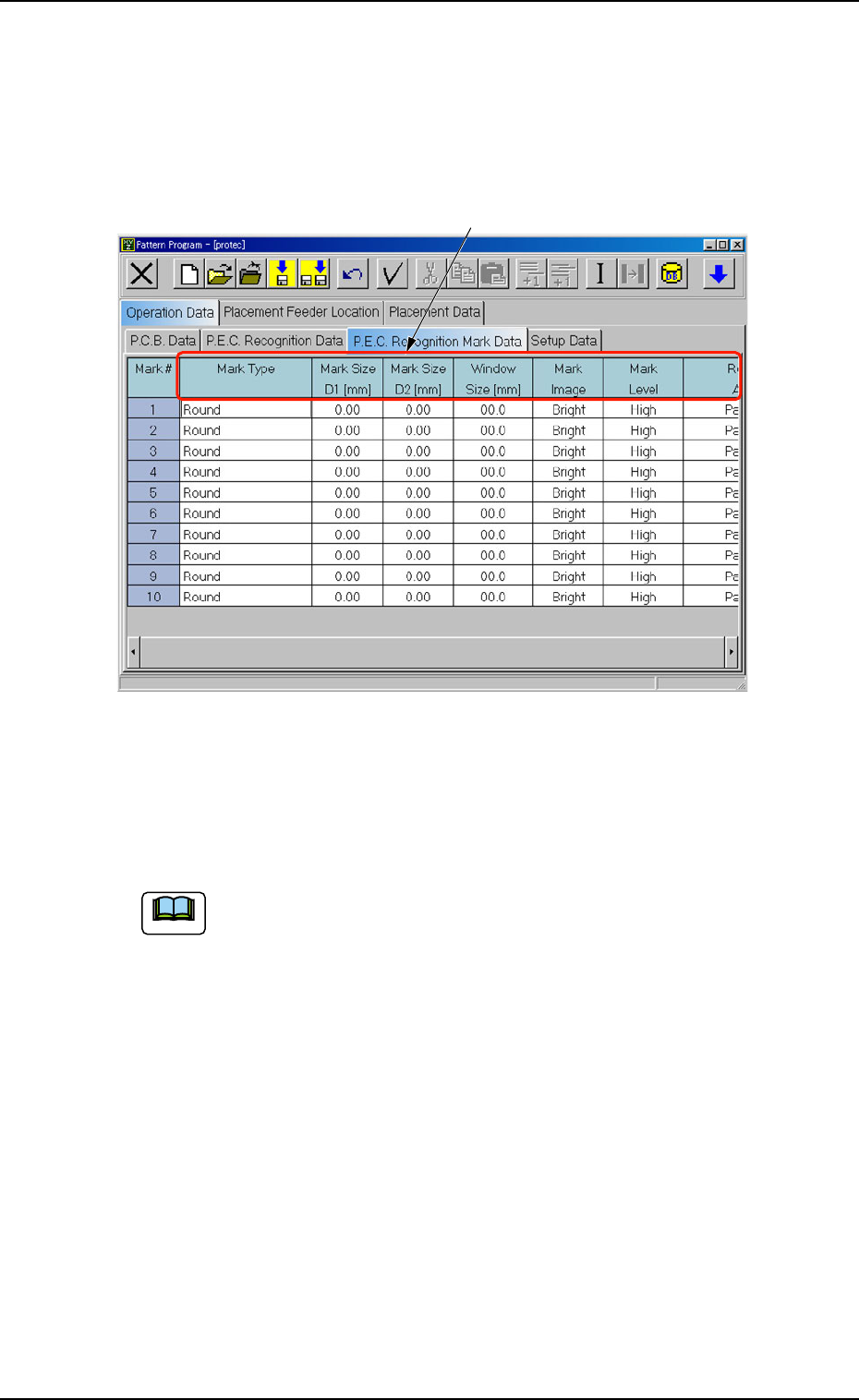
Fig. 3B157 "P.E.C. Recognition Mark Data" Tab Sheet
• Sheet Composition
Each parameter is displayed or can be entered.
Refer to "4.1.3 Basic Usage of Text Boxes" for the detailed in-
formation on how to enter parameters.
*1 Mark Type, Mark Size D1 [mm], Mark Size D2 [mm], Window
Size [mm], Mark Image, Mark Level, Recog Algo
*1
4.2 "Operation Data" Tab
0305-001 2-95 AIL01EDTP
Note