3OM-1003-005.pdf - 第368页
• Operation Procedure (1) When the [Y ear] button is pressed, the following "Y ear" edit window opens. Fig. 3E68 "Y ear" Edit Window (2) Enter a year in the entry field of the "Y ear" edit w…
5.3 "Date & Time Dt" Tab
The corresponding tab sheet enables the operator to set the system
clock (year, month, day, hours, minutes, and seconds) and time zone of
the machine.
The "Date & Time Dt" tab sheet is provided with the following two tab
sheets. When a tab is pressed, the corresponding tab sheet appears.
Table 3E5
Tabs Description
Date & Time The corresponding tab sheet enables the operator to set the internal
clock (year, month, day, hour, minute, and second) in the machine
system.
Time Zone The corresponding tab sheet enables the operator to set the local
time.
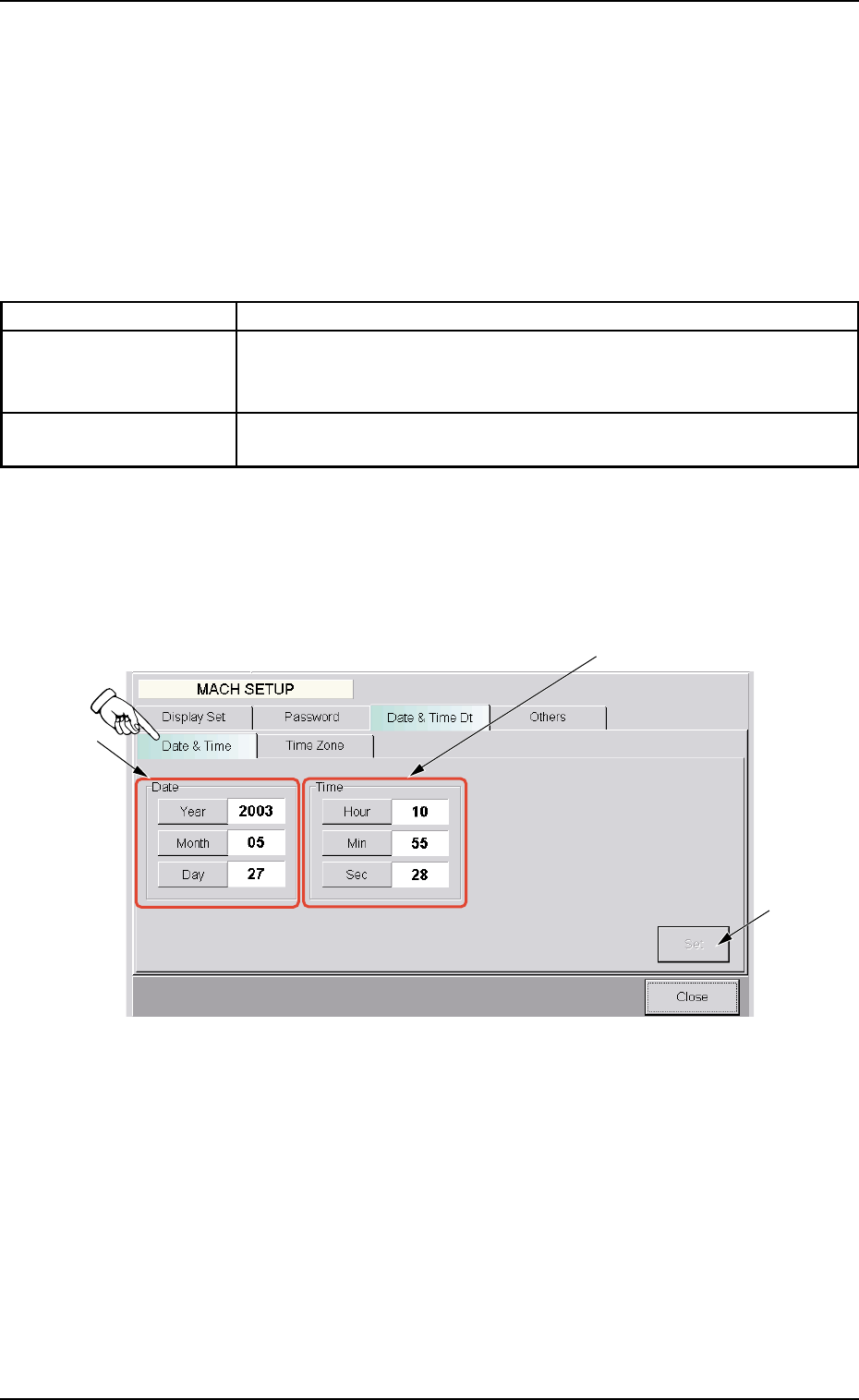
5.3.1 "Date & Time" Tab Sheet
• Sheet Layout
When the "Date & Time" tab is pressed, the following tab sheet ap-
pears.
Fig. 3E67 "Date & Time" Tab Sheet
• Sheet Composition
*1 "Date" Group Box
Each button is used to set the date (year, month, and day).
*2 "Time" Group Box
Each button is used to set the time (hour, minute, and second).
*3 [Set] Button
The selections (year, month, day, hours, minutes, and seconds)
are determined.
5.3 "Date & Time Dt" Tab
*2
*1
*3
0305-001 5-80 AIL01EDTP
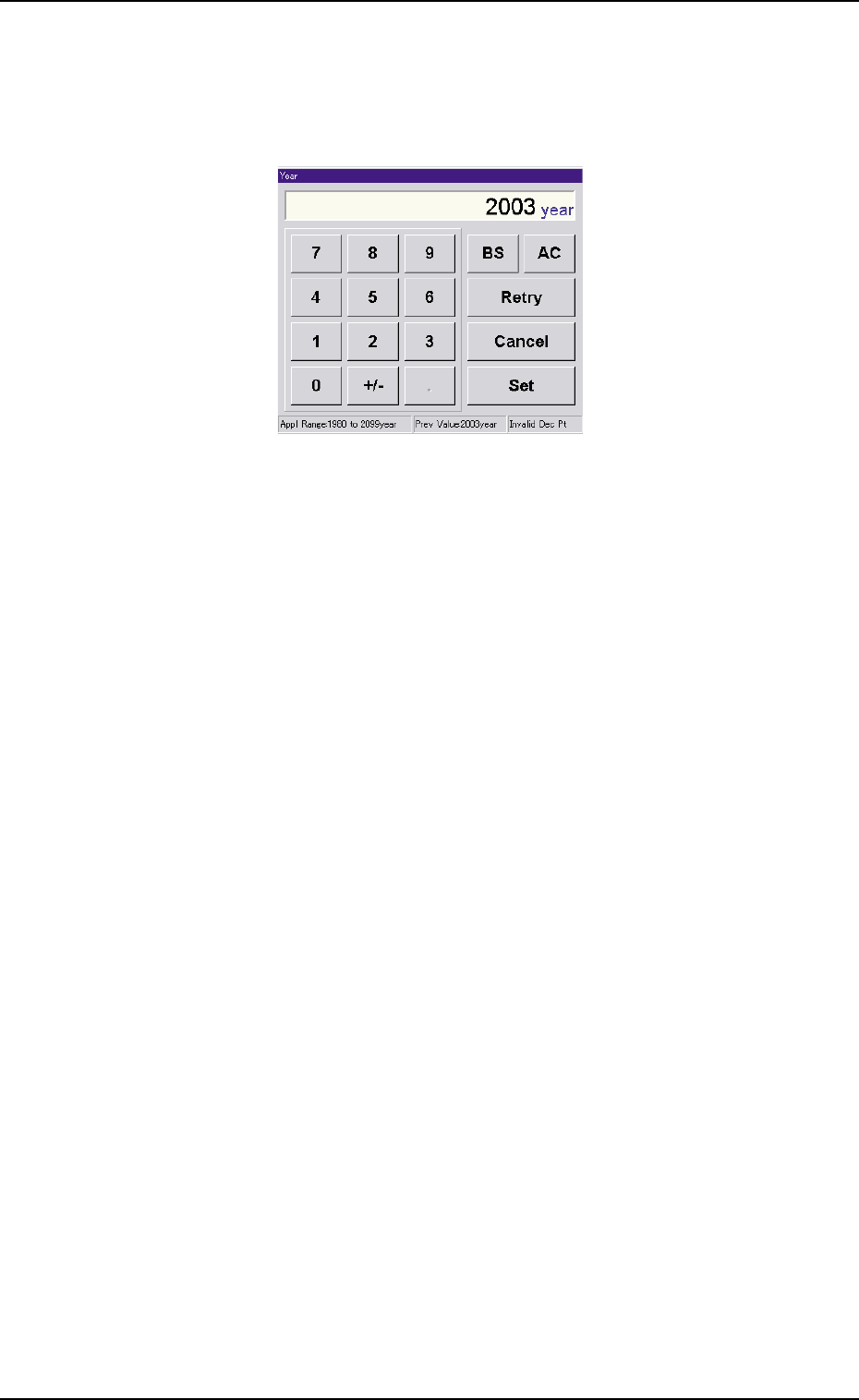
• Operation Procedure
(1) When the [Year] button is pressed, the following "Year" edit window
opens.
Fig. 3E68 "Year" Edit Window
(2) Enter a year in the entry field of the "Year" edit window and press the
[Set] button.
The entered year is set in the text box beside the [Year] button of the
"Date & Time" tab sheet.
(3) Follow the same procedure to specify a month, a day, hours, min-
utes, and seconds.
(4) When the [Set] button of the "Date & Time" tab sheet is pressed, the
settings are determined.
5.3 "Date & Time Dt" Tab
0305-001 5-81 AIL01EDTP
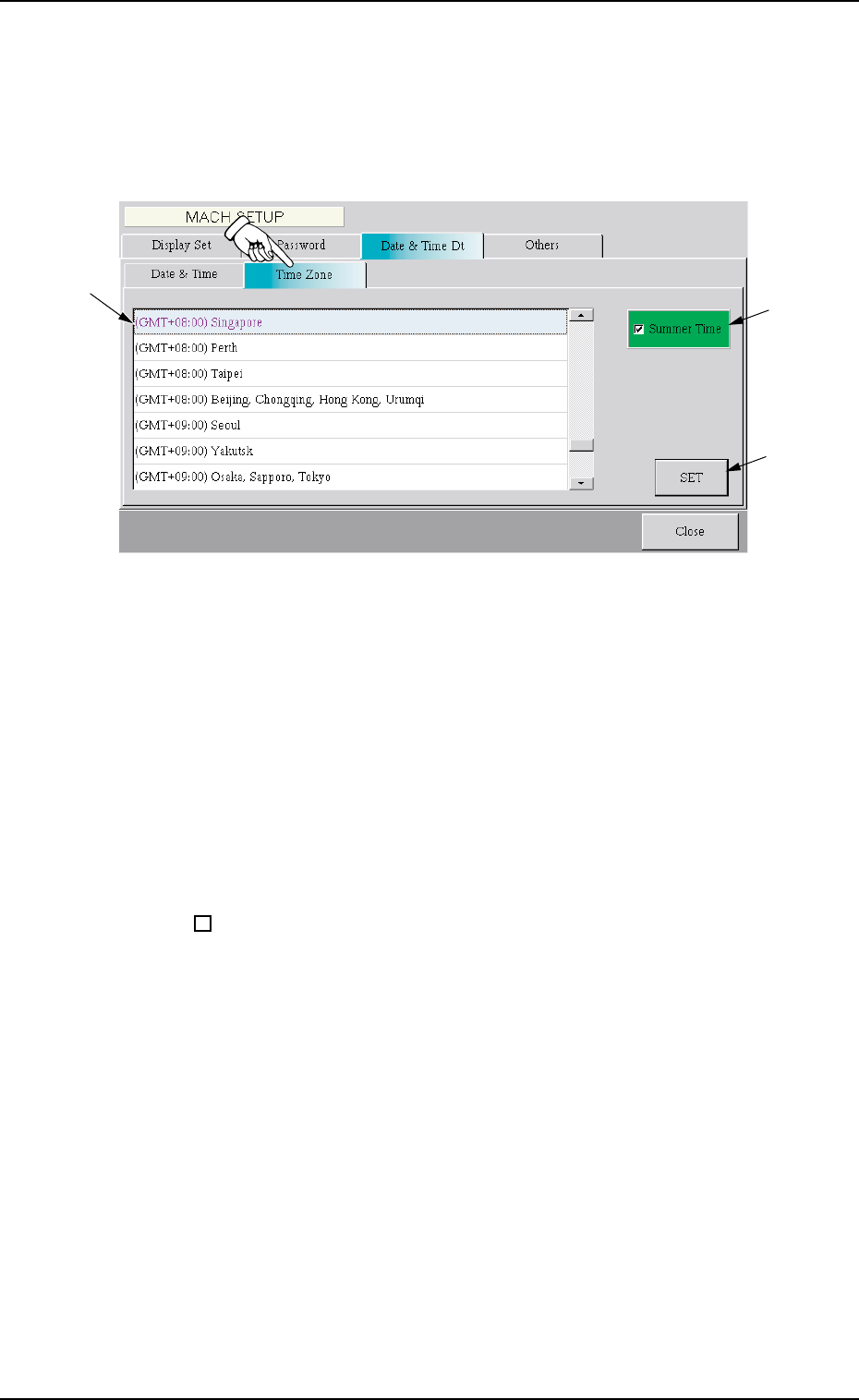
5.3.2 "Time Zone" Tab Sheet
• Sheet Layout
When the "Time Zone" tab is pressed, the following tab sheet appears.
Fig. 3E69 "Time Zone" Tab Sheet
• Sheet Composition
*1 Zone List
Select the local zone (the region where the machine is used).
*2 "Summer Time" Check Box
When the check box is turned on (checked), the summer time is
applied.
: The summer time is not applied.
99
99
9 : The summer time is applied.
*3 [SET] Button
When this button is pressed, the selected time zone is specified.
*1
*2
*3
0305-001 5-82 AIL01EDTP
5.3 "Date & Time Dt" Tab