3OM-1003-005.pdf - 第282页
2. Navigations in "SYSTEM" Window 2.1 Display of Each Window 2.1.1 "System" Window The following describes how to open the "System" window . • Window Layout (1) Press the [SYSTEM] button on …

0305-001 5-2 AIL01EDTP
1.2 Outline of Each Item
1.2 Outline of Each Item
The system setting is composed of the following items.
SYS DATA
This enables the operator to set the device offset data, the automatic
operation data, the light tower, and the alarm system.
NOZ DATA
This enables the operator to set the placement head/nozzle data and
the nozzle data.
MACH SETUP
This enables the operator to set the screen saver function and specify
the unit of length, a language, a password, date and time, etc.
2. Navigations in "SYSTEM" Window
2.1 Display of Each Window
2.1.1 "System" Window
The following describes how to open the "System" window.
• Window Layout
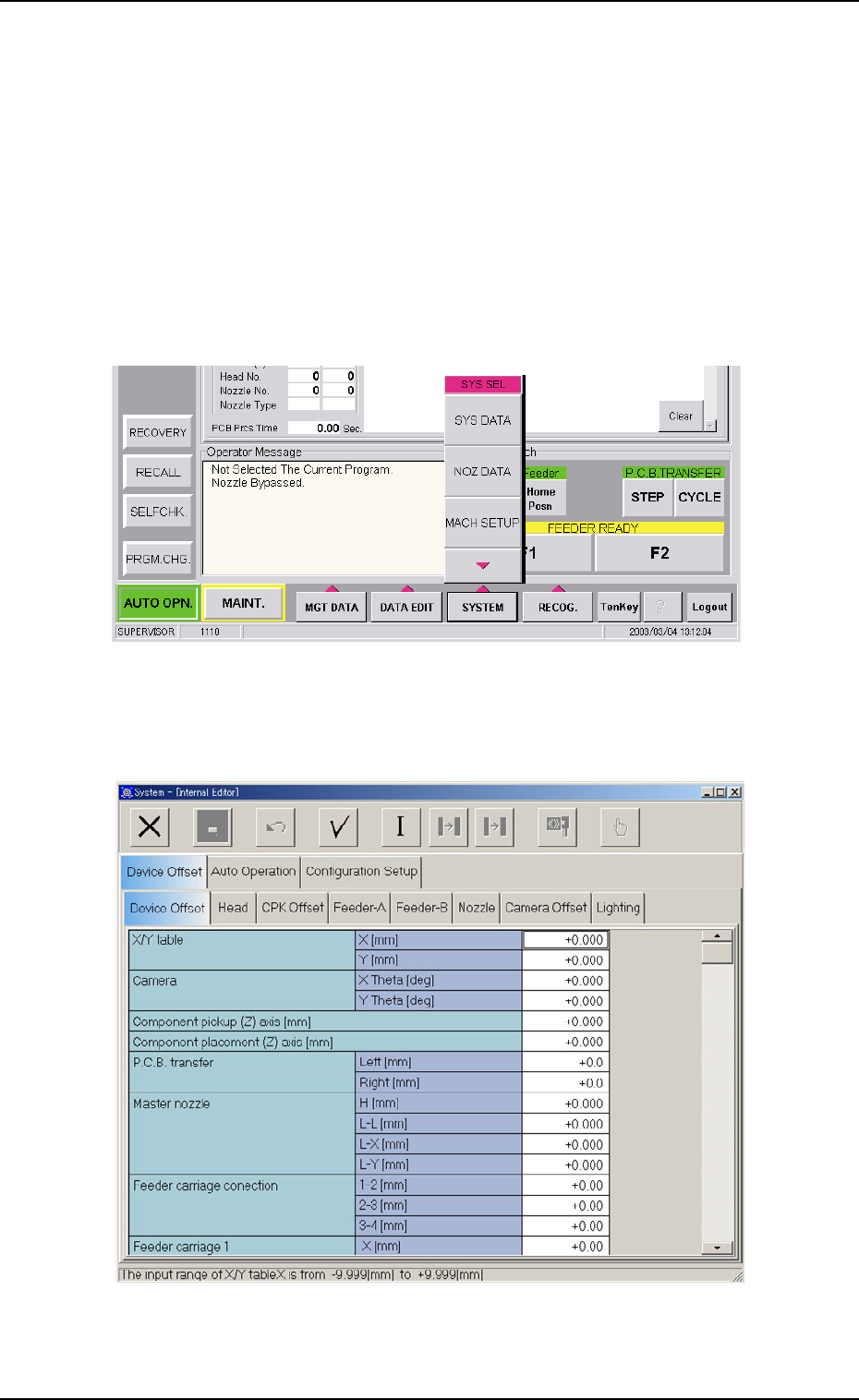
(1) Press the [SYSTEM] button on the main menu bar. The "SYS SEL"
menu opens.
Fig. 3E2
(2) Press the [SYS DATA] button.
The "System" window opens.
Fig. 3E3 "System" Window
0403-002 5-3
AIL01EDTP
2. Navigations in "SYSTEM" Window
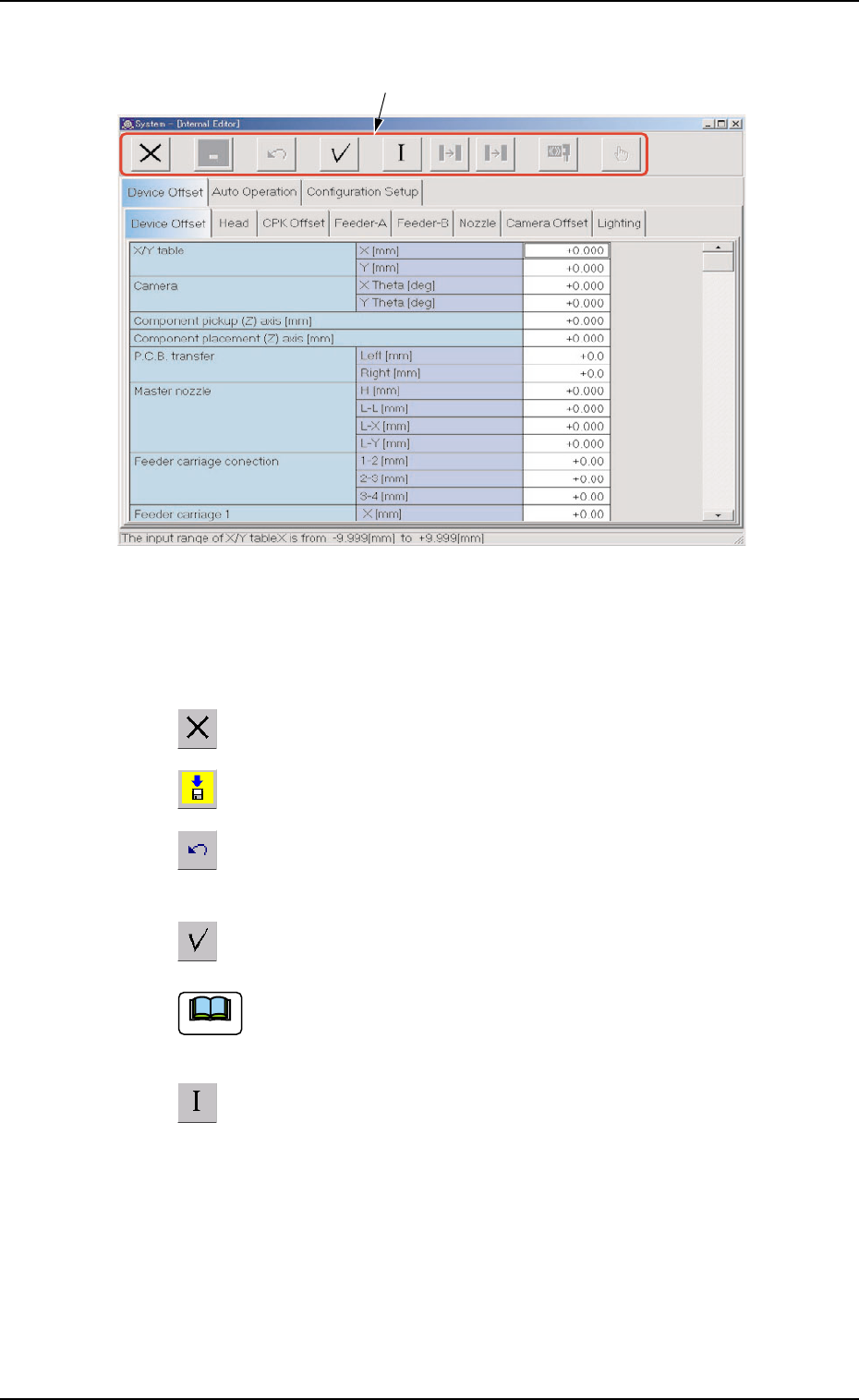
• Composition of "System" Window
Fig. 3E4 "System" Window
*1 Icons
The following functions can be executed.
: When pressed, this icon closes the "System" window.
: When pressed, this icon saves the edited contents.
: When pressed, this icon reverses the effect of your previ-
ous action.
: When pressed, this icon checks the entered parameters.
When an error is found, an error message box opens.
: When pressed, this icon initializes the selection (sets the
defaults).
0305-001 5-4
AIL01EDTP
*1
Note
2.1 Display of Each Window