3OM-1003-005.pdf - 第288页
2.1.3 "MACH SETUP" Window The following describes how to open the "MACH SETUP" window . • Window Layout (1) Press the [SYSTEM] button on the main menu bar . The "SYS SEL" menu opens. Fig. 3E…
: When pressed, the "Nozzle Type Property" window opens,
enabling the operator to add a new nozzle type.
This function is available only in the "Nozzle Data" tab sheet.
: When pressed, this button deletes the selected nozzle
type.
This function is available only in the "Nozzle Data" tab sheet.
: When pressed, this button opens the "Nozzle Type Prop-
erty" window for the selected nozzle type, enabling the
operator to change the nozzle type.
This function is available only in the "Nozzle Data" tab sheet.
: When pressed, this icon fills all the selected text boxes
with the parameter in the first text box.
: When pressed, this icon fills all the selected text boxes
with the parameter in the last text box.
: When pressed, this icon initializes the selection (sets the
defaults).
0305-001 5-8
AIL01EDTP
2.1 Display of Each Window
Note
Note
Note
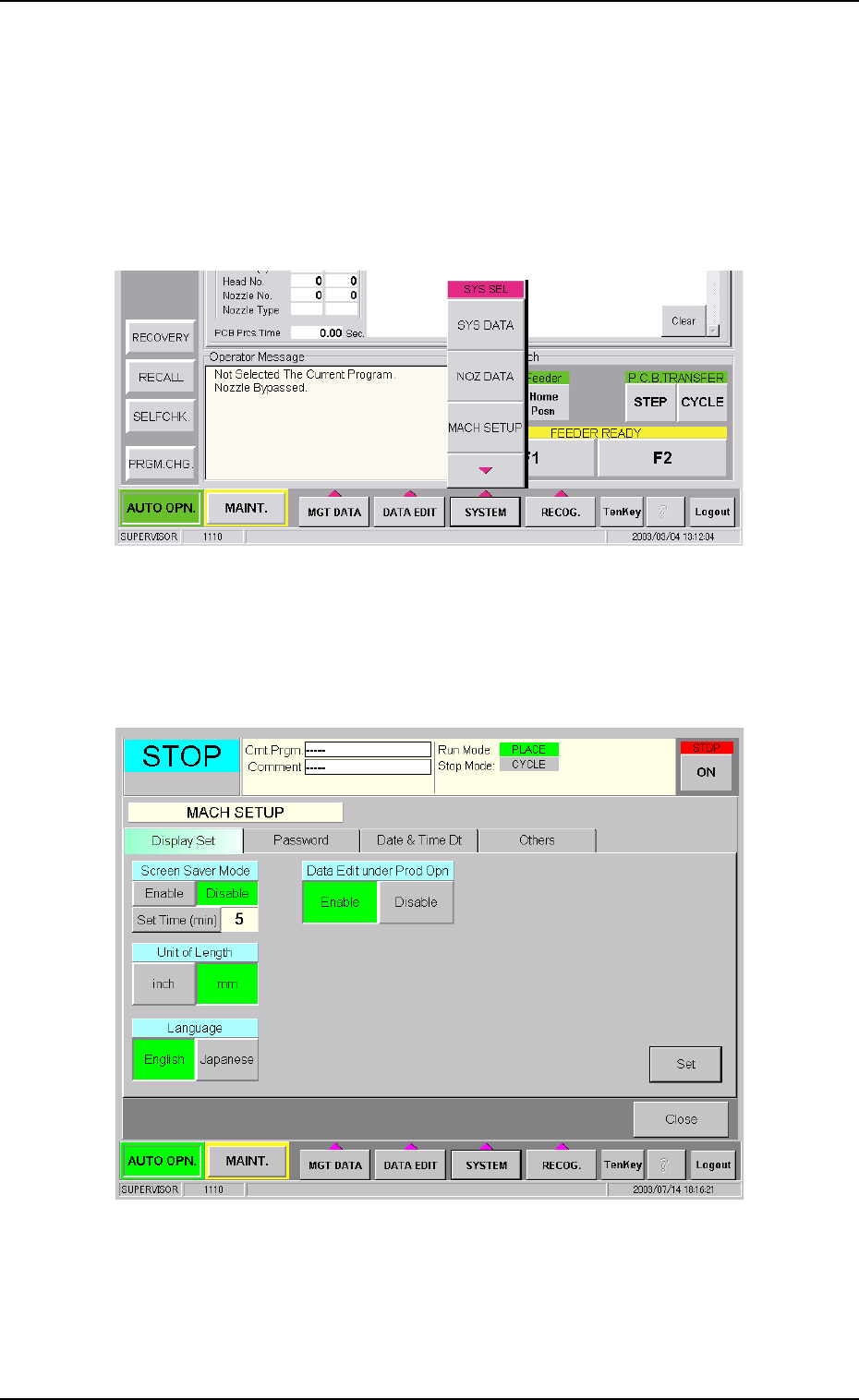
2.1.3 "MACH SETUP" Window
The following describes how to open the "MACH SETUP" window.
• Window Layout
(1) Press the [SYSTEM] button on the main menu bar. The "SYS SEL"
menu opens.
Fig. 3E8
(2) Press the [MACH SETUP] button. The "MACH SETUP" window
opens.
Fig. 3E9 "MACH SETUP" Window
0305-001 5-9
AIL01EDTP
2.1 Display of Each Window
3. "System" Window
3.1 Outline of "System" Window
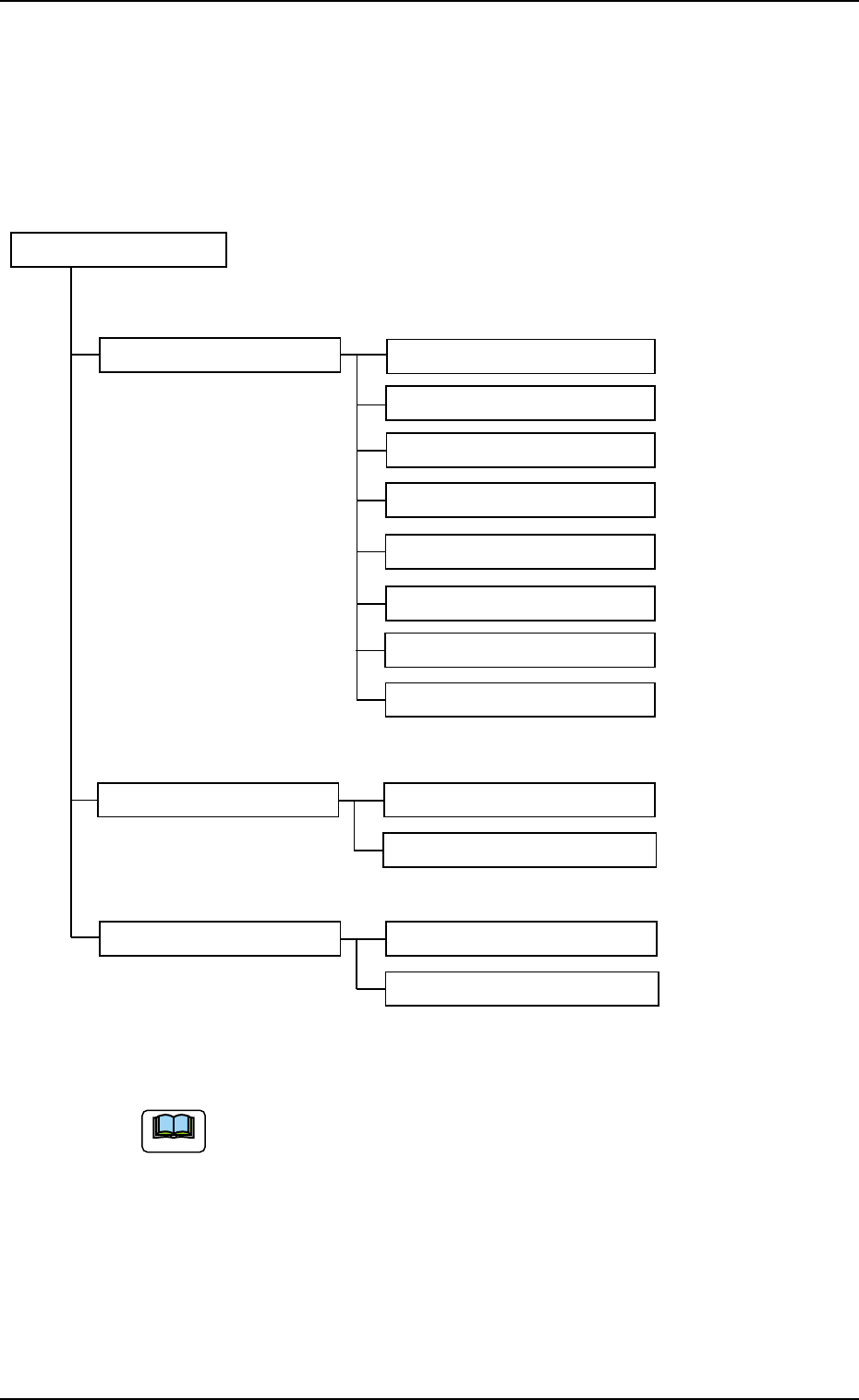
The "System" window is composed of the following items.
"System" Window
Tab Tabs (Tab Sheets) Reference Item Nos.
Device Offset (3.2) Device Offset (3.2.1)
Head (3.2.2)
CPK Offset (3.2.3)
Feeder-A (3.2.4)
Feeder-B (3.2.4)
Nozzle (3.2.5)
Camera Offset (3.2.6)
Lighting (3.2.7)
Auto Operation (3.3) Auto Operation Setup (3.3.1)
P.C.B. Transfer Mode Setup (3.3.2)
Configuration Setup (3.4) Light Tower Setup (3.4.1)
Alarm Setup (3.4.2)
Fig. 3E10
The numbers in ( ) represent Nos. of items which can be re-
ferred to for details.
0403-002 5-10
AIL01EDTP
3. "System" Window
Note