3OM-1003-005.pdf - 第334页
0305-001 5-48 AIL01EDTP *5 Feeder message rate Error counts [times], # of picks [times] Set the parameters to show the feeder slot No. (Fdr . No.) of the tape feeder whose pickup rate has deteriorated during automatic op…
051 1-001 5-47-5 AIL01EDTP
3.3 "Auto Operation" Tab
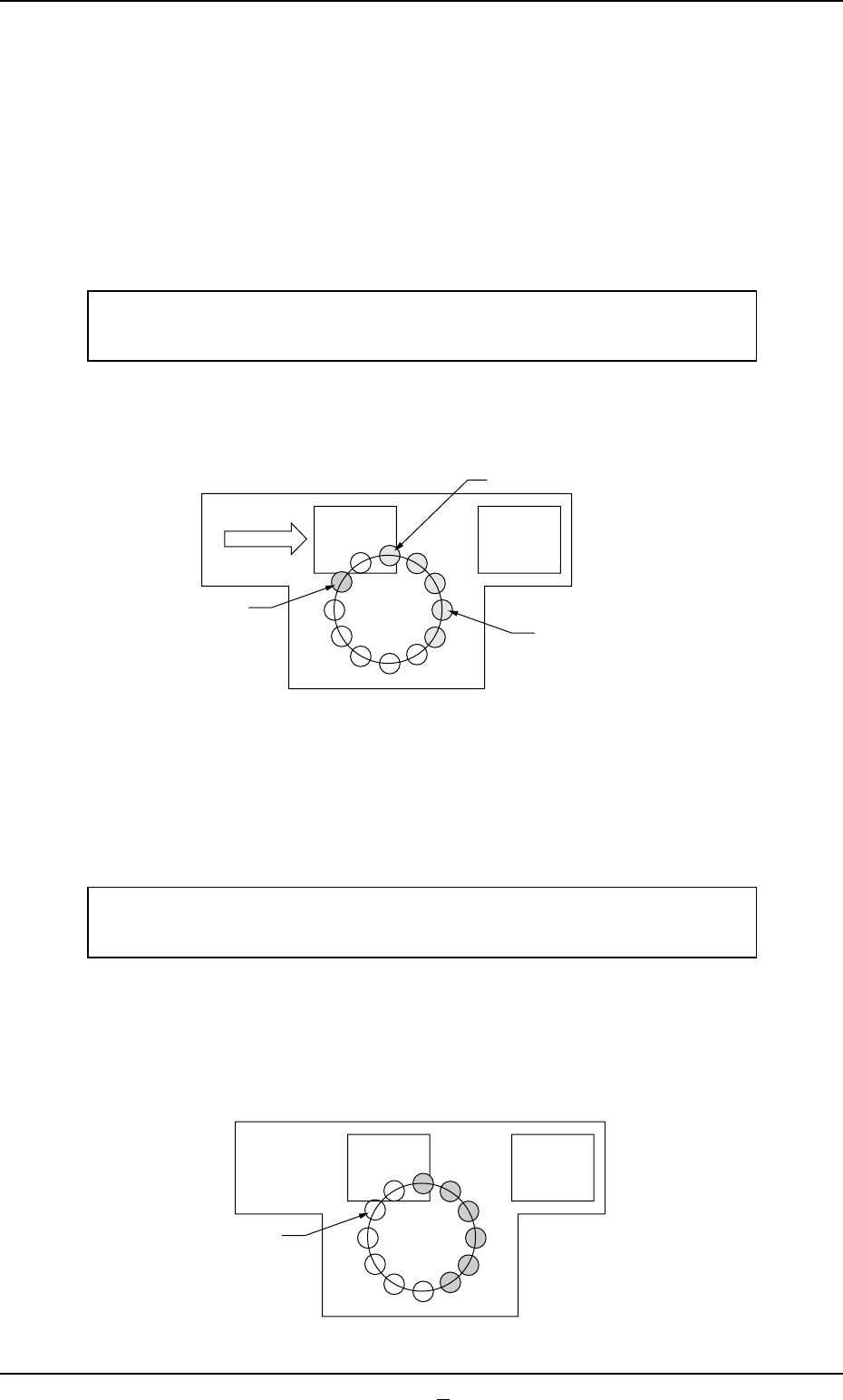
• Example of "Sampling Bias"
Mode = Sampling Bias, Bias coefficient (X) [%] = 50,
Bias coefficient (Y) [%] = 50
First Follow-Up after Component Replacement
The deviation is measured based on the first (= sample) com-
ponent recognition that was performed when a component was
picked up after component replacement.
Deviation as Result of 1-time Recognition ×
90% (50% + 40%) = Calculation of First Corrected Value
This "First Corrected Value" is reflected on the pickup motions
taken subsequently after "Next" in the figure.
Second Follow-Up after Component Replacement
The deviations are measured based on the component recogni-
tions that were performed twice (the number of component picks)
with the first corrected value.
Mean of Deviations as Results of 2-time Recognitions ×
70% (50% + 40%/2) = Calculation of Second Corrected Value
This "Second Corrected Value" is also reflected on the pickup
motions taken subsequently after "Next" in the figure.
(The third and subsequent follow-ups are the same as "Stan-
dard".)
1
Next
Fig. 3E44-3
Component
Recognition
Component Pickup
1
2
Next
Fig. 3E44-4

0305-001 5-48 AIL01EDTP
*5 Feeder message rate
Error counts [times], # of picks [times]
Set the parameters to show the feeder slot No. (Fdr. No.) of the tape
feeder whose pickup rate has deteriorated during automatic opera-
tion.
When the number of picks has reached the specified value, the
parameter in the "Error counts [times]" text box is cleared.
When the number of pickup errors has reached the specified error
counts before the number of picks reaches the specified number of
picks, a warning message is issued as machine information.
(a) The number of picks and pickup errors is managed for
each feeder slot No. but the parameters in the "Error counts
[times]" and "# of picks [times]" text boxes are equally re-
flected on every feeder slot No.
(b) The data input range is "0 to 9999" (times) for both "Error
counts [times]" and "# of picks [times]".
(c) When "0" (zero) is set for "# of picks [times]" and "Error
counts [times]" or the parameter in the "Error counts
[times]" text box is larger than the parameter in the "# of
picks [times]" text box, no warning message is issued.
3.3 "Auto Operation" Tab
Note

*6 Nozzle message rate
Error counts [times], # of picks [times]
Set the parameters to show the nozzle No. whose pickup rate has
deteriorated during automatic operation.
When the number of picks has reached the specified value, the
parameter in the "Error counts [times]" text box is cleared.
When the number of pickup errors has reached the specified error
counts before the number of picks reaches the specified number of
picks, a warning message is issued as machine information.
(a) The number of picks and pickup errors is managed for
each feeder slot No. but the parameters in the "Error counts
[times]" and "# of picks [times]" text boxes are equally re-
flected on every feeder slot No.
(b) These parameters are not reflected on the automatic
nozzle bypass function. This is only for warning and guid-
ance.
(c) It is recommended that a comparatively short span be
specified.
(d) This function is provided to survey and avoid machine’s
malfunctions which may be caused during the start-up
operation of the machine.
(e) The data input range is "0 to 9999" (times) for both "Error
counts [times]" and "# of picks [times]"
(f) When "0" (zero) is set for "# of picks [times]" and "Error
counts [times]" or the parameter in the "Error counts
[times]" text box is larger than the parameter in the "# of
picks [times]" text box, no warning message is issued.
*7 Finished product interval (Reserved Data)
Mode, Interval [times]
This is one of the progress information messages displayed as ma-
chine information. When "Monitor" is set in the "Mode" text box, the
number of processed products can be monitored every time the
number of processed P.C.B.’s reaches the specified parameter in
the "Interval [times]" text box.
When "0" (zero) is set in the "Interval [times]" text box, the num-
ber of processed products cannot be monitored.
051 1-002 5-49
AIL01EDTP
3.3 "Auto Operation" Tab
Note
Note