3OM-1003-005.pdf - 第370页
051 1-002 5-83 AIL01EDTP 5.4 "Others" T ab 5. 4 "Others" T ab The corresponding tab sheet enables the operator to connect the com- puter system of the machine to the local network (Ethernet LAN). • Sh…
5.3.2 "Time Zone" Tab Sheet
• Sheet Layout
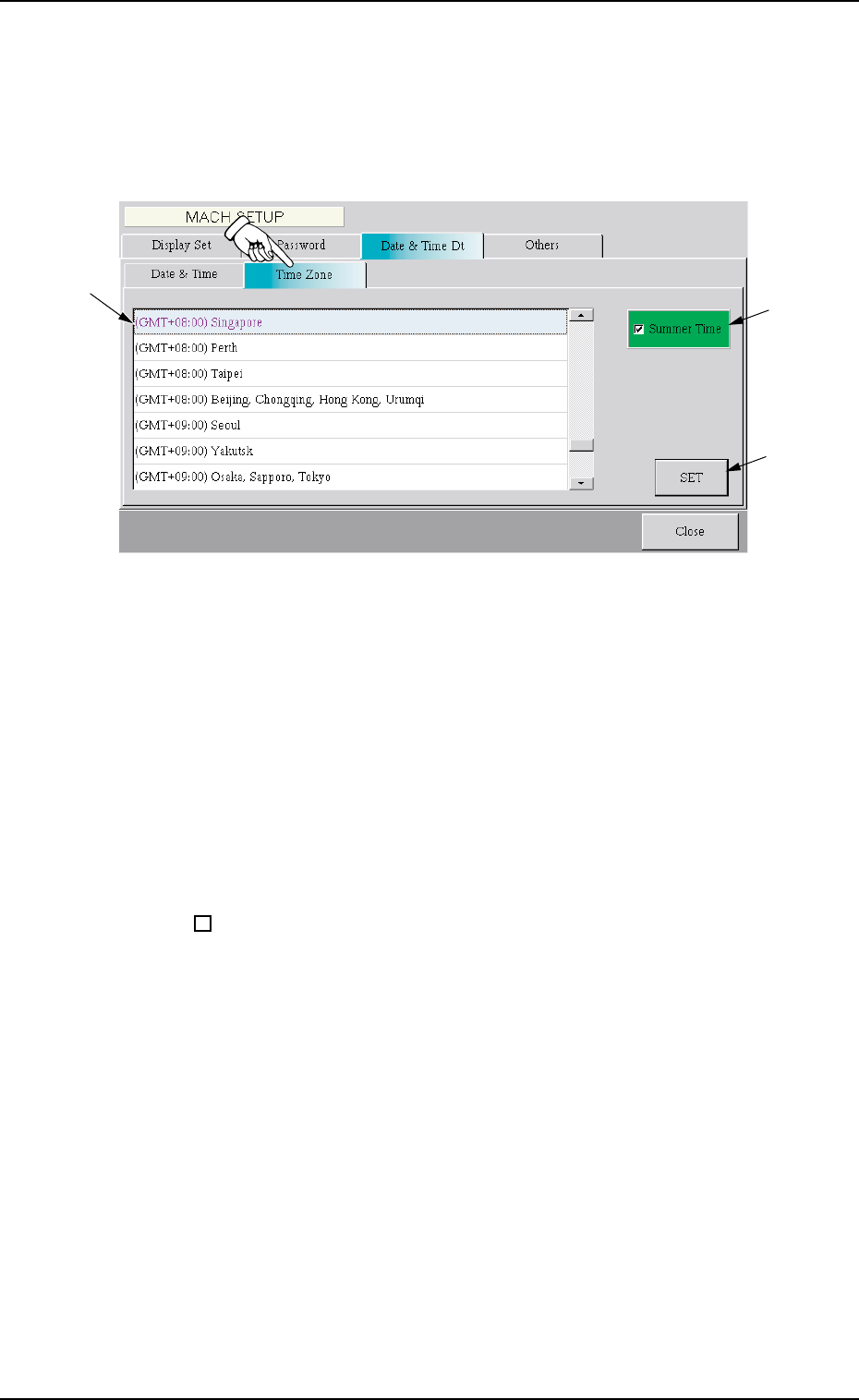
When the "Time Zone" tab is pressed, the following tab sheet appears.
Fig. 3E69 "Time Zone" Tab Sheet
• Sheet Composition
*1 Zone List
Select the local zone (the region where the machine is used).
*2 "Summer Time" Check Box
When the check box is turned on (checked), the summer time is
applied.
: The summer time is not applied.
99
99
9 : The summer time is applied.
*3 [SET] Button
When this button is pressed, the selected time zone is specified.
*1
*2
*3
0305-001 5-82 AIL01EDTP
5.3 "Date & Time Dt" Tab
051 1-002 5-83 AIL01EDTP
5.4 "Others" Tab
5.4 "Others" Tab
The corresponding tab sheet enables the operator to connect the com-
puter system of the machine to the local network (Ethernet LAN).
• Sheet Layout
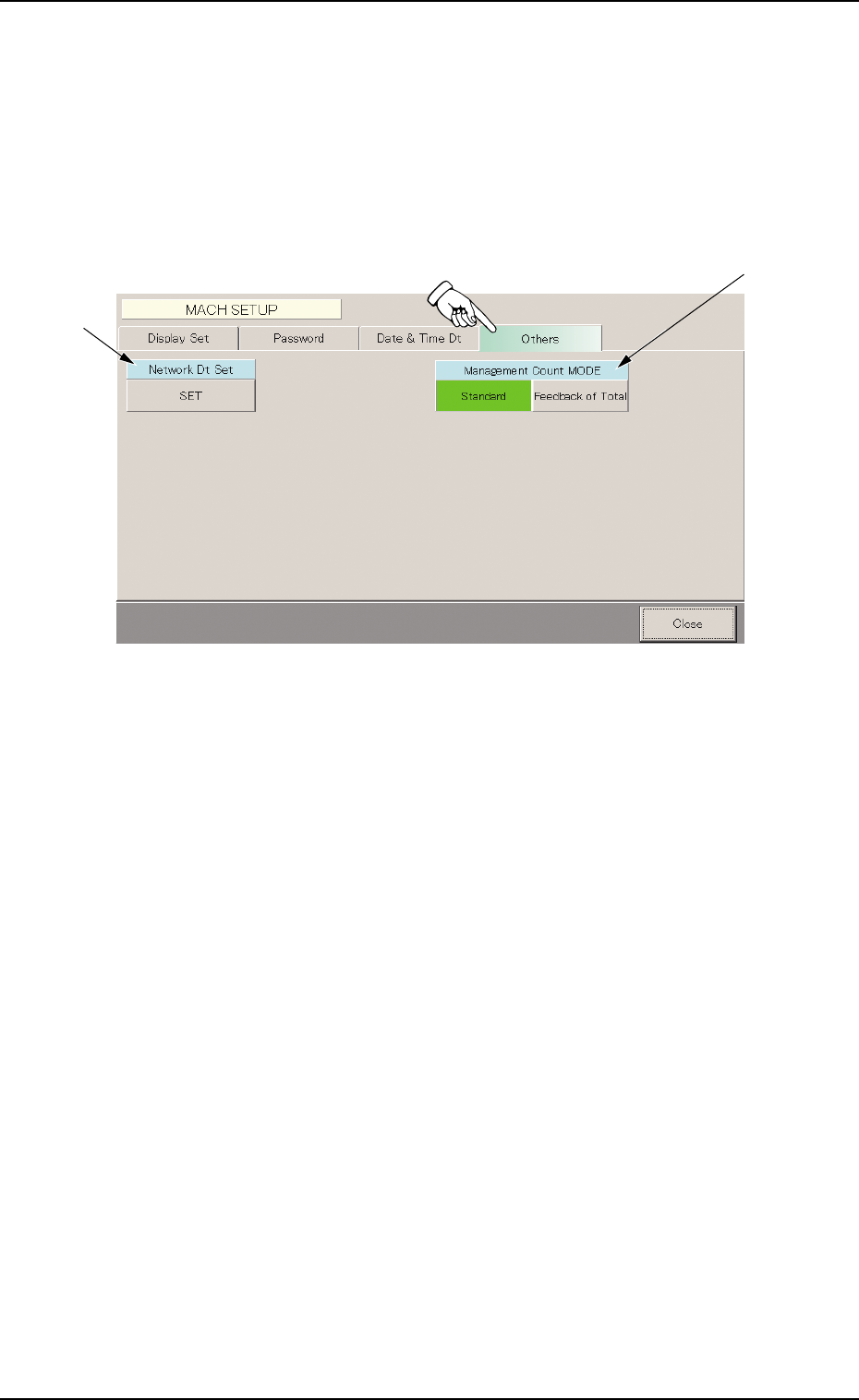
When the "Others" tab is pressed, the following tab sheet appears.
Fig. 3E70 "Others" Tab Sheet
• Sheet Composition
*1 Network Dt Set
To connect the computer system of the machine to the local net-
work, press the [SET] button.
*2 Management Count MODE
The [Standard] or the [Feedback of Total] button can be selected as
a management count mode for component shortage.
[Standard] Button
Based on the detected component shortage errors, the number of
component shortage counts are subtracted in the management data.
[Feedback of Total] button
Regardless of the detected component shortage error, the number
of component shortage counts that fulfill the requirements specified
in "Error process 1" and "Error process 2" in the component library
data are subtracted in the management data.
*1
*2
0403-002 5-84 AIL01EDTP
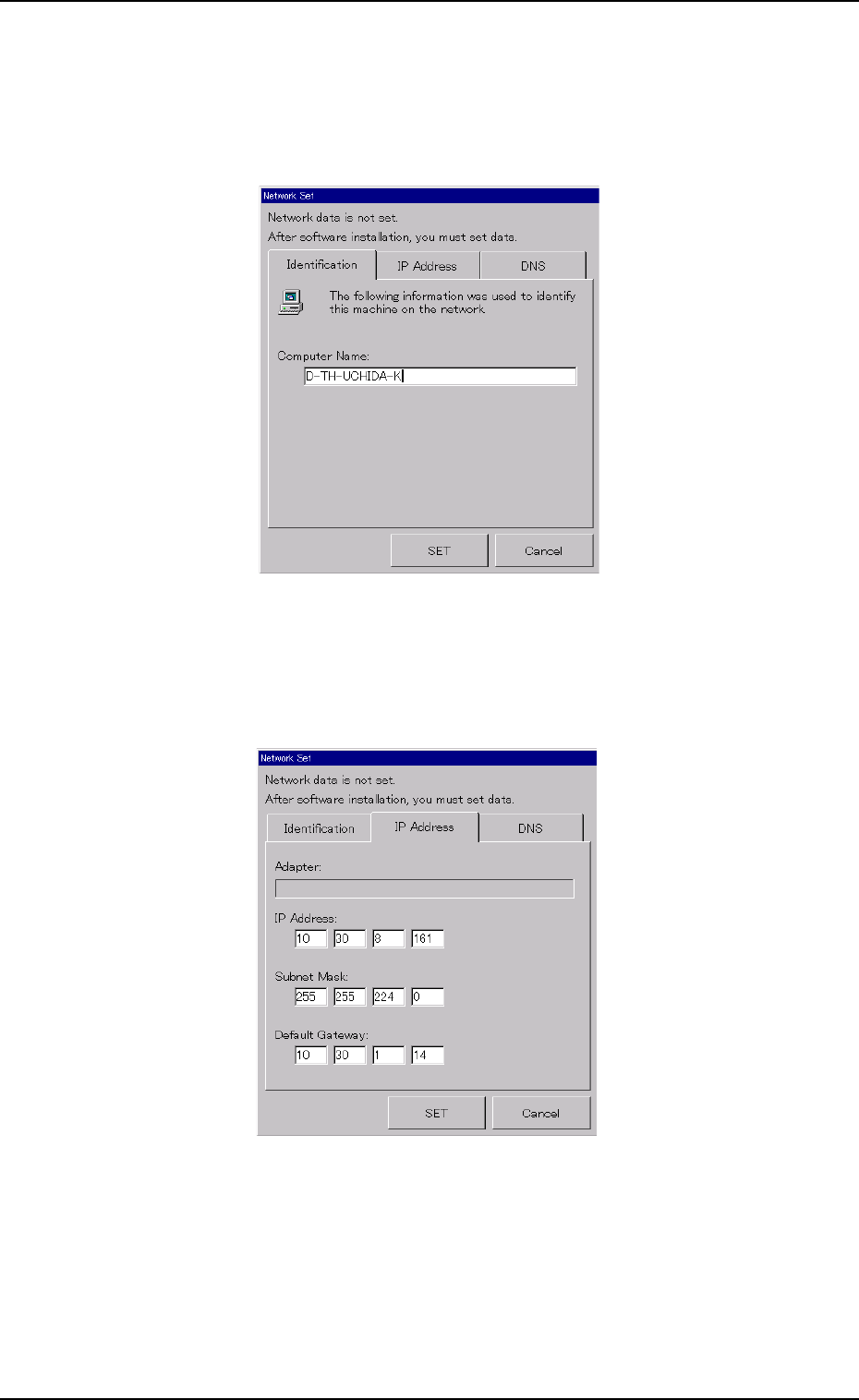
• Setting Up a Network System
(1) In the "Identification" tab sheet, specify the computer name of this
machine.
Fig. 3E71 "Network Set" Window ("Identification" Tab Sheet)
(2) In the "IP Address" tab sheet, specify the IP address to be used.
Fig. 3E72 "Network Set" Window ("IP Address" Tab Sheet)
5.4 "Others" Tab