3OM-1003-005.pdf - 第359页
4.2 "Nozzle Data" T ab 0305-001 5-72 AIL01EDTP How to change the nozzle type (1) Select the nozzle data to be changed. (2) Press the [Property] button. The "Nozzle T ype Property" window opens. (3) Ch…
• Operation Procedure
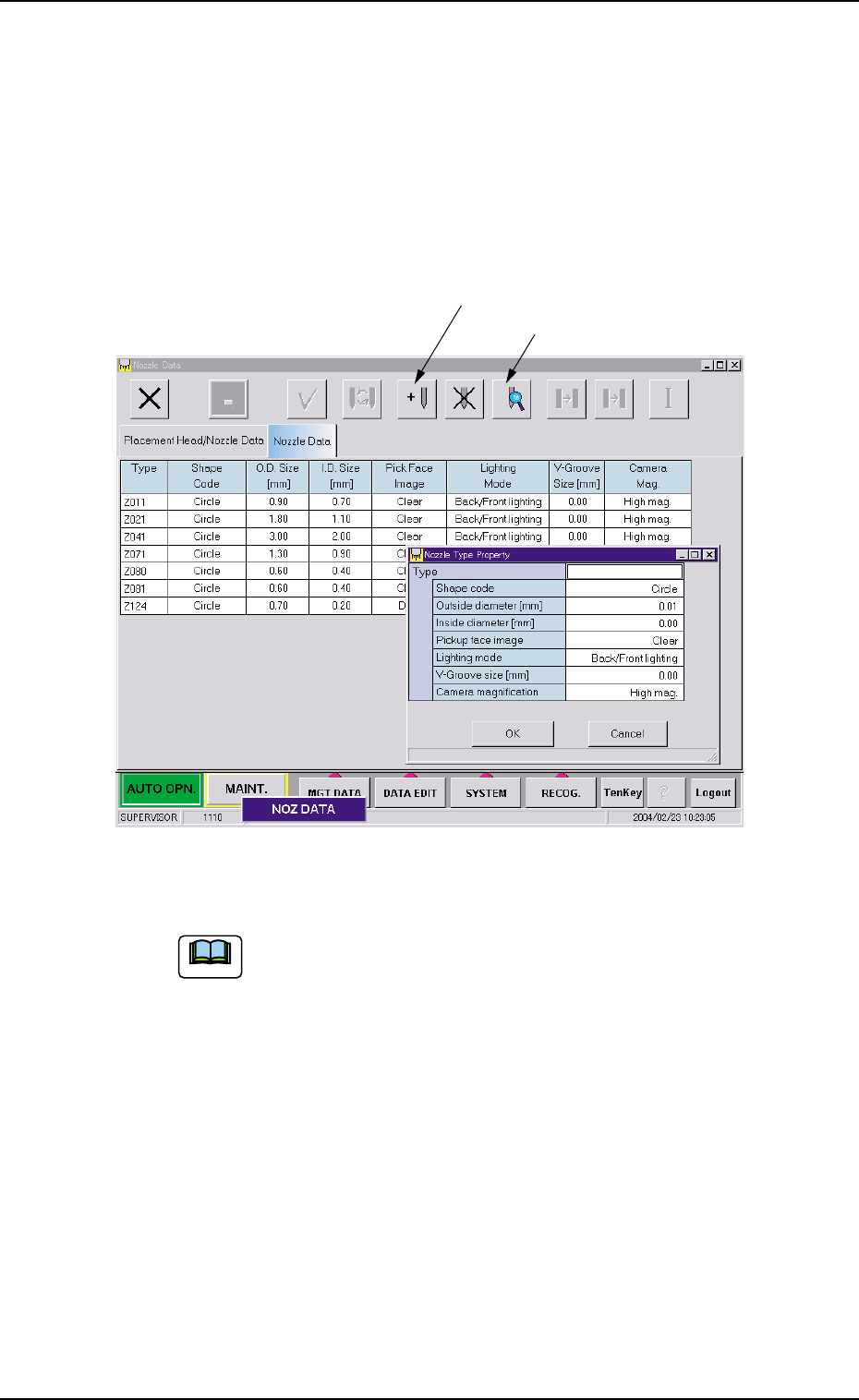
New Addition of Nozzle Type
When a special nozzle is attached, the nozzle type data must be
registered.
(1) Press the [Add] button.
The "Nozzle Type Property" window opens.
Fig. 3E59
(2) Enter the nozzle data.
Refer to "4. Vacuum Nozzle Types" in "Section 1 (Vol. 2:
Operation (Supervisor))" for shape of each nozzle and ap-
plicable components.
(3) Press the [OK] button.
The nozzle data is newly added.
4.2 "Nozzle Data" Tab
[New Addition]
[Property]
0403-002 5-71 AIL01EDTP
Note

4.2 "Nozzle Data" Tab
0305-001 5-72 AIL01EDTP
How to change the nozzle type
(1) Select the nozzle data to be changed.
(2) Press the [Property] button.
The "Nozzle Type Property" window opens.
(3) Change the data.
(4) Press the [OK] button.
The nozzle data is newly added.
When the [Cancel] button is pressed in the "Nozzle Type
Property" window, the window closes without newly add-
ing or modifying the data.
Note
5. "MACH SETUP" Window
• Window Layout
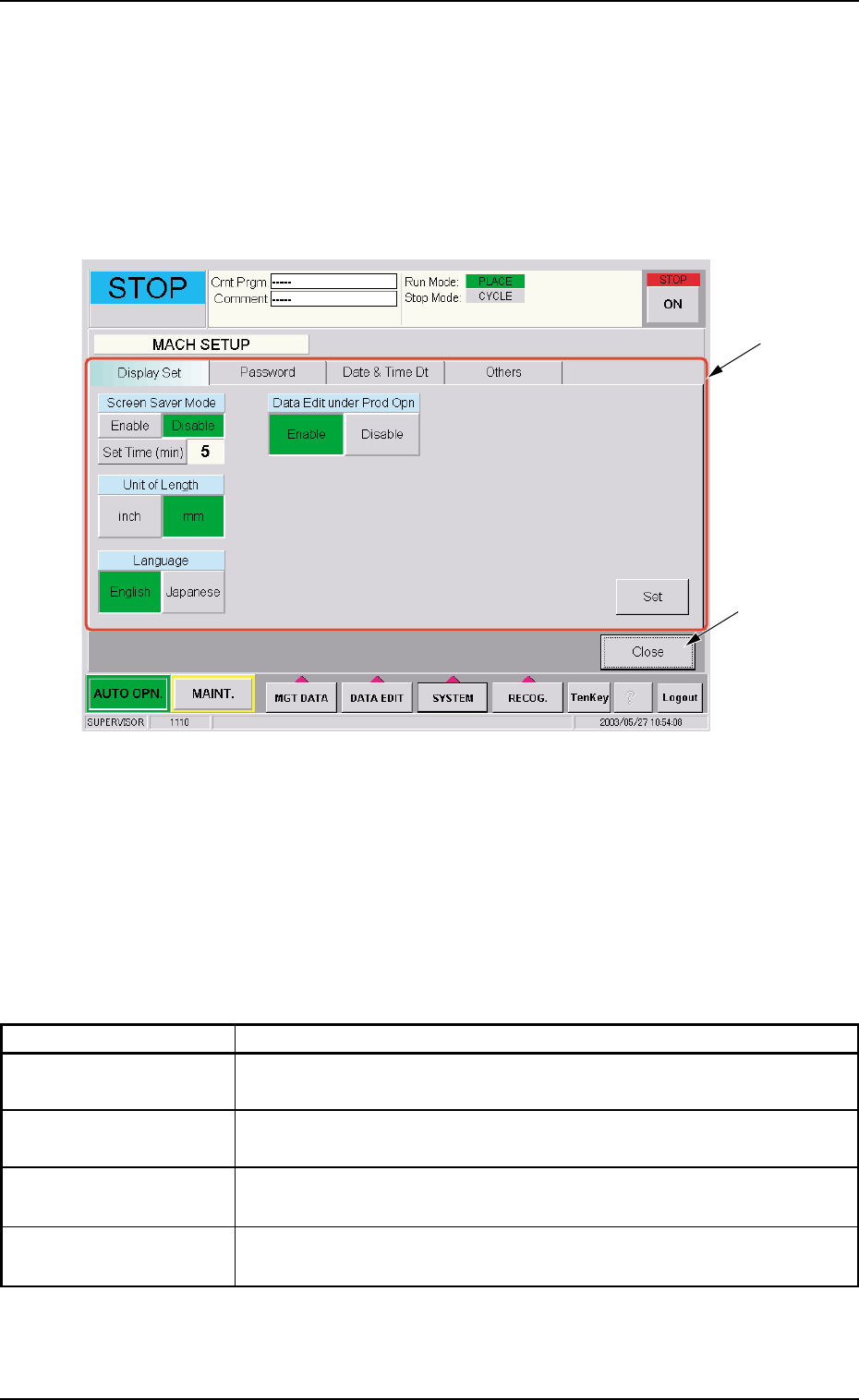
When the [SYSTEM] button on the main menu bar is pressed, the "SYS
SEL" menu opens. When the [MACH SETUP] button is selected, the
following window opens.
Fig. 3E60 "MACH SETUP" Window
• Window Composition
*1 Tabs and Tab Sheets
The "MACH SETUP" window is provided with the following 4 tab
sheets. When a tab is pressed, the corresponding tab sheet ap-
pears inside the window.
Table 3E3
Tabs Description
Display Set The corresponding tab sheet enables the operator to set the screen
saver function and specify the unit of length and a language.
Password The corresponding tab sheet enables the operator to set a password
and the scope of authority according to the given authority.
Date & Time Dt The corresponding tab sheet enables the operator to set the system
clock and time zone of the machine.
Others The corresponding tab sheet enables the operator to connect the
computer system of the machine to the local network.
*2 [Close] Button
When this button is pressed, the "MACH SETUP" window closes.
*1
*2
5 "MACH SETUP" Window
0305-001 5-73 AIL01EDTP