3OM-1003-005.pdf - 第372页
(3) In the "DNS" tab sheet, specify the domain name system (host and domain names). Fig. 3E73 "Network Set" Window ("DNS" T ab Sheet) (4) When the [SET] button is pressed, the network is con…
0403-002 5-84 AIL01EDTP
• Setting Up a Network System
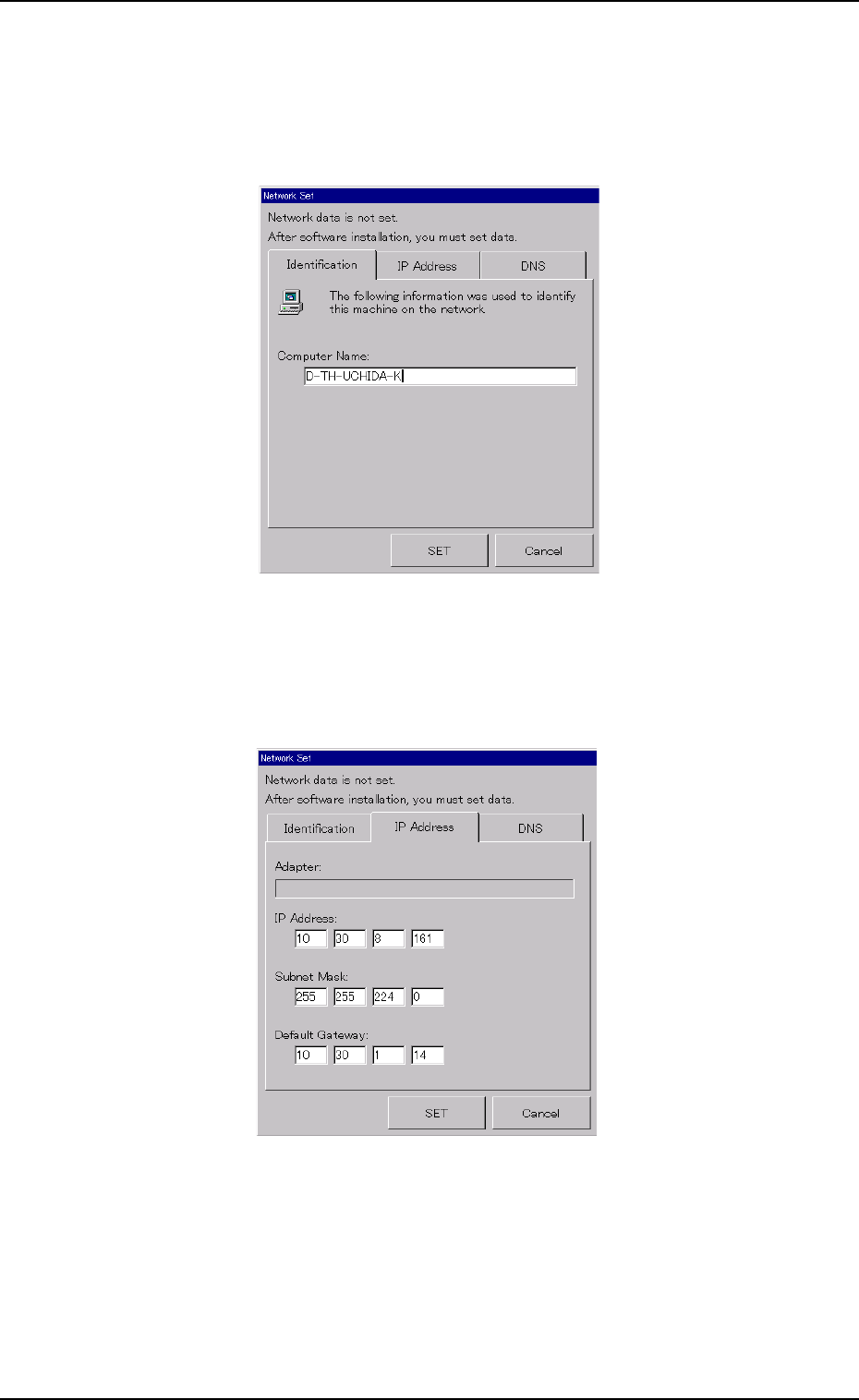
(1) In the "Identification" tab sheet, specify the computer name of this
machine.
Fig. 3E71 "Network Set" Window ("Identification" Tab Sheet)
(2) In the "IP Address" tab sheet, specify the IP address to be used.
Fig. 3E72 "Network Set" Window ("IP Address" Tab Sheet)
5.4 "Others" Tab
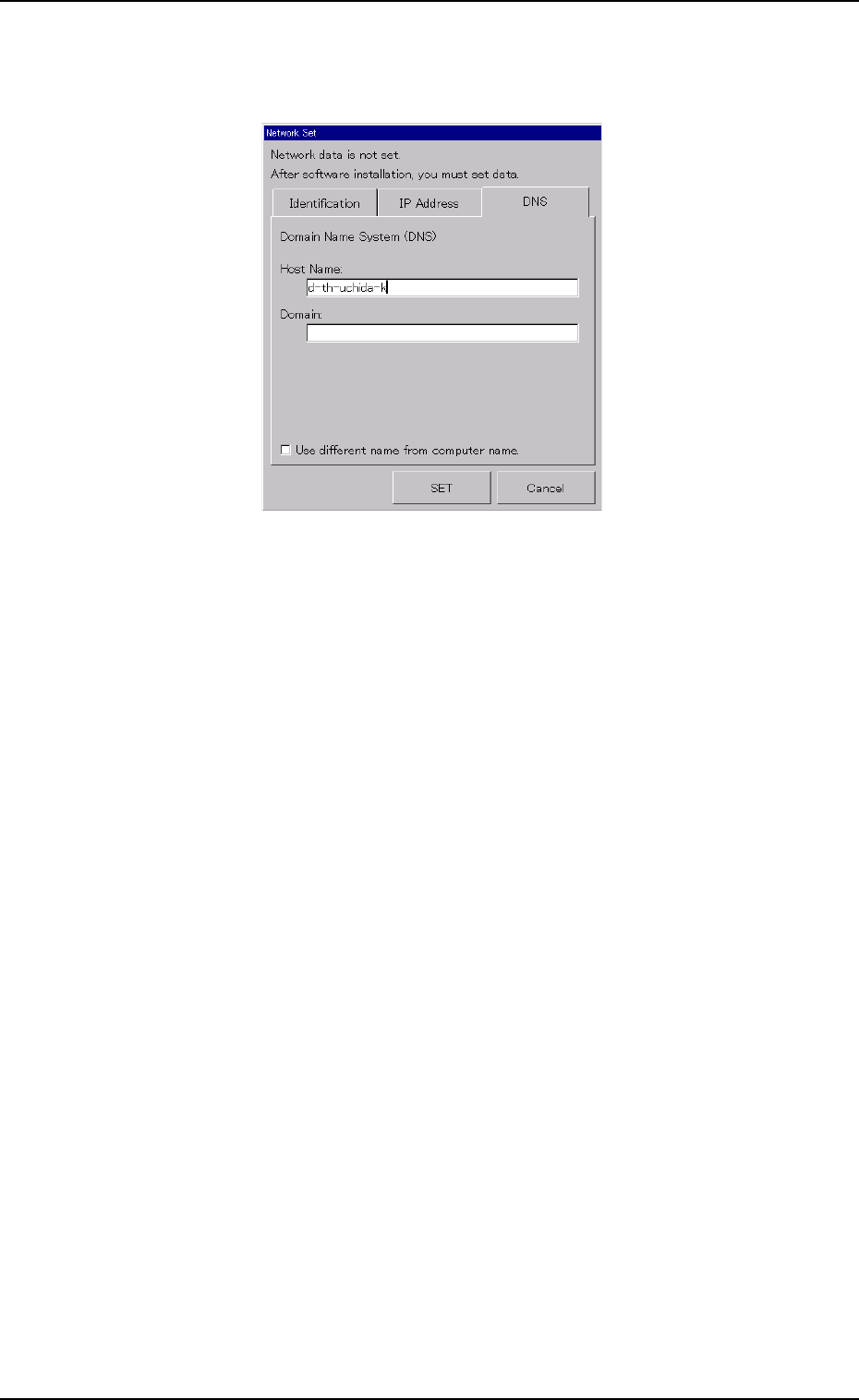
(3) In the "DNS" tab sheet, specify the domain name system (host and
domain names).
Fig. 3E73 "Network Set" Window ("DNS" Tab Sheet)
(4) When the [SET] button is pressed, the network is constructed ac-
cording to the specified data.
When the [Cancel] button is pressed, the specified settings are can-
celed.
5.4 "Others" Tab
0403-001 5-85 AIL01EDTP

051 1-001 5-86 AIL01EDTP