3OM-1003-005.pdf - 第218页
Fig. 3C23 "Control Data" T ab Sheet ("Cylindrical" Selected) *8 Pickup pos correction, *9 Auto fdr axis adjustment, *10 Error process, *1 1 Un-placing detection, *12 Rejected cmpnt disch check *13 Pic…
3.4 "Control Data" Tab
051 1-002 3-32 AIL01EDTP
3.4 "Control Data" Tab
The corresponding tab sheet appears when "Cylindrical", "Square", "De-
form (Simple)", "IC (Simple)", "IC (Complex)", "Connector (Simple)",
"Connector (Complex)", "Other Leaded (Simple)", or "Other Leaded
(Complex)" is selected in the "Component shape" text box.
• Sheet Layout
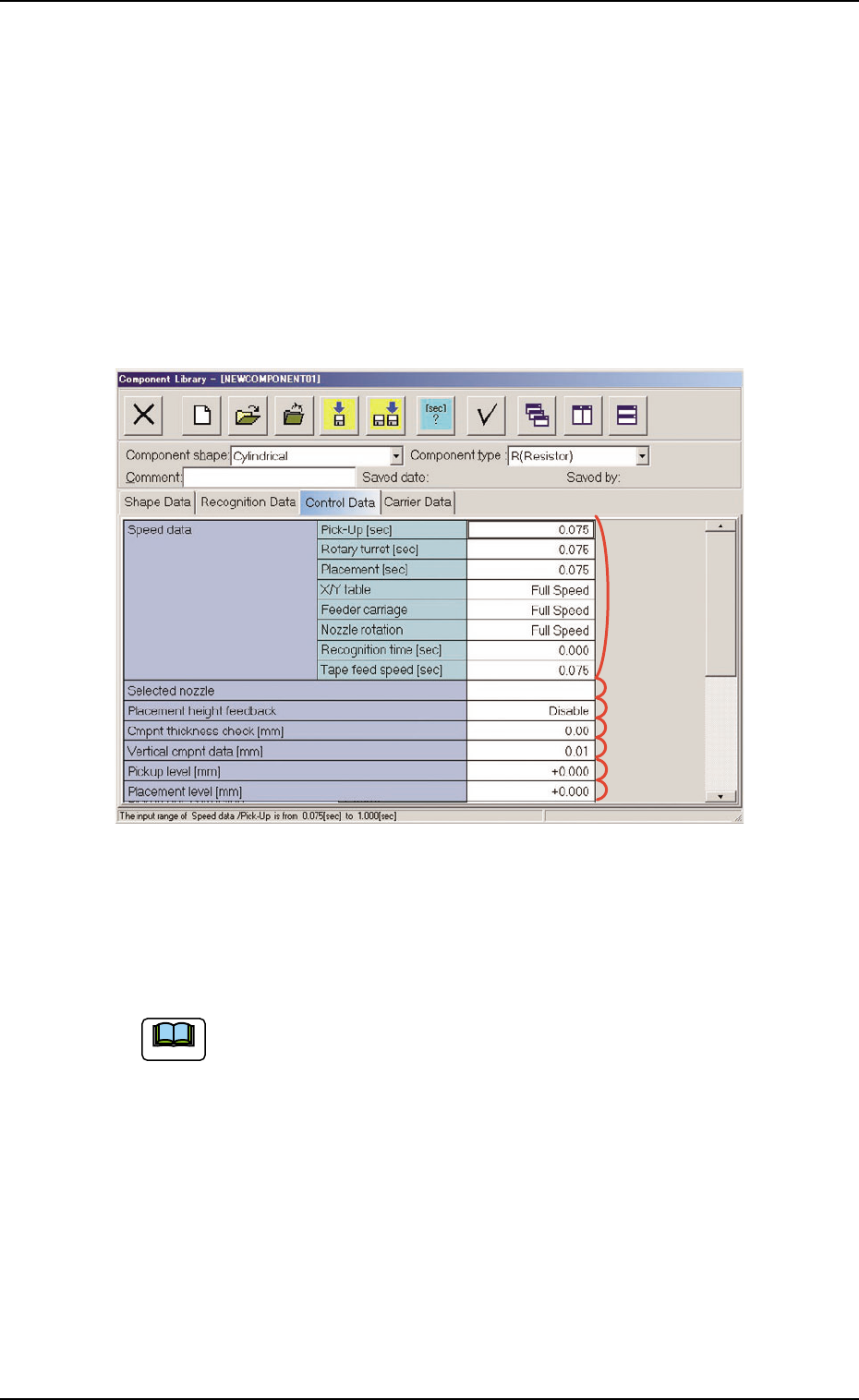
When the "Control Data" tab is pressed, the "Control Data" tab sheet
appears.
Fig. 3C22 "Control Data" Tab Sheet ("Cylindrical" Selected)
• Sheet Composition
Enter a parameter in the text box.
Refer to "4.1.3 Basic Usage of Text Boxes" (Section 2) for the
detailed information on how to enter each parameter.
*1 Speed Data, *2 Selected nozzle,
*3 Placement height feedback, *4 Cmpnt thickness check [mm],
*5 Vertical cmpnt data [mm], *6 Pickup level [mm],
*7 Placement level [mm],
Note
*2
*1
*3
*4
*5
*6
*7
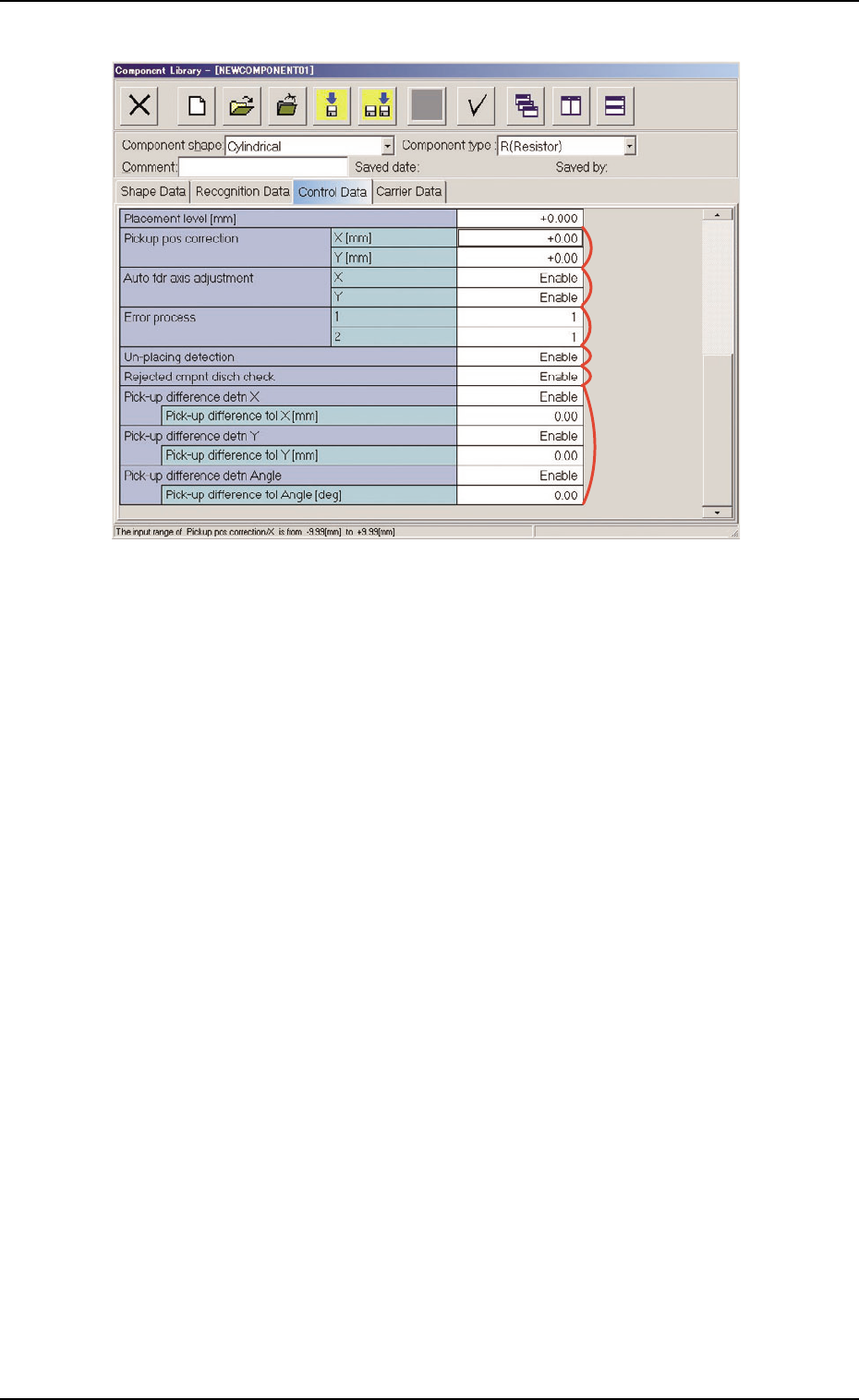
Fig. 3C23 "Control Data" Tab Sheet ("Cylindrical" Selected)
*8 Pickup pos correction, *9 Auto fdr axis adjustment,
*10 Error process, *11 Un-placing detection,
*12 Rejected cmpnt disch check
*13 Pick-up difference detn X, Y, Angle
Pick-up difference tol X [mm], Y [mm], Angle [deg]
When "Enable" is set in the "Pick-up difference detn X", "Pick-up
difference detn Y", and/or "Pick-up difference detn Angle" text box,
it is required to enter a parameter in the corresponding text box.
*9
*8
*10
*13
*12
*11
3.4 "Control Data" Tab
051 1-003 3-33 AIL01EDTP
3.5 "Carrier Data" Tab
The corresponding tab sheet appears when "Cylindrical", "Square", "De-
form (Simple)", "IC (Simple)", "IC (Complex)", "Connector (Simple)",
"Connector (Complex)", "Other Leaded (Simple)", or "Other Leaded
(Complex)", is selected in the "Component shape" text box.
• Sheet Layout
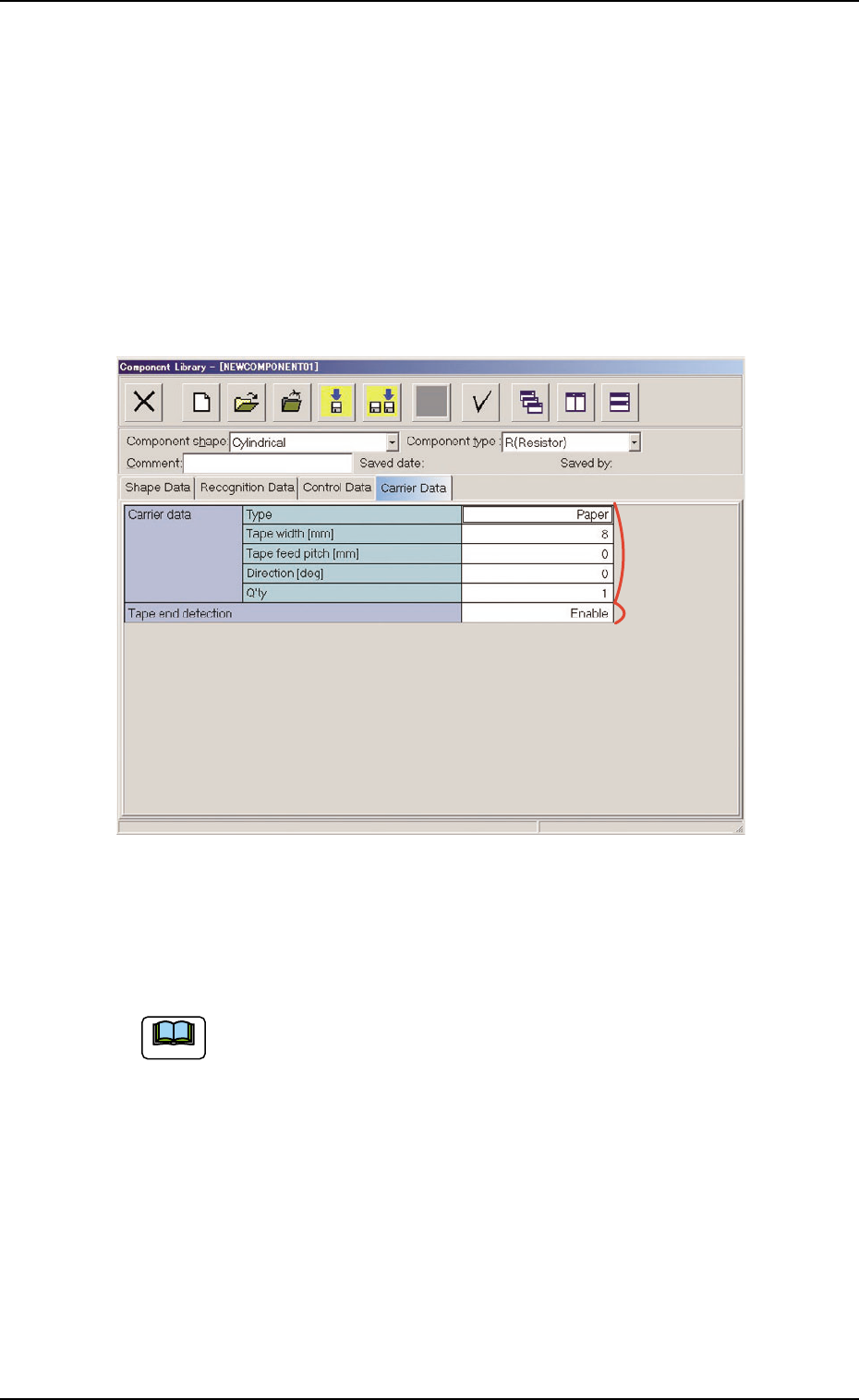
When the "Carrier Data" tab is pressed, the "Carrier Data" tab sheet
appears.
Fig. 3C24 "Carrier Data" Tab Sheet ("Cylindrical" Selected)
• Sheet Composition
Each parameter is displayed or can be entered.
Refer to "4.1.3 Basic Usage of Text Boxes" in "Section 2" for the
detailed information on how to enter parameters.
*1 Carrier data, *2 Tape end detection
*1
*2
3.5 "Carrier Data" Tab
051 1-002 3-34 AIL01EDTP
Note