3OM-1003-005.pdf - 第317页
3.2.6 "Camera Offset" T ab The "Camera Offset" tab sheet is composed of the "Camera Offset", "Individual Nozzle Camera #1 Gain/Level", and "Individual Nozzle Cam- era #2 Gain/…
(5) "Noz Detn L" and "Noz Detn H" Tabs
The navigations similar to those through the "Noz Detn L" tab
sheet can be followed through the "Noz Detn H" tab sheet.
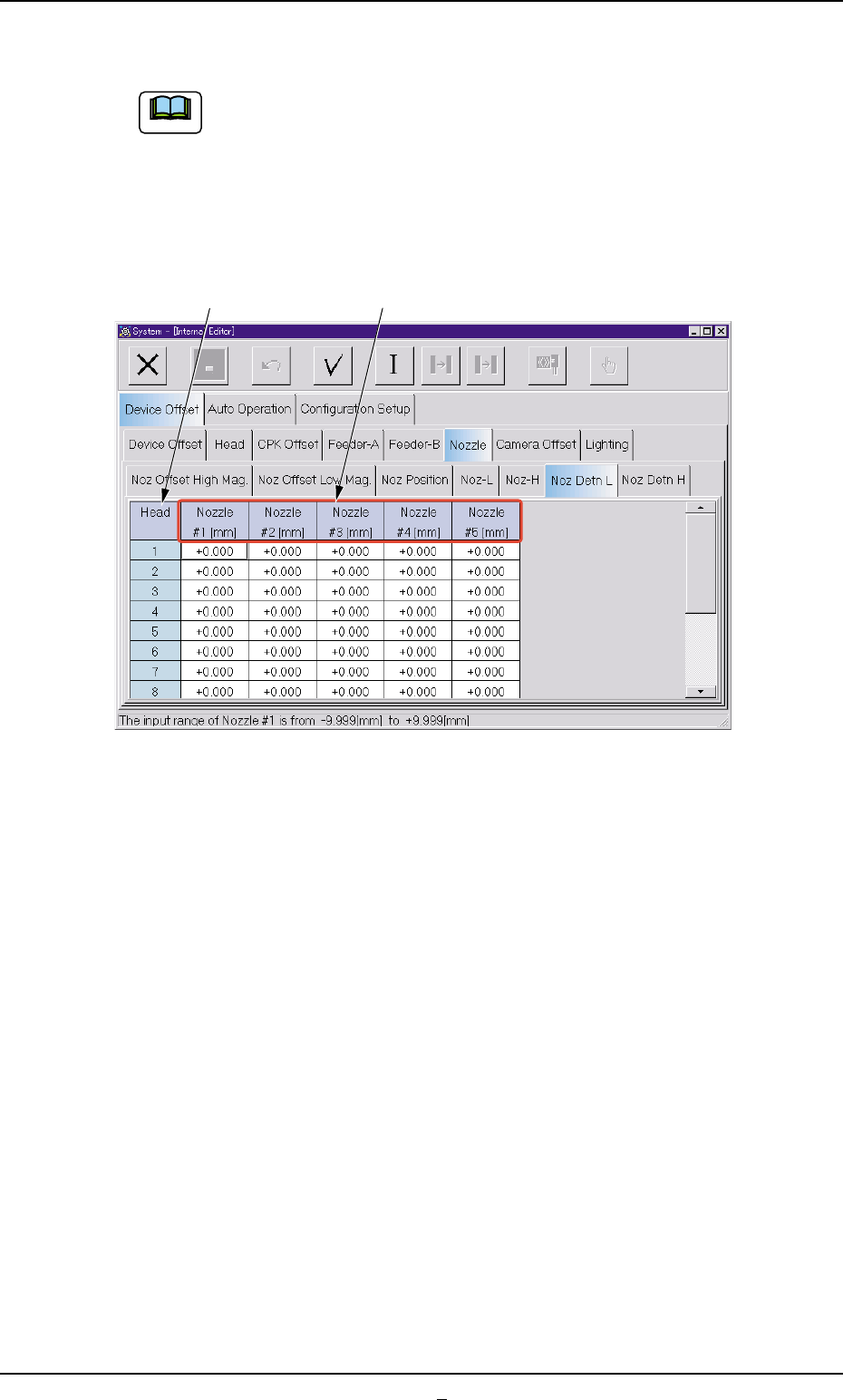
• Sheet Layout
When the "Noz Detn L" or the "Noz Detn H" tab in the "Nozzle" tab sheet
is selected, the following tab sheet (Nozzle Detection L) appears.
Fig. 3E33-1
• Sheet Composition
*1 Head
The head Nos. are displayed.
*2 Nozzle #1 [mm], Nozzle #2 [mm], Nozzle #3 [mm], Nozzle #4
[mm], Nozzle #5 [mm]
Shown is the offset data of each nozzle level for "(L)" and "(H)" in
the component backtrack detection.
0403-001 5-35-1 AIL01EDTP
3.2 "Device Offset" Tab
Note
*1 *2
3.2.6 "Camera Offset" Tab
The "Camera Offset" tab sheet is composed of the "Camera Offset",
"Individual Nozzle Camera #1 Gain/Level", and "Individual Nozzle Cam-
era #2 Gain/Level" tabs.
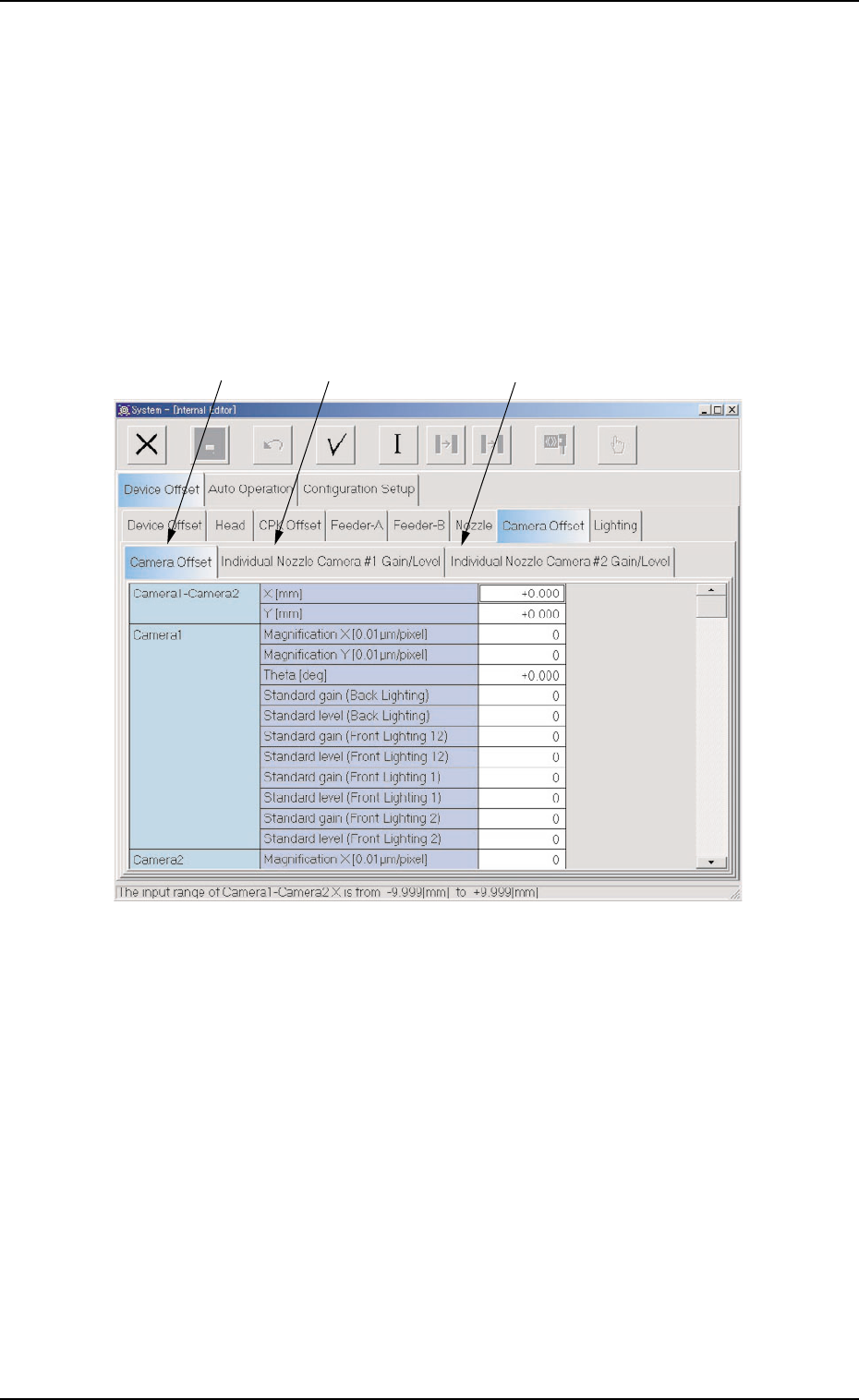
• Sheet Layout
When the "Camera Offset" tab is pressed in the "Device Offset" tab
sheet, the following tab sheet appears.
Fig. 3E34 "Camera Offset" Tab Sheet
• Sheet Composition
*1 "Camera Offset" Tab
When selected, the "Camera Offset" tab sheet appears.
*2 "Individual Nozzle Camera #1 Gain/Level" Tab
When selected, the "Individual Nozzle Camera #1 Gain/Level" tab
sheet appears.
*3 "Individual Nozzle Camera #2 Gain/Level" Tab
When selected, the "Individual Nozzle Camera #2 Gain/Level" tab
sheet appears.
0305-001 5-36
AIL01EDTP
*1 *2 *3
3.2 "Device Offset" Tab
(1) "Camera Offset" Tab
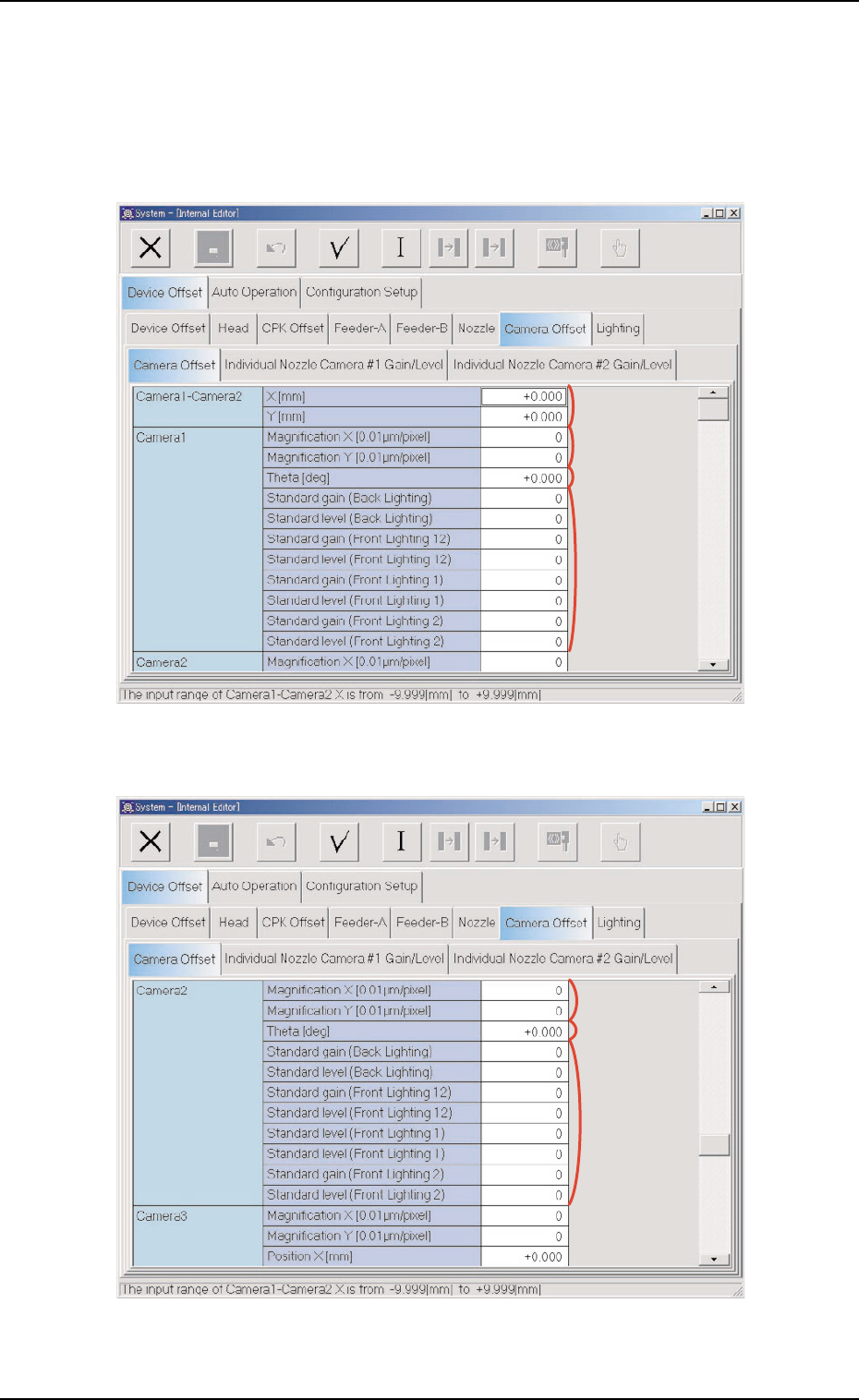
• Sheet Layout
When the "Camera Offset" tab is pressed in the "Camera Offset" tab
sheet, the following tab sheet appears.
Fig. 3E35 "Camera Offset" Tab Sheet (1)
Fig. 3E36 "Camera Offset" Tab Sheet (2)
0305-001 5-37
AIL01EDTP
3.2 "Device Offset" Tab
*1
*2
*3
*4
*6
*5
*7