3OM-1003-005.pdf - 第341页
3.3.2 "P .C.B. T ransfer Mode Setup" T ab • Sheet Layout When the "P .C.B. T ransfer Mode Setup" tab is pressed in the "Auto Op- eration" tab sheet, the following tab sheet appears. Fig. 3E4…
(3) Select a component ID from the list of component IDs and press
the [Enter] button.
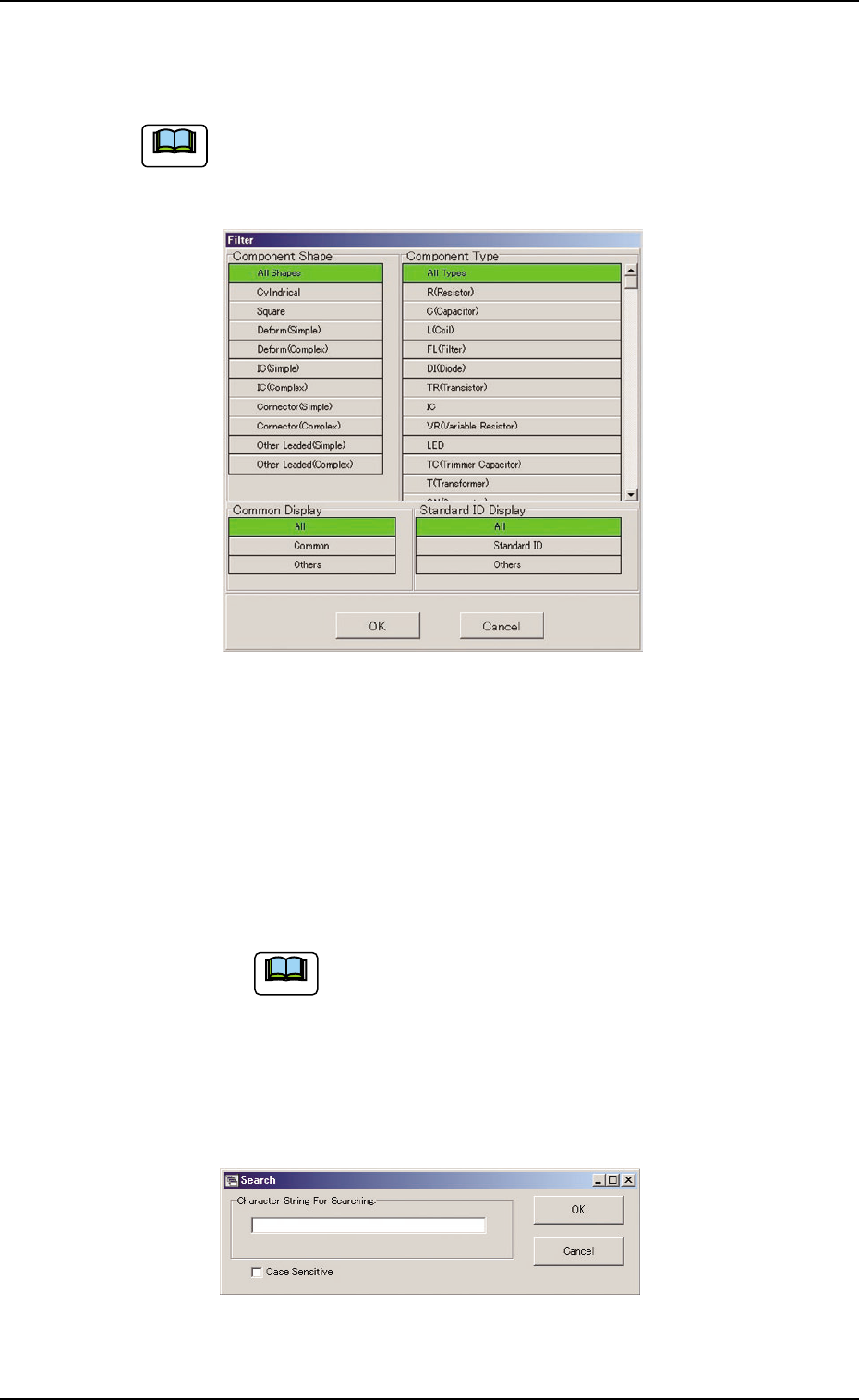
(a) [Filter...] Button
When pressed, the "Filter" dialog box opens, making it pos-
sible to select a type of component IDs.
Fig. 3E45
(b) [Search...] Button
When pressed, the "Search" dialog box opens, making it
possible to search a component ID.
Enter characters in the blank field and press the [OK] but-
ton. The "Search" window closes and the component IDs
including the entered characters are displayed in "List of
Component IDs".
"*" (asterisk) and "?" (question mark) can be used
as wild cards.
abc* : The search function retrieves the compo-
nent ID names which start with "abc"
a?c : The search function retrieves the compo-
nent ID names which start with "a" and
contain "c" as the third character.
Fig. 3E46
3.3 "Auto Operation" Tab
Note
051 1-002 5-54 AIL01EDTP
Note
3.3.2 "P.C.B. Transfer Mode Setup" Tab
• Sheet Layout
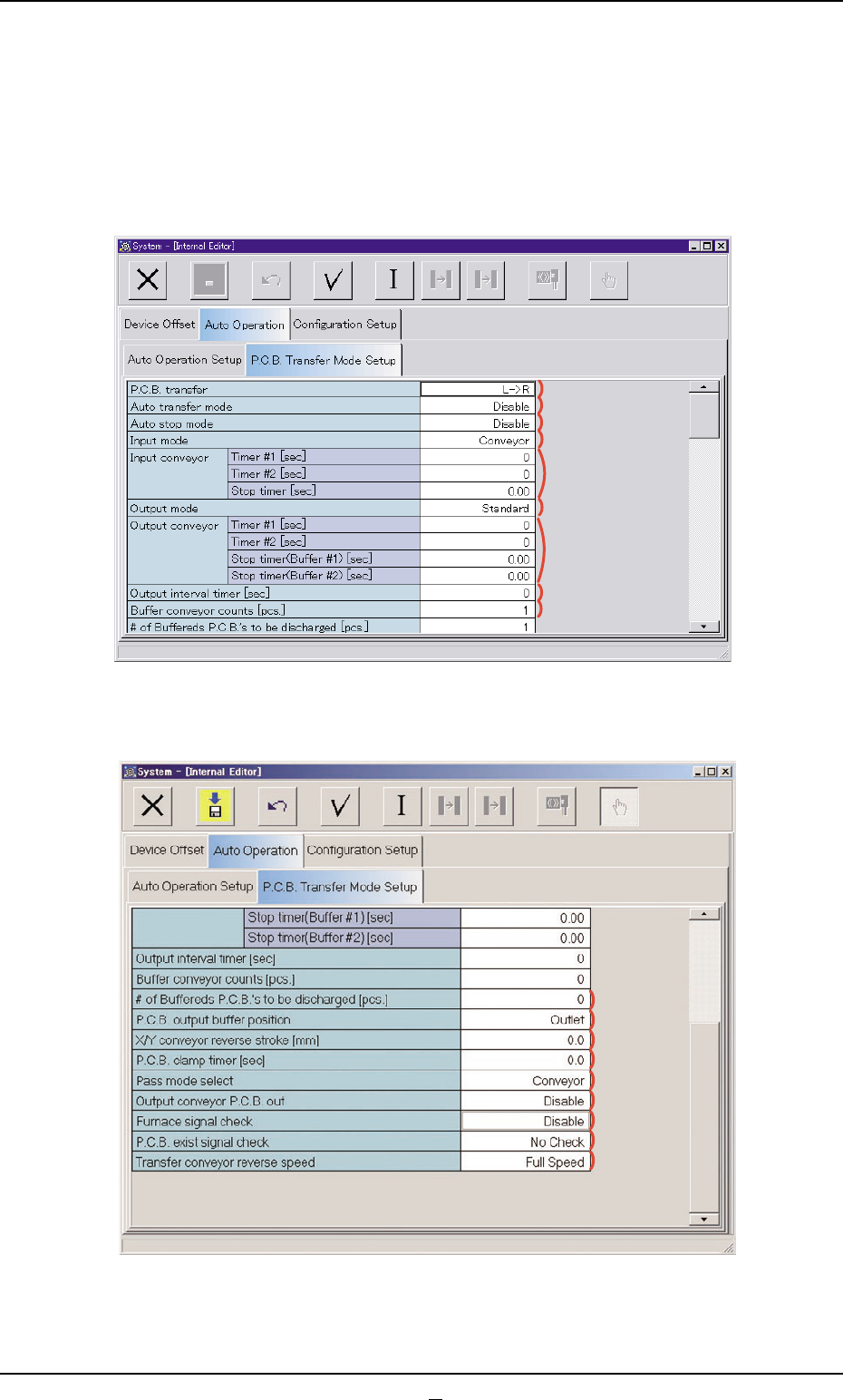
When the "P.C.B. Transfer Mode Setup" tab is pressed in the "Auto Op-
eration" tab sheet, the following tab sheet appears.
Fig. 3E47 "P.C.B. Transfer Mode Setup" Tab Sheet (1)
Fig. 3E48 "P.C.B. Transfer Mode Setup" Tab Sheet (2)
051 1-003 5-55 AIL01EDTP
3.3 "Auto Operation" Tab
*1
*2
*3
*4
*5
*6
*7
*8
*9
*10
*11
*12
*13
*14
*15
*16
*17
*18
• Sheet Composition
*1 P.C.B. Transfer
Set a P.C.B. transfer direction in the text box.
"L
ÆÆ
ÆÆ
ÆR"
The P.C.B. flows from the left to the right.
"R
ÆÆ
ÆÆ
ÆL"
The P.C.B. flows from the right to the left.
When the setting is changed, it is required to perform the zero-
ing operation again.
*2 Auto transfer mode
"Disable" or "Enable" can be set in the text box to determine whether
or not the automatic transfer function should be used.
Selection of "Disable" (Standard Setting)
The finished P.C.B. (P.C.B. where components are placed) on the
X/Y table is unloaded at the same time when the subsequent P.C.B.
is transferred to the X/Y table.
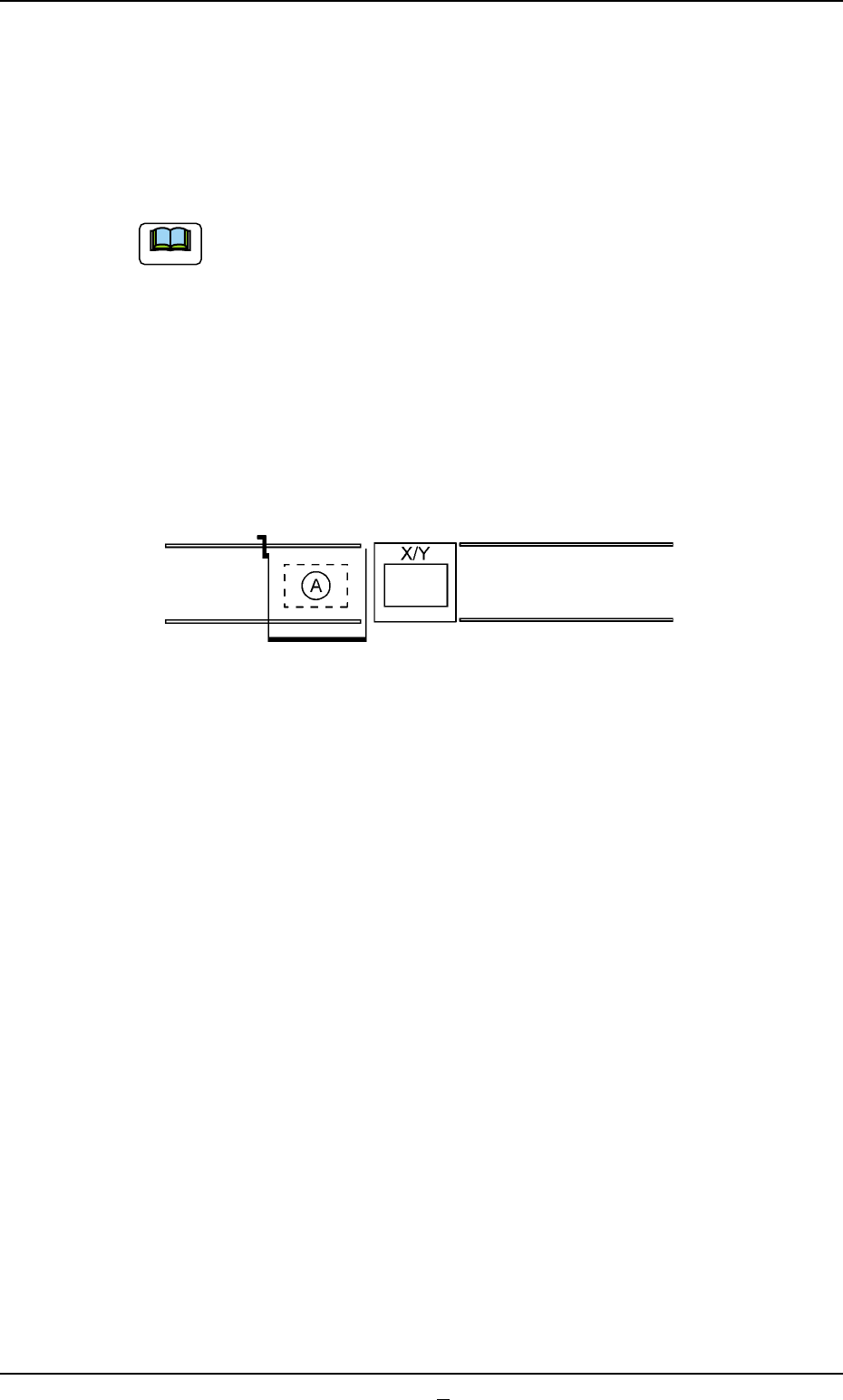
Fig. 3E49
The finished P.C.B. stays on the X/Y table until the subsequent P.C.B.
comes to (A) indicated in the above figure.
Selection of "Enable"
When the X/Y table has returned to its origin after component place-
ment on the P.C.B. on the X/Y table is completed, no P.C.B. is lo-
cated on (A), and the conveyor transfer is not started up, the P.C.B.
transfer function is activated and the finished P.C.B. is discharged
to the output machine.
This function works efficiently to avoid finished P.C.B. stagnation on
the X/Y table when the line balance between this machine and the
input machine is not good.
0403-001 5-55-1 AIL01EDTP
3.3 "Auto Operation" Tab
Note