MV-9_Chapter 5. Teaching.pdf - 第14页
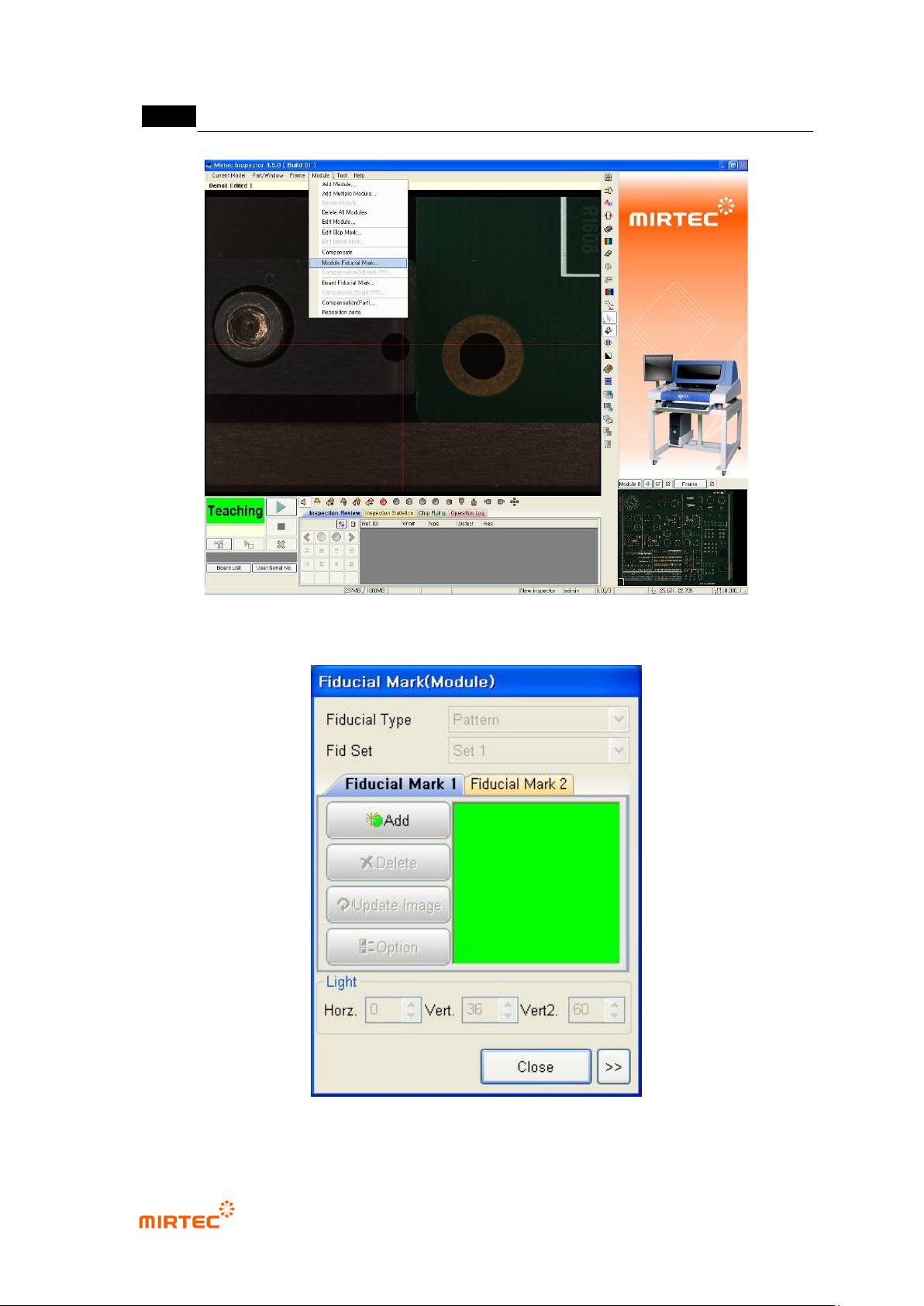
MV -9 Use r Manual 5- 14 [Figure 5-1 Selecting Fiducial mark setting item] [Figure 5-2 Fiducial mark setting screen]
错误!使用“开始”选项卡将 제목 2 应用于要在此处显示的文字。错误!使用“开始”选项卡将 제목 2 应用
于要在此处显示的文字。 .
5-13
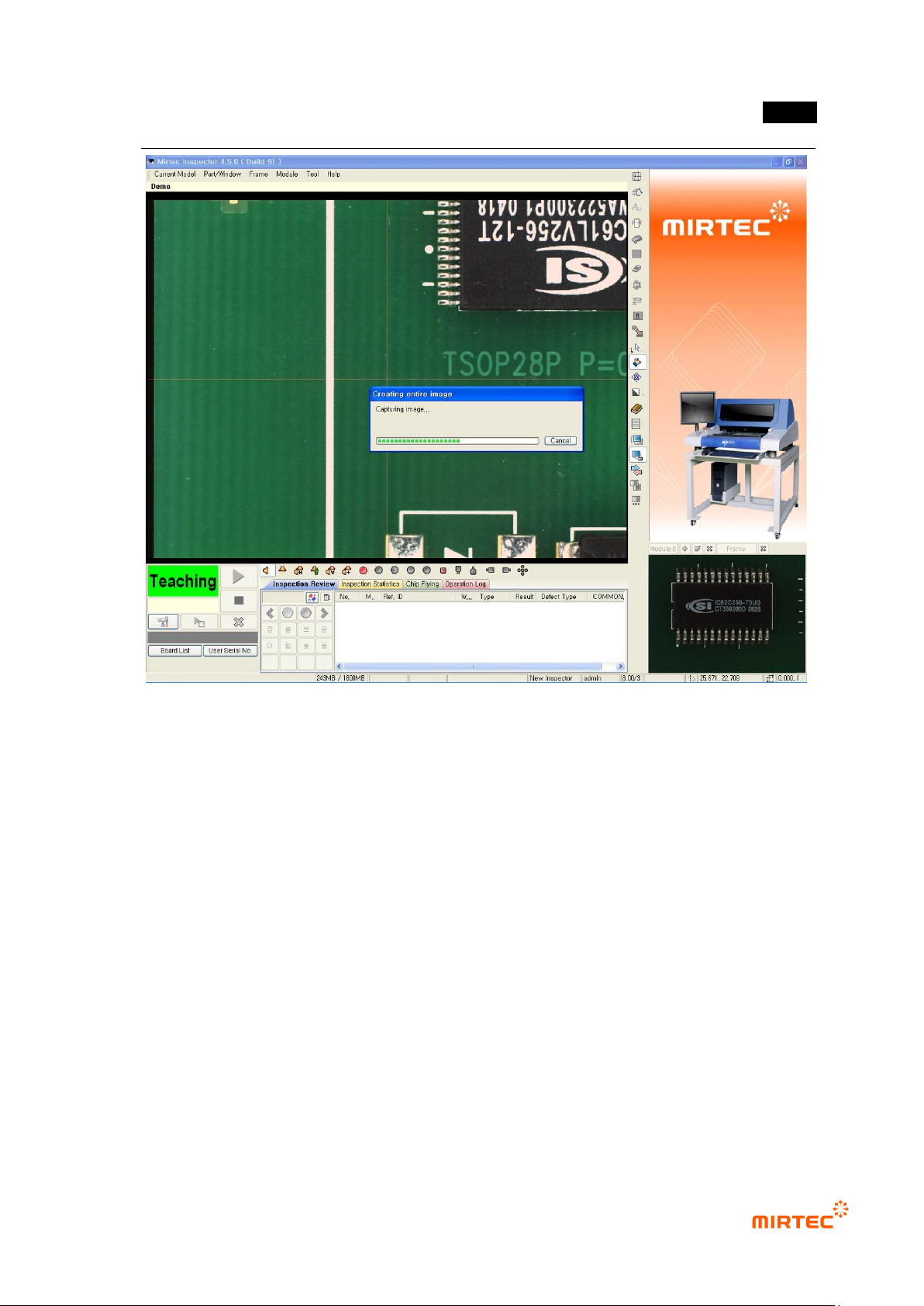
[Figure 5-16 Whole PCB imaging screen]
2) Setting the module Fiducial mark
Module Fiducial mark is a reference mark to check PCB mount position among created images in
created many frames in module (PCB piece) and to compensate position.
① Select „Set module Fiducial mark‟ in „current model‟ in menu bar or popup menu in whole
image screen. Fiducial mark registration screen will be displayed and it will be changed to
Fiducial mark light among „light setting types‟.
MV-9 User Manual
5-14
[Figure 5-1 Selecting Fiducial mark setting item]
[Figure 5-2 Fiducial mark setting screen]
错误!使用“开始”选项卡将 제목 2 应用于要在此处显示的文字。错误!使用“开始”选项卡将 제목 2 应用
于要在此处显示的文字。 .
5-15
Add
This is to register Fiducial mark.
Delete
This is to delete all registered Fiducial mark.
Image refresh
This is to refresh final image.
Option
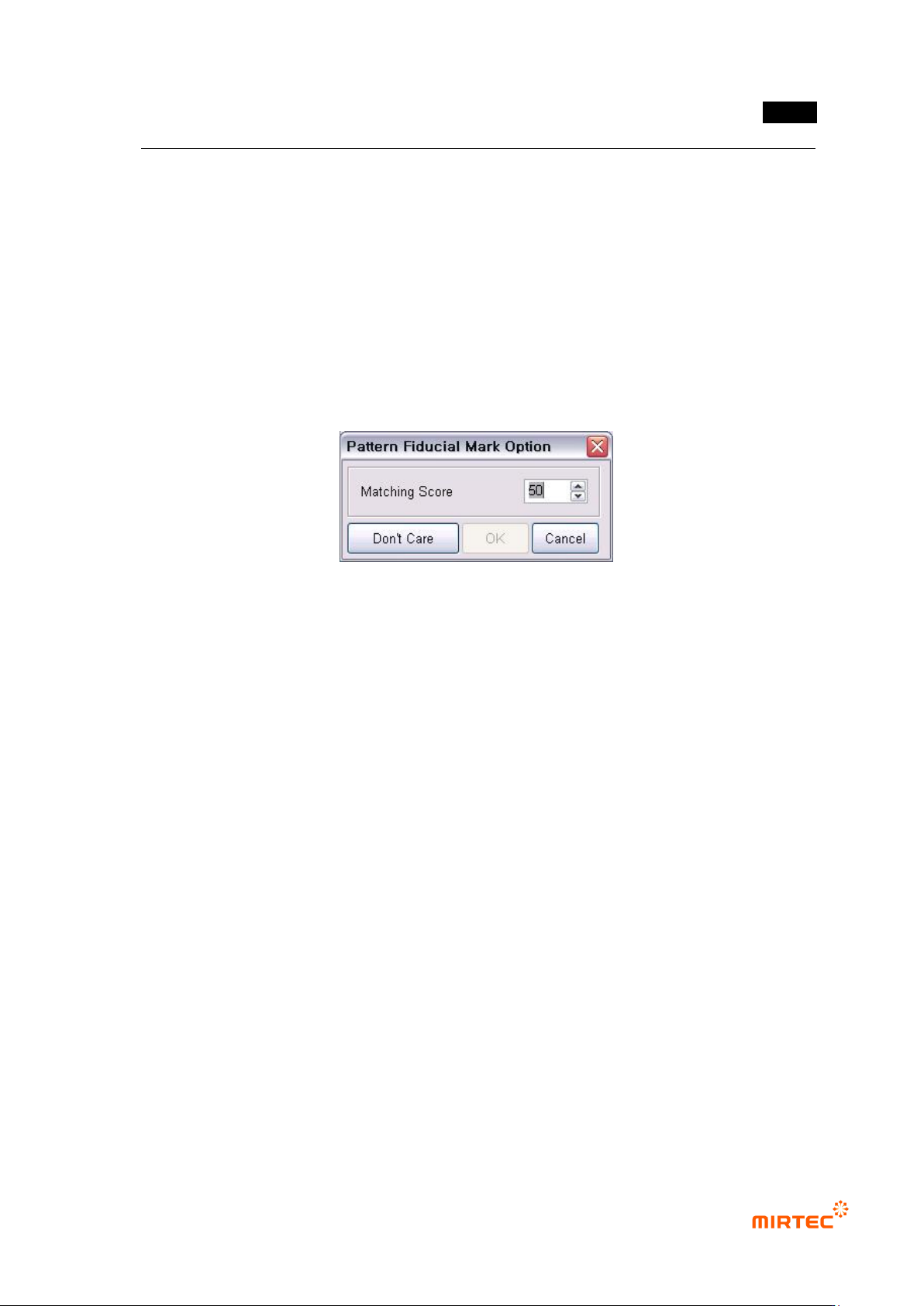
The option includes matching ratio and inspection „Don‟t care region‟ for matching test.
For more information about inspection „Don‟t care region‟, refer to „5.3.1 mounting
inspection window
[Figure 5-3 Fiducial mark option screen]
Light setting
This is to change luminance of Fiducial mark light that is set. It can be also changed in
„light setting‟ in „Config.‟.
② Use <fine move> or <move screen> button to move the robot to Fiducial mark in PCB center
of position desired to be registered and then click <Add> button in „Fiducial mark 1‟ in
Fiducial mark screen to create Fiducial mark window at the relevant position.
③ Inner window is the area to save reference image for Fiducial mark recognition, and outer
window is search range to find registered Fiducial mark.