MV-9_Chapter 5. Teaching.pdf - 第212页
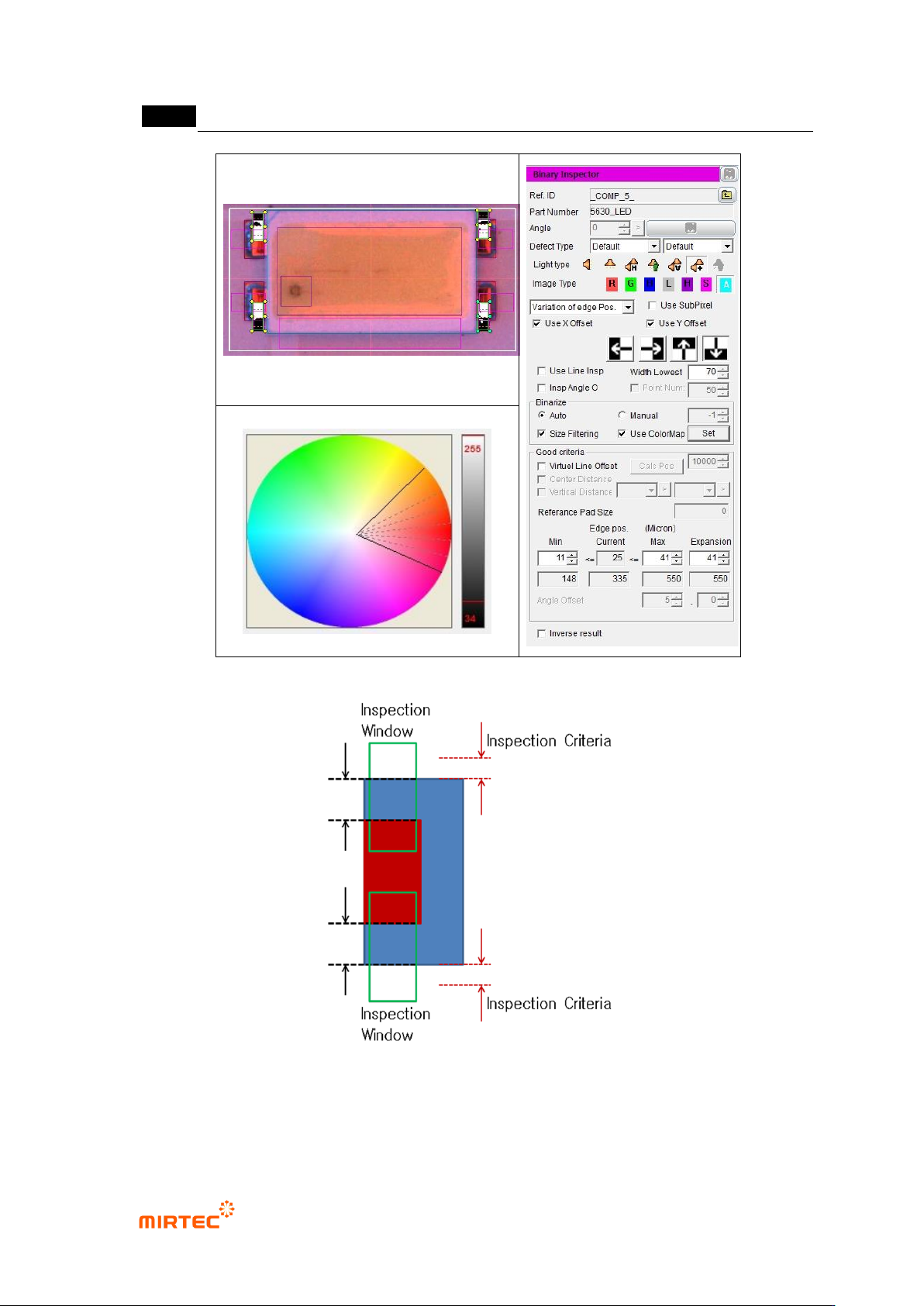
MV -9 Use r Manual 5- 212 [Figure 5- 268 Y -shift in spection setting and pre view imag e] [Figure 5- 269 max setting of Y -shif t inspection c riteria]
错误!使用“开始”选项卡将 제목 2 应用于要在此处显示的文字。错误!使用“开始”选项卡将 제목 2 应用
于要在此处显示的文字。 .
5-211
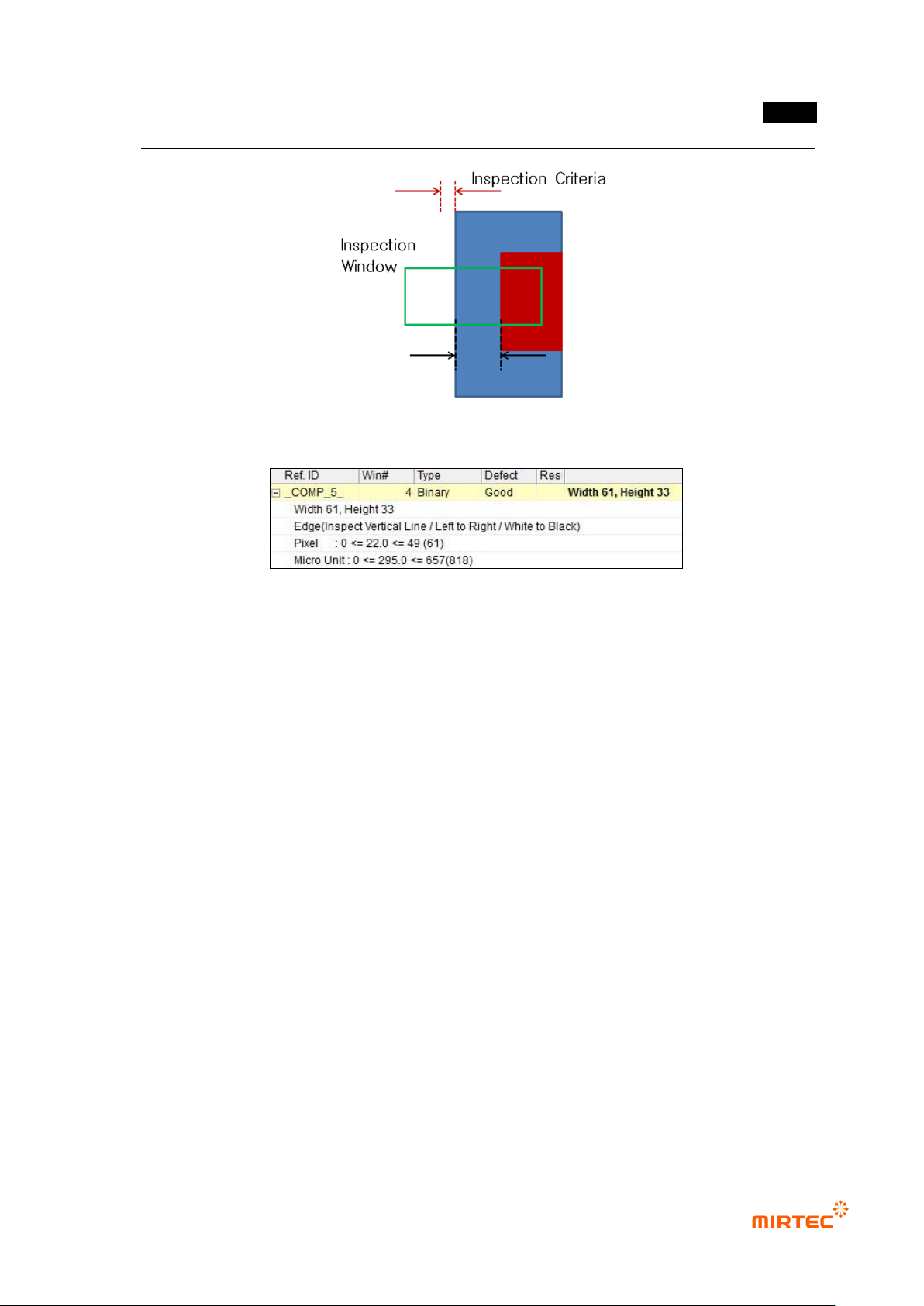
[Figure 5-266 Setting max inspection criteria]
[Figure 5-267 X-shift inspection result]
⑤ Teaching and setting for Y-shift inspection
- Teaching for Y-shift inspection use same method for teaching for X-shift inspection.
- Enter „0‟ for min in normal criteria, and enter max by adding inspection reference value
(unit pixel) to real distance from lead end to pad end. (Refer to figure 5-285.)
MV-9 User Manual
5-212
[Figure 5-268 Y-shift inspection setting and preview image]
[Figure 5-269 max setting of Y-shift inspection criteria]
错误!使用“开始”选项卡将 제목 2 应用于要在此处显示的文字。错误!使用“开始”选项卡将 제목 2 应用
于要在此处显示的文字。 .
5-213
[Figure 5-270 Y-shift inspection result]
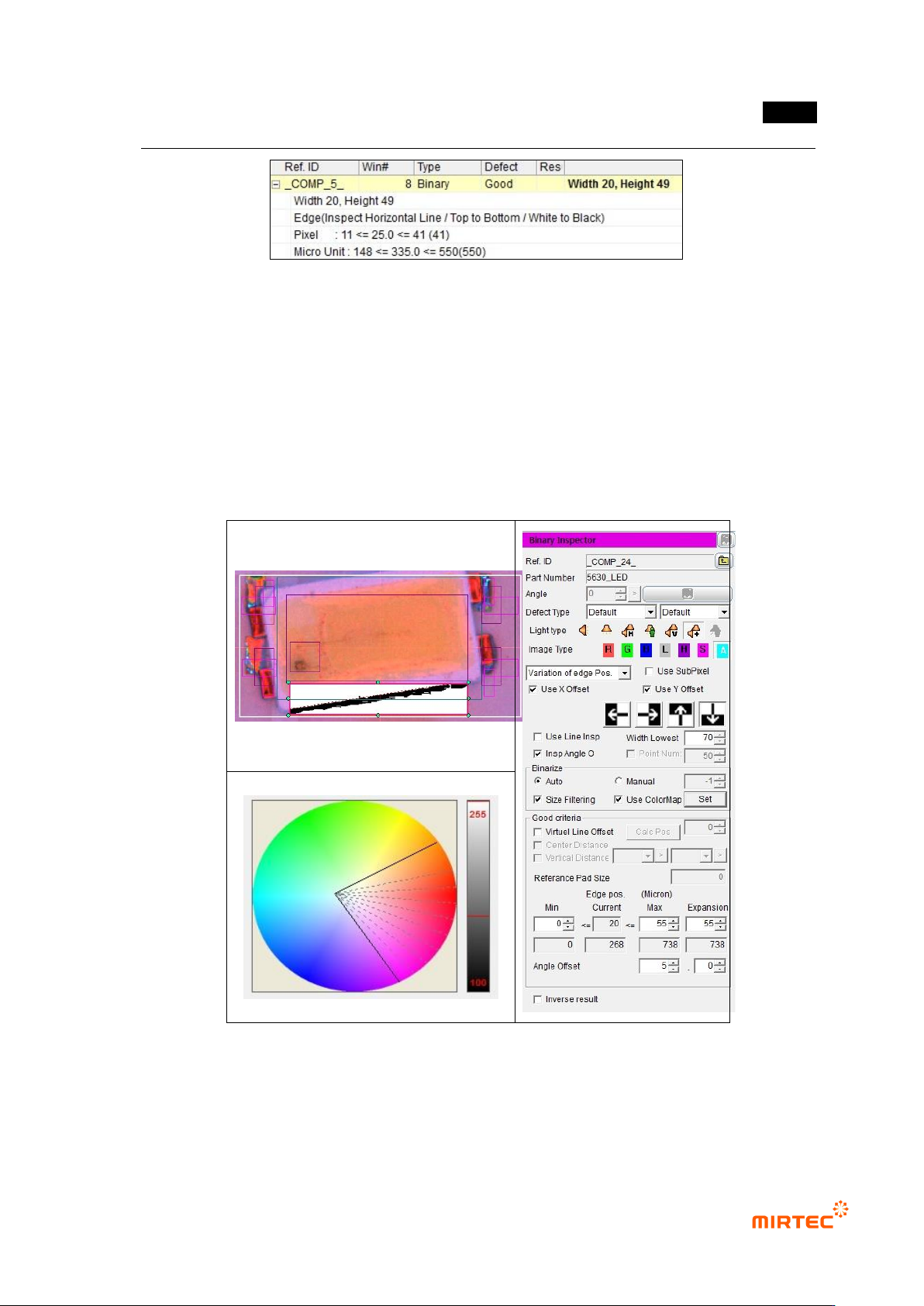
⑥ Shift inspection teaching and setting
- Use binary inspection-position move inspection window to detect rotation angle of package,
and angle inspection is used.
- For normal criteria, enter 0 for min and enter height value in the window for max. This is to
detect edge in the teaching window for angle inspection.
- To set angle, enter allowable angle in angle offset on the bottom by decimal point unit.
[Figure 5-271 shift inspection setting and preview image]