MV-9_Chapter 5. Teaching.pdf - 第155页
错误 ! 使用“开始” 选项卡将 제목 2 应用于要在此处显示的文字。 错误 ! 使用“开始”选项卡将 제목 2 应用 于要在此处显示的 文字。 . 5- 155 [Figure 5- 186 Library unlink of component inspection windo w ] Inspection window list - List of general- p urp os e i nspection w i ndo…
MV-9 User Manual
5-154
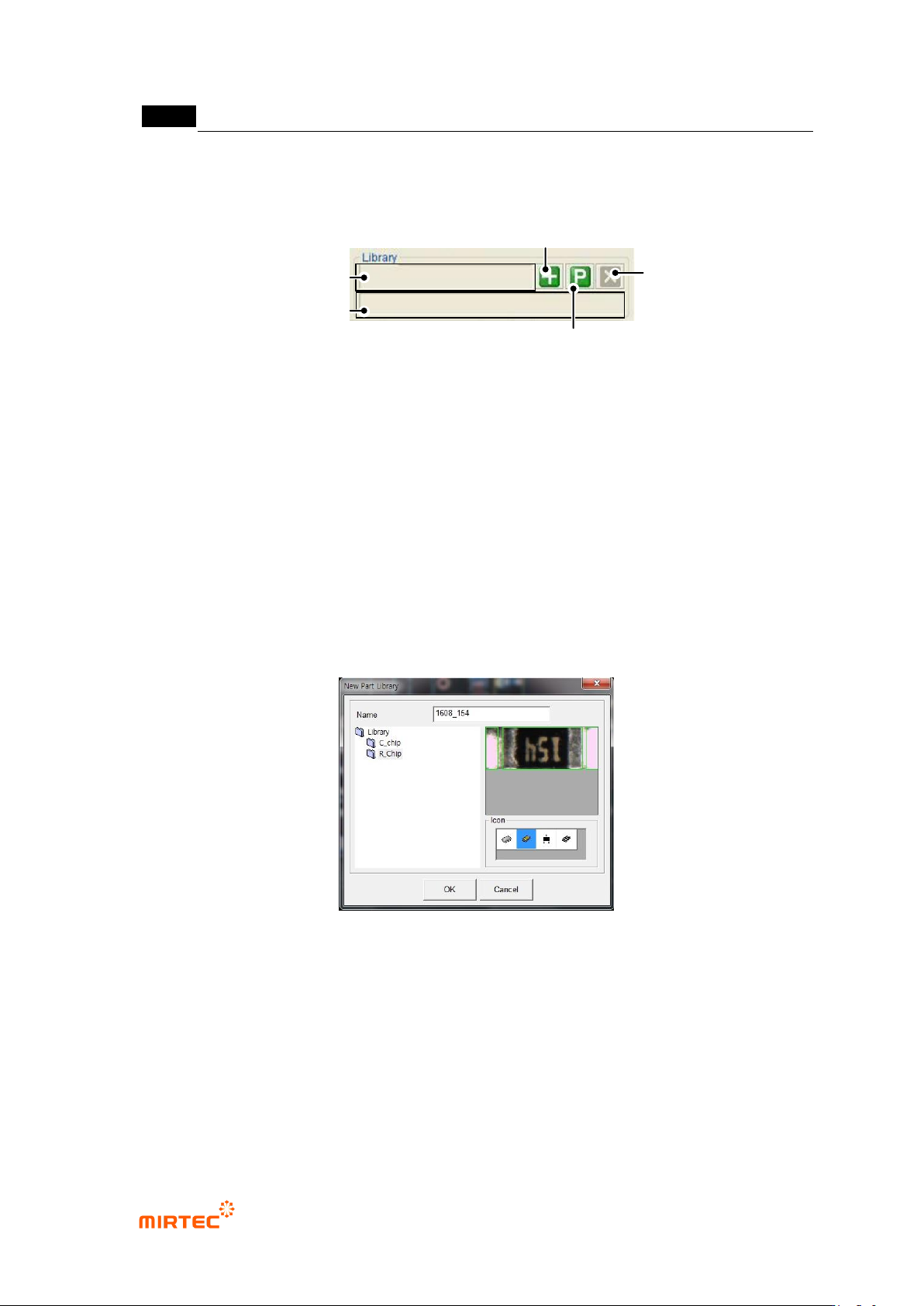
Library
[Figure 5-184 library connection of component inspection window]
- Component name
Same name with component name that is entered will be displayed. If it is not entered,
enter it to register it in the library.
- Library path
This is to display path to which registered library is saved. In this case, „/TEST_LAST/R-
Chip‟ will be displayed.
- Add component inspection window to library
Select position desired to be saved, enter name and click <OK> button.
White window is added at exterior of component inspection window, and the relevant
component inspection window is registered in the library.
[Figure 5-185 Library add in component inspection window]
- Add package library
Library image is not displayed. register only search range in the package library.
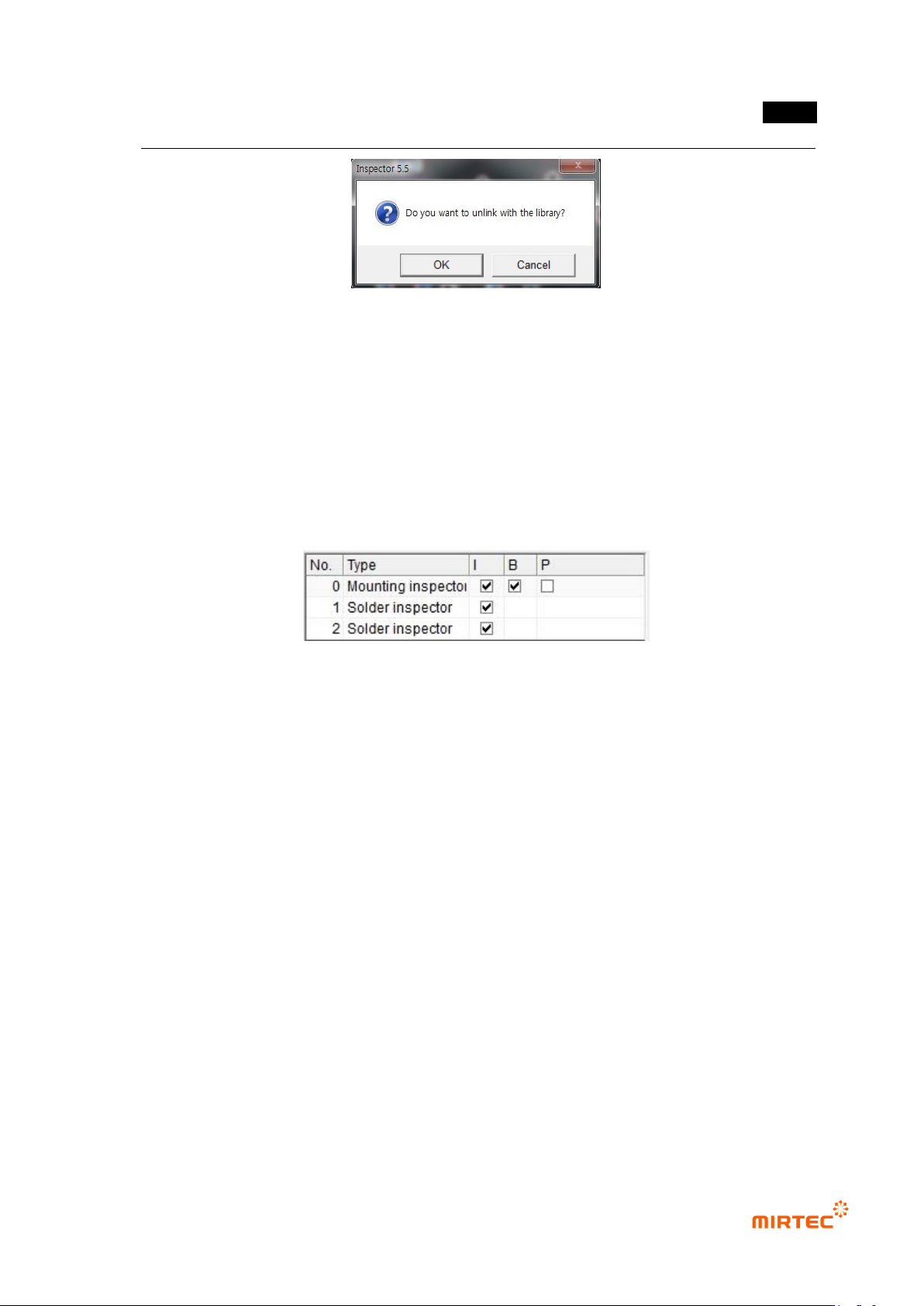
- Library unlink
Click <library unlink> button, and click <Yes (Y)> button in the screen below to
disconnect link with library.
Library Route
Name of Part
Addition of the Package
Library
Disconnect
Add library
错误!使用“开始”选项卡将 제목 2 应用于要在此处显示的文字。错误!使用“开始”选项卡将 제목 2 应用
于要在此处显示的文字。 .
5-155
[Figure 5-186 Library unlink of component inspection window]
Inspection window list
- List of general-purpose inspection windows that configure component inspection window.
- In case of mounting inspection window, „compensation window‟ is set as initial value to
equally apply compensation offset of inspection window to solder amount inspection
window. If compensation offset is not used, clear setting.
- Double click general-purpose inspection window item to convert operation status screen
into screen of the relevant inspection window to edit desired parameter.
[Figure 5-187 Grouped inspection window list]
4) Parameter of individual inspection window
Mounting inspection window
- This part is the description of parameter that is newly added for chip component inspection.
For more information about other items, refer to „5.3.1 mouting inspwction window (5-20
page)’.
- Chip re-inspection
This option will be activated only for resistance and capacitor component.
Re-verification that used self algorithm in case of defect occurrence to raise not-
adjusted ratio during chip component inspection. This inspection is used to reduce false
defect ratio.
Setting for chip re-inspection can be done in chip re-inspection of „component inspection
window setting’ in „Config.‟
Judge only the existence of chip during chip re-inspection.
Solder amount inspection window
- Refer to „5.3.1 mounting inspection window (page 5-20)’.
MV-9 User Manual
5-156
5) Inspection result in status screen
- Same with inspection result in status screen of the relevant general-purpose inspection
window.
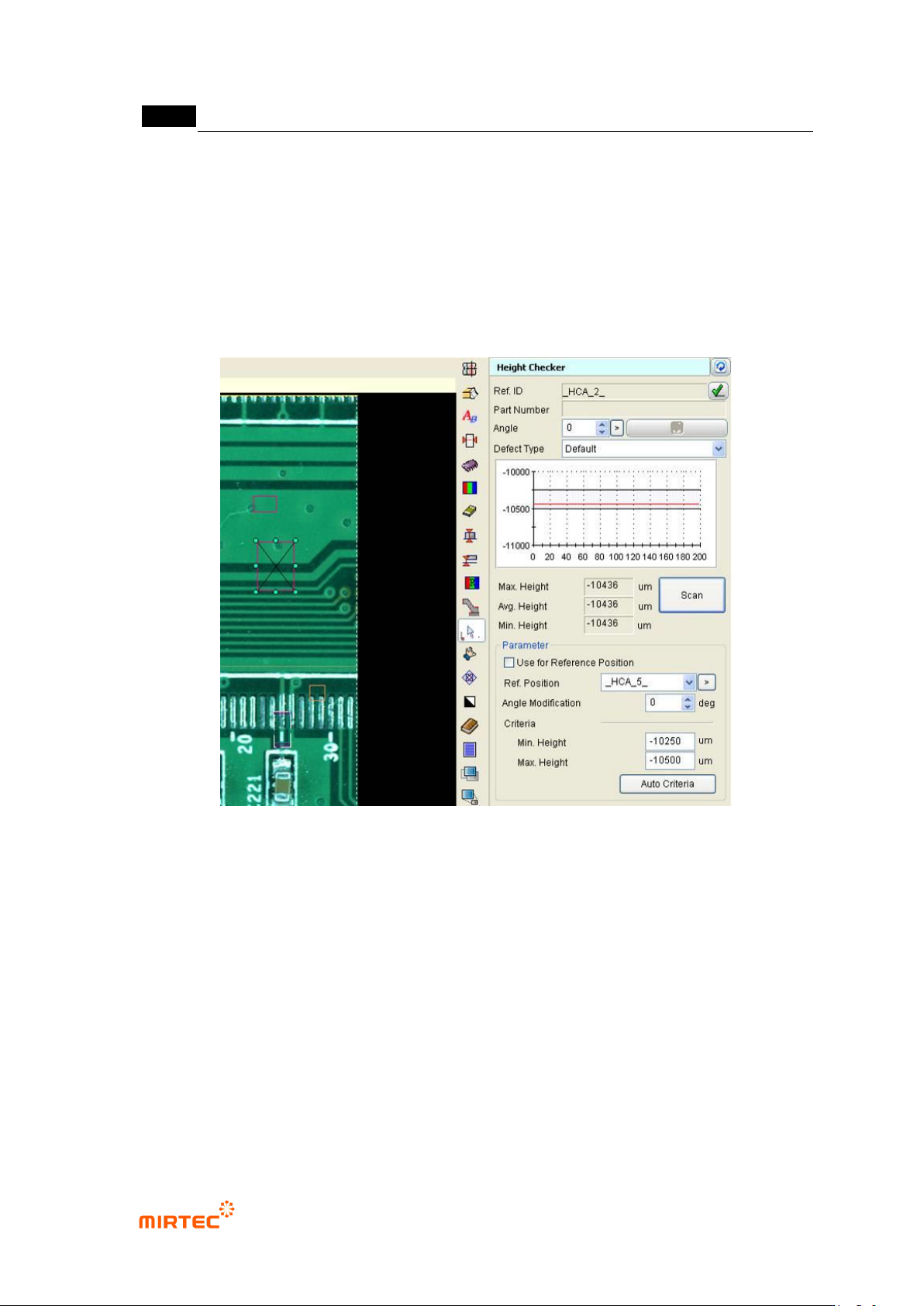
5.3.9 Height inspection window
- This is used to measure lifted defect using component height inspection.
[Figure 5-188 height inspection window setting screen]
Reference name
Refer to „reference name in „5.3.1 mounting inspection window‟ excepting shape.
Name is created in „_HCA_6_‟ format. „HCA‟ means height and the number means creation order
of lifted inspection window.
Component name
Refer to „component name in „5.3.1 mounting inspection window‟.
Rotation angle
This is to set laser rotation angle.
Max/average/min height
Display max peak/average/min value of data from section scanned by laser.