MV-9_Chapter 5. Teaching.pdf - 第43页
错误 ! 使用“开始” 选项卡将 제목 2 应用于要在此处显示的文字。 错误 ! 使用“开始”选项卡将 제목 2 应用 于要在此处显示的 文字。 . 5- 43 - Inner Blue Count : number of blue pixel in inner ar ea [Figure 5- 45 N on -mounting inspection (soldering ) result in status screen] [Fig…
MV-9 User Manual
5-42
- Solder start
Set start position of solder inspection area. In general, set it to electrode end, and
electrode is not included.
- Solder width
This is to set width of solder inspection area. Inspection window width will be set to
100%.
- Solder blue ratio
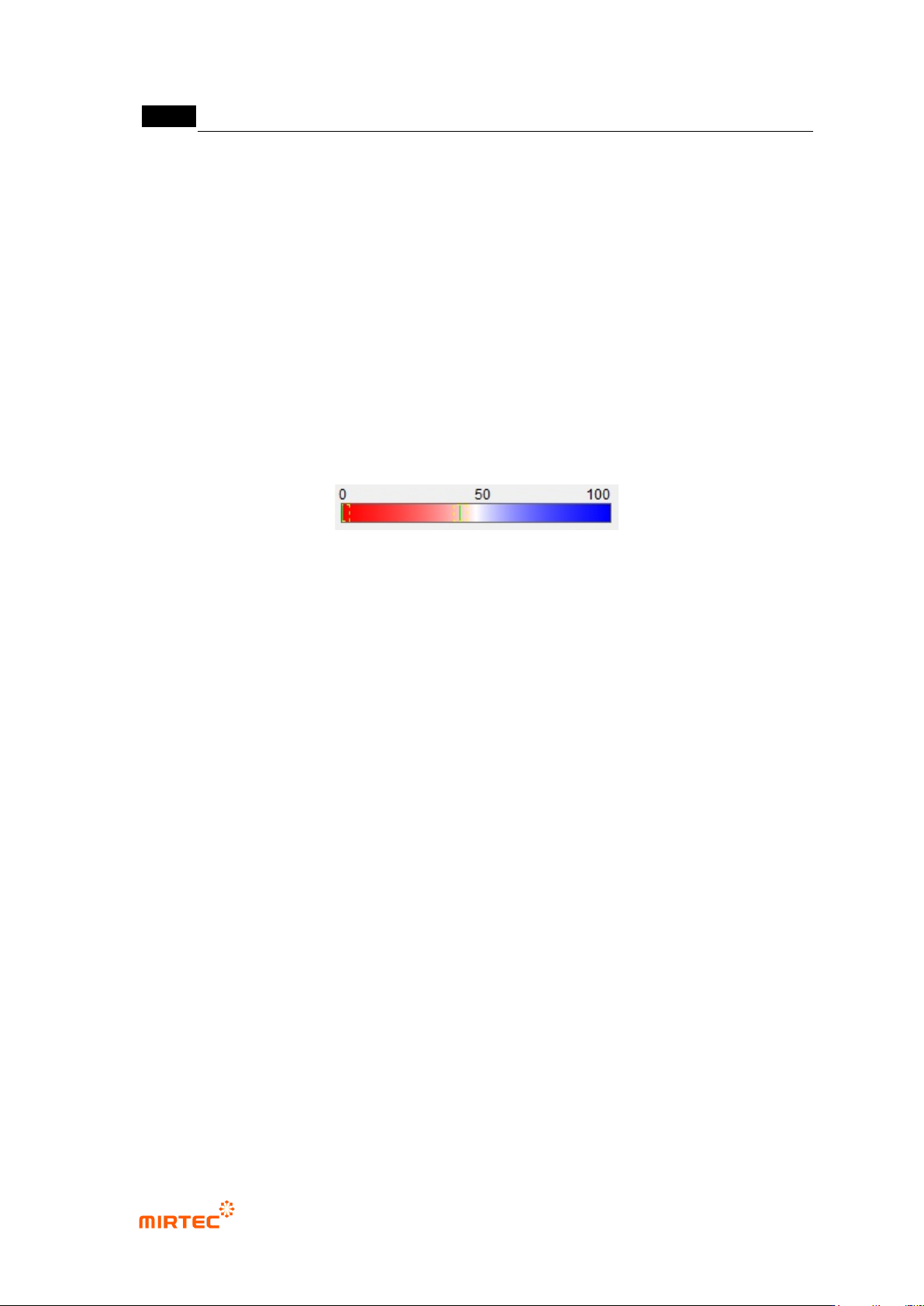
This is to set blue reference of solder. Blue and red ratio. Based on 50, if it is below 50,
it is red series. If it is above 50, it is blue series. Remove solder with value below
reference value.
Electrode will be displayed in red + white in color light, and solder is displayed in blue.
Hence, set it within approximately 50 ~ 60 range.
- Blue binarization
This is to set reference value for binarization of blue range judged by solder blue ratio.
- White pixel ratio
This is to set good/defect judgment reference value white pixel ratio for solder area
(outer). If it is below reference value, judge as defect.
- Blue pixel ratio
This is to segment inner area (chip body direction, inner) and outer area (solder
direction, outer) based on center of red area (electrode). Calculate ratio of blue pixel in
each area.
Blue pixel ratio is defined by blue ratio in inner area comparing to blue ratio in outer
area. If it is higher than reference value, judge as defect. This means that blue ratio is
high at electrode and inward.
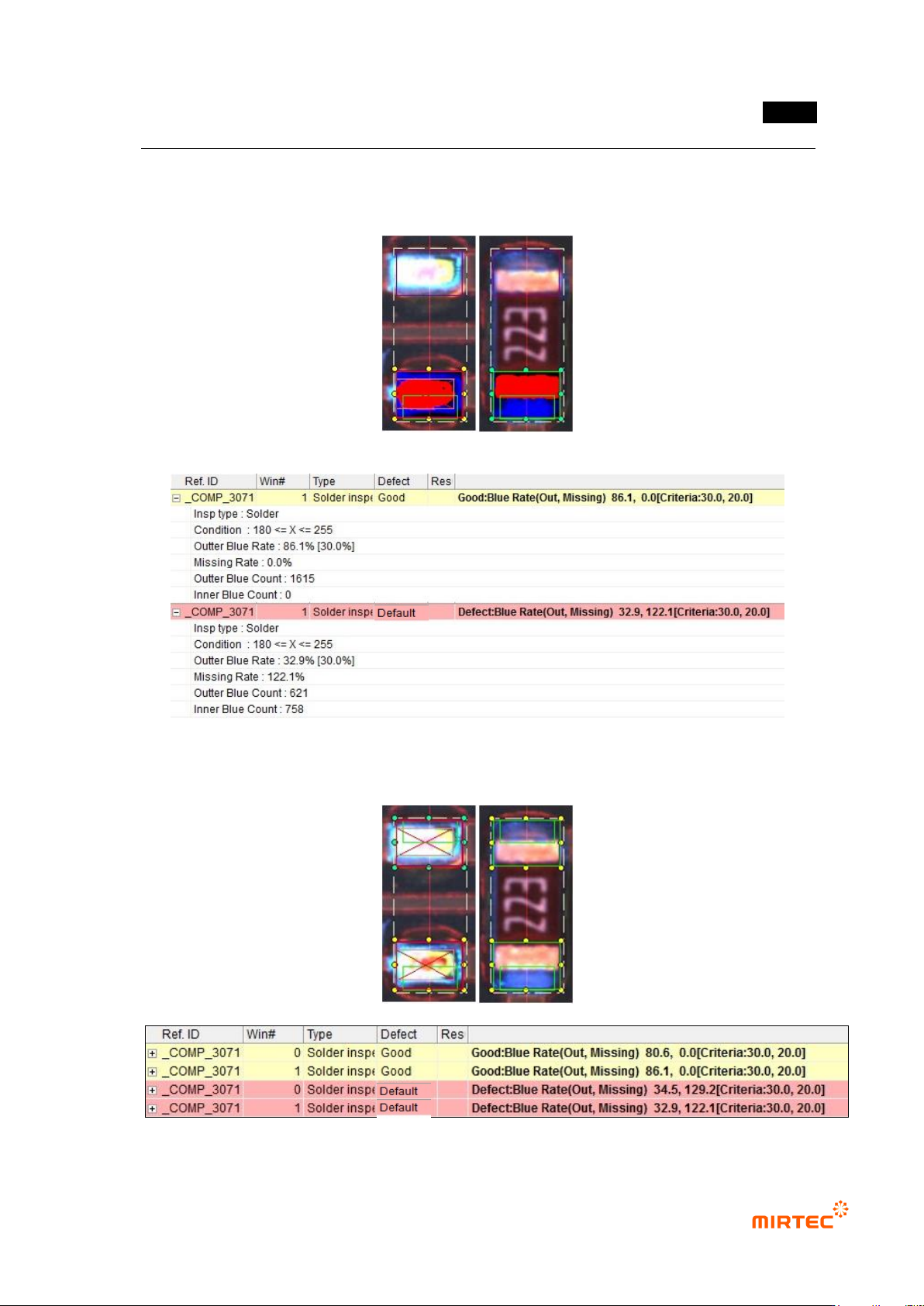
③ Non-mounting inspection (soldering) result in status screen
- Inspection Type: name of inspection window.
- Condition: binarization setting status.
- Outer Blue Rate: ratio of blue pixel in solder area. Value in brace is reference value.
- Missing Rate: ratio of blue pixel ratio to blue pixel ratio in outer area in inner area.
0% means that there is no blue in inner area, and this percentage is bigger than 0%,
there has much blue in inner area.
- Outer Blue Count: number of blue pixel in outer area
错误!使用“开始”选项卡将 제목 2 应用于要在此处显示的文字。错误!使用“开始”选项卡将 제목 2 应用
于要在此处显示的文字。 .
5-43
- Inner Blue Count: number of blue pixel in inner area
[Figure 5-45 Non-mounting inspection (soldering) result in status screen]
[Figure 5-46 Example of non-mounting inspection (soldering) result]
MV-9 User Manual
5-44
3) Non-mounting inspection (mounting)
This is to judge whether there is electrode or not using color information of components of chip
type mounted at mounting end to conduct non-mounting inspection.
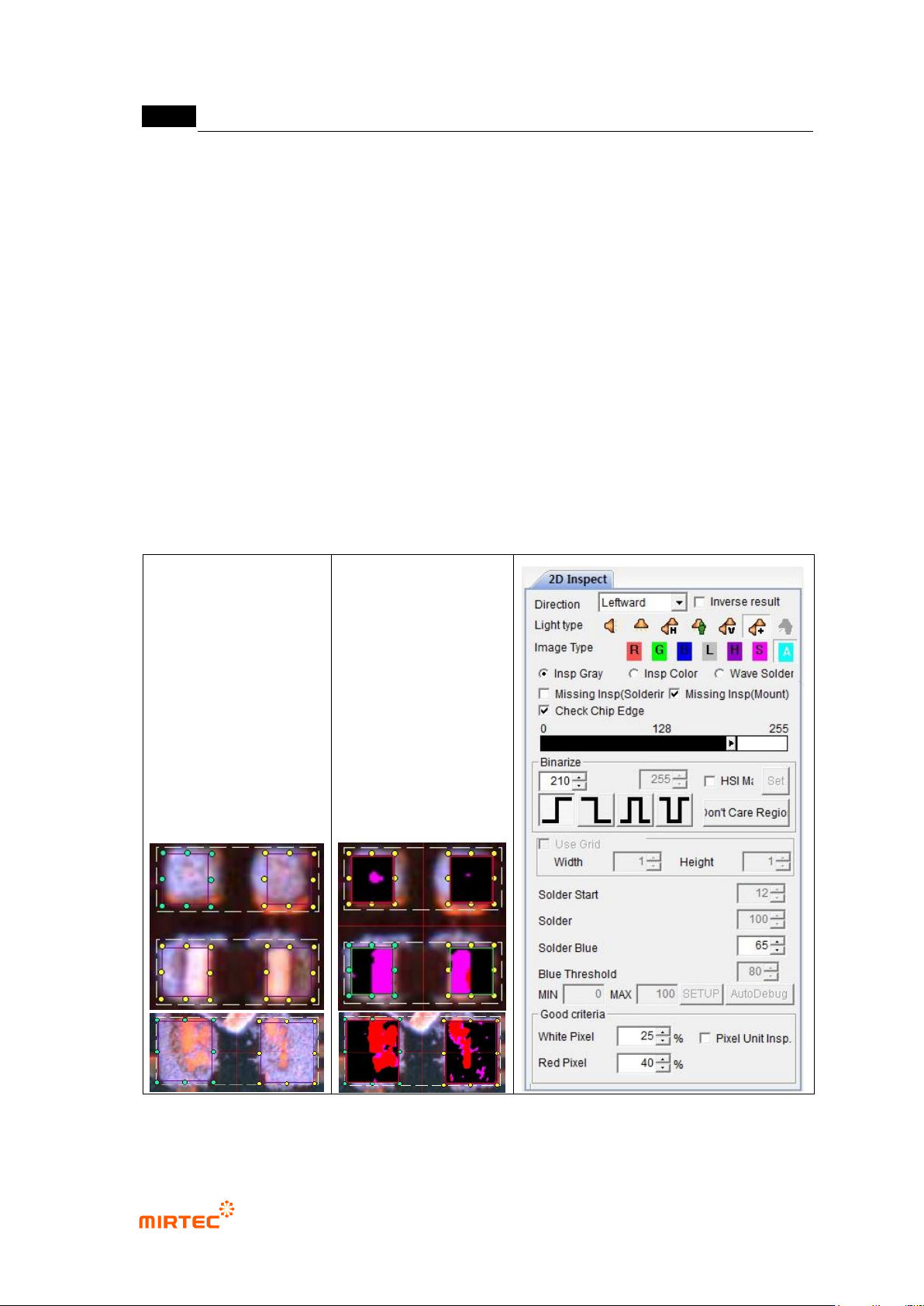
① Teaching method
(a) Draw solder inspection window including solder area and chip electrode and select
direction.
(b) Select horizontal + vertical light for light type. Basically, „A‟ will be automatically selected
for image type.
(c) Click non-mounting inspection (mounting) in parameter window, and select chip
electrode check.
(d) Adjust binarization value and solder blue ratio to separate electrode from solder and
substrate into pink.
(e) Enter normal criteria.
[Figure 5-47 Screen to create non-mounting inspection (mounting) window]