MV-9_Chapter 5. Teaching.pdf - 第5页
错误 ! 使用“开始” 选项卡将 제목 2 应用于要在此处显示的文字。 错误 ! 使用“开始”选项卡将 제목 2 应用 于要在此处显示的 文字。 . 5-5 5.10.5 . Inspection Mode Setting ............................................................................ 5- 284 5.10.6 . Criteria Settin…

MV-9 User Manual
5-4
5.6.7.Criteria Setting ............................................................................................. 5-251
5.6.8.Inspection Results ....................................................................................... 5-252
5.6.9.Reliability Threshold ................................ ................................ .................... 5-253
5.7.Odd Parts ............. 5-254
5.7.1.Selection of Window for Mounting Inspection .............................................. 5-254
5.7.2.Selection of “Use 3D Inspect “ Option .......................................................... 5-254
5.7.3.Projector Selection ...................................................................................... 5-254
5.7.4.Selection of Mounting Type ................................ ......................................... 5-255
5.7.5.Position Setting ............................................................................................ 5-255
5.7.6.Part information Measurement .................................................................... 5-256
5.7.7.Criteria Setting ............................................................................................. 5-256
5.7.8.Inspection Results ....................................................................................... 5-257
5.7.9.Reliability Threshold .................................................................................... 5-258
5.8.IC Lead ............. 5-258
5.8.1.Selection of Window for IC/Bridge Inspection .............................................. 5-258
5.8.2.Lead Direction .............................................................................................. 5-259
5.8.3.Setting of Parameters for Lead Seq. and Bridge Insp. ................................ 5-259
5.8.4.Setting of Lead-tip Offset and Lead Offset ................................................... 5-260
5.8.5.Use Color Map ............................................................................................. 5-260
5.8.6.Projector Selection ................................................................ ....................... 5-261
5.8.7.Measurement of Lead Height Information .................................................... 5-261
5.8.8.Setting of Criteria and Expanded Region ..................................................... 5-262
5.8.9.Inspection Results ....................................................................................... 5-263
5.9.BLU ............. 5-265
5.9.1.Selection of Window for Mounting Inspection .............................................. 5-265
5.9.2.Selection of “3D BLU Inspect “ Option ......................................................... 5-265
5.9.3.Projector Selection ................................................................ ....................... 5-265
5.9.4.Selection of LED PKG. Type ........................................................................ 5-266
5.9.5.Position Setting ............................................................................................ 5-267
5.9.6.LED PKG. Information Measurement ........................................................... 5-268
5.9.7.Criteria Setting ............................................................................................. 5-269
5.9.8.How to Use Markers .................................................................................... 5-270
5.9.9.Teaching Method in case of No Markers (Use RectCenter) ......................... 5-274
5.9.10.Inspection Results ..................................................................................... 5-276
5.9.11.Automatic Teaching .................................................................................... 5-278
5.10.Height Checker ............. 5-282
5.10.1.Selection of Window for Height Inspection................................................. 5-282
5.10.2.Projector Selection ..................................................................................... 5-282
5.10.3.Selection of Reference Position ................................................................. 5-283
5.10.4.Designation of Reference Position ............................................................. 5-283

错误!使用“开始”选项卡将 제목 2 应用于要在此处显示的文字。错误!使用“开始”选项卡将 제목 2 应用
于要在此处显示的文字。 .
5-5
5.10.5.Inspection Mode Setting ............................................................................ 5-284
5.10.6.Criteria Setting ........................................................................................... 5-284
5.10.7.Inspection Results ..................................................................................... 5-285
MV-9 User Manual
5-6
5.1. Mounting PCB
For teaching and inspection, operation program must be executed after turning this system and
PC ON.
5.1.1. Executing program
Select executing program in the main screen for operation.
5.1.2. Mounting PCB
Mounting PCB
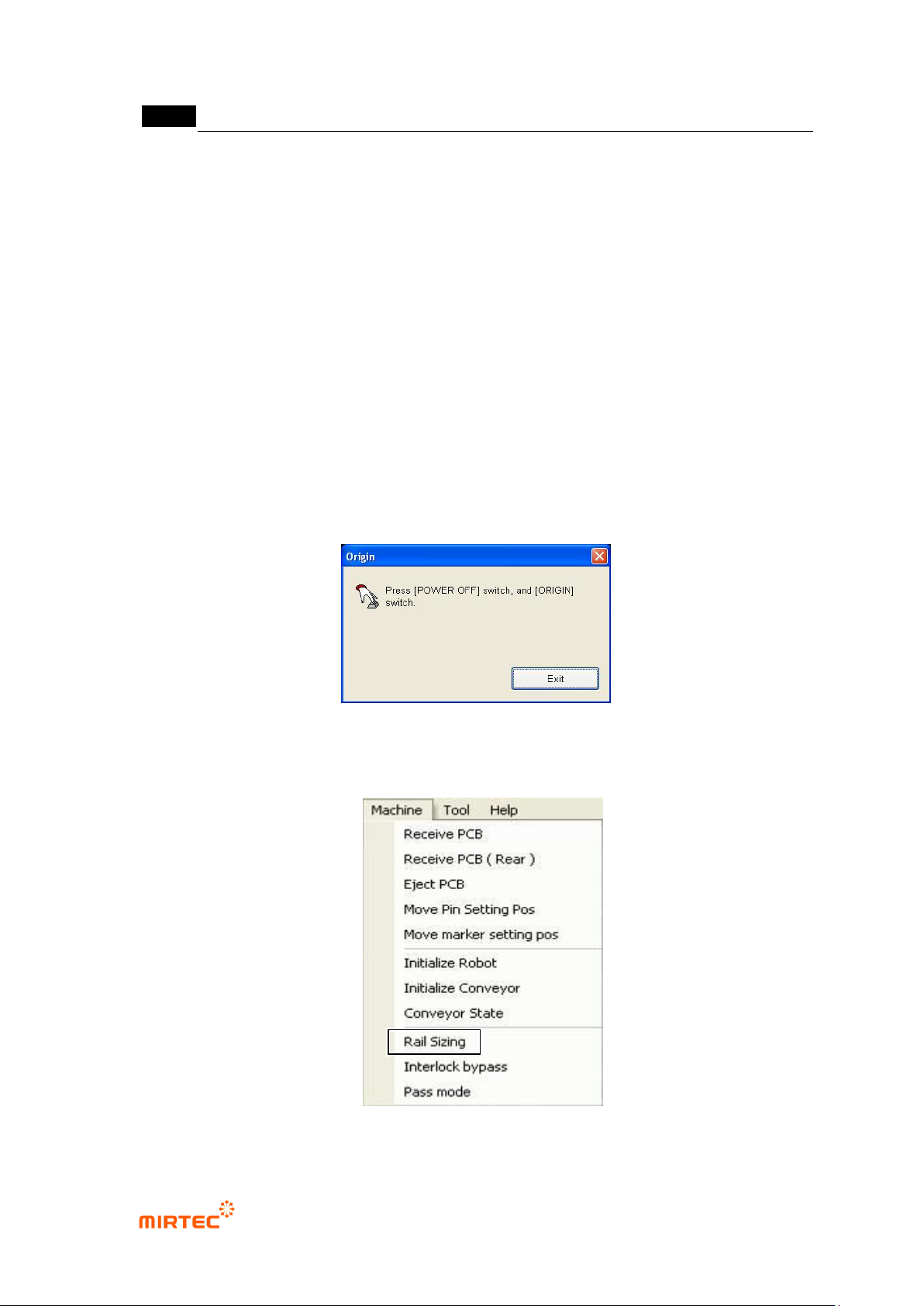
① Click origin return button to reset the machine.
[Figure 5-4 Machine reset screen]
② If conveyor width is not adjusted for PCB mounting, select „Adjust rail width‟ in the menu bar
to adjust rail width.
[Figure 5-5 Adjusting conveyor rail width]