MV-9_Chapter 5. Teaching.pdf - 第46页
MV -9 Use r Manual 5- 46 - Condi t ion : status of binarization setting. - W hite P ixel Ratio : ra t i o of w hi te pixel in inspection window . It means ratio of pixel relevant to electrode. - Red Ratio : ratio of red …
错误!使用“开始”选项卡将 제목 2 应用于要在此处显示的文字。错误!使用“开始”选项卡将 제목 2 应用
于要在此处显示的文字。 .
5-45
② Parameter of non-mounting inspection (mounting) window
- Non-mounting inspection (mounting)
This is used to detect non-mounting defect during mounting status inspection at the rear
part of mounting inspection.
- Chip electrode check
This is for defect detection using existence of chip electrode.
- Binarization
Set binarization value of red and blue.
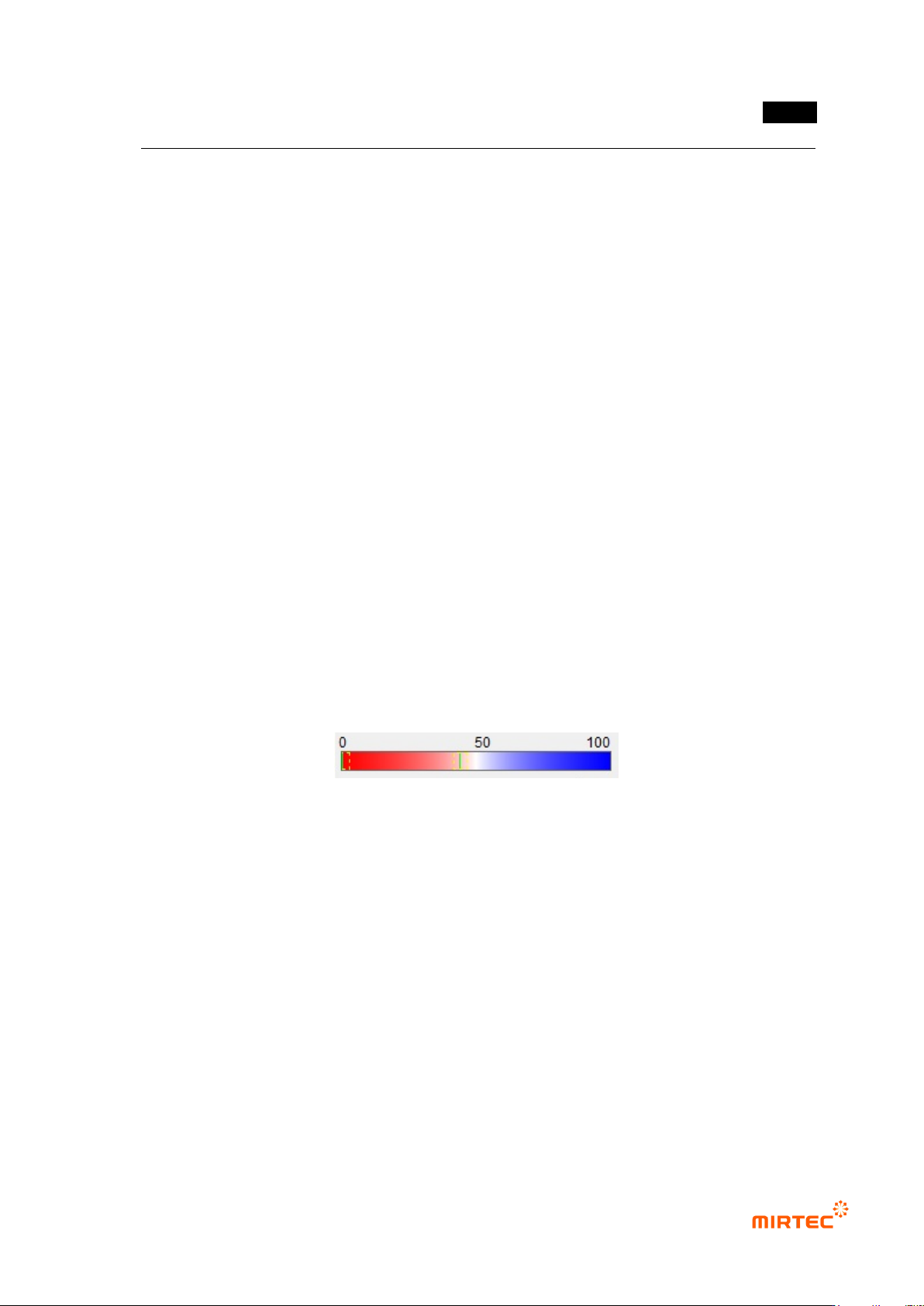
- Solder blue ratio
This is to set blue reference of solder. Ratio of blue and red. Based on 50, if it is below
50, it is red series. If it is above 50, it is blue series. Remove solder below reference
value. (The figure below is an example, and it is not displayed in real inspection
window.)
Adjust binarization value and solder blue reference to set electrode area to be displayed
in pink.
If there is stain after mounting and springing of chip, pad is exposed. Not like electrode,
exposed pad is displayed in strong red, and electrode is displayed in low red with low
saturation that is close to white. Therefore, we can tell pad from electrode using solder
blue ratio.
Electrode will be red + white in color light, and solder will be blue, Hence, set it in
approximately 50 ~ 60 range.
- White pixel ratio
Amount of pixel recognized as chip electrode in total window, and it will be pink in
preview screen. If it is below reference setting value, judge as defect.
If non-mounting inspection (mounting) is selected, only red pixel ratio will be activated. If
chip electrode check is selected, white pixel ratio will be additionally activated.
- Red pixel ratio
Ratio of red pixel in solder window. If it is higher than reference setting value, judge as
defect.
③ Non-mounting inspection (mounting) result in status screen
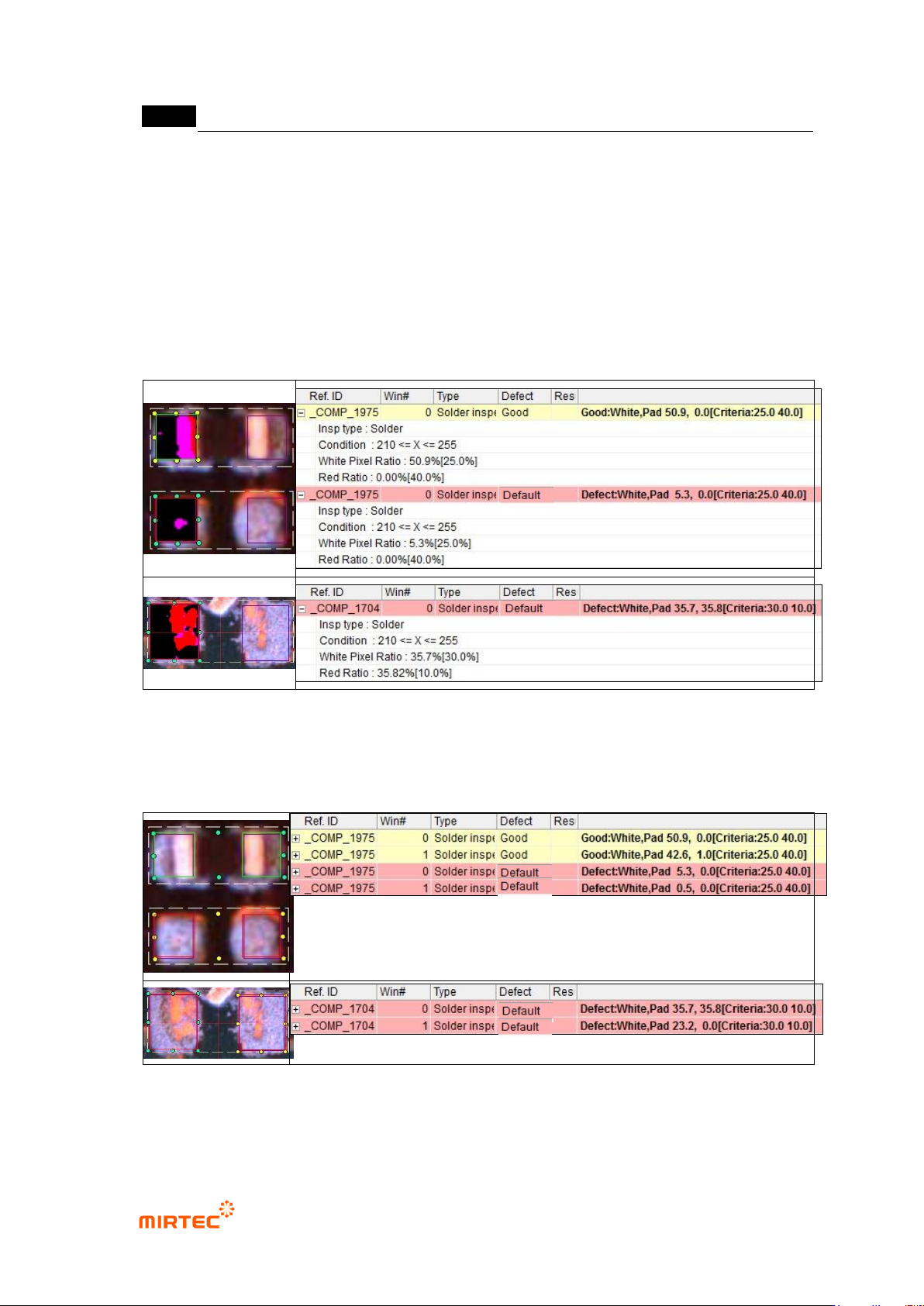
When chip electrode check is selected
- Inspection Type: name of inspection window.
MV-9 User Manual
5-46
- Condition: status of binarization setting.
- White Pixel Ratio: ratio of white pixel in inspection window. It means ratio of pixel relevant
to electrode.
- Red Ratio: ratio of red pixel in inspection window. It means ratio of pixel relevant to
exposed pad.
- Non-mounting defect at which chip is not mounted and non-mounting defect at which is
mounted but sprang off can be detected while checking ion chip polar star check.
[Figure 5-48 Non-mounting inspection (mounting) in status screen –result when chip inspection
check is selected]
[Figure 5-49 Non-mounting inspection (mounting) –result example when chip inspection check is
selected]
When chip electrode check is selected
错误!使用“开始”选项卡将 제목 2 应用于要在此处显示的文字。错误!使用“开始”选项卡将 제목 2 应用
于要在此处显示的文字。 .
5-47
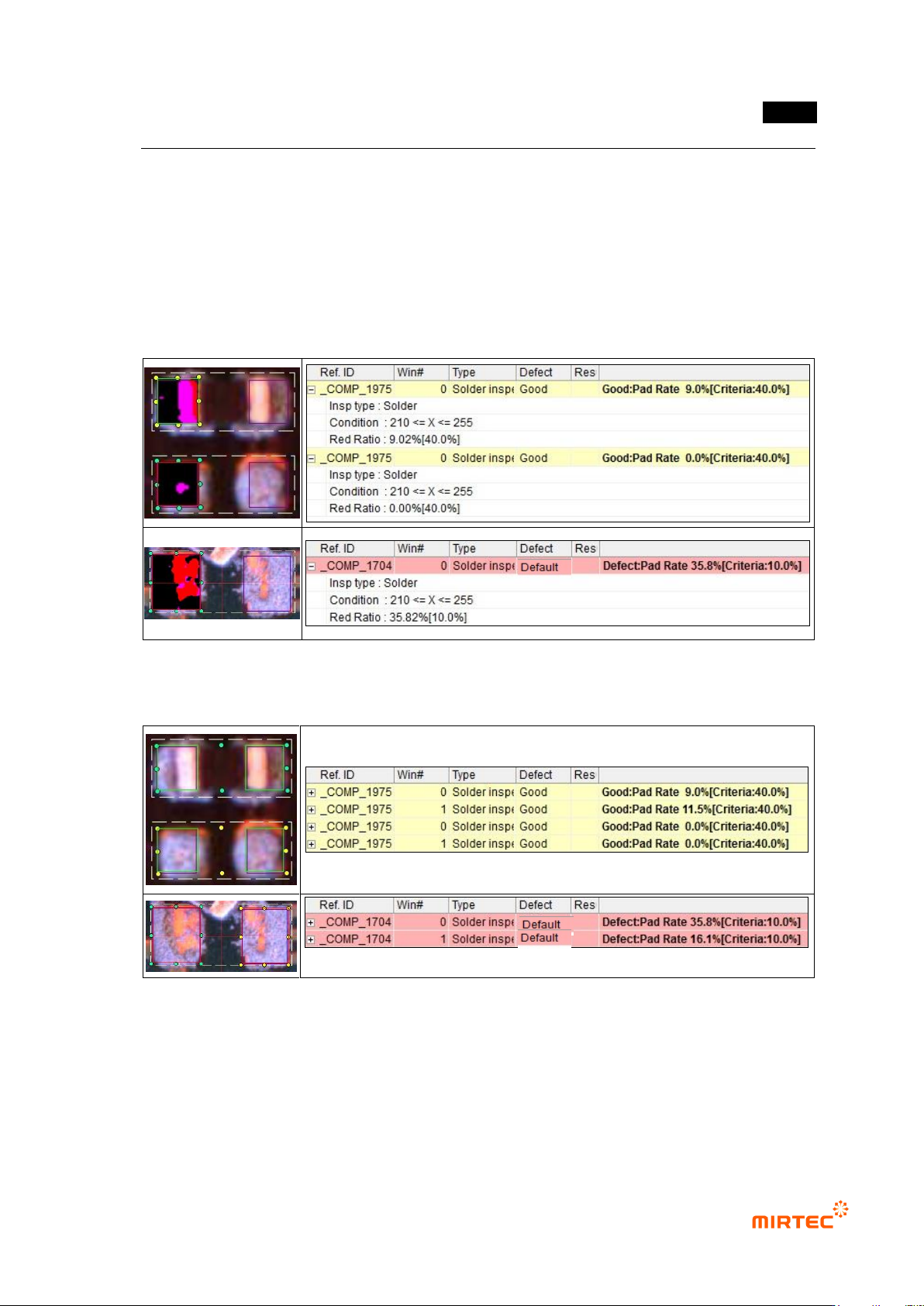
- Inspection Type: name of inspection window.
- Condition: status of binarization setting.
- Red Ratio: ratio of red pixel in inspection window. It means ratio of pixel relevant to
exposed pad.
- Non-mounting defect at which is mounted but sprang off can be detected if chip electrode
is not selected. However, but defect at which chip is not mounted can‟t be detected.
[Figure 5-50 Non-mounting inspection (mounting) in status screen – result when chip inspection
check is not selected]
[Figure 5-51 Non-mounting inspection (mounting) – result example when chip inspection check is
not selected]